
1. Introducción
This manual provides instructions for the safe and efficient operation of your MEDION P64145 Stereo System. Please read this manual thoroughly before using the device and keep it for future reference. The MEDION P64145 is a compact audio system featuring DAB+ and PLL FM radio, a CD/MP3 player, Bluetooth connectivity, and USB playback.
2. Información de seguridad
Tenga en cuenta las siguientes precauciones de seguridad para evitar dañar el dispositivo o lesionarse usted mismo:
- No exponga el dispositivo a la lluvia ni a la humedad.
- No bloquee las aberturas de ventilación.
- Asegúrese de que el cable de alimentación no quede pellizcado ni pisado.
- Utilice únicamente accesorios especificados por el fabricante.
- Desenchufe el dispositivo durante tormentas eléctricas o cuando no lo utilice durante períodos prolongados.
- Deje todo servicio a personal de servicio calificado.
3. Contenido del paquete
Verifique que todos los artículos estén presentes en el embalaje:
- MEDION P64145 AiO Audio System (MD44125)
- Control remoto (con batería)
- Cable de alimentación
- Manual de usuario
- Tarjeta de garantía
4. Dispositivo terminadoview
Panel frontal
The front panel features the LCD display, CD tray, control buttons, and volume knob.

Imagen: Frente view of the MEDION P64145 stereo system, highlighting the central display, CD slot, and various control buttons.
Panel trasero y conexiones
The rear panel includes the power input, antenna connection, and auxiliary ports.

Imagen: Trasera view of the MEDION P64145 stereo system, illustrating its dimensions (120mm height, 377mm width, 220mm depth) and available connection ports including Line In, USB, AUX-In (3.5 mm), and Headphone Jack.
5. Configuración
5.1 Conexión de alimentación
- Conecte el cable de alimentación a la toma AC IN en la parte posterior de la unidad.
- Plug the other end of the power cable into a wall outlet (100-240V ~ 50/60 Hz).
5.2 conexión de antena
For optimal radio reception, ensure the antenna is fully extended and positioned correctly.
5.3 Encendido inicial
Press the Power button on the unit or remote control to turn on the system. The LCD display will illuminate.
6. Instrucciones de funcionamiento
6.1 Funcionamiento básico
- Encendido/apagado: Presione el FUERZA botón.
- Control de volumen: Girar el VOLUMEN perilla o utilice el VOL +/- botones en el control remoto.
- Selección de fuente: Presione el FUENTE button to switch between DAB+, FM, CD, Bluetooth, USB, and AUX modes.
6.2 Radio Operation (DAB+/PLL FM)
The system supports both digital DAB+ radio and analog PLL FM radio.

Image: The MEDION P64145 stereo system with 'DAB+' shown on its display, signifying its capability for digital radio reception with high sound quality.
- Seleccionar DAB+ or FM modo usando el FUENTE botón.
- Escaneo automático: In DAB+ mode, the system will automatically scan for available stations upon first use. For FM, press and hold the ESCANEAR botón.
- Sintonización manual: Utilice el SINTONIZAR+/- Botones para ajustar manualmente la frecuencia.
- Preajustes de estaciones: Save up to 30 stations by pressing and holding a preset number button (1-30) after tuning to a station. Recall saved stations by pressing the corresponding preset number.
6.3 Reproductor de CD/MP3

Image: A hand inserting a compact disc into the front-loading CD player of the MEDION P64145 stereo system, demonstrating its CD/MP3 playback capability.
- Seleccionar CD modo.
- Insert a CD (audio CD or MP3 CD) into the CD slot. The disc will load automatically.
- Usar REPRODUCIR/PAUSA, DETENER, SALTAR+/- Botones para el control de reproducción.
6.4 Transmisión por Bluetooth
Transmita música de forma inalámbrica desde su teléfono inteligente o tableta.

Image: A smartphone screen showing a music playback interface, positioned next to the MEDION P64145 stereo system. A Bluetooth symbol is visible, illustrating the wireless music streaming feature from a mobile device to the stereo system.
- Seleccionar Bluetooth mode. The display will show "Pairing" or similar.
- On your mobile device, enable Bluetooth and search for "MEDION P64145" (or similar device name).
- Select the device to pair. Once connected, you can play music from your device through the stereo system.
- The effective range for Bluetooth streaming is up to 10 meters, depending on environmental conditions.
Reproducción USB 6.5
- Inserte una memoria USB que contenga MP3 files en el puerto USB.
- Seleccionar USB modo. El sistema detectará automáticamente y comenzará a reproducir MP3. files.
- Utilice los controles de reproducción para navegar por las pistas.
6.6 entrada auxiliar
- Connect an external audio device (e.g., MP3 player) to the 3.5mm AUX IN port using an audio cable (not included).
- Seleccionar Auxiliar modo.
- Controle la reproducción desde su dispositivo externo.
6.7 Configuración de sonido
Ajuste la salida de audio según sus preferencias.
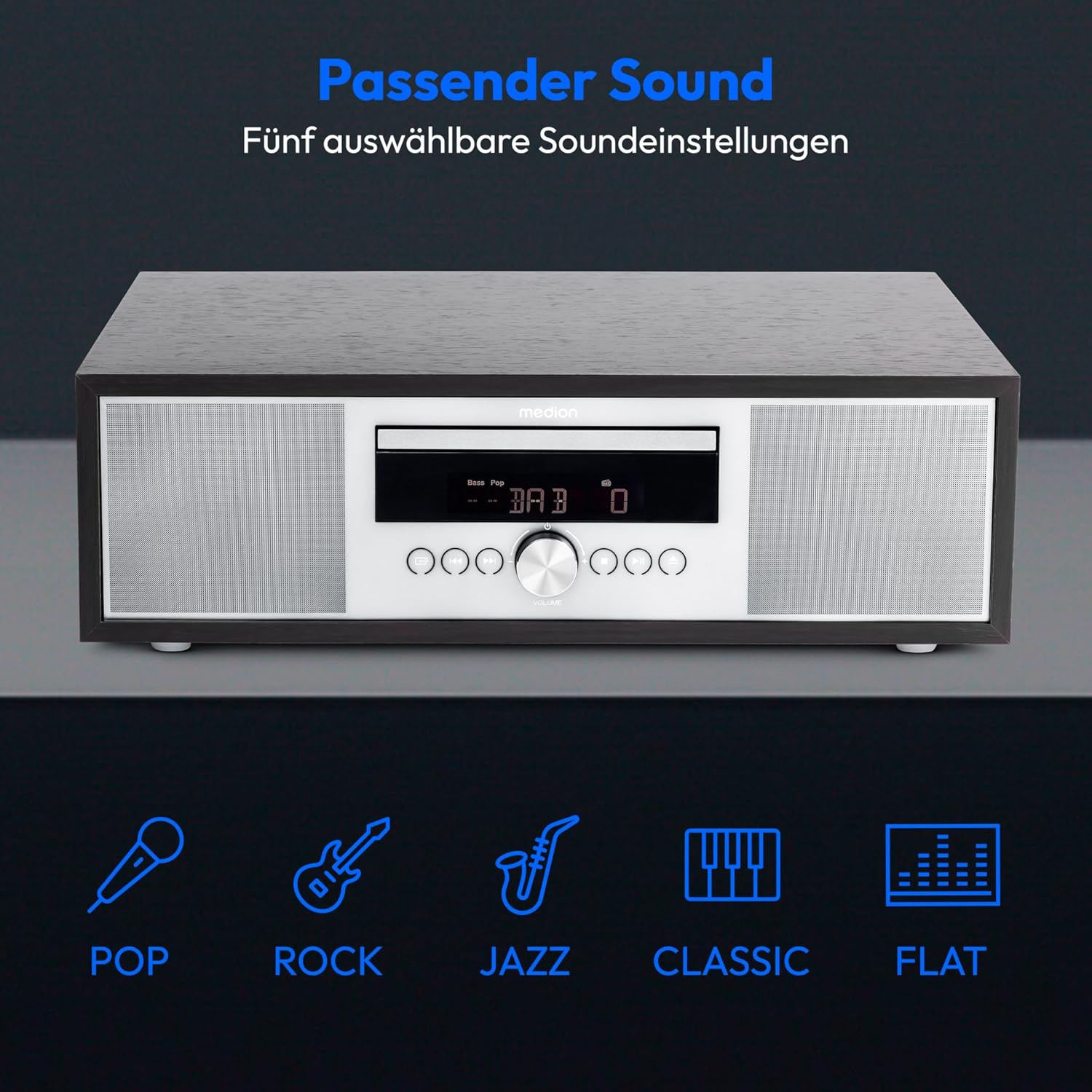
Image: The MEDION P64145 stereo system accompanied by graphical icons for five distinct sound equalization presets: Pop, Rock, Jazz, Classic, and Flat, indicating customizable audio profiles.
- Ajustes preestablecidos del ecualizador: Utilice el EQ button on the remote to cycle through preset sound modes: Pop, Rock, Jazz, Classic, and Flat.
- Ajuste de graves/agudos: Utilice el dedicado BAJO+/- y AGUDOS+/- buttons on the remote control to fine-tune the sound.
6.8 Alarma y temporizador de apagado
- Función de alarma: Set an alarm to wake up to radio, CD, USB, or a standard alarm sound. Refer to the detailed instructions in the full manual for setting specific alarm times and sources.
- Función de repetición: Cuando suene la alarma, presione el DORMITAR botón para silenciarlo temporalmente.
- Función de suspensión automática: Set a timer for the system to automatically turn off after a specified period. Use the DORMIR Botón en el control remoto.
7. Mantenimiento
7.1 Limpieza de la unidad
Limpie la unidad con un paño suave y seco. No utilice limpiadores abrasivos ni disolventes.
7.2 Cuidado del reproductor de CD
Handle CDs by their edges. Clean dirty CDs with a soft, lint-free cloth, wiping from the center outwards. Do not use scratched or warped discs.
8. Solución de problemas
Si encuentra problemas, consulte la siguiente tabla antes de contactar al soporte:
| Problema | Posible causa | Solución |
|---|---|---|
| Sin poder | Cable de alimentación no conectado; toma de corriente no activa. | Verifique la conexión del cable de alimentación; pruebe con una toma de corriente diferente. |
| Sin sonido | Volumen demasiado bajo; fuente incorrecta seleccionada; auriculares conectados. | Aumente el volumen; seleccione la fuente correcta; desconecte los auriculares. |
| Mala recepción de radio | Antenna not extended or positioned poorly. | Adjust antenna position; try automatic scan again. |
| El CD no se reproduce | CD inserted incorrectly; disc scratched or dirty; unsupported format. | Reinsert CD correctly; clean or replace disc; ensure it's an audio CD or MP3 CD. |
| El emparejamiento de Bluetooth falló | Device too far; Bluetooth not enabled on mobile device; system not in pairing mode. | Acerque el dispositivo; habilite Bluetooth; asegúrese de que el sistema esté en modo de emparejamiento Bluetooth. |
9. Especificaciones
| Característica | Especificación |
|---|---|
| Número de modelo | P64145 (MD44125) |
| Marca | MEDION |
| Color | Black-Silver |
| Tecnología de conectividad | Bluetooth, USB |
| Características especiales | Bluetooth, DAB+, USB, AUX Input, CD Player, Alarm Function, Sleep Timer |
| Dimensiones del producto (L x An x Al) | 22 cm x 37.7 cm x 12 cm |
| Peso del artículo | 3.2 kilogramos |
| Tecnología de sintonizador | DAB Plus |
| Bandas de radio compatibles | DAB+/PLL-UKW |
| Fuente de poder | Corded Electric (100-240V ~ 50/60 Hz) |
| Potencia máxima de salida del altavoz | 2 x 15 vatios RMS |
| Tipo de pantalla | Pantalla LCD |
| Modo de salida de sonido | Estéreo |
| Dispositivos compatibles | Teléfono inteligente, tableta, reproductor de MP3 |
| Material | Stainless Steel (front panel) |
10. Información de garantía
Your MEDION P64145 Stereo System comes with a 2-year limited warranty. Please retain your proof of purchase for warranty claims. For detailed terms and conditions, refer to the included warranty card or visit the official MEDION websitio.
11. Soporte
For further assistance, technical support, or service inquiries, please visit the official MEDION support website or contact their customer service. Contact details can typically be found on the warranty card or the manufacturer's websitio.
MEDION oficial Websitio: www.medion.com


