
1. Introducción
The ELEGRP Wireless Charging Station is a versatile 3-in-1 device designed to simultaneously charge your compatible iPhone, Apple Watch, and AirPods. Its foldable and compact design makes it ideal for both home use and travel. This manual provides essential information for safe and efficient operation of your charging station.

Image 1.1: The ELEGRP 3-in-1 Wireless Charging Station in use, charging an iPhone, Apple Watch, and AirPods simultaneously.
2. Contenido del paquete
Por favor verifique que todos los artículos estén presentes en su paquete:
- 1 x ELEGRP 3-in-1 Wireless Charging Station
- 1 x 18W Fast Adapter
- 1 x 3FT USB Type-C Cable
- 1 x Manual de usuario (este documento)
- 1 x tarjeta de servicio
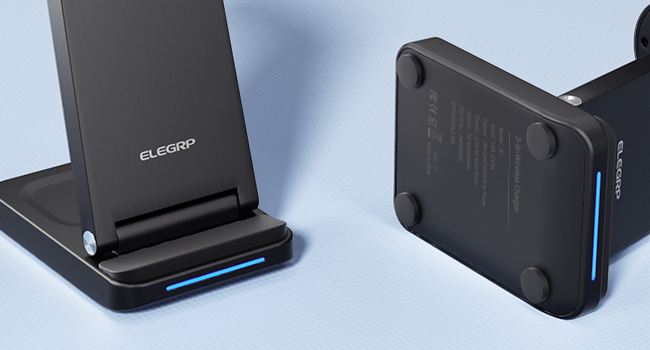
Image 2.1: All components included in the ELEGRP Wireless Charging Station package.
3. Instrucciones de configuración
Follow these steps to set up your ELEGRP Wireless Charging Station:
- Despliegue la estación de carga: Gently unfold the charging station to its upright position. Ensure all charging surfaces are accessible.
- Conecte el cable de alimentación: Insert the USB Type-C cable into the charging port on the back of the charging station.
- Conectar al adaptador de corriente: Plug the other end of the USB Type-C cable into the provided 18W fast adapter.
- Enchufe al tomacorriente de pared: Insert the power adapter into a standard wall outlet. The LED indicator on the charging base will illuminate, indicating the device is powered on and ready for use.

Image 3.1: The charging station helps organize your charging area by consolidating multiple devices.
4. Instrucciones de funcionamiento
The ELEGRP Wireless Charging Station is designed for ease of use. Simply place your compatible devices on the designated charging areas.
4.1 Carga de tus dispositivos
- Para teléfonos inteligentes: Place your Qi-enabled smartphone vertically or horizontally on the main charging pad. The phone's screen will indicate charging status.
- Para Apple Watch: Place your Apple Watch on the magnetic charging module. Ensure the watch is properly aligned and begins charging.
- Para AirPods/Auriculares: Place your wireless charging compatible AirPods or other earbuds on the base charging pad.
The 18W adapter automatically distributes power to ensure all devices charge efficiently overnight.
4.2 Estado del indicador LED
The charging station features an LED indicator on the base to communicate its status:
- Interactive Slow Flash (Blue/Green): Indicates the device is powered on and in standby mode, ready to charge.
- Interactive Fast Flash (Blue/Green): Indicates a charging error or foreign object detection. Remove the device and re-position it, or remove any foreign objects.
- Azul solido: El dispositivo se está cargando activamente.
- Verde sólido: Device is fully charged or not charging.

Image 4.1: Explanation of the LED indicator lights on the charging station.
4.3 Diseño plegable
The charging station's foldable design allows for easy portability and storage. When folded, it is approximately 2.5 centimeters (0.98 inches) thick. This feature makes it convenient for travel or to save space on your desk or nightstand.
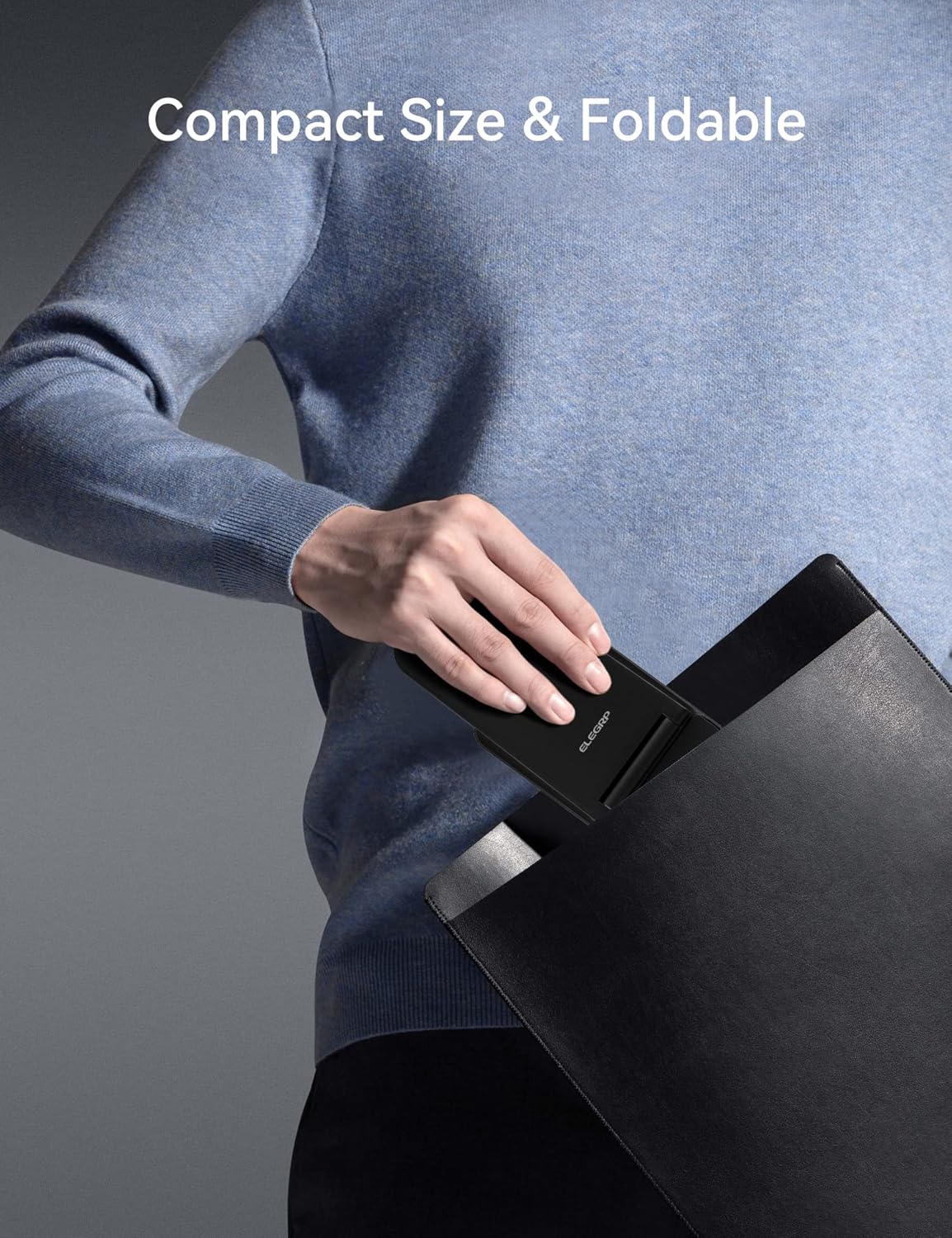
Image 4.2: The charging station's compact, foldable design is suitable for travel.
5. Compatibilidad del dispositivo
The ELEGRP Wireless Charging Station is compatible with a wide range of devices. Ensure your device supports wireless charging (Qi standard) for optimal performance.
5.1 Dispositivos compatibles
- iPhones: iPhone 15, 14, 13, 12, 11 series (Plus/Pro/Pro Max/Mini), iPhone SE (2nd generation), iPhone X (XS/XR/Max), iPhone 8.
- Samsung Phones: Samsung Galaxy S23, S22, S21, S20 series, Note 20 series, and other Qi-enabled Samsung models.
- Reloj de Apple: Apple Watch Ultra, Series 8, 7, SE, 6, 5, 4, 3, 2.
- AirPods/Earbuds: AirPods Pro 2, Pro, 3rd generation, 2nd generation, and compatible Samsung earbuds with wireless charging cases.

Image 5.1: Visual representation of universal compatibility with various devices.
5.2 Compatibilidad de casos
The charging station supports charging with most phone cases up to 0.6mm thick. Cases made of metal, those with magnetic attachments, or those containing credit cards may interfere with wireless charging and should be removed.

Image 5.2: Guidelines for case compatibility during wireless charging.
6. Seguridad y protección
The ELEGRP Wireless Charging Station incorporates multiple safety features to protect your devices and ensure a reliable charging experience.
- FCC Certification & Qi Protocol: Ensures compliance with safety standards and efficient wireless charging.
- Protección de sobrecarga: Prevents damage to your device's battery from excessive charging.
- Protección contra cortocircuitos: Medidas de protección contra cortocircuitos eléctricos.
- Protección contra la sobretensión: Regulates current flow to prevent damage.
- Detección de objetos extraños (FOD): Detects metallic objects on the charging surface and stops charging to prevent overheating.
- Disipación rápida del calor: Designed to manage heat effectively during charging.
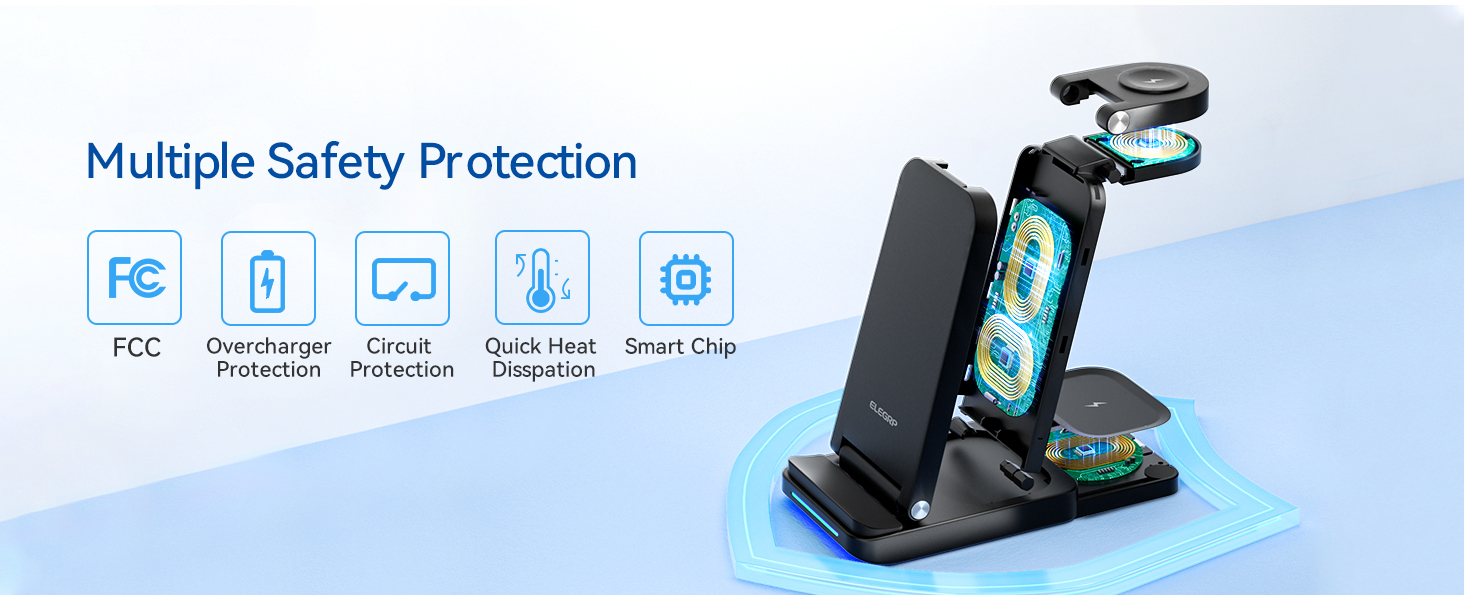
Imagen 6.1: Másview of the multiple safety protection features integrated into the charging station.
7. Solución de problemas
If you encounter issues with your charging station, please refer to the following common solutions:
- El dispositivo no se carga:
- Ensure the charging station is properly connected to the power adapter and a working wall outlet.
- Verify your device is wirelessly charging compatible (Qi standard).
- Remove any thick or metallic phone cases, or cases with magnetic attachments/credit cards.
- Reposition your device on the charging pad to ensure proper alignment with the charging coil.
- Compruebe si hay objetos extraños entre el dispositivo y la plataforma de carga.
- Carga lenta:
- Ensure you are using the provided 18W fast adapter and USB Type-C cable. Using a lower-power adapter may result in slower charging.
- Evite utilizar su dispositivo de forma prolongada mientras se está cargando de forma inalámbrica, ya que esto puede ralentizar el proceso de carga.
- LED Indicator Flashing Rapidly:
- This indicates a foreign object detection or improper device placement. Remove the device and any objects, then place the device back on the charger correctly.
- Sobrecalentamiento del dispositivo:
- While some warmth is normal during wireless charging, excessive heat may indicate improper placement or a foreign object. Remove the device and ensure proper alignment. If the issue persists, discontinue use and contact support.
8. Especificaciones
| Característica | Especificación |
|---|---|
| Número de modelo | BTSWC-FOLD |
| Vol de entradatage | 9 V (CA) |
| Ampanhelo | 15 Amps |
| Tecnología de conectividad | Inalámbrico |
| Tipo de conector | USB tipo C |
| Características especiales | Travel, 3-in-1 Wireless Charging Station |
| Peso del artículo | 0.176 onzas |
| Dimensiones del paquete | 6.89 x 5.12 x 2.13 pulgadas |
| Color | NEGRO |
9. Vídeo del producto terminadoview
Video 9.1: An official product video demonstrating the ELEGRP 3-in-1 Wireless Charging Station's features, including its ability to charge multiple devices simultaneously and its compact, foldable design.
10. Garantía y soporte
The ELEGRP Wireless Charging Station comes with a 1-year product warranty and a 30-day free return policy. For any questions or support regarding this wireless charger, please contact ELEGRP customer service. We aim to provide a resolution within 24 hours.
For further assistance, please refer to the contact information provided on your Service Card or visit the official ELEGRP websitio.