
Introducción
Thank you for choosing the JOYROOM JR-ZS246 Dashboard Car Mount 15W Wireless Charger. This manual provides detailed instructions for the proper installation, operation, maintenance, and troubleshooting of your device. Please read this manual carefully before use to ensure optimal performance and safety.
Instrucciones de instalación
1. Montaje del cargador
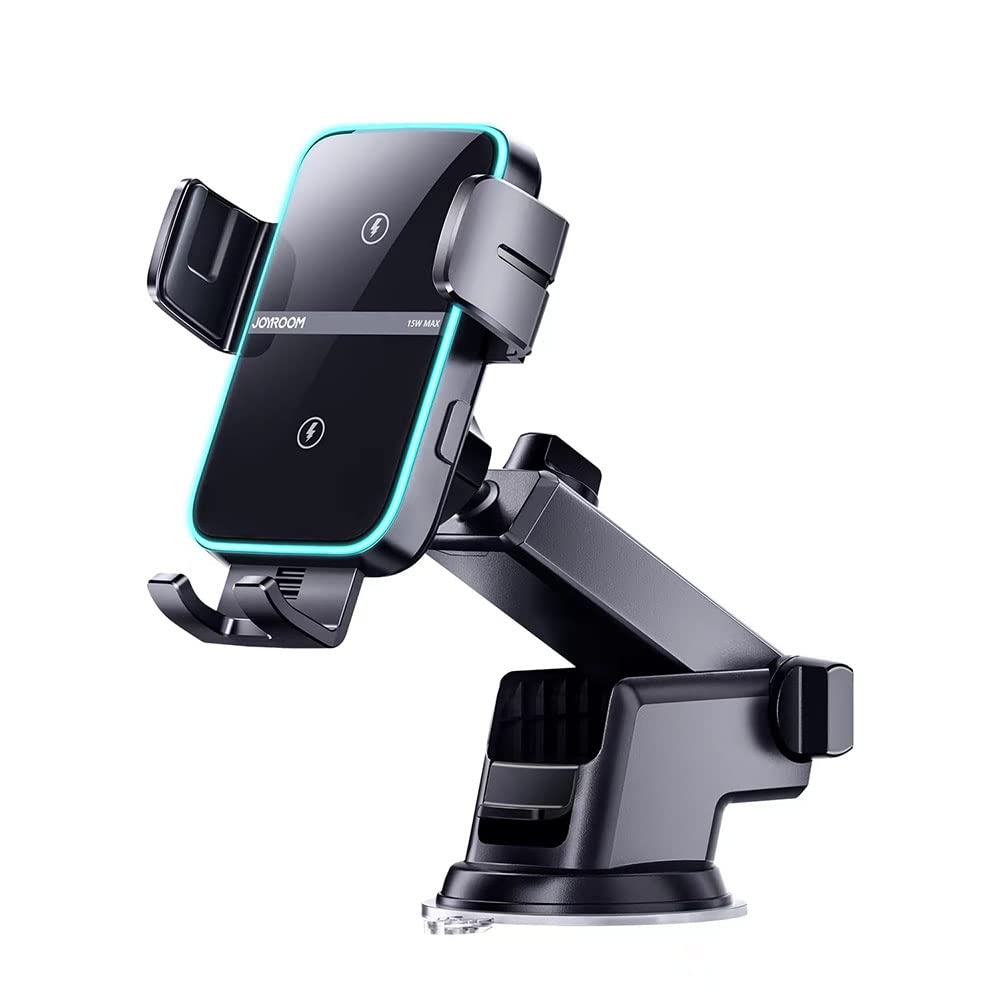
The JOYROOM JR-ZS246 offers versatile mounting options for your vehicle's dashboard or windshield.
- Limpiar la superficie: Ensure the chosen mounting surface (dashboard or windshield) is clean, dry, and free of dust or grease.
- Coloque la ventosa: Place the suction cup firmly on the desired surface. Press down and then push the locking lever to secure the mount.
- Ajuste el brazo: Loosen the adjustment knobs on the arm to position the charger at an optimal viewing angle. Tighten the knobs once the desired position is achieved.

Esta imagen proporciona una visión detallada view of the JOYROOM JR-ZS246 car charger, showcasing its adjustable arm for optimal positioning and the strong suction cup base designed for secure dashboard or windshield mounting.
2. Conexión de energía
To enable the wireless charging function, connect the charger to your vehicle's power source.
- Conectar el cable USB-C: Insert the USB Type-C end of the provided charging cable into the port on the bottom of the car mount.
- Conectar al adaptador de corriente: Plug the other end of the USB cable into a compatible car charger adapter (not included, recommended 15W or higher QC 3.0 adapter) in your vehicle's cigarette lighter socket.
- Encendido: Once connected, the charger's LED indicator will illuminate, signifying it is ready for use.
Instrucciones de funcionamiento
1. Placing Your Smartphone
The JOYROOM JR-ZS246 features an automatic clampmecanismo de ing.
- Cl abiertoamps: El CLamps will automatically open when the charger detects a hand or phone approaching.
- Insertar teléfono: Gently place your Qi-enabled smartphone into the holder. The clamps will automatically close and secure your phone.
- Carga inalámbrica: Once secured, wireless charging will begin automatically. The LED ring will indicate the charging status.
This image illustrates the JOYROOM JR-ZS246 wireless car charger in use, mounted on a vehicle's dashboard. It highlights the automatic locking feature when a phone is placed in the holder and the one-touch button for easy phone retrieval. The LED ring, which indicates charging status, is also visible.
2. Retrieving Your Smartphone
Para retirar su teléfono del cargador:
- Liberación con un solo toque: Touch the sensor button located on the side or bottom of the charger. The clamps will automatically open.
- Quitar teléfono: Carefully remove your smartphone from the holder. The clamps will close automatically after a few seconds.
3. Wireless Charging Technology
The JR-ZS246 features dual built-in coils for an optimized charging experience.
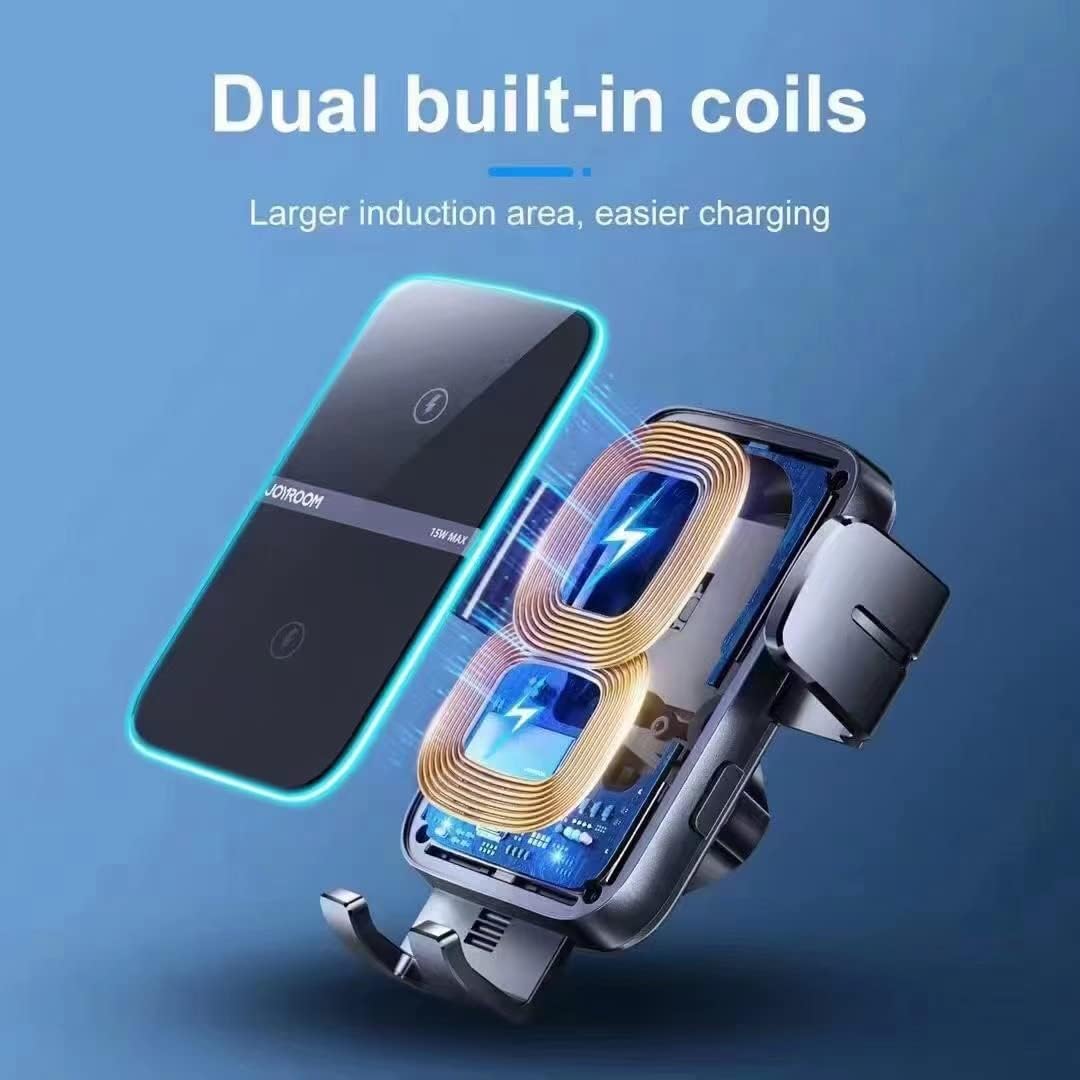
This diagram highlights the dual built-in coils within the JOYROOM JR-ZS246 wireless car charger. These coils provide a larger induction area, making wireless charging more efficient and reliable by reducing the need for precise phone placement.
The dual coil design ensures a larger induction area, allowing for easier phone placement and more consistent charging compared to single-coil chargers. This system automatically identifies the optimal charging location for your device.

This image demonstrates the advantage of the JOYROOM JR-ZS246's dual coil design. It shows how the dual coils automatically detect the phone's charging location for efficient power transfer, contrasting with a single coil system that may fail to recognize the charging position, leading to interrupted or no charging.
4. Compatibilidad de carga
The charger supports various fast charging wattages depending on your smartphone model.

This chart details the fast charging capabilities of the JOYROOM JR-ZS246 wireless car charger. It specifies 15W charging for Samsung, 10W for Huawei, and 7.5W for iPhone, along with examples of compatible phone models for each brand.
Mantenimiento
Un mantenimiento adecuado garantiza la longevidad y el rendimiento óptimo de su cargador.
- Limpieza: Use a soft, dry cloth to wipe the surface of the charger. Do not use abrasive cleaners, solvents, or harsh chemicals, as these can damage the device.
- Evite el agua: Keep the charger away from water and excessive moisture. If it comes into contact with liquids, disconnect power immediately and allow it to dry completely before reuse.
- Almacenamiento: Cuando no utilice el cargador durante períodos prolongados, guárdelo en un lugar fresco y seco, alejado de la luz solar directa y de temperaturas extremas.
- Cuidado de cables: Do not bend or pull the charging cable excessively. Ensure the cable is not pinched or damaged.
Solución de problemas
If you encounter issues with your JOYROOM JR-ZS246 charger, refer to the following common problems and solutions:
| Problema | Posible causa | Solución |
|---|---|---|
| Charger not powering on / LED off | No power connection; faulty cable or adapter. | Check if the USB-C cable is securely connected. Ensure the car charger adapter is working and properly inserted into the cigarette lighter. Try a different cable or adapter. |
| El teléfono no se carga de forma inalámbrica | Phone not Qi-enabled; phone case too thick; improper phone placement; foreign object detected. | Ensure your phone supports Qi wireless charging. Remove thick phone cases. Reposition the phone to ensure it's centered on the charging coils. Remove any metal objects or cards between the phone and charger. |
| Clamps not opening/closing automatically | Sensor obstruido; problema de energía. | Ensure the infrared sensor (usually at the bottom of the holder) is clean and unobstructed. Check power connection. |
| Mount is unstable | Suction cup not properly secured; surface not clean. | Re-clean the mounting surface and re-attach the suction cup, ensuring the locking lever is fully engaged. Avoid mounting on textured or porous surfaces. |
Presupuesto
- Marca: SALA DE ALEGRÍA
- Modelo: JR-ZS246
- Aporte: 5V/2A, 9V/2A, 12V/1.5A (via USB Type-C)
- Potencia de salida: 5 W/7.5 W/10 W/15 W (máx.)
- Corriente de salida: 1.25 Ampaquí (Max)
- Vol de salidatage: 12 voltio (CC)
- Estándar de carga: Carga inalámbrica Qi
- Tipo de montaje: Dashboard / Windshield Suction Cup
- Material: ABS + PC (Plastic)
- Puertos USB totales: 1 (Type-C for power input)
- Fuente de energía: Corded Electric (via car charger adapter)
Información de garantía
This JOYROOM JR-ZS246 Wireless Car Charger comes with a 1 año de garantía Desde la fecha de compra. La garantía cubre defectos de fabricación y mal funcionamiento en condiciones normales de uso. No cubre daños causados por mal uso, accidentes, modificaciones no autorizadas ni desastres naturales.
Conserve su comprobante de compra para reclamos de garantía.
Atención al cliente
For further assistance, technical support, or warranty inquiries, please contact JOYROOM customer service through the retailer where you purchased the product or visit the official JOYROOM websitio para información de contacto.
When contacting support, please provide your product model (JR-ZS246) and a detailed description of the issue.