
PUREMIC Bluetooth Microphone-Q1PRO
PUREMIC Wireless Karaoke Microphone Q1PRO User Manual
Model: Bluetooth Microphone-Q1PRO | Brand: PUREMIC
1. Introducción
Thank you for choosing the PUREMIC Wireless Karaoke Microphone Q1PRO. This handheld, rechargeable microphone system is designed to provide crystal clear sound quality and versatile connectivity for various entertainment setups, including cars, speakers, phones, TVs, laptops, and tablets. Enjoy 8 unique sound effects to enhance your karaoke experience.
This manual provides detailed instructions for setting up, operating, and maintaining your PUREMIC Q1PRO microphone to ensure optimal performance and longevity.

Figure 1: Wide Compatibility of PUREMIC Q1PRO
2. ¿Qué hay en la caja?
Verifique el contenido del paquete para asegurarse de que todos los artículos estén presentes:
- Micrófono x 1
- Receptor de micrófono x 1
- Cable tipo C x 1
- Bolsa portátil x 1
- Manual de usuario x 1 (Este documento)

Figura 2: Contenido del paquete
3. Guía de configuración
3.1. Carga de los dispositivos
Both the microphone and the receiver have built-in rechargeable batteries. Ensure both devices are fully charged before first use for optimal performance.
- Connect the provided Type-C cable to the charging port on both the microphone and the receiver.
- Plug the other end of the Type-C cable into a standard USB power adapter (not included).
- The indicator light on the devices will show charging status (refer to device for specific light behavior).
- A full charge provides approximately 15 hours of playtime for the microphone and up to 4 hours for the receiver.

Figura 3: Vida útil de la batería terminadaview
3.2. Connecting to a Car Audio System
Follow these steps to connect your PUREMIC Q1PRO to your car's audio system via the AUX input:
- Insert the 3.5mm AUX cable of the receiver into your car's AUX connection socket.
- Press and hold the receiver's power button to turn it on. The indicator light will illuminate.
- Turn on the microphone by pressing its power button. The blue indicator light will turn on.
- En su teléfono inteligente o tableta, vaya a la configuración de Bluetooth y busque los dispositivos disponibles.
- Select 'Loostone PureMic Q1PRO' (or similar name) from the list to pair.
- Once paired, you can play music from your phone through the car's speakers and use the microphone for karaoke.
Video 1: How to Connect Puremic Q1 Microphone to Car/Speaker/Phone. This video demonstrates the connection process for both car and speaker setups.

Figure 4: Connecting to Car Audio System
3.3. Connecting to a Speaker or Other Devices
To connect your PUREMIC Q1PRO to a speaker, TV, or other compatible device:
- Insert the 3.5mm AUX cable of the receiver into the AUX input of your speaker or device.
- Press and hold the receiver's power button to turn it on.
- Turn on the microphone by pressing its power button.
- On your smartphone, tablet, or other Bluetooth-enabled device, go to Bluetooth settings and search for 'Loostone PureMic Q1PRO' (or similar name).
- Select the device to pair. Once connected, audio from your device will play through the speaker, and the microphone will be ready for use.

Figure 5: Connecting to a Portable Speaker
4. Instrucciones de funcionamiento
4.1. Encendido/apagado y control de volumen
- Encendido: Mantenga presionado el botón de encendido (⏻) on both the microphone and the receiver until the indicator light turns on.
- Apagado: Mantenga presionado el botón de encendido (⏻) nuevamente hasta que la luz indicadora se apague.
- Control de volumen: Utilice el botón arriba (▲) y abajo (▼) arrow buttons on the microphone to adjust the microphone's volume.
4.2. Efectos de sonido
The PUREMIC Q1PRO features 8 unique sound effects to enhance your singing. Press the effect button (⊞) on the microphone to cycle through the available effects:
- Standard Effect
- Male Effect
- Female Effect
- Children Effect
- Monster Effect
- Concert Effect
- Living Room Effect
- K.T.V. Effect
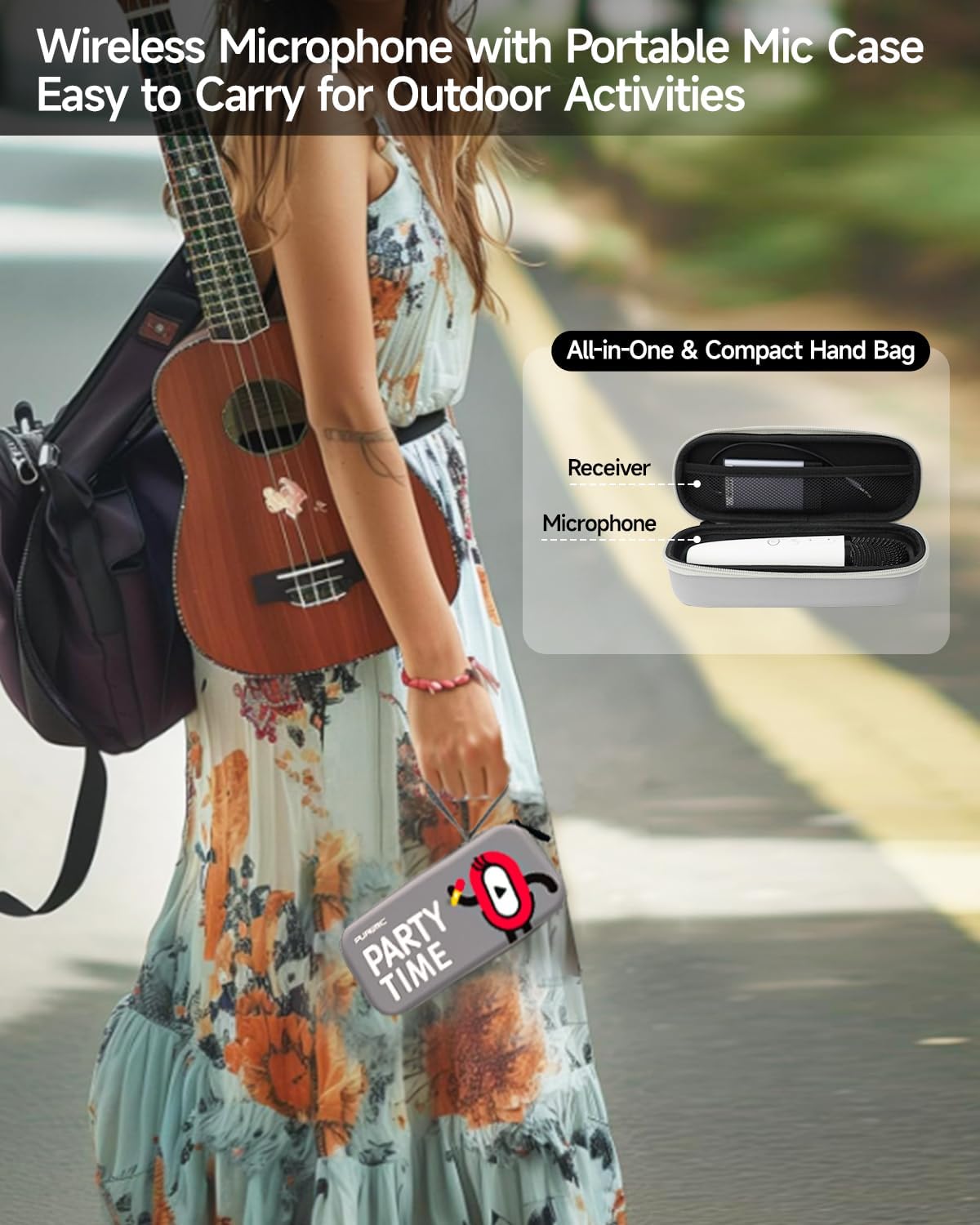
Figure 6: Available Sound Effects
5. Mantenimiento
- Limpieza: Wipe the microphone and receiver with a soft, dry cloth. Do not use harsh chemicals or abrasive cleaners.
- Almacenamiento: When not in use, store the microphone and receiver in the provided portable bag to protect them from dust and damage.
- Cuidado de la batería: Para prolongar la vida útil de la batería, evite descargar completamente los dispositivos con frecuencia. Cárguelos regularmente, incluso si no los usa constantemente.
- Condiciones ambientales: Evite exponer los dispositivos a temperaturas extremas, luz solar directa o alta humedad.

Figure 7: Portable Storage Bag
6. Solución de problemas
| Problema | Posible causa | Solución |
|---|---|---|
| No hay sonido del micrófono | Microphone or receiver is off; Low battery; Incorrect connection; Volume too low. | Ensure both devices are powered on and charged. Check AUX cable connection. Increase microphone and speaker volume. |
| El emparejamiento de Bluetooth falló | Receptor no en modo de emparejamiento; Dispositivo demasiado lejos; Interferencia. | Ensure receiver is on and ready to pair. Move devices closer. Turn off other Bluetooth devices. Restart both devices and try again. |
| Sound distortion or feedback | Micrófono demasiado cerca del altavoz; volumen demasiado alto; interferencia ambiental. | Increase distance between microphone and speaker. Lower microphone or speaker volume. Move away from other electronic devices. |
| Duración corta de la batería | Carga incompleta; Batería vieja. | Ensure devices are fully charged. If battery life significantly degrades, contact customer support. |
7. Especificaciones
| Característica | Detalle |
|---|---|
| Nombre del modelo | Bluetooth Microphone-Q1PRO |
| Peso del artículo | 12 onzas (0.75 libras) |
| Dimensiones del producto | 8.46 x 3.15 x 2.36 pulgadas |
| Material | Acrilonitrilo butadieno estireno |
| Color | Blanco |
| Fuente de poder | Funciona con pilas (1 batería de polímero de litio incluida) |
| Tecnología de conectividad | Ultra alta frecuencia |
| Tipo de conector | 3.5 mm Jack |
| Factor de forma del micrófono | Portátil |
| Patrón polar | Unidireccional |
| Rango de frecuencia | 657 MHz - 662 MHz |
| Respuesta de frecuencia | 20000 Hz |
| Relación señal a ruido | 75 dB |
| Características especiales | Battery Indicator Light, Volume Control, Mute Function, Noise Reduction, 8 Sound Effects |
| Dispositivos compatibles | Television, Car, Smartphone, Karaoke Machine, Speaker |
| Fabricante | LOOSTONE |
| País natal | Porcelana |
| Fecha de primera disponibilidad | 21 de octubre de 2022 |

Figura 8: Dimensiones del producto
8. Garantía y soporte
PUREMIC products are designed for quality and reliability. For warranty information, technical support, or any inquiries regarding your PUREMIC Wireless Karaoke Microphone Q1PRO, please refer to the contact information provided on the product packaging or visit the official PUREMIC websitio.
Conserve su comprobante de compra para reclamos de garantía.
Ask a question about this manual
Ask about setup, troubleshooting, compatibility, parts, safety, or missing instructions. Manuals+ will review the question and use this page’s manual context to help answer it.