
1. Introducción y másview
This manual provides instructions for the safe and efficient use of your CJP-Geek AC-DC Adapter, model CJP-Geek-PSA-20221025-CA227. This adapter is specifically designed to power and charge the RP-PB054 RAVPower 20100mAh Portable Powerstation.
Key features of this adapter include a wide input voltage range of 100-240V AC, ensuring compatibility with various power outlets worldwide. It is designed for portability and includes multiple safety protections to ensure reliable operation.

Image 1: The CJP-Geek AC-DC Adapter, showing the main power brick, detachable AC input cable, and DC output cable with connector.
2. Contenido del paquete
Verifique que su paquete contenga los siguientes elementos:
- 1 x AC / DC Power Supply Charger (CJP-Geek AC-DC Adapter)
3. Instrucciones de configuración
- Verificar compatibilidad: Ensure that the output specifications of this CJP-Geek AC-DC Adapter match the power input requirements of your RP-PB054 RAVPower 20100mAh Portable Powerstation. Refer to your power station's manual for specific input voltagy requisitos actuales.
- Conectar al dispositivo: Insert the DC output plug of the adapter firmly into the charging port of your RP-PB054 RAVPower 20100mAh Portable Powerstation.
- Conectar a la toma de corriente: Plug the AC input cable into a standard 100-240V AC wall outlet.
- Confirmar carga: Observe your power station's charging indicator to confirm that it has begun charging.
4. Instrucciones de funcionamiento
- The adapter is designed for continuous use when charging compatible devices.
- Always operate the adapter in a well-ventilated area to prevent excessive heat buildup.
- Do not cover the adapter with cloths or other materials during operation, as this can impede heat dissipation.
- Disconnect the adapter from the power outlet and your device when it is not in use for extended periods.
5. Mantenimiento
- Limpieza: Keep the adapter clean and free from dust. Use a dry, soft cloth for cleaning. Do not use liquid cleaners or solvents.
- Almacenamiento: Guarde el adaptador en un lugar fresco y seco, alejado de la luz solar directa y de la humedad cuando no esté en uso.
- Inspección de cables: Regularly inspect the power cables for any signs of damage, such as fraying, cuts, or exposed wires. If any damage is observed, discontinue use immediately and replace the adapter.
- Condiciones ambientales: Avoid exposing the adapter to extreme temperatures, high humidity, or corrosive environments.
6. Información de seguridad
Aviso importante de seguridad: Before connecting, always double-check that the adapter's output specifications (voltage and current) are compatible with your device's input requirements. Using an incompatible adapter can damage your device or the adapter itself.
This CJP-Geek AC-DC Adapter is CE certified and incorporates multiple protection features to ensure safe operation:
- Protección contra cortocircuitos: Previene daños por cortocircuitos eléctricos.
- Protección contra la sobretensión: Protecciones contra el flujo excesivo de corriente.
- exceso de volumentagy Protección: Protege contra voltage surge.
- Protección contra sobrecarga: Evita que se produzcan daños por consumir demasiada energía.
- Protección contra sobrecarga: Helps prevent overcharging of connected devices.
- Protección de temperatura: Monitorea y regula la temperatura interna.
Precauciones generales de seguridad:
- No desmonte ni modifique el adaptador.
- Mantenga el adaptador fuera del alcance de los niños.
- Solo para uso en interiores. No exponer a la lluvia ni a la humedad.
- No utilice el adaptador si se ha caído o está dañado.
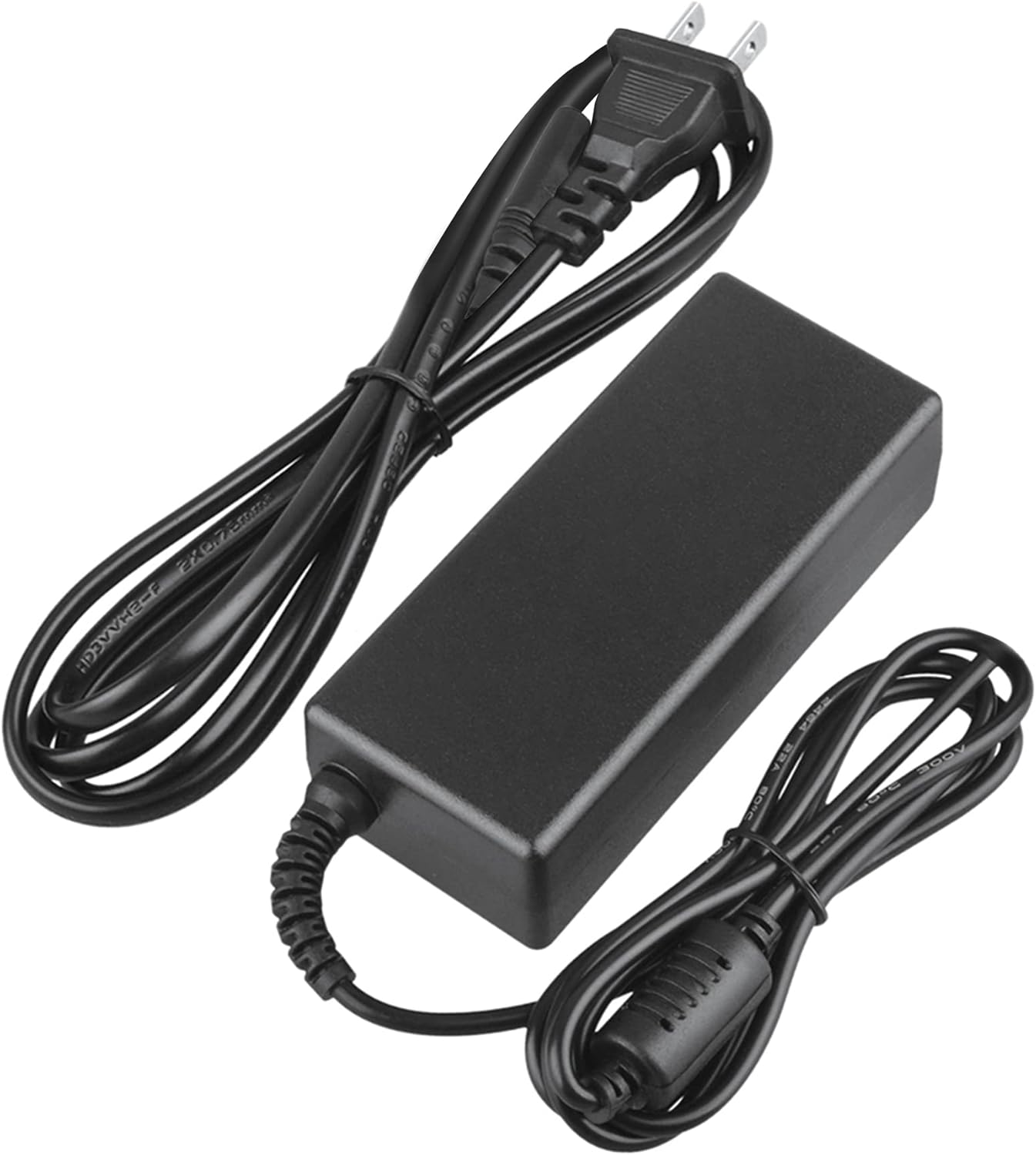
Image 2: Visual representation of the safety features, including overload, over voltage, over charge, over current, short circuit, and temperature protection.
7. Solución de problemas
- El dispositivo no se carga:
- Ensure the adapter is securely plugged into both the wall outlet and your device.
- Compruebe si el tomacorriente de pared funciona enchufando otro aparato.
- Verify that the adapter's output specifications are correct for your device.
- Inspect the adapter and cables for any visible damage.
- Sobrecalentamiento del adaptador:
- Asegúrese de que el adaptador esté en un área bien ventilada y no cubierto.
- Disconnect the adapter and allow it to cool down before resuming use.
- Si el sobrecalentamiento persiste, suspenda su uso y comuníquese con el servicio de atención al cliente.
- No hay indicador de encendido en el dispositivo:
- Confirme que todas las conexiones sean seguras.
- Pruebe con un tomacorriente de pared diferente.
- If possible, test the device with another compatible power source to rule out a device issue.
8. Especificaciones
| Atributo | Especificación |
|---|---|
| Número de modelo | CJP-Geek-PSA-20221025-CA227 |
| Vol de entradatage | 100-240 V CA, 50/60 Hz |
| Producción | Refer to device requirements for RP-PB054 RAVPower 20100mAh Portable Powerstation |
| Dimensiones del producto (L x An x Al) | 5 x 3 x 8 pulgadas |
| Peso del artículo | 9 onzas |
| Longitud del cable de CA | Aproximadamente 47 pulgadas (1.2 metros) |
| Longitud del cable de CC | Aproximadamente 47 pulgadas (1.2 metros) |
| Total Cable Length (approx.) | 7.87 feet (2.4 meters) including adapter body |

Imagen 3: Detallada view of the adapter's dimensions and features, including cable lengths and a 'Copper interface' for stable output.
9. Garantía y soporte
Información de garantía:
- Garantía de devolución de dinero de 30 días
- 60 Days Free Exchange with Paid Return Label
- 2 Years Worry-Free Warranty
Atención al cliente:
For any product-related issues or inquiries, please contact CJP-Geek customer service. We are committed to assisting you in resolving any problems you may encounter. If the item is found to be defective within the 2-year warranty period, a replacement will be provided without the need to return the defective unit.