
Introducción
Thank you for choosing the VirtuFit Elite Water Resistance Rower. This manual provides essential information for the safe and effective assembly, operation, and maintenance of your new fitness equipment. Please read this manual thoroughly before use and keep it for future reference.

Imagen: Lateral view of the VirtuFit Elite Water Resistance Rower, showcasing its black finish and water tank.
Información de seguridad
Antes de comenzar cualquier programa de ejercicios, consulte con su médico. Es fundamental comprender y seguir todas las precauciones de seguridad para evitar lesiones.
- Always perform a warm-up before and a cool-down after your workout.
- Inspeccione la máquina de remo para detectar cualquier pieza suelta o dañada antes de cada uso. No la utilice si algún componente está dañado.
- Ensure the rower is placed on a stable, level surface with adequate clear space around it.
- Mantenga a los niños y las mascotas alejados del equipo durante el funcionamiento.
- Use ropa y calzado deportivo apropiado.
- Si experimenta dolor, mareos o dificultad para respirar, deje de hacer ejercicio inmediatamente.
Configuración
1. Montaje
While specific assembly steps are not detailed here, the rower typically requires some initial setup. Refer to the separate assembly guide included with your product for detailed instructions. Ensure all bolts, nuts, and moving parts are securely fastened before first use.
2. Llenar el tanque de agua
- Locate the water tank cap on the top of the rower's water tank.
- Retire la tapa.
- Use the provided hand pump and funnel to fill the tank with clean tap water to the desired resistance level. The water level directly influences resistance.
- Add a water purification tablet (PuriTab) to the tank to keep the water clean and prevent algae growth.
- Vuelva a colocar la tapa del tanque de forma segura.
3. Console Battery Installation
The console is powered by batteries. Locate the battery compartment, typically on the back or underside of the console. Insert 4x AA batteries, ensuring correct polarity. Close the compartment securely.
Instrucciones de funcionamiento
1. Understanding the Console

Image: Close-up of the VirtuFit Elite Rower's LCD console, showing various workout metrics and control buttons.
The backlit LCD console displays key workout metrics such as time, distance, strokes, watts, calories, and pulse (with compatible heart rate monitor). Use the buttons to navigate through different programs and settings:
- MODO: Recorre los modos de visualización o confirma selecciones.
- ARRIBA ABAJO: Ajusta valores o navega por los menús.
- INICIO / PARO: Comienza o pausa tu entrenamiento.
- REINICIAR: Borra los datos del entrenamiento actual.
- RECUPERACIÓN: Initiates the recovery test function.
- BLUETOOTH: Activates Bluetooth for app connectivity and heart rate monitor pairing.
2. Ajuste de la resistencia
The water resistance system provides a dynamic and smooth rowing experience. Resistance is naturally adjusted by your rowing intensity and speed. For a higher base resistance, increase the water level in the tank. For lower resistance, remove water from the tank using the provided pump.
3. Programas de entrenamiento
The console offers various training programs:
- Modo manual: Start rowing and track your metrics without a predefined program.
- Programas de intervalo: Pre-set or customizable intervals for varied intensity training.
- Programas objetivo: Set goals for time, distance, or calories.
- Recovery Test: Measures your heart rate recovery to assess fitness levels.
4. Bluetooth Connectivity and Apps

Image: The VirtuFit Elite Rower with a tablet mounted on its holder, displaying the Kinomap fitness application during a virtual rowing session.
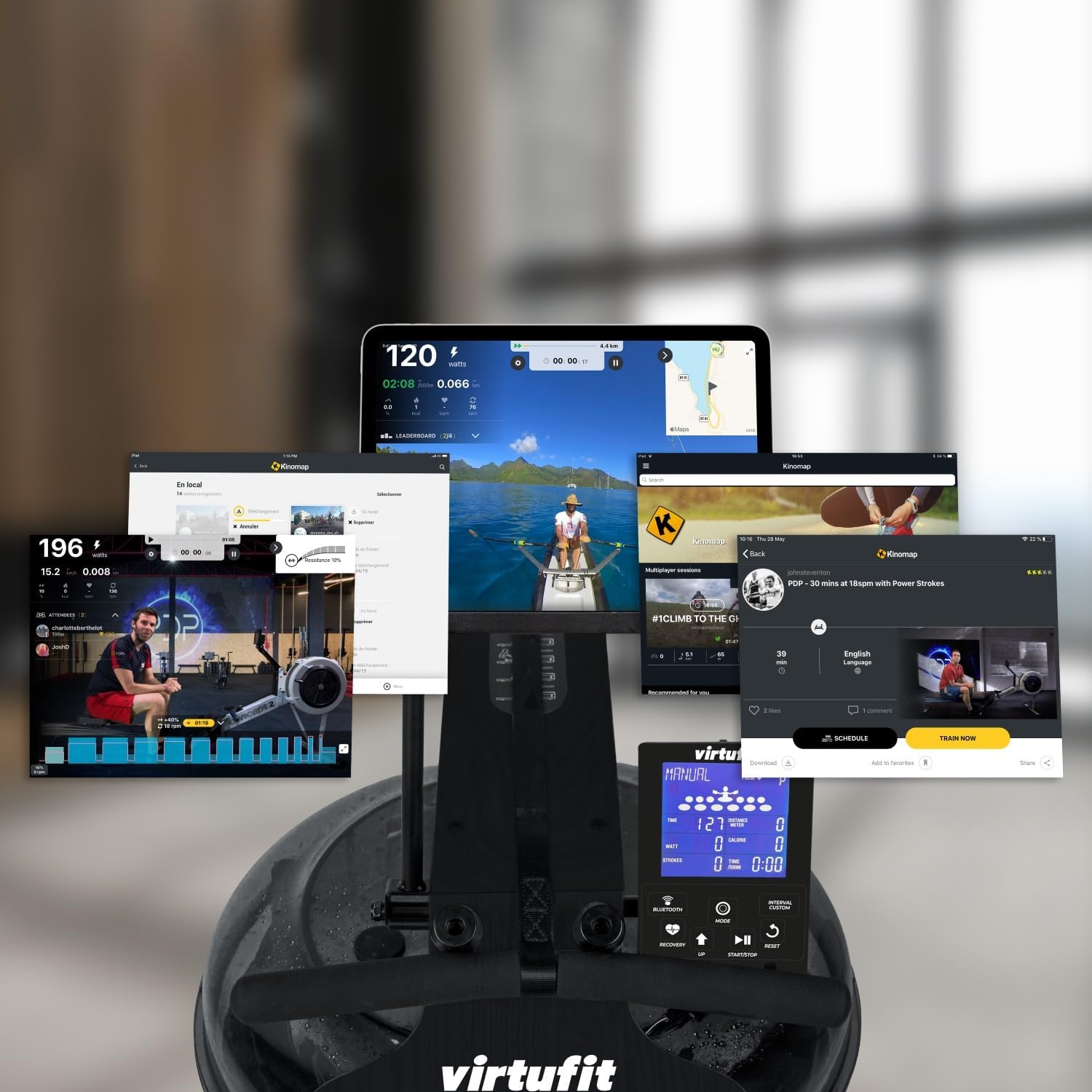
Image: A collage of various screens demonstrating the Kinomap application's diverse features and integration with the VirtuFit Rower, including virtual routes and workout data.
The rower features Bluetooth connectivity for enhanced training options:
- Monitor de frecuencia cardíaca: Pair a 5 kHz heart rate chest strap (not included) to monitor your pulse on the console.
- Aplicaciones de fitness: Connect your rower to popular fitness applications like Kinomap via Bluetooth. Use the integrated tablet holder to view your device while exercising.
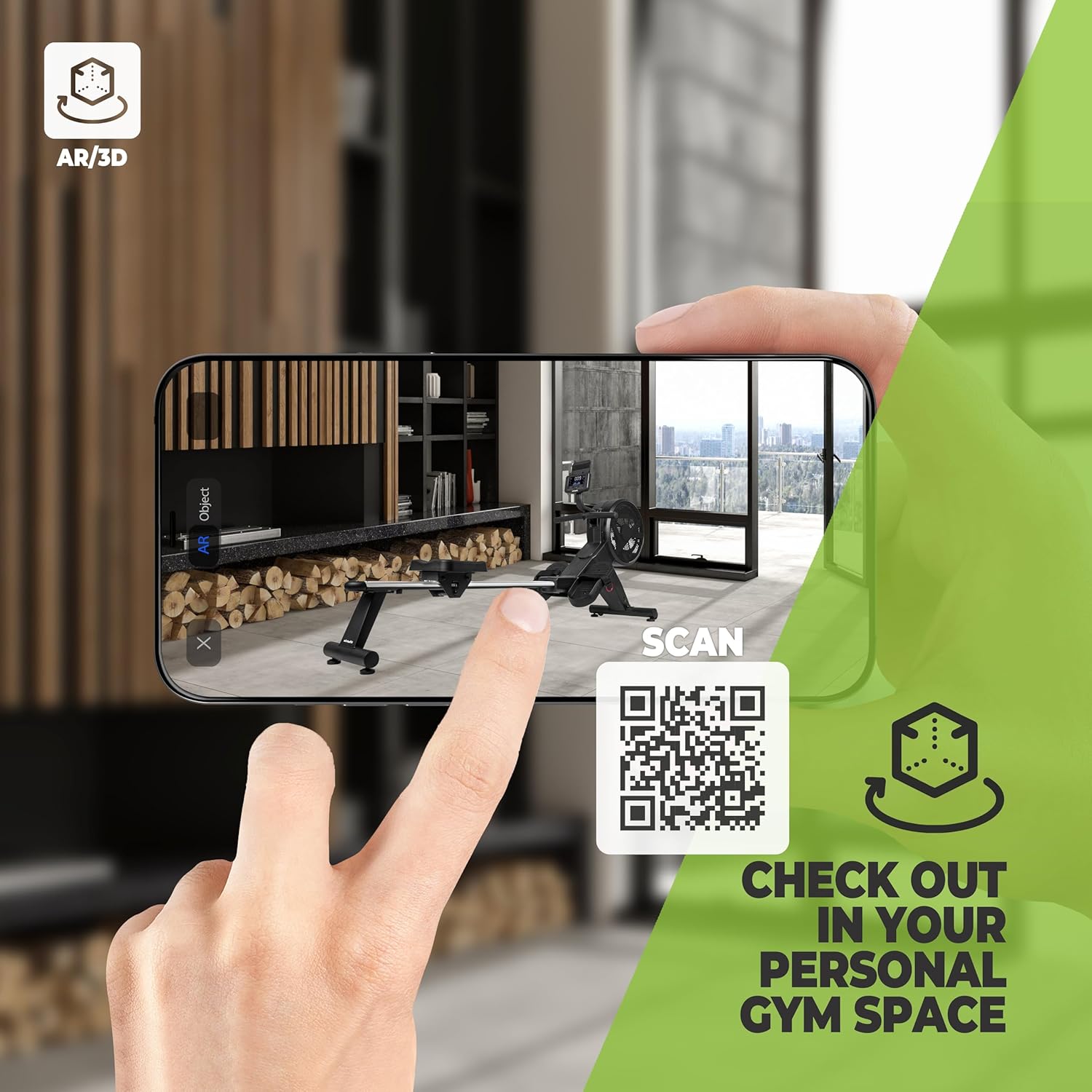
Image: A smartphone screen showing an augmented reality (AR) view of the VirtuFit Rower placed virtually in a room, with a QR code for scanning. This feature allows users to visualize the rower in their space before purchase.
Explore the rower in your space using Augmented Reality: VirtuFit AR Experience
5. Basic Rowing Technique
Proper rowing technique is essential for an effective and safe workout. The rowing stroke consists of four phases:
- La captura: Rodillas dobladas, espinillas verticales, brazos extendidos hacia adelante, espalda recta, hombros relajados.
- El viaje: Empuja con las piernas, luego balancea la espalda y finalmente tira con los brazos.
- El acabado: Legs extended, lean back slightly, handle pulled to your lower chest/upper abdomen.
- La recuperación: Extend arms forward, then lean forward from the hips, and finally bend your knees to slide forward.

Imagen: Primer plano view of the foot straps and the rowing handle, illustrating the connection points for the user during exercise.
Mantenimiento
1. Tratamiento del agua
To maintain water clarity and prevent microbial growth, add a water purification tablet (PuriTab) to the water tank every 3-6 months, or as needed. If the water becomes discolored, it may need to be replaced and the tank cleaned.
2. Limpieza
- Limpie la máquina de remo con un paño húmedo.amp Paño después de cada uso para eliminar el sudor y el polvo.
- Avoid using abrasive cleaners or solvents, as these can damage the finish and components.
- Periodically clean the rails and seat rollers to ensure smooth operation.
3. Almacenamiento
The VirtuFit Elite Rower is designed for convenient storage. After your workout, the rower can be stored vertically to save space. Ensure the rower is stable and secure in its upright position.

Image: The VirtuFit Elite Water Resistance Rower shown in its vertical storage position, demonstrating its space-saving design.
Solución de problemas
- La consola no se muestra: Verifique la instalación de las baterías y asegúrese de que no estén agotadas. Reemplácelas si es necesario.
- No Resistance or Uneven Resistance: Verify the water level in the tank. Ensure the impeller is not obstructed.
- Ruidos inusuales: Inspect all connections and moving parts for looseness. Lubricate moving parts if recommended in the assembly guide.
- Problemas de conectividad Bluetooth: Ensure Bluetooth is enabled on both the rower console and your device. Try restarting both devices.
Presupuesto
| Característica | Detalle |
|---|---|
| Número de modelo | VFROWWRB |
| Dimensiones (L x An x Al) | 206 x 63 x 52 cm |
| Peso del artículo | 30 kilogramos |
| Mecanismo de resistencia | Resistencia al agua |
| Material del marco | Aluminium (with natural wood elements as per description) |
| Pantalla de consola | LCD (retroiluminada) |
| Fuente de poder | Battery Powered (4x AA batteries included) |
| Características especiales | Includes hand pump and funnel, Bluetooth connectivity, Tablet holder, Vertical storage capability. |
Garantía y soporte
For warranty information, please refer to the documentation provided at the time of purchase or contact your retailer. For technical support or spare parts, please contact VirtuFit customer service or your local distributor. Keep your proof of purchase for warranty claims.