
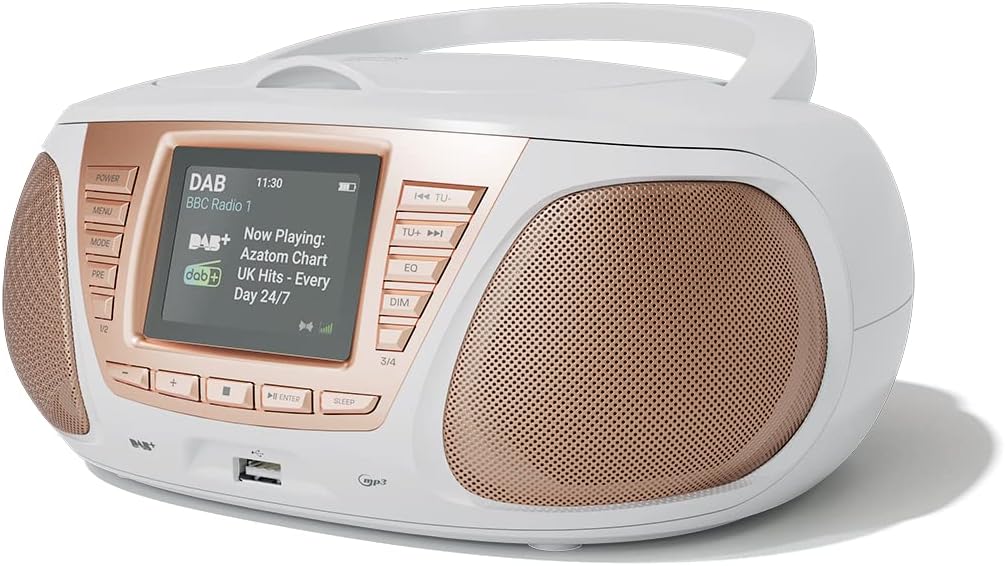
1. Introducción
Gracias por la compraasing the AZATOM Zenith Z4. This portable audio system combines DAB/DAB+ and FM radio, a CD player, Bluetooth connectivity, USB playback, and an alarm clock function. This manual provides essential information for setting up, operating, and maintaining your device. Please read it thoroughly before use and retain it for future reference.
2. Contenido de la caja
Carefully unpack your Zenith Z4 and ensure all items listed below are present:
- AZATOM Zenith Z4 Unit
- Adaptador de corriente
- Manual de usuario (este documento)
- Tarjeta de registro

Image showing the AZATOM Zenith Z4 unit, its power adapter, user manual, and registration card as included in the box.
3. Producto terminadoview:Controles y funciones
3.1 Controles del panel frontal

Detallado view of the AZATOM Zenith Z4's front panel, highlighting the color LCD display and various control buttons.
- Botón de encendido: Enciende o apaga la unidad.
- Botón MENÚ: Accede al menú del sistema.
- Botón MODE: Switches between DAB, FM, CD, Bluetooth, USB, and AUX modes.
- PRE Button (Presets): Accede a las estaciones de radio preestablecidas almacenadas.
- 1/2, 3/4 Buttons: Direct access to specific presets or navigation.
- Botones +, -: Adjusts volume, navigates menus, or tunes radio frequencies.
- Botón ENTER: Confirma selecciones.
- Botón de dormir: Configura el temporizador de apagado.
- TU- / TU+ Buttons: Tunes radio frequencies down/up or skips tracks.
- Botón EQ: Ajusta la configuración del ecualizador.
- Botón Atenuar: Ajusta el brillo de la pantalla.
- Puerto USB: Para conectar dispositivos de almacenamiento USB para reproducción de MP3.
- Toma de auriculares: Salida de 3.5 mm para escucha privada.
3.2 Conexiones del panel posterior
The rear panel typically includes the power input and auxiliary input.
- DC EN: Conexión del adaptador de corriente.
- ENTRADA AUX: Entrada de 3.5 mm para conectar fuentes de audio externas.
4. Configuración
4.1 Encendido
The Zenith Z4 can be powered by the included AC adapter or by batteries for portability.
- Alimentación CA: Connect the mains power adapter to the DC IN socket on the rear of the unit and plug it into a wall outlet.
- Energía de la batería: Open the battery compartment (usually on the bottom or rear) and insert the required batteries (type and quantity specified in the compartment).

The AZATOM Zenith Z4 is designed for portability, allowing use with batteries or the supplied mains power adapter.
4.2 Configuración inicial (primer uso)
Upon first power-on, the unit may automatically perform an initial setup:
- The display will typically show a welcome message.
- The unit may automatically scan for available DAB/DAB+ and FM radio stations. This process can take a few minutes.
- The clock will usually set itself automatically via DAB signal. If not, refer to the menu settings to manually set the time and date.
5. Instrucciones de funcionamiento
Radio 5.1 DAB/DAB+
To access digital radio stations:
- Presione el MODO Botón hasta que se muestre 'DAB'.
- The unit will automatically scan for stations if it hasn't already. To perform a full scan manually, navigate to the 'Full Scan' option in the DAB menu.
- Utilice el TU- or TU+ buttons to browse the list of available stations.
- Prensa INGRESAR para seleccionar una estación.

The Zenith Z4 features leading British DAB and FM technology for optimal digital radio performance.
5.2 Radio FM
To listen to FM radio stations:
- Presione el MODO Botón hasta que se muestre 'FM'.
- Mantenga pulsado TU- or TU+ to auto-scan for the next available station. Briefly press to fine-tune the frequency.
- Prensa INGRESAR to confirm a station.
5.3 Storing and Recalling Presets (DAB/FM)
The Zenith Z4 allows you to store up to 60 preset stations (30 DAB, 30 FM).
- Tune to your desired DAB or FM station.
- Mantenga pulsado el PRE botón hasta que aparezca 'Preset Store' en la pantalla.
- Utilice el +/- Botones para seleccionar un número preestablecido (1-30 para DAB, 1-30 para FM).
- Prensa INGRESAR para salvar la estación.
- Para recuperar un ajuste preestablecido, presione brevemente el botón PRE botón, luego use +/- or the numbered buttons (1/2, 3/4) to select and press INGRESAR.

The Zenith Z4 allows storing up to 60 presets (30 DAB and 30 FM) for quick access to your favorite stations.
5.4 reproductor de CD
Para reproducir CD de audio:
- Presione el MODO button until 'CD' is displayed.
- Abra la tapa del compartimiento de CD ubicada en la parte superior de la unidad.
- Place a CD (CD, CD-R, CD-RW compatible) with the label side facing up.
- Close the CD compartment lid. The unit will begin reading the disc and playback will start automatically.
- Utilice el TU- y TU+ Botones para saltar pistas. Usar INGRESAR para reproducir/pausar.

The Zenith Z4 features a top-loading CD player, compatible with various CD formats, to enjoy your music collection.
5.5 Conectividad Bluetooth
Stream audio wirelessly from your compatible devices:
- Presione el MODO button until 'Bluetooth' is displayed. The unit will enter pairing mode, indicated by a flashing Bluetooth icon or message.
- En su dispositivo móvil (teléfono inteligente, tableta, computadora portátil), habilite Bluetooth y busque los dispositivos disponibles.
- Select 'AZATOM Zenith Z4' from the list. Once paired, the unit will confirm the connection.
- You can now play audio from your device, and it will stream through the Zenith Z4.

Connect your Bluetooth device to the Zenith Z4 to enjoy streaming services like Spotify and Apple Music.
Reproducción USB 5.6
Para reproducir MP3 files desde una unidad USB:
- Inserte una unidad flash USB (formateada en FAT32) que contenga audio MP3 files en el puerto USB en el panel frontal.
- Presione el MODO Botón hasta que se muestre 'USB'.
- La unidad leerá el files, and playback should begin automatically. Use the TU- y TU+ botones para navegar por las pistas.
5.7 Entrada auxiliar
Connect external audio devices using the AUX IN port:
- Connect one end of a 3.5mm audio cable (not included) to the AUX IN port on the rear of the Zenith Z4.
- Connect the other end to the headphone jack or audio output of your external device (e.g., MP3 player, older smartphone).
- Presione el MODO Botón hasta que se muestre 'AUX'.
- Controle la reproducción desde su dispositivo externo.
5.8 Uso de auriculares
For private listening:
- Conecte sus auriculares de 3.5 mm al conector para auriculares en el panel frontal.
- The sound from the speakers will automatically mute.
- Ajuste el volumen con el +/- botones.
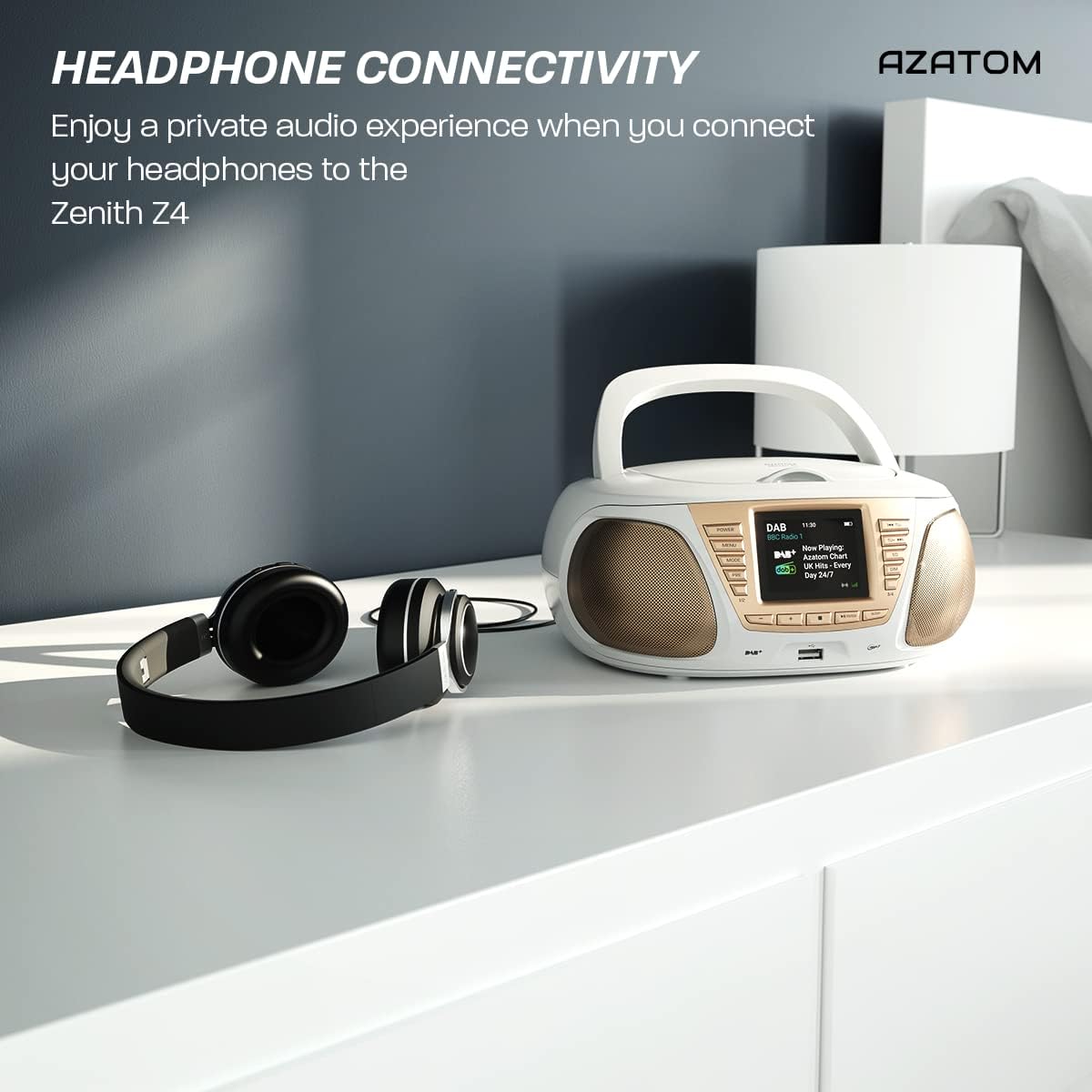
Enjoy a private audio experience by connecting your headphones to the Zenith Z4.
5.9 Función de despertador
The Zenith Z4 includes an alarm clock feature:
- Acceda a la configuración de la alarma a través del MENÚ botón.
- Follow the on-screen prompts to set the alarm time, source (e.g., buzzer, DAB, FM), and volume.
- Ensure the unit is powered on or in standby mode for the alarm to activate.
6. Mantenimiento
To ensure the longevity and optimal performance of your Zenith Z4:
- Limpieza: Utilice un paño suave y seco para limpiar el exterior de la unidad. No utilice limpiadores abrasivos, ceras ni disolventes.
- Reproductor de CD: If the CD player experiences issues, use a specialized CD lens cleaner disc.
- Ventilación: Ensure the unit has adequate ventilation and is not covered during operation.
- Almacenamiento: When not in use for extended periods, disconnect from power and remove batteries. Store in a cool, dry place.
7. Solución de problemas
If you encounter issues with your Zenith Z4, please refer to the table below for common problems and solutions:
| Problema | Posible causa | Solución |
|---|---|---|
| La unidad no enciende | No power supply; flat batteries | Check AC adapter connection; replace batteries. |
| Sin sonido | Volume too low; headphones connected; incorrect mode | Increase volume; disconnect headphones; select correct mode (DAB, FM, CD, BT, USB, AUX). |
| Mala recepción de radio | Antenna not extended; weak signal | Fully extend the telescopic antenna; reposition the unit for better signal. |
| El CD no se reproduce | CD dirty/scratched; incorrect disc type; CD not inserted correctly | Clean CD; ensure CD is compatible (CD, CD-R, CD-RW); reinsert CD label-side up. |
| El Bluetooth no se conecta | Unit not in pairing mode; device too far; already connected to another device | Ensure unit is in Bluetooth mode and pairing; move device closer; disconnect from other devices. |
8. Especificaciones
Key technical specifications for the AZATOM Zenith Z4:
- Marca: AZATOM
- Número de modelo: Z4SLV
- Color: Blanco
- Tecnología de conectividad: Auxiliary, DAB+, DAB, Bluetooth, USB
- Puertos USB totales: 1
- Dispositivos compatibles: Smartphone, Tablet, MP3 Player, Personal Computer
- Dimensiones del artículo (LxAnxAl): 23 x 20 x 10 centímetros
- Fuente de energía: Wired Electric, Battery
- Tipo de altavoz: Radio portátil
- Peso del artículo: 1.3 kilogramos
- Potencia de salida: 20 vatios
9. Garantía y soporte
AZATOM products are engineered in the UK and come with comprehensive support:
- Garantía: The Zenith Z4 includes a 3-year premium warranty. Online registration is required to activate this warranty.
- Atención al cliente: AZATOM offers lifetime customer service based in the UK for setup and installation advice. Please refer to the registration card or AZATOM's official websitio para detalles de contacto.
AZATOM provides a 3-year warranty (registration required) and dedicated UK customer support for their products.