
1. Introducción
Thank you for choosing the Perlegear Tilting TV Wall Mount. This manual provides essential information for safe installation, operation, and maintenance of your new TV mount. Please read it thoroughly before installation and keep it for future reference.
This wall mount is designed to securely hold 13-42 inch LCD/LED/flat-screen TVs and monitors weighing up to 45kg (99 lbs). It features a slim profile and offers a tool-free tilt adjustment of ±15 degrees for optimal viewángulos de ing.
2. Información de seguridad
ADVERTENCIA: Improper installation may result in serious injury or damage to your equipment. If you do not understand these instructions or have doubts about the safety of the installation, please contact a qualified installer.
- Capacidad de peso: Do not exceed the maximum weight capacity of 45kg (99 lbs). This mount is intended for use only with the maximum weights indicated.
- Tamaño de TV: Compatible con televisores de 13 a 42 pulgadas.
- Compatibilidad VESA: Ensure your TV's VESA pattern (mounting holes on the back of the TV) is between 75x75mm and 300x300mm.
- Tipo de pared: This mount is suitable for concrete walls, brick walls, and solid wood stud walls. Do not install on drywall alone without proper stud support.
- Earthquake Resistance: When properly installed on a suitable wall, this mount provides enhanced stability, reducing the risk of TV tip-over from minor impacts or tremors.
- Always ensure all screws are securely tightened before use.
3. Contenido del paquete
Please verify that all components are present and undamaged before installation. If any parts are missing or defective, contact Perlegear customer service.
- Placa de pared
- Soportes para TV (2x)
- Kit de hardware de montaje (varios tornillos, arandelas, espaciadores, anclajes)
- Manual de instrucciones
4. Especificaciones
| Característica | Especificación |
|---|---|
| Tipo de montaje | Montaje en pared |
| Tipo de movimiento | Inclinación |
| Marca | perlegar |
| Material | Acero aleado |
| Color | Negro |
| Dispositivos compatibles | Televisión |
| Ángulo de inclinación máximo | ± 15 grados |
| Tamaño máximo compatible | 42 pulgadas |
| Tamaño mínimo compatible | 13 pulgadas |
| Capacidad de carga | Hasta 45 kg (99 libras) |
| Compatibilidad VESA | Mínimo 75x75 mm, máximo 300x300 mm |
| Distancia de la pared | 62 mm |

Figura 1: Diagrama de especificaciones del producto
5. Guía de instalación
Before starting, ensure you have the necessary tools (drill, level, screwdriver, stud finder) and have confirmed your TV's weight, size, and VESA pattern, as well as your wall type.

Figure 2: Pre-Installation Checklist
Instalación paso a paso:
- Fijar los soportes de TV al televisor: Secure the two TV brackets to the back of your television using the appropriate screws, washers, and spacers from the hardware kit. Ensure the brackets are level and firmly attached.
- Monte la placa de pared en la pared: Locate the desired mounting position on your wall. Use a stud finder for wood stud walls. Mark the drill holes for the wall plate. Drill pilot holes and secure the wall plate using the provided lag bolts and anchors (if applicable for concrete/brick). Ensure the wall plate is level.
- Cuelgue el televisor en la placa de pared: Carefully lift the television and hook the TV brackets onto the wall plate. Ensure the TV is securely seated on the wall plate. Engage any safety locks or screws to prevent accidental dislodgement.

Figura 3: Pasos de instalación sencillos
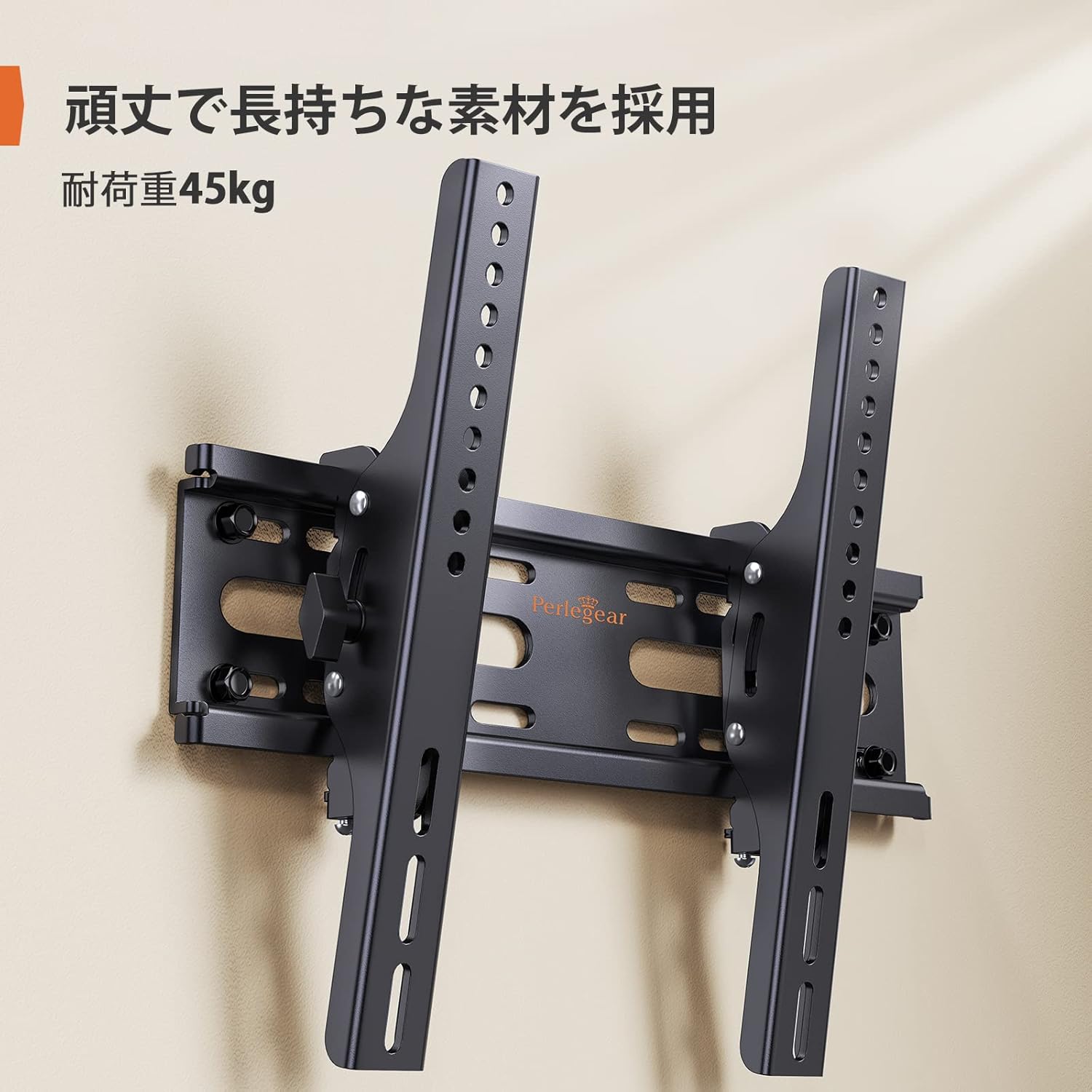
Figure 4: Installed Wall Mount

Figura 5: Slim Profile (62mm from wall)

Figure 6: Monitor Installation Example
6. Instrucciones de funcionamiento
This wall mount allows for easy vertical tilt adjustment to achieve the best viewángulo de visión y reducir el deslumbramiento.
Ajuste de inclinación:
The mount features a knob-style adjustment mechanism. Simply loosen the knobs on the side of the TV brackets to adjust the tilt angle up or down by up to 15 degrees. Once the desired angle is achieved, tighten the knobs firmly to secure the TV in place. No additional tools are required for this adjustment.

Figura 7: Rango de ajuste de inclinación

Figure 8: Tilt Mechanism and Security Features
Video 1: Product Features and Tilt Adjustment Demonstration. This video illustrates the slim design, tilt functionality, and how the mount helps save space in various room settings.
7. Mantenimiento
Para garantizar la longevidad y el funcionamiento seguro de su soporte de pared para TV, siga estas pautas de mantenimiento:
- Limpieza: Limpie el soporte con un paño suave y seco. Evite usar limpiadores abrasivos o disolventes que puedan dañar el acabado.
- Controles periódicos: Periodically check all screws and bolts to ensure they remain tight and secure. Over time, vibrations or movement can cause fasteners to loosen.
- Inspección de daños: Inspeccione el soporte para detectar cualquier signo de daño o desgaste. Si encuentra algún daño, deje de usarlo y contacte con atención al cliente.
8. Solución de problemas
Si encuentra algún problema durante o después de la instalación, consulte los siguientes problemas y soluciones comunes:
- El televisor no está nivelado: Ensure the wall plate was installed level. If the wall plate is level, check if the TV brackets are properly aligned and tightened on the TV. Some mounts allow for minor post-installation leveling adjustments.
- La televisión se siente inestable: Double-check all mounting screws on both the TV and the wall plate. Ensure the wall type is appropriate and that anchors (if used) are correctly installed. The mount is designed for high load capacity and stability when correctly installed.
- Dificultad para inclinarse: Loosen the tilt adjustment knobs slightly before attempting to adjust the angle. If the mechanism feels stiff, ensure no cables are obstructing movement.
- Partes faltantes: Refer to the package contents list. If any parts are missing, contact Perlegear customer support immediately.
9. Garantía y soporte
The Perlegear Tilting TV Wall Mount (Model PGST1-J) comes with a Garantía del fabricante de 5 añosEsta garantía cubre defectos de materiales y mano de obra en condiciones normales de uso.
For warranty claims, technical support, or any questions regarding your product, please contact Perlegear customer service through the retailer where you purchased the product or visit the official Perlegear websitio.