
1. Introducción
This manual provides detailed instructions for the proper use, setup, and maintenance of your Jectse BH M97 Single Ear Headset. Please read this manual thoroughly before using the product to ensure optimal performance and longevity. Keep this manual for future reference.
2. Contenido del paquete
Verifique que todos los elementos enumerados a continuación estén presentes en el paquete de su producto:
- Jectse BH M97 Single Ear Headset
- Base de carga
- Cable de carga
- Manual de instrucciones (este documento)
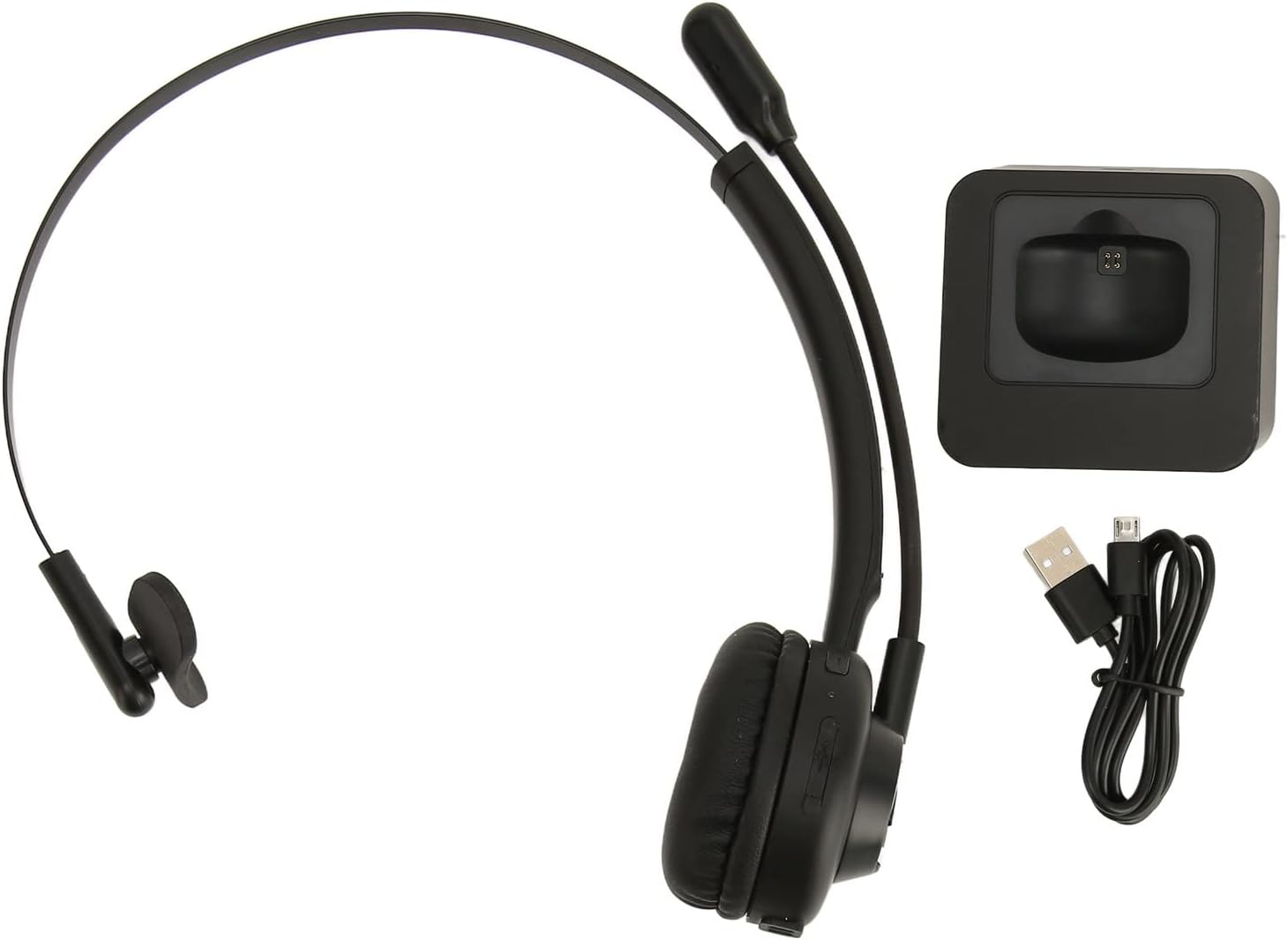
Image: The Jectse BH M97 headset, its dedicated charging base, and the USB charging cable.
3. Producto terminadoview
The Jectse BH M97 is a single-ear Bluetooth headset designed for clear communication in various environments. It features a rotatable microphone and a comfortable on-ear design.
3.1 Componentes de los auriculares
- Almohadilla para el oído: Acolchado para mayor comodidad durante el uso prolongado.
- Diadema flexible: Ajustable para un ajuste seguro.
- Micrófono giratorio: Can be adjusted to accurately capture your voice and positioned on either side.
- Botones de control: (Specific button functions are typically detailed in the 'Operating Instructions' section.)
- Contactos de carga: Located on the earcup for use with the charging base.

Image: The Jectse BH M97 headset securely placed on its charging base.

Imagen: Un detalle view of the headset's padded ear cushion and the charging contacts.
4. Configuración
4.1 Carga de los auriculares
- Connect the charging cable to the charging base and a USB power source (e.g., computer USB port, wall adapter).
- Place the headset onto the charging base, ensuring the charging contacts align.
- The headset's indicator light will typically show charging status (e.g., red for charging, blue/off for fully charged).
- A full charge takes approximately 2 hours. The headset provides up to 17 hours of talk time and 200 hours of standby time on a full charge.
4.2 Encendido / Apagado
- Para encender: Press and hold the Multi-function Button (MFB) for approximately 3-5 seconds until the indicator light flashes blue.
- Para apagar: Press and hold the MFB for approximately 3-5 seconds until the indicator light flashes red and then turns off.
4.3 Emparejamiento Bluetooth
The headset uses Bluetooth 5.0 for stable and efficient connection.
- Asegúrese de que los auriculares estén apagados.
- Press and hold the MFB for approximately 5-7 seconds until the indicator light flashes red and blue alternately. This indicates pairing mode.
- On your device (smartphone, PC, tablet), enable Bluetooth and search for available devices.
- Select "BH M97" from the list of found devices.
- Once paired, the headset's indicator light will typically flash blue slowly or turn off.
- Si se le solicita una contraseña, ingrese "0000".

Image: The headset illustrating its rotatable microphone, comfortable design, and Bluetooth 5.0 capabilities for stable transmission.
5. Instrucciones de funcionamiento
5.1 Cómo usar los auriculares
- Adjust the flexible headband to fit comfortably over your head.
- Coloque la almohadilla sobre una oreja.
- Rotate the microphone boom to bring the microphone close to your mouth for optimal voice capture. The microphone can be worn on either the left or right side.

Image: A user wearing the Jectse BH M97 headset, demonstrating its practical application in a professional environment.
5.2 Gestión de llamadas
- Responder llamada: Presione brevemente el MFB cuando entre una llamada.
- Finalizar llamada: Presione brevemente el MFB durante una llamada.
- Rechazar llamada: Press and hold the MFB for approximately 2 seconds when a call comes in.
- Volver a marcar el último número: Presione dos veces el MFB cuando no esté en una llamada.
5.3 Control de volumen
Use the volume buttons (typically '+' and '-') on the headset to adjust the listening volume. Alternatively, adjust the volume directly on your connected device.
6. Mantenimiento
Un mantenimiento adecuado garantiza la longevidad y el rendimiento óptimo de sus auriculares.
- Limpieza: Use a soft, dry cloth to wipe the headset and charging base. Do not use abrasive cleaners or solvents.
- Almacenamiento: Cuando no esté en uso, guarde los auriculares en un lugar fresco y seco, alejados de la luz solar directa y de temperaturas extremas.
- Cuidado de la batería: Evite descargar la batería por completo con frecuencia. Cargue los auriculares regularmente, incluso si no los usa constantemente, para mantener la batería en buen estado.
- Evite la humedad: No exponga los auriculares al agua ni a la humedad excesiva.
7. Solución de problemas
If you encounter issues with your Jectse BH M97 headset, refer to the following common solutions:
- Los auriculares no se encienden: Ensure the headset is fully charged. Connect it to the charging base and allow it to charge for at least 30 minutes before attempting to power on again.
- No se puede emparejar con el dispositivo:
- Ensure the headset is in pairing mode (flashing red and blue alternately).
- Asegúrese de que Bluetooth esté habilitado en su dispositivo.
- Acerque los auriculares a su dispositivo (dentro de los 10 metros).
- Apague y encienda el Bluetooth de su dispositivo, luego intente emparejarlo nuevamente.
- If previously paired, try deleting the headset from your device's Bluetooth list and re-pairing.
- No hay sonido o el volumen es bajo:
- Verifique los niveles de volumen tanto en los auriculares como en el dispositivo conectado.
- Asegúrese de que los auriculares estén conectados correctamente a su dispositivo.
- Verify that the correct audio output device is selected on your computer or phone.
- El micrófono no funciona:
- Asegúrese de que el brazo del micrófono esté colocado correctamente cerca de su boca.
- Check microphone settings on your connected device to ensure the headset is selected as the input device.
- Ensure the microphone is not muted (if a mute function is available on the headset or device).
If the issue persists after trying these steps, please refer to the warranty and support information.
8. Especificaciones
| Característica | Especificación |
|---|---|
| Modelo | BH M97 |
| Conectividad | Bluetooth 5.0 (inalámbrico) |
| alcance inalámbrico | Hasta 10 metros (32.8 pies) |
| Capacidad de la batería | Batería de litio incorporada de 180 mAh |
| Tiempo de conversación | Hasta 17 horas |
| Tiempo de espera | Hasta 200 horas |
| Tiempo de carga | Aproximadamente 2 horas |
| Material | ABS, Plástico |
| Colocación de orejas | En la oreja (una sola oreja) |
| Micrófono | Rotatable, Noise Canceling |
| Dispositivos compatibles | Cellphones, Tablets, Laptops, PCs |
| Dimensiones (Parcela) | 18 x 17 x 6 cm |
| Peso (Paquete) | 329 gramos |
9. Garantía y soporte
For warranty information and customer support, please refer to the documentation included with your purchase or visit the official Jectse webSitio. Conserve su comprobante de compra para reclamaciones de garantía.