
Introducción
This user manual provides essential information for setting up, operating, maintaining, and troubleshooting your MI Xiaomi Notebook Ultra. Please read this manual thoroughly before using your device to ensure proper function and longevity. Keep this manual for future reference.
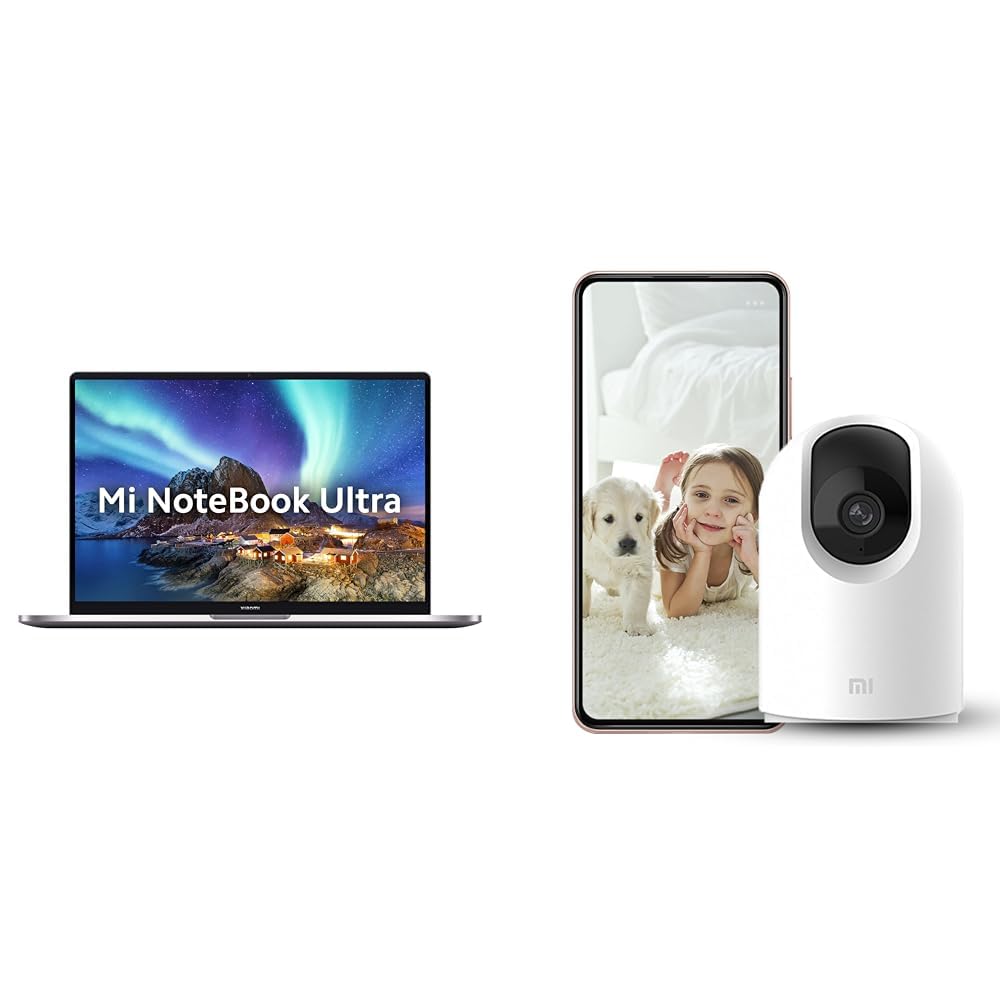
Image: The MI Xiaomi Notebook Ultra laptop, showcasing its display with a scenic wallpaper.
Producto terminadoview
The MI Xiaomi Notebook Ultra is a thin and light laptop designed for performance and portability. It features an 11th Gen Intel Core i5-11320H processor, a high-resolution 3.2K IPS display, and integrated Intel Iris Xe Graphics. This section details the main components and features of your new laptop.
Características principales:
- Procesador: 11th Gen Intel Tiger Lake Core i5-11300H processor with speeds up to 4.4 GHz, 4 cores, 8 threads, and 8 MB Cache.
- Mostrar: 39.62 cm (15.6-inch) IPS 3.2K resolution (3200x2000) with 16:10 aspect ratio, 100% sRGB, 90Hz refresh rate, 241 PPI, 1500:1 contrast ratio, anti-glare, and TUV Low blue light certification.
- Almacenamiento de memoria: 8GB DDR4 3200 MHz RAM and 512GB PCIe NVMe M.2 SSD.
- Sistema operativo y software: Pre-installed Windows 11 Home and Microsoft Office Home and Student 2021.
- Gráficos: Integrated Intel Iris Xe graphics.
- Conectividad: Dual Band Wi-Fi and Bluetooth.
- Seguridad: Fingerprint Recognition.
- Puertos: Includes Thunderbolt 4 and USB Type-C ports.

Imagen: Una sobreview of the MI Xiaomi Notebook Ultra's key features, including its 3.2K display, all-metal design, 90Hz refresh rate, 12-hour battery, thin and light profile, Thunderbolt 4, USB Type-C, Intel Core i5/i7 H35 processor, 8/16GB RAM, 512GB SSD, Wi-Fi 6, and fingerprint reader.

Imagen: Side profile of the MI Xiaomi Notebook Ultra, highlighting the various ports including Thunderbolt 4 and USB Type-C.
Guía de configuración
1. Desembalaje e inspección inicial:
Carefully remove the laptop and all accessories from the packaging. Check for any visible damage. Ensure all components listed in the packaging are present.
2. Conexión de energía:
- Connect the power adapter to the laptop's USB Type-C charging port.
- Conecte el cable de alimentación a una toma de pared.
- Deje que la computadora portátil se cargue durante al menos 30 minutos antes del uso inicial, o hasta que el indicador de batería muestre carga suficiente.
3. Initial Boot and Windows Setup:
- Abra la tapa de la computadora portátil y presione el botón de encendido.
- Sigue las instrucciones en pantalla para completar la configuración de Windows 11 Home. Esto incluye seleccionar la región, el idioma, conectarte a una red Wi-Fi y crear una cuenta de usuario.
- Register your Microsoft account if prompted to activate Windows and Microsoft Office Home and Student 2021.
4. Conexión de periféricos:
You can connect external displays, wireless keyboards, mice, webcams, and other Bluetooth/Wi-Fi enabled devices. Refer to the device's specific instructions for pairing or connecting.
- Dispositivos USB: Use the available USB Type-C or Thunderbolt 4 ports.
- Dispositivos Bluetooth: Enable Bluetooth on your laptop via Windows settings and pair with your device.
- Pantalla externa: Connect an external monitor using a compatible cable to the Thunderbolt 4 port (which supports display output).
Instrucciones de funcionamiento
Administración de energía:
- Encendido: Presione el botón de encendido ubicado en la plataforma del teclado.
- Modo de sueño: Cierre la tapa o seleccione “Suspender” en el menú Inicio de Windows.
- Cerrar: Seleccione “Apagar” en el menú Inicio de Windows.
- Reanudar: Seleccione “Reiniciar” en el menú Inicio de Windows.
Usando la pantalla:
Your laptop features a 3.2K IPS display with a 90Hz refresh rate. You can adjust display settings (resolution, refresh rate, brightness) through Windows Display Settings. The anti-glare coating helps reduce reflections, and TUV Low blue light certification aims to reduce eye strain.
Reconocimiento de huellas dactilares:
The integrated fingerprint sensor allows for secure and quick login. To set up, navigate to Windows Settings > Accounts > Sign-in options and follow the instructions to register your fingerprint.
Teclado y panel táctil:
The laptop includes a full-sized keyboard and a precision touchpad. Customize touchpad gestures and keyboard backlight settings (if available) through Windows Settings.
Audio:
The laptop is equipped with integrated speakers. Adjust volume using the function keys or Windows sound settings.
Webleva:
El integrado webcam can be used for video calls and conferences. Ensure the physical lens shield is open when using the webcam. Manage webcam privacy settings in Windows.
Mantenimiento
Limpieza:
- Pantalla: Utilice un paño suave y sin pelusa ligeramenteampLimpie con agua o un limpiador de pantallas. No rocíe el líquido directamente sobre la pantalla.
- Teclado y chasis: Utilice un paño suave y seco. Para la suciedad difícil, un paño ligeramente seco.amp Se puede usar un paño. Evite productos químicos agresivos.
- Puertos: Mantenga los puertos libres de polvo y residuos. Utilice aire comprimido si es necesario, pero hágalo con cuidado.
Cuidado de la batería:
- Evite descargar completamente la batería con frecuencia.
- Guarde la computadora portátil en un lugar fresco y seco si no la utiliza durante períodos prolongados, con la batería cargada aproximadamente al 50 %.
- Utilice únicamente el adaptador de corriente original proporcionado con la computadora portátil.
Actualizaciones de software:
Regularly update Windows, drivers, and other software to ensure optimal performance and security. You can check for updates via Windows Settings.
Solución de problemas
Esta sección ofrece soluciones a problemas comunes que podrías encontrar. Si el problema persiste, contacta con atención al cliente.
No Power / Laptop Not Turning On:
- Asegúrese de que el adaptador de corriente esté conectado de forma segura tanto a la computadora portátil como a una toma de corriente que funcione.
- Compruebe si la toma de corriente funciona enchufando otro dispositivo.
- Si la batería está completamente agotada, déjela cargar durante al menos 30 minutos antes de intentar encenderla.
Problemas de visualización:
- Pantalla en blanco: Try connecting an external monitor to check if the laptop is outputting video. If the external monitor works, there might be an issue with the laptop's internal display.
- Pantalla tenue: Adjust brightness using the function keys or Windows Display Settings.
- Resolución incorrecta: Adjust the display resolution in Windows Display Settings.
Wi-Fi / Bluetooth Connectivity Problems:
- Ensure Wi-Fi and Bluetooth are enabled in Windows Settings.
- Reinicie su enrutador/módem para problemas de Wi-Fi.
- Para Bluetooth, intente desvincular y volver a vincular el dispositivo.
- Actualice los controladores del adaptador de red a través del Administrador de dispositivos.
Rendimiento lento:
- Cierre las aplicaciones innecesarias que se ejecutan en segundo plano.
- Busque e instale cualquier actualización de Windows pendiente.
- Run a disk cleanup and defragmentation (for HDDs, though this laptop has SSD).
- Analizar en busca de malware o virus.
Included Accessory: Mi 360° Home Security Camera 2K Pro
Your MI Xiaomi Notebook Ultra package includes a Mi 360° Home Security Camera 2K Pro. This camera offers enhanced home surveillance with 2K resolution and smart features. Please refer to the separate user manual provided with the camera for detailed setup and operation instructions.
Key Features of the Camera:
- Resolución: 2K Video Resolution Quality.
- Conectividad: Wi-Fi de doble banda.
- Seguridad: Physical lens shield.
- Audio: Dual-microphone noise reduction.
- Características inteligentes: AI Human Detection, Bluetooth gateway.
- Almacenamiento: Cloud Storage In India.

Image: The Mi 360° Home Security Camera 2K Pro, a white spherical camera with a black lens module.

Image: An illustration of the Mi 360° Home Security Camera 2K Pro's features, including physical shield, dual-microphone noise reduction, dual-band Wi-Fi, Bluetooth gateway, AI Human Detection, and Cloud Storage.

Image: A comparison demonstrating the 2K video resolution quality of the Mi 360° Home Security Camera 2K Pro, showing a clearer image at 1296p compared to 1080p.
Presupuesto
| Característica | Detalle |
|---|---|
| Marca | MI |
| Nombre del modelo | Xiaomi Notebook Ultra |
| Número de modelo de CPU | Intel Core i11-5H de 11320.ª generación |
| Velocidad del procesador | 3.1 GHz (Base) - 4.4 GHz (Max) |
| Núcleos de procesador | 4 |
| Tamaño de pantalla | 39.62 Centimetres (15.6-inch) |
| Resolución de pantalla | 3200 x 2000 (3.2K) |
| Tipo de pantalla | IPS LED, Anti Glare Coating |
| Frecuencia de actualización | 90 Hz |
| Tamaño de la memoria RAM instalada | 8 GB DDR4 3200 MHz |
| Tamaño del disco duro | SSD PCIe NVMe M.2 de 512 GB |
| Sistema operativo | Inicio de Windows 11 |
| Coprocesador gráfico | Gráficos Intel Iris Xe (integrados) |
| Tecnología inalámbrica | Bluetooth, Wi-Fi (Dual Band) |
| Seguridad biométrica | Reconocimiento de huellas dactilares |
| Peso del artículo | 1.7 kilogramos |
| Color | Metálico |
| Software incluido | Microsoft Office Home and Student 2021 |
| Tipo de celda de la batería | Polímero de litio |
Garantía y soporte
For warranty information and customer support, please refer to the warranty card included in your product packaging or visit the official MI support webSitio. Tenga a mano el recibo de compra y el número de serie del producto al contactar con el servicio de asistencia.
Soporte en línea: MI India Support