
BUFFBEE BK11
BUFFBEE Sound Machine & Alarm Clock
Model: BK11 - User Manual
Introducción
Thank you for choosing the BUFFBEE Sound Machine & Alarm Clock. This versatile 2-in-1 device combines a high-quality sound machine with a fully functional alarm clock, designed to help you achieve restful sleep and wake up refreshed. Its intuitive controls and customizable features make it an essential addition to any bedroom.

Image: The Buffbee Sound Machine and Alarm Clock highlighting its dual functionality as both a sound machine and an alarm clock.
Información de seguridad
- No exponga el dispositivo al agua ni a la humedad excesiva.
- Mantener alejado de fuentes de calor y luz solar directa.
- Utilice únicamente el adaptador de corriente proporcionado.
- No intente desmontar ni reparar el dispositivo usted mismo. Póngase en contacto con el servicio de atención al cliente para obtener ayuda.
- Asegúrese de que el dispositivo esté colocado sobre una superficie plana y estable.
Contenido del paquete
- BUFFBEE Sound Machine & Alarm Clock (Model: BK11)
- Adaptador de corriente
- Manual de usuario
Producto terminadoview
Familiarícese con los componentes y controles del dispositivo:

Image: A detailed diagram illustrating the top panel controls (Alarm, Volume Control, Sound Machine, Night Light) and the rear panel (Display Dimmer, Adapter port).
- Controles del panel superior: Alarm button, Timer button, Volume Up/Down, Previous/Next Sound, Sound Machine button, Night Light button.
- Pantalla frontal: Pantalla de reloj digital.
- Luz inferior: Integrated colored light.
- Panel trasero: DC 5V Adapter port, 0-100% Display Dimmer knob.
Configuración
- Colocación: Place the device on a stable surface, such as a nightstand or desk.
- Conexión de energía: Insert the power adapter into the DC 5V port on the rear of the device, then plug it into a standard electrical outlet.
- Encendido inicial: La pantalla del reloj se iluminará.
- Establecer hora: Consulte la sección 'Instrucciones de funcionamiento' para configurar la hora actual.
Instrucciones de funcionamiento
Ajuste de la hora
- Mantenga pulsado el Tiempo button (clock icon) on the top panel until the hour digits flash.
- Utilice el Anterior (◀︎) or Próximo (▶︎) buttons to adjust the hour.
- Presione el Tiempo Presione nuevamente el botón para confirmar la hora y pasar al ajuste de minutos.
- Utilice el Anterior (◀︎) or Próximo (▶︎) buttons to adjust the minutes.
- Presione el Tiempo button one more time to confirm the minutes and exit time setting.
Configuración de la alarma
- Mantenga pulsado el Alarma button (bell icon) on the top panel until the alarm hour digits flash.
- Utilice el Anterior (◀︎) or Próximo (▶︎) buttons to adjust the alarm hour.
- Presione el Alarma button again to confirm the hour and move to alarm minute setting.
- Utilice el Anterior (◀︎) or Próximo (▶︎) buttons to adjust the alarm minutes.
- Presione el Alarma button one more time to confirm the minutes. The alarm icon will appear on the display, indicating the alarm is set.
- Para apagar la alarma, presione el Alarma Presione el botón una vez. El icono de alarma desaparecerá.
Usando la máquina de sonido
The device offers 18 soothing sounds, including 5 white noises, 3 fan sounds, and 10 nature sounds (ocean, lullaby, waves, rain, thunderstorm, brook, croaking, bird chirping, summer night, and campfuego).
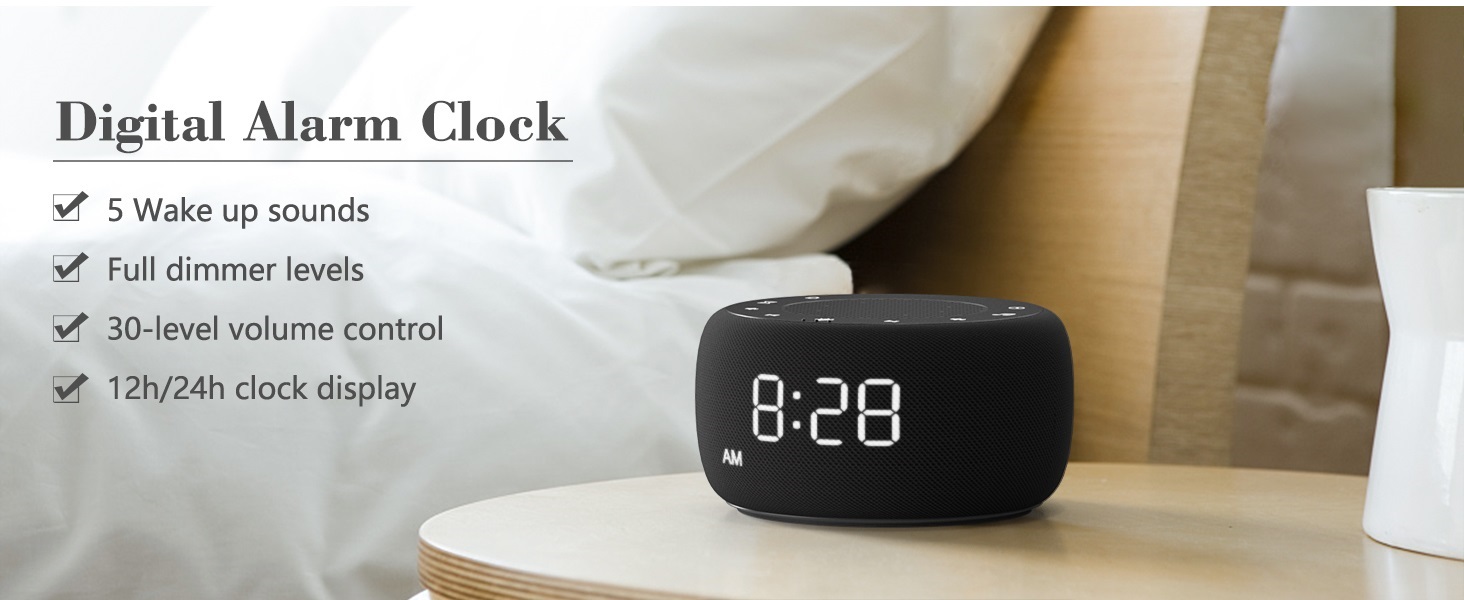
Image: An infographic displaying the 18 soothing sounds categorized into 3 fan sounds, 5 white noises, and 10 nature sounds, including ocean, lullaby, waves, rain, thunderstorm, brook, croaking, bird chirping, summer night, and campfuego.
- Presione el Maquina de sonido button (music note icon) to cycle through the available sounds.
- Utilice el Subir volumen (▲) y Bajar volumen (▼) buttons to adjust the volume (30 levels).
- To turn off the sound, press the Maquina de sonido button until no sound is playing.
Temporizador de sueño
Set a timer for the sound machine to automatically turn off.

Image: The top panel of the Buffbee Sound Machine, highlighting the Auto-Off Timer button and the Volume Control buttons.
- Presione el Minutero button (hourglass icon) to cycle through timer options: 15, 30, 60, 90, 120 minutes, or continuous play.
- The selected timer duration will be displayed on the screen.
Adjusting Clock Face Brightness
The clock display brightness can be adjusted from 0% (completely dark) to 100%.

Image: The Buffbee Sound Machine demonstrating its 0-100% display dimmer feature, showing the clock face at 0%, partial, and 100% brightness.
- Localizar el Atenuador de pantalla perilla en la parte posterior del dispositivo.
- Rotate the knob to increase or decrease the brightness of the clock display to your preference.
Using the Bottom Colored Light
The device features a bottom light with 7 color options to create a relaxing ambiance.

Image: The Buffbee Sound Machine displaying its bottom colored light feature, showing various color options and the ability to turn it on or off.
- Presione el Luz de noche button (light bulb icon) to cycle through the 7 color options.
- Continue pressing the button to turn the light off.
Mantenimiento
- Limpieza: Limpie el dispositivo con un paño suave y seco. No utilice limpiadores abrasivos ni disolventes.
- Almacenamiento: Cuando no utilice el dispositivo durante períodos prolongados, guárdelo en un lugar fresco y seco.
Solución de problemas
| Problema | Posible causa | Solución |
|---|---|---|
| El dispositivo no se enciende. | El adaptador de corriente no está conectado correctamente o hay un problema con la toma de corriente. | Asegúrese de que el adaptador de corriente esté bien conectado al dispositivo y a una toma de corriente que funcione. Pruebe con otra toma de corriente. |
| La pantalla del reloj es demasiado brillante/oscura. | Display dimmer setting needs adjustment. | Adjust the 0-100% Display Dimmer knob on the rear of the device. |
| El sonido no es lo suficientemente alto. | El volumen está configurado demasiado bajo. | Presione el Subir volumen (▲) button to increase the volume. The device has 30 volume levels. |
| La alarma no suena. | La alarma no está configurada o está apagada. | Asegúrese de que la alarma esté configurada correctamente y que el icono de alarma esté visible en la pantalla. |
Presupuesto
| Característica | Detalle |
|---|---|
| Número de modelo | BK11 |
| Dimensiones | 5.63 x 4.57 x 3.03 pulgadas |
| Peso | 11.64 onzas |
| Fuente de poder | Battery Powered (for backup) / AC Adapter |
| Salida de altavoz | 5W |
| Opciones de sonido | 18 (5 white noises, 3 fan sounds, 10 nature sounds) |
| Niveles de volumen | 30 |
| Temporizador de sueño | 15, 30, 60, 90, 120 minutos o continuo |
| Brillo de la pantalla del reloj | 0-100% ajustable |
| Bottom Light Colors | 7 opciones |
| Material | Plástico, acrilonitrilo butadieno estireno (ABS) |
Garantía y soporte
For warranty information and customer support, please refer to the contact details provided on the product packaging or visit the official BUFFBEE websitio. Guarde su recibo de compra para reclamos de garantía.
Ask a question about this manual
Ask about setup, troubleshooting, compatibility, parts, safety, or missing instructions. Manuals+ will review the question and use this page’s manual context to help answer it.