
Introducción
This manual provides detailed instructions for the Docooler F520 Wireless Business Headset. Please read this manual carefully before use to ensure proper operation and to maximize the product's lifespan. Keep this manual for future reference.
The Docooler F520 is a versatile wireless headset designed for business, sport, and everyday use. It features Bluetooth 5.3 for stable connectivity, a retractable earbud for convenience, and a high-definition microphone with noise reduction for clear calls.
Contenido del paquete
The Docooler F520 package includes:
- 1 x Docooler F520 Wireless Headset
- 1 x cable de carga USB
- 2 x Silicone Ear Caps (various sizes)
- 1 x Manual de usuario
Producto terminadoview
The Docooler F520 headset is designed for comfort and functionality, featuring a collar clip design and a retractable earbud.

Imagen: Principal view of the Docooler F520 Wireless Headset, showcasing its compact design and retractable earbud.

Image: Diagram illustrating the dimensions and key components of the F520 headset, including the button to retract earbud, LED indicator, Type-C USB port, volume buttons, and microphone.
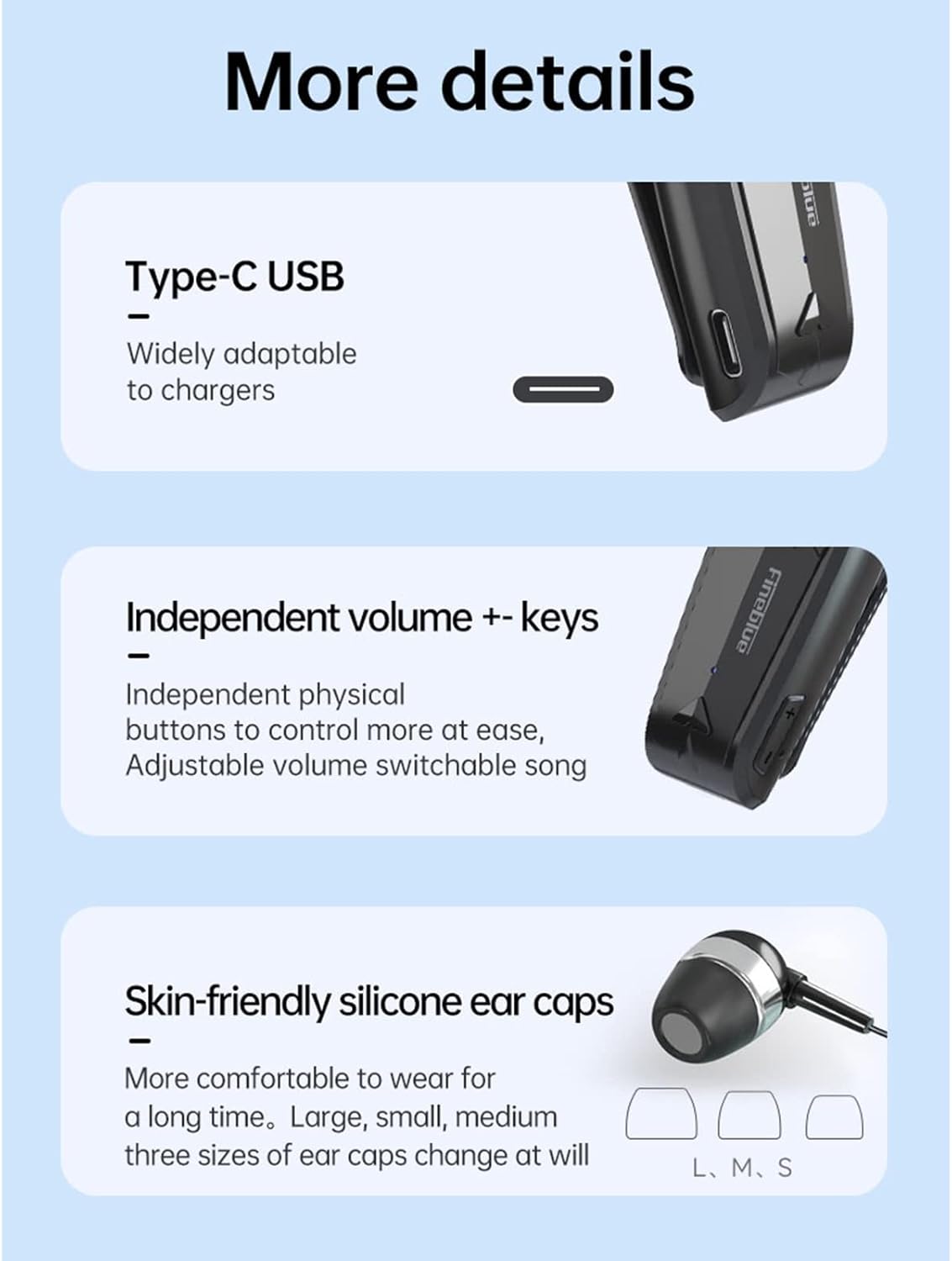
Imagen: Detallada view highlighting the Type-C USB charging port, independent volume control buttons, and the three sizes of skin-friendly silicone ear caps (L, M, S) included for comfortable wear.
Configuración
Cargar los auriculares
Before first use, fully charge the headset. Connect the provided USB charging cable to the Type-C port on the headset and to a compatible USB power source (e.g., computer USB port, wall adapter). The LED indicator will illuminate during charging and change color or turn off when fully charged (refer to specific LED behavior in the diagram).
- Tiempo de carga: Aproximadamente 2 horas.
- Duración de la batería: Up to 10 hours talk time, 14 hours music time (at 70% volume), 120 hours standby time.
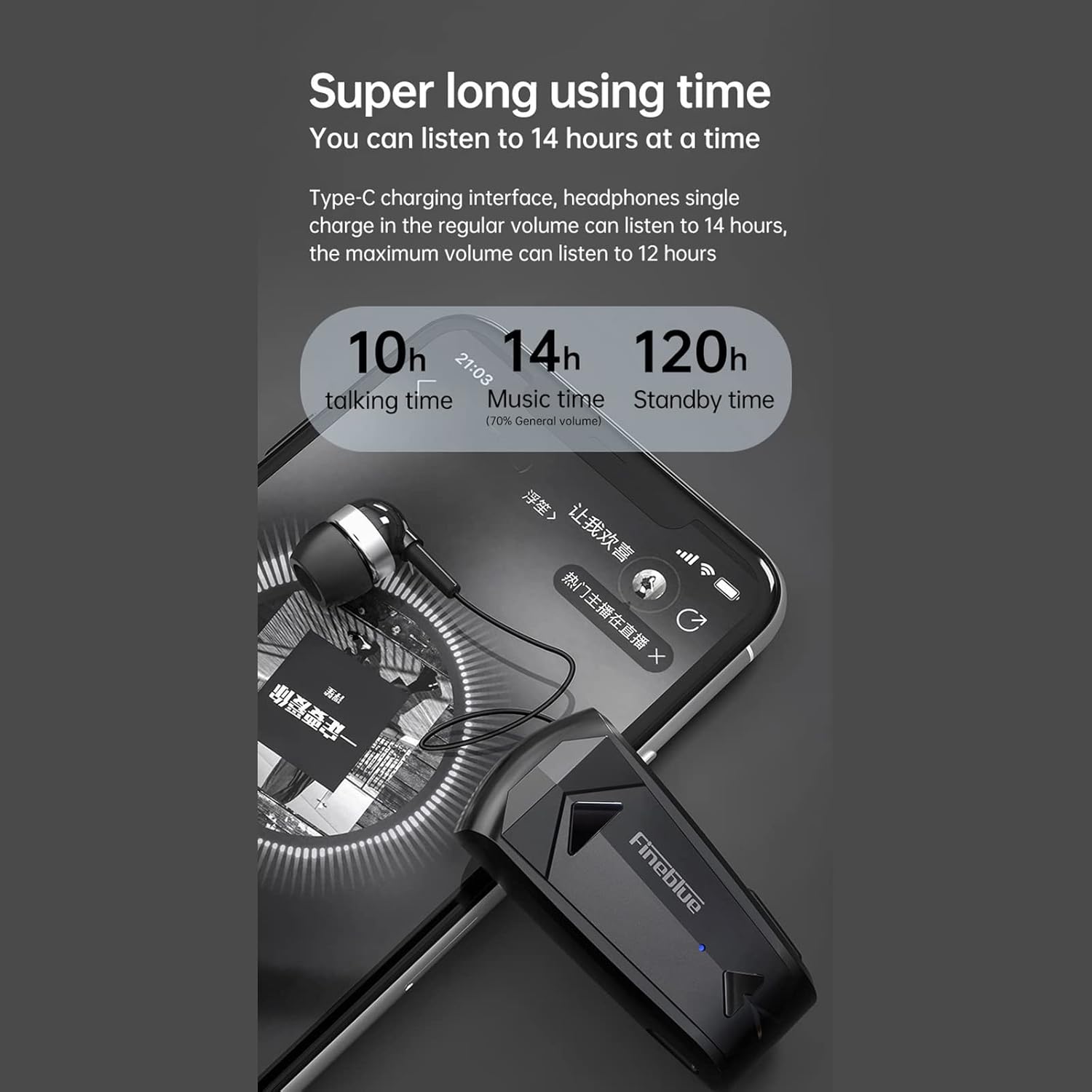
Image: Diagram illustrating the impressive battery life of the F520 headset, showing 10 hours of talk time, 14 hours of music time, and 120 hours of standby time.
Emparejamiento Bluetooth
The F520 headset utilizes advanced Bluetooth 5.3 technology for a stable, fast, and energy-efficient wireless connection.

Image: Visual representation of the Bluetooth 5.3 chip, emphasizing lower power consumption and smoother performance for enhanced wireless connectivity.
- Encendido: Press and hold the Multi-function Button (MFB) for approximately 3 seconds until the LED indicator flashes, indicating the headset is in pairing mode.
- Habilitar Bluetooth: En su teléfono inteligente u otro dispositivo con Bluetooth habilitado, vaya a la configuración de Bluetooth y asegúrese de que Bluetooth esté activado.
- Buscar Dispositivos: Su dispositivo buscará automáticamente dispositivos Bluetooth cercanos.
- Conectar: Select "F520" from the list of available devices. Once connected, the LED indicator will change (e.g., slow blue flash) and you will hear an audible confirmation.
Conexión multipunto: The F520 supports connecting to two smartphones simultaneously. After pairing with the first device, disable Bluetooth on the first device, then pair with the second device. Re-enable Bluetooth on the first device, and the headset should connect to both.
Instrucciones de funcionamiento
The F520 headset features intuitive physical buttons for easy control of calls, music, and voice assistant functions.

Image: Diagram illustrating the functions of the physical buttons on the F520 headset, including power, call control, music playback, volume adjustment, and voice assistant activation.
- Encendido/apagado:
Mantenga presionado el botón multifunción (MFB) durante 3 segundos. - Responder / finalizar llamadas:
Haga clic en el MFB una vez. - Rechazar llamadas:
Haga doble clic en el MFB. - Volver a marcar el último número:
Haga doble clic en el MFB. - Reproducir/Pausar música:
Haga clic en el MFB una vez. - Cambiar canción:
Long press the Volume + button for 2 seconds for the next song.
Long press the Volume - button for 2 seconds for the previous song. - Ajustar el volumen:
Click the Volume + button to increase volume.
Click the Volume - button to decrease volume. - Asistente de voz (Siri):
Long press the MFB for 2 seconds to activate your device's voice assistant. - Retract Earbud:
Press the dedicated button on the side of the headset to automatically retract the earbud cable, keeping it organized and tangle-free.
Calidad de llamada y reducción de ruido
The F520 features a built-in high-definition microphone with multiple noise reduction technologies to enhance call audio transmission, ensuring clear sound and high-quality conversations.

Image: Diagram illustrating the intelligent noise reduction feature, showing how ambient noise is reduced for clearer voice calls. It also highlights effective wind noise reduction for speeds up to 60km/h.
Single-Ear Design for Safe Travel
The monaural design allows you to enjoy audio while remaining aware of your surroundings, which is beneficial for driving, riding, or general travel safety.

Image: A person wearing the F520 headset, demonstrating its single-ear design which allows for privacy while also maintaining environmental awareness, promoting safer travel.
Mantenimiento
Limpieza
Wipe the headset with a soft, dry, lint-free cloth. Do not use abrasive cleaners, solvents, or harsh chemicals. Avoid getting moisture into any openings.
Almacenamiento
Store the headset in a cool, dry place away from direct sunlight, extreme temperatures, and humidity. When not in use for extended periods, ensure the earbud cable is retracted to prevent damage.
Solución de problemas
- Los auriculares no se encienden: Asegúrate de que los auriculares estén completamente cargados. Conéctalos a una fuente de alimentación y vuelve a intentarlo después de unos minutos.
- No se puede emparejar con el dispositivo: Make sure Bluetooth is enabled on your device and the headset is in pairing mode (LED flashing). Try restarting both the headset and your device. Ensure the headset is not already connected to another device.
- No hay sonido o el volumen es bajo: Check the volume levels on both the headset and your connected device. Ensure the headset is properly paired and selected as the audio output device.
- Mala calidad de llamada: Ensure the microphone is not obstructed. Move closer to your connected device to ensure a strong Bluetooth signal. Avoid environments with strong electromagnetic interference.
- Earbud cable not retracting: Gently press the retraction button. If it's stuck, ensure there are no obstructions. Do not force the cable.
Presupuesto
| Característica | Detalle |
|---|---|
| Marca | Enfriador de bebidas |
| Nombre del modelo | F520 |
| Número de modelo | LLS9325159902624XR |
| Material | ABS+PC+UV |
| Versión de Bluetooth | V5.3 |
| Capacidad de la batería | 80 mAh |
| Tiempo de reproducción de música | Aprox. 14 horas (70% del volumen), 12 horas (100% del volumen) |
| Tiempo de conversación | Aproximadamente 10 horas |
| Tiempo de espera | Aproximadamente 120 horas |
| Tiempo de carga | Aproximadamente 2 horas |
| Longitud del cable | Aproximadamente 35 cm |
| Peso | 18.5 gramos |
| Resistencia al agua | Impermeable |
| Método de control | Voice, Physical Buttons |
| Dispositivos compatibles | Dispositivos habilitados para Bluetooth |
| Colocación de orejas | En la oreja |
| Factor de forma | En la oreja |
| Reducción de ruido de llamadas | Sí |
| Aislamiento de ruido pasivo | Ninguno |
| Tecnología de conectividad | Inalámbrico (Bluetooth) |
| Usos específicos | Travel, Business, Sport |
Información de seguridad
- Do not disassemble, repair, or modify the headset. This may void the warranty and cause damage.
- Keep the headset away from extreme temperatures (hot or cold), direct sunlight, and high humidity.
- Evite escuchar música a volúmenes altos durante períodos prolongados para evitar posibles daños auditivos.
- Mantenga el dispositivo fuera del alcance de los niños y las mascotas.
- Deseche el producto y su batería de forma responsable, de acuerdo con la normativa local. No los tire junto con la basura doméstica.
Garantía y soporte
For warranty information, technical support, or any inquiries regarding your Docooler F520 Wireless Business Headset, please refer to the documentation provided at the time of purchase. You may also contact Docooler customer service through their official website or authorized retailers for assistance.