
Introducción
Thank you for choosing the Baseus Adaman Digital Display Power Bank (Model: PPAD070001). This portable power bank is designed to provide reliable and efficient charging for your electronic devices. Please read this manual carefully before use to ensure proper operation and to maximize the lifespan of your device.
Información de seguridad
- No exponga el banco de energía a temperaturas extremas, luz solar directa o fuego.
- Evite dejar caer, desmontar o modificar el dispositivo.
- Mantener alejado del agua y otros líquidos.
- Utilice únicamente cables de carga y adaptadores certificados.
- Mantener fuera del alcance de los niños.
- Si el banco de energía se hincha, tiene fugas o emite un olor inusual, deje de usarlo inmediatamente.
Contenido del paquete
- Baseus Adaman Digital Display Power Bank (PPAD070001)
- Cable de carga USB
- Manual de usuario
Producto terminadoview
The Baseus Adaman Power Bank (Model PPAD070001) is a portable charging solution featuring a digital display for battery status and multiple ports for wide compatibility. Its slim design makes it convenient for travel.

Imagen: Arriba view of the Baseus Adaman Power Bank showing its various input and output ports. From left to right: Type-C (Input/Output), IP/IN (Input), Micro/IN (Input), USB2 (Output), USB1 (Output).

Imagen: Lado profesionalfile of the Baseus Adaman Power Bank, highlighting its slim and portable design.
- Puerto Tipo-C: Supports both input and output (PD 3.0).
- USB1/USB2 Ports: Output ports for charging devices (QC 3.0).
- Puerto Micro-USB: Puerto de entrada para cargar el banco de energía.
- IP/IN Port: Input port for charging the power bank (e.g., for Apple Lightning cables).
- Pantalla digital: Muestra el porcentaje de batería en tiempo real.tage.
Configuración
Before first use, fully charge the power bank. This ensures optimal battery performance.
Cargando el banco de energía
- Connect the provided USB charging cable to one of the input ports on the power bank (Type-C, Micro-USB, or IP/IN).
- Conecte el otro extremo del cable a un cargador de pared USB (no incluido).
- La pantalla digital mostrará el estado de carga y el porcentaje de batería.tage.
- Once the display shows 100%, the power bank is fully charged. Disconnect it from the charger.
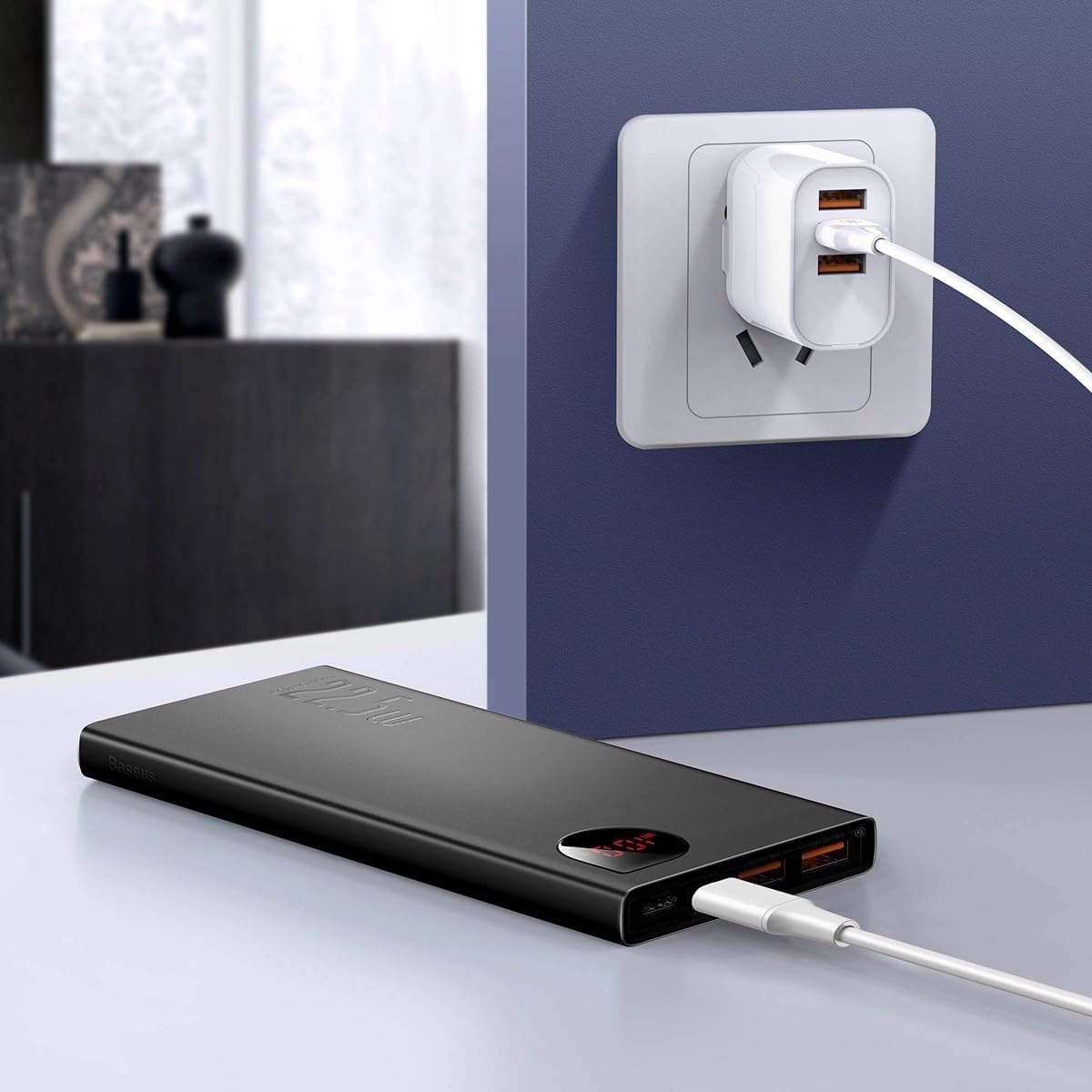
Imagen: The Baseus Adaman Power Bank connected to a wall charger via a USB cable, illustrating the process of recharging the power bank itself.
Instrucciones de funcionamiento
Cargando sus dispositivos
- Connect your device's charging cable to one of the output ports on the power bank (Type-C, USB1, or USB2).
- Conecte el otro extremo del cable a su dispositivo.
- El banco de energía comenzará a cargar automáticamente su dispositivo. La pantalla digital mostrará el porcentaje de batería restante.tage.
- Para detener la carga, simplemente desconecte su dispositivo del banco de energía.

Imagen: A smartphone being charged by the Baseus Adaman Power Bank, demonstrating the device's charging capability for mobile phones.
Comprobación del nivel de batería
The digital display on the power bank will show the current battery percentage when it is in use or when a device is connected. If the power bank is idle, you may need to briefly press the power button (if available, not explicitly mentioned but common) to activate the display.
Mantenimiento
- Limpie la batería externa con un paño suave y seco. No utilice productos químicos agresivos ni materiales abrasivos.
- Guarde el banco de energía en un lugar fresco y seco cuando no esté en uso.
- For optimal battery health, fully charge and discharge the power bank at least once every three months if it's not used regularly.
Solución de problemas
| Problema | Posible causa | Solución |
|---|---|---|
| El banco de energía no carga los dispositivos. | Low battery, faulty cable, incompatible device. | Charge the power bank. Try a different cable. Ensure your device is compatible. |
| El banco de energía no se recarga. | Faulty charging cable/adapter, damaged port. | Try a different charging cable and wall adapter. Check ports for damage. |
| La pantalla digital no funciona. | Power bank is off, low battery, malfunction. | Ensure power bank is on or connected to a device. Charge the power bank. If issue persists, contact support. |
Presupuesto
| Característica | Detalle |
|---|---|
| Número de modelo | PPAD070001 |
| Marca | Baseus |
| Capacidad de la batería | 10000 mAh |
| Características especiales | Pantalla digital |
| Tipos de conectores | Input: USB Type-C, Micro-USB, IP/IN; Output: USB Type-C, USB-A (x2) |
| Volumentage | 5 voltios |
| Actual | 5 Amps |
| Potencia de salida | Up to 22.5W (PD 3.0, QC 3.0) |
| Composición de las celdas de la batería | Polímero de litio |
| Número de puertos de salida | 3 (1x Type-C, 2x USB-A) |
| Number of Input Ports | 3 (1x Type-C, 1x Micro-USB, 1x IP/IN) |
| Dispositivos compatibles | All Smartphones and other USB-powered devices |
| Portátil | Sí |
Garantía y soporte
Este producto viene con Sin garantía as per the provided specifications. For any technical support or inquiries, please refer to the official Baseus websitio o póngase en contacto con su distribuidor.
Para obtener más información, visite: www.baseus.com