
1. Introducción
This manual provides comprehensive instructions for the safe and efficient use of your ALITOVE 12V 3A 36W Universal AC/DC Power Adapter. Please read this manual thoroughly before operating the device and retain it for future reference.
2. Producto terminadoview
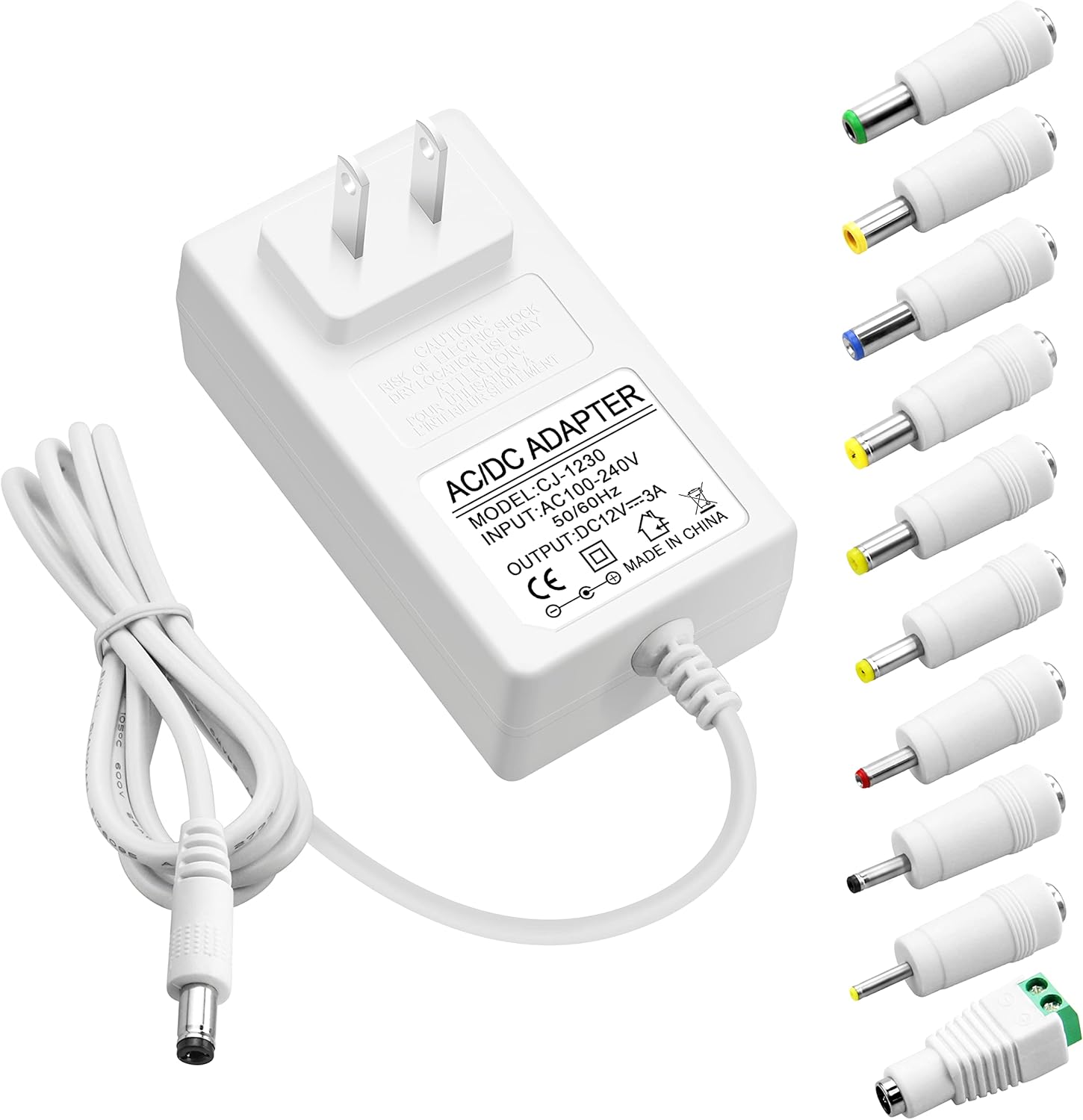
The ALITOVE 12V 3A 36W Universal AC/DC Power Adapter is designed to provide stable power to a wide range of 12V electronic devices. It features multiple safety protections and comes with 10 interchangeable DC tips for broad compatibility.
2.1 Contenido del paquete
- 1x ALITOVE 12V 3A Power Supply Adapter
- 10x DC Connector Tips
2.2 Adapter Features
- Aporte: 100 V-240 V CA, 50/60 Hz
- Producción: 12 V CC, 3 A (36 W máx.)
- Compatibilidad: Works with 12V devices requiring less than 3A (e.g., 500mA, 1000mA, 1.5A, 1.8A, 2A, 2.5A, 2.8A).
- Material: Robust PC & ABS shell for durability and flame resistance.
- Cable de alimentación: Made of high-quality oxygen-free copper for better conductivity and reliability.
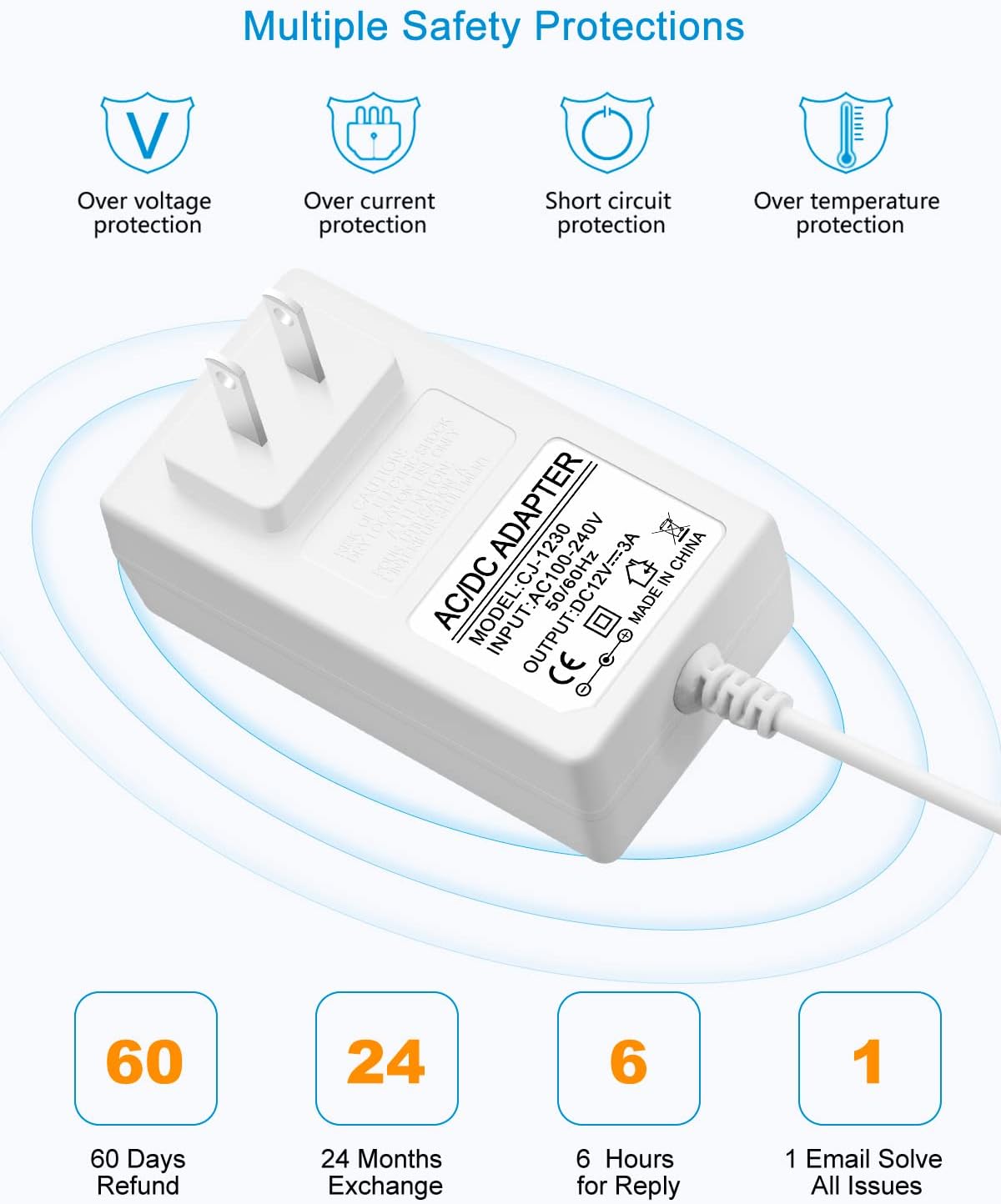
- Seguridad: Sobrecorriente incorporada, sobrevol.tage, sobretemperatura y protección contra cortocircuitos.
2.3 DC Connector Tips
The adapter includes an original 5.5x2.5mm tip and 10 additional frequently used tips. The polarity for all tips is internal "+" and external "-".
- 5.5x2.1 mm
- 5.5x3.0mm + Pin
- 5.5x1.7 mm
- 4.8x1.7 mm
- 4.0x1.7 mm
- 3.5x1.35 mm
- 3.0x1.1 mm
- 2.5x0.7 mm
- 6.3x3.0 mm
- Conector de terminal

3. Instrucciones de configuración
Follow these steps to correctly set up your power adapter:
- Identificar los requisitos del dispositivo: Antes de conectar, verifique el vol.tage y amperage requirements of your electronic device. This adapter is suitable for 12V devices requiring 3A or less.
- Select the Correct DC Tip: Choose the DC connector tip that matches the input port of your device. Ensure a snug fit.
- Connect Tip to Adapter: Firmly insert the selected DC tip onto the output cable of the ALITOVE power adapter.
- Conectar al dispositivo: Plug the DC tip into your electronic device's power input port.
- Conectar a la toma de corriente: Conecte el adaptador de corriente CA a un tomacorriente de pared estándar de 100-240 V.


4. Instrucciones de funcionamiento
Once connected, the power adapter will supply power to your device. Observe the following guidelines for optimal performance and safety:
- No sobrecargue: Ensure the connected device's current draw does not exceed 3A. Overloading can damage the adapter and the connected device.
- Carga recomendada: For prolonged lifespan and stable operation, it is recommended that the maximum power usage should not exceed 80% of the adapter's full load (i.e., for a 36W adapter, use with devices requiring up to 29W).
- Volumen establetage: The adapter is designed to provide a stable 12V output, protecting your devices from fluctuating voltage.

5. Información de seguridad
Your ALITOVE power adapter is equipped with multiple safety features to protect both the adapter and your connected devices.
5.1 Protecciones integradas
- exceso de volumentagy Protección: Previene daños por exceso de volumen.tage.
- Protección contra sobrecorriente: Automatically cuts off power if current exceeds safe limits.
- Protección contra cortocircuitos: Protecciones contra cortocircuitos.
- Protección contra sobrecalentamiento: Previene el sobrecalentamiento.
5.2 Advertencias generales de seguridad
- No exponga el adaptador al agua ni a la humedad excesiva.
- No desmonte ni intente reparar el adaptador. Solicite el servicio técnico a personal cualificado.
- Evite utilizar el adaptador en entornos extremadamente calientes o fríos.
- Mantener fuera del alcance de los niños.
- Ensure proper ventilation around the adapter during use.

6. Especificaciones
| Característica | Especificación |
|---|---|
| Número de modelo | ALT-1203 |
| Vol de entradatage | 100-240 V CA, 50/60 Hz |
| Vol de salidatage | 12 V CC |
| Corriente de salida | 3 A máx. |
| Salida Wattage | 36W Max |
| Polaridad | Internal "+", External "-" |
| Tipo de conector | Barrel Connector (with 10 interchangeable tips) |
| Dimensiones del producto | 3.94 x 3.15 x 2.36 pulgadas |
| Peso del artículo | 4.9 onzas |
| Color | Blanco |
| Características especiales | Short Circuit Protection, Over-voltage Protection, Over-current Protection, Over-temperature Protection |
7. Mantenimiento
Proper maintenance ensures the longevity and reliable operation of your power adapter.
- Limpieza: Disconnect the adapter from the power outlet and device before cleaning. Use a soft, dry cloth to wipe the surface. Do not use liquid cleaners or sprays.
- Almacenamiento: Cuando no esté en uso, guarde el adaptador en un lugar fresco y seco, lejos de la luz solar directa y de temperaturas extremas.
- Cuidado de cables: Avoid bending or crimping the power cord excessively, especially at the stress points, to prevent internal wire damage.

8. Solución de problemas
If you encounter issues with your ALITOVE power adapter, refer to the following common problems and solutions:
| Problema | Posible causa | Solución |
|---|---|---|
| El dispositivo no se enciende | Incorrect DC tip selected Adapter not fully plugged in Device requires more than 3A Toma de corriente defectuosa | Ensure correct tip is used Compruebe todas las conexiones Verify device's current requirements (must be ≤3A) Pruebe con una toma de corriente diferente |
| El adaptador se siente caliente | Funcionamiento normal (ligero calor) Sobrecarga Mala ventilación | If excessively hot, disconnect immediately Ensure device current is ≤3A Provide adequate space around adapter |
| Potencia intermitente | Conexión suelta Damaged cable/tip | Verifique que todas las conexiones estén apretadas Inspect cable and tips for visible damage; replace if necessary |
9. Garantía y soporte
ALITOVE provides the following support for this product:
- 60 Days Refund: If you are not satisfied with the product.
- 24 Months Exchange: Por defectos o mal funcionamiento del producto.
- Servicio al cliente: Expect a reply within 6 hours for inquiries. All issues aim to be resolved via email.
For further assistance or to claim warranty, please contact ALITOVE customer support through the retailer where the product was purchased or visit the official ALITOVE store online.