
Amkette 584
Manual del usuario de la radio FM digital Amkette Pocket Mate con altavoz Bluetooth
Modelo: 584
1. Producto terminadoview
The Amkette Pocket Mate Digital FM Radio with Bluetooth Speaker is a versatile and portable audio device designed for various listening experiences. It features wireless music streaming via Bluetooth, FM radio functionality with an extendable antenna, and multiple playback options including Micro SD card and USB input. Equipped with a 5W speaker, it delivers clear and robust sound. The device also includes a 3.5mm headphone jack for private listening and a number pad for easy station and song selection. Its compact design and long-lasting battery make it ideal for on-the-go entertainment.
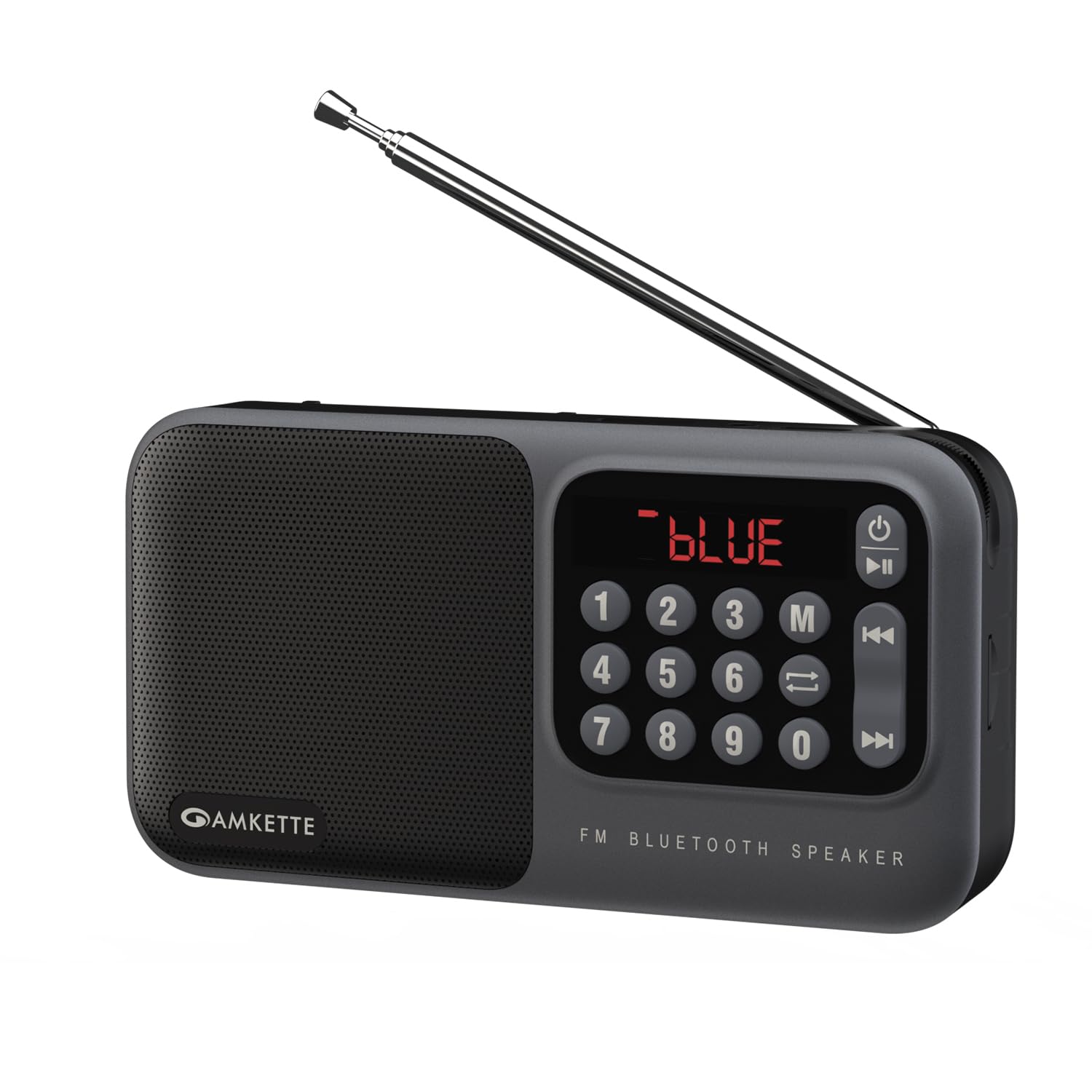
Figure 1: Amkette Pocket Mate Digital FM Radio with Bluetooth Speaker (Grey model).
2. Componentes y controles
Familiarize yourself with the various components and controls of your Amkette Pocket Mate for optimal use.
- Botón de encendido: Se utiliza para encender o apagar el dispositivo.
- Botón de modo (M): Recorre los modos disponibles: Radio FM, Bluetooth, Micro SD, USB.
- Botón de reproducción/pausa: Controls playback in various modes.
- Botones de pista anterior/siguiente: Navega entre pistas o estaciones de radio.
- Teclado numérico (0-9): For direct input of FM frequencies or track numbers.
- Pantalla LED: Shows current mode, frequency, track number, and battery status.
- Perilla de volumen: Control giratorio para ajustar el volumen del audio.
- Antena extensible: For enhanced FM radio signal reception.
- Ranura para tarjeta micro SD: For inserting a Micro SD card for audio playback.
- Entrada USB: For connecting a USB drive for audio playback.
- Toma de auriculares de 3.5 mm: Para conectar auriculares o altavoces externos.
- Puerto de carga tipo C: Para cargar el dispositivo.

Figura 2: Primer plano view of the LED display and number pad for quick access to functions.
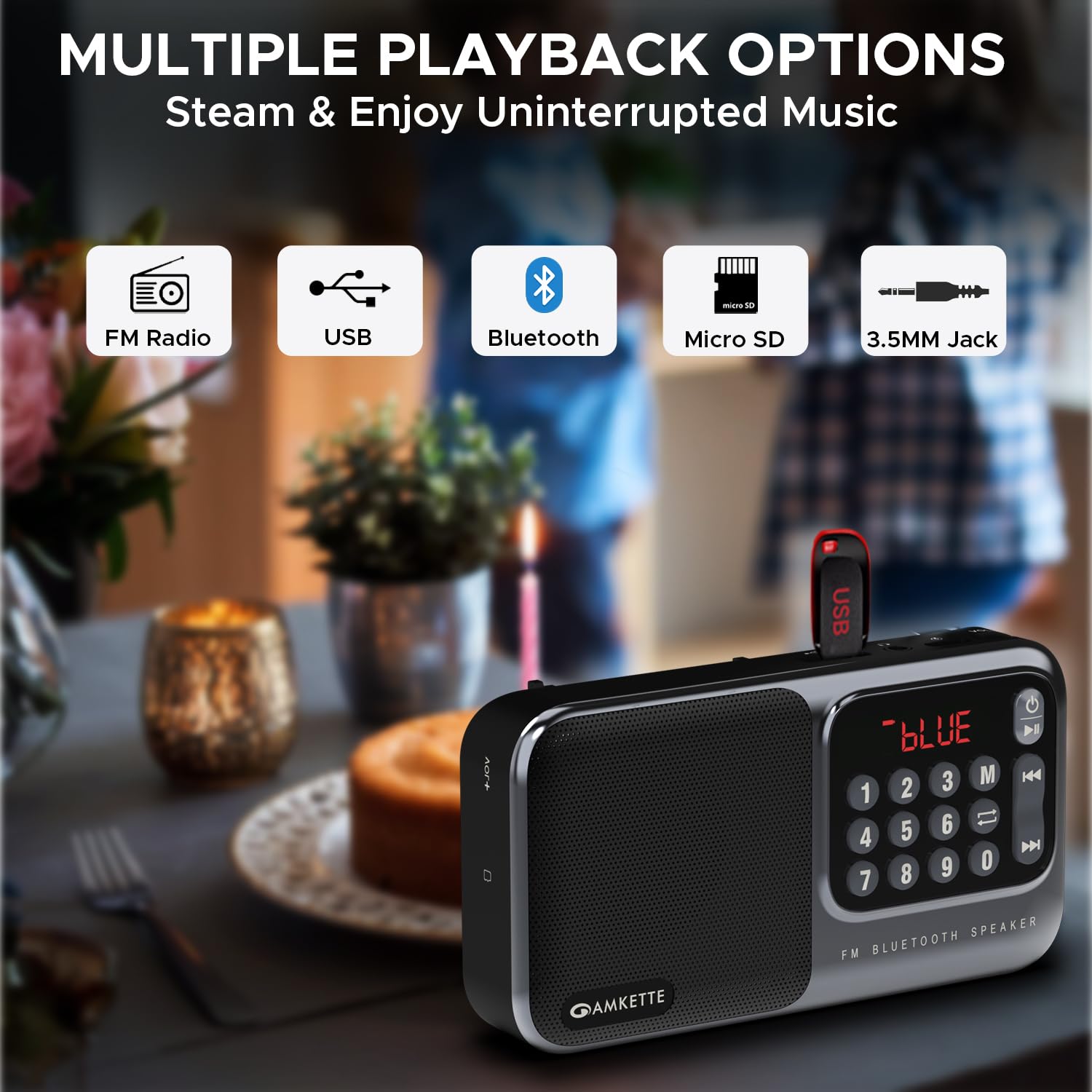
Figura 3: Lado view illustrating the various input ports and controls.
3. Configuración
3.1 Carga inicial
Before first use, fully charge your Amkette Pocket Mate. Connect the provided Type-C charging cable to the charging port on the device and the other end to a compatible USB power adapter (not included) or a computer's USB port. The LED display will indicate charging status. A full charge typically takes approximately 1.5 hours and provides up to 8 hours of playtime, depending on usage and volume level.
3.2 Encendido / Apagado
Mantenga presionado el botón de encendido (⏻) located on the device to turn it on or off. The LED display will light up upon activation.
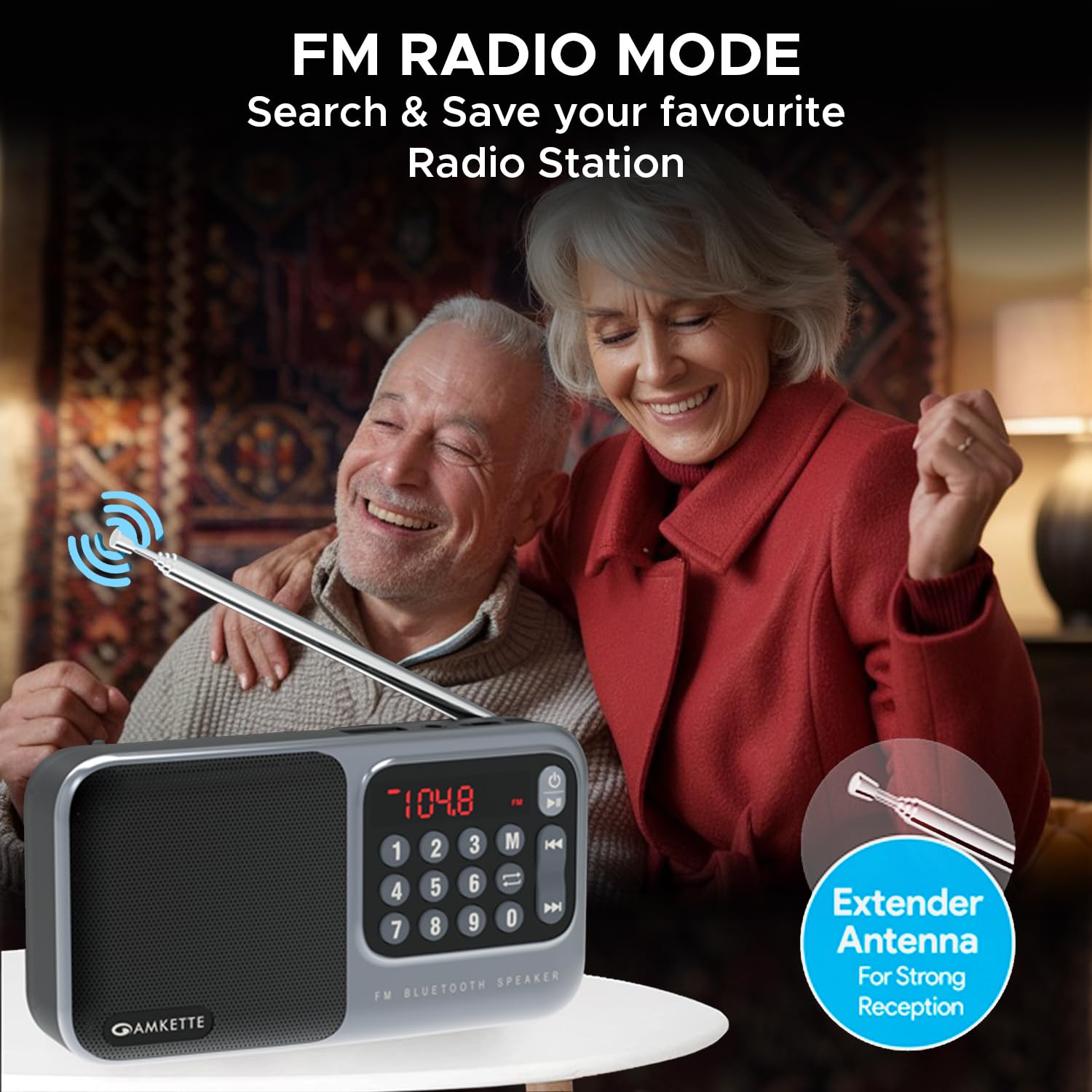
Figure 4: The device is highly portable and offers up to 8 hours of battery life.
4. Instrucciones de funcionamiento
Selección de 4.1 modos
Presione el Modo (M) button repeatedly to cycle through the available playback modes: FM Radio, Bluetooth, Micro SD, and USB. The current mode will be displayed on the LED screen.

Figure 5: The device supports multiple playback options including FM Radio, USB, Bluetooth, Micro SD, and 3.5mm Jack.
Modo de radio 4.2 FM
- Antena: Extend the telescopic antenna for optimal FM signal reception.
- Auto escáner: En el modo FM, mantenga presionado el botón Reproducir/Pausa button to initiate an automatic scan for available radio stations. The device will scan and save all found stations.
- Sintonización manual: Utilice el Pista anterior / siguiente buttons to navigate through saved stations. Alternatively, use the number pad to directly input a desired FM frequency (e.g., 104.8 for 104.8 MHz) and press the Reproducir/Pausa Botón para confirmar.

Figure 6: The extendable antenna ensures strong FM signal reception for clear radio listening.
4.3 Modo Bluetooth
- Cambie al modo Bluetooth usando el Modo (M) button. The LED display will show "BLUE" or a similar indicator.
- On your smartphone or other Bluetooth-enabled device, search for "Amkette Pocket Mate" in the Bluetooth settings.
- Selecciona el dispositivo que deseas emparejar. Una vez conectado, podrás transmitir audio de forma inalámbrica.
- Utilice el Reproducir/Pausa y Pista anterior / siguiente buttons on the Pocket Mate or your connected device to control playback.
4.4 Micro SD Card / USB Playback
- Insert a Micro SD card or USB drive containing MP3 audio files en la ranura/puerto correspondiente.
- The device will automatically switch to the corresponding mode (or you can select it manually).
- La reproducción comenzará automáticamente. Utilice el Reproducir/Pausa y Pista anterior / siguiente buttons to control your music.
- The number pad can be used to directly select a track number.
4.5 Headphone Jack / AUX Output
Connect your headphones or external speakers to the 3.5mm headphone jack for private listening or to amplify the sound through a larger audio system.
4.6 Control de volumen
Girar el Perilla de volumen clockwise to increase the volume and counter-clockwise to decrease it. The volume level will be displayed on the LED screen.
5. Mantenimiento
5.1 Limpieza
Wipe the device with a soft, dry cloth. Do not use abrasive cleaners, waxes, or solvents as they may damage the finish. Avoid exposing the device to excessive dust or moisture.
5.2 Cuidado de la batería
- Para prolongar la vida útil de la batería, evite descargarla por completo con frecuencia.
- Cargue el dispositivo periódicamente, incluso si no está en uso, para mantener la salud de la batería.
- Guarde el dispositivo en un lugar fresco y seco cuando no lo utilice durante períodos prolongados.
- If the battery is user-replaceable (as indicated by some reviews), ensure to use only genuine Amkette replacement batteries.
6. Solución de problemas
| Problema | Posible causa | Solución |
|---|---|---|
| El dispositivo no se enciende. | Batería baja o sin carga. | Cargue completamente el dispositivo utilizando el cable tipo C proporcionado. |
| Sin sonido o con sonido bajo. | Volume too low; incorrect mode; faulty audio file/source. | Increase volume using the knob. Ensure correct mode is selected. Check audio source (SD card, USB, Bluetooth device). |
| Bluetooth no se conecta. | Device not in pairing mode; out of range; previously paired device connected. | Ensure Pocket Mate is in Bluetooth mode. Move devices closer. Disconnect from other devices. Try unpairing and re-pairing. |
| Mala recepción de FM. | Antena no extendida; área de señal débil. | Fully extend the telescopic antenna. Try repositioning the device for better signal. |
| Micro SD/USB no reproduce. | Sin soporte file formato; dañado files; tarjeta/unidad no insertada correctamente. | Asegurar files are in MP3 format. Reinsert the card/drive. Try a different card/drive. |
7. Especificaciones
| Característica | Detalle |
|---|---|
| Marca | amkette |
| Nombre del modelo | Pocket Mate FM |
| Número de modelo | 584 |
| Dimensiones del producto | 3.9 x 7.4 x 16.2 cm; 320 g |
| Potencia de salida del altavoz | 5 vatios |
| Tecnología de conectividad | Bluetooth |
| Interfaz de hardware | MicroSD, USB |
| Tecnología de sintonizador | FM |
| Dispositivos compatibles | PC, Laptop, All Bluetooth enabled devices, Android, iPhone |
| Fuente de poder | Funciona con pilas |
| Tipo de batería | Ion de litio (incluido) |
| Tiempo de reproducción | Hasta 8 horas |
| Tipo de pantalla | CONDUJO |
| Puerto de carga | Tipo C |
| País natal | Porcelana |
8. Garantía y soporte
8.1 Manufacturing Warranty
The Amkette Pocket Mate Digital FM Radio with Bluetooth Speaker comes with a Hassle-Free 1 Year Manufacturing Warranty a partir de la fecha de compra. Esta garantía cubre defectos de materiales y mano de obra en condiciones normales de uso.
La garantía no cubre:
- Daños causados por accidente, abuso, mal uso, inundación, incendio, terremoto u otras causas externas.
- Damage caused by operating the product outside the permitted or intended uses described by Amkette.
- Damage caused by service (including upgrades and expansions) performed by anyone who is not a representative of Amkette or an Amkette Authorized Service Provider.
- Products or parts that have been modified to alter functionality or capability without the written permission of Amkette.
- Piezas consumibles, como baterías, a menos que la falla se haya producido debido a un defecto en los materiales o en la mano de obra.
8.2 Atención al cliente
For any issues, queries, or support requests, please contact Amkette customer support. You can reach us via phone or WhatsApp.
Please refer to the contact information provided with your product packaging or visit the official Amkette webSitio para obtener los detalles de soporte más actualizados.
Ask a question about this manual
Ask about setup, troubleshooting, compatibility, parts, safety, or missing instructions. Manuals+ will review the question and use this page’s manual context to help answer it.