
Mytrix ns-gold
Mytrix Gold Wireless Switch Controller User Manual
Model: ns-gold
Brand: Mytrix
Introducción
This manual provides detailed instructions for setting up, operating, and maintaining your Mytrix Gold Wireless Switch Controller. Please read this manual thoroughly before use to ensure proper functionality and to maximize your gaming experience.

Imagen: Frente view of the Mytrix Gold Wireless Switch Controller, showcasing its gold glitter finish and illuminated joysticks.
Contenido del paquete
Asegúrese de que todos los elementos estén presentes antes de continuar con la configuración:
- 1 x Mytrix Gold Wireless Switch Controller
- 1 x USB C to A charging cable
- 1 x Manual de usuario (este documento)
Guía de configuración
1. Carga del controlador
The controller comes with a built-in 600mAh rechargeable battery. Before first use, or when the battery is low, charge the controller using the provided USB C to A cable.
- Conecte el extremo USB-C del cable al puerto de carga del controlador.
- Connect the USB-A end of the cable to a compatible USB power source (e.g., Nintendo Switch dock, PC USB port, USB wall adapter).
- The charging indicator lights on the controller will show charging progress. A full charge typically takes approximately 2 hours.

Image: Close-up of the controller's charging port and an illustration of battery charging progress.
2. Conexión del controlador
The Mytrix Gold Wireless Switch Controller supports both wireless (Bluetooth) and wired connections across multiple platforms.
Conexión inalámbrica (Bluetooth)
This controller is compatible with Nintendo Switch/Lite/OLED, iOS devices (iOS 13.4 and above), and Android devices (Android 10.0 and above).
- For Nintendo Switch/Lite/OLED:
- En el menú HOME, selecciona Controladores, entonces Cambiar agarre/orden.
- While the screen is displaying "Press L + R on the controller", press and hold the Botón de inicio on the Mytrix controller for 3-5 seconds until the indicator lights flash rapidly.
- Once connected, the player indicator light(s) on the controller will remain solid.
- Para dispositivos iOS/Android:
- Habilite Bluetooth en su dispositivo iOS o Android.
- On the Mytrix controller, press and hold the Botón de inicio durante 3-5 segundos para ingresar al modo de emparejamiento.
- Buscar "Mytrix Controller" or similar in your device's Bluetooth settings and select it to pair.

Image: The controller shown with various compatible devices including Nintendo Switch, Windows PC, Steam Deck, iOS, and Android.
Conexión por cable
This controller supports wired connection for Nintendo Switch, Windows PC, Steam, and Steam Deck.
- Connect the USB-C end of the charging cable to the controller.
- Connect the USB-A end to a USB port on your Nintendo Switch dock, Windows PC, Steam, or Steam Deck.
- El controlador debería ser reconocido automáticamente y estar listo para usarse.
Instrucciones de funcionamiento
1. Disposición de los botones
The Mytrix Gold Wireless Switch Controller features a standard layout with all necessary buttons for gaming. This includes two analog sticks, a D-pad, A/B/X/Y face buttons, L/R shoulder buttons, ZL/ZR triggers, Home, Capture, Plus (+), Minus (-), and programmable back buttons (MR/ML).
Imagen: Frente view of the Mytrix Gold Wireless Switch Controller, showing the arrangement of its buttons and joysticks.
2. Dynamic Joystick RGB Lighting
The controller features dynamic RGB lighting around the joysticks with 7 different colors and 4 lighting modes to enhance your gaming atmosphere.
- Modos de iluminación: Mixed-Color Wave, Color Breathing Mode, Single Color Mode, OFF Mode.
- Refer to the quick start guide or the controller's specific button combinations for cycling through modes and adjusting brightness.

Image: The controller with its joysticks illuminated by dynamic RGB lighting, highlighting the 7 colors, adjustable brightness, and lighting modes.
3. Función Turbo
The Turbo function allows for rapid, automatic pressing of buttons, reducing finger fatigue during repetitive actions.
- Velocidades ajustables: 5, 15 o 25 disparos por segundo.
- Compatible Buttons: A, B, X, Y, L, ZL, R, ZR.
- To activate/deactivate Turbo, press the Turbo button (often indicated by a fan icon or 'T') simultaneously with the desired action button. Repeat to cycle through speeds or turn off.

Image: A user's hands holding the controller, with an overlay demonstrating the auto-fire turbo function and its adjustable speeds (5, 15, 25 shots/s).
4. Control de movimiento (giroscopio de 6 ejes)
The integrated 6-Axis Gyro motion sensors provide precise movement controls, enhancing aiming and turning performance in compatible games.
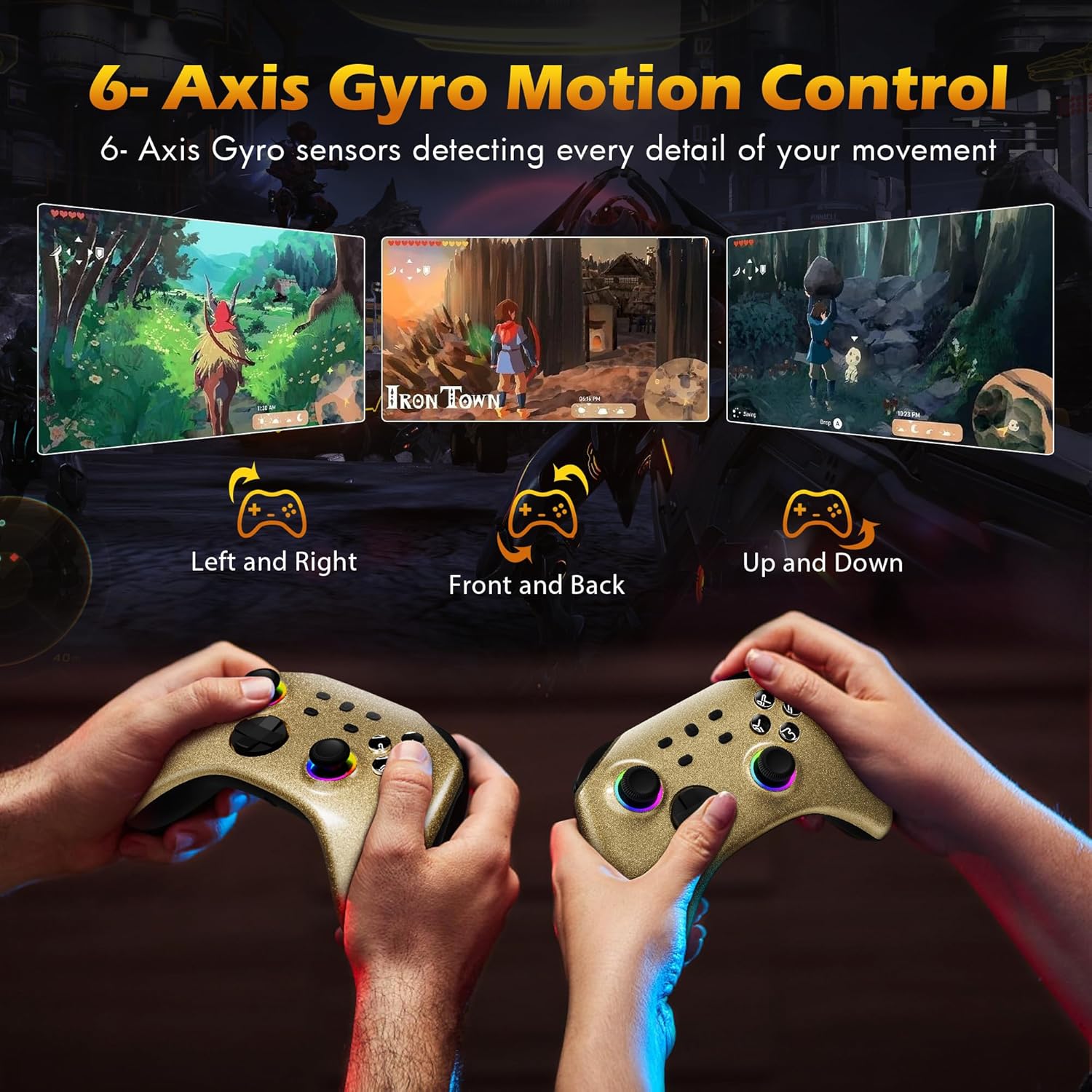
Image: Two controllers being held, illustrating how 6-Axis Gyro sensors detect left/right, front/back, and up/down movements for in-game control.
5. Vibración ajustable
Dual motors provide immersive vibration feedback. The intensity can be adjusted to your preference.
- Niveles de vibración: 4 niveles ajustables.
- Consult the controller's specific button combinations for adjusting vibration intensity.

Image: The controller with visual effects indicating vibration, showing four adjustable intensity levels (0%, 30%, 70%, 100%).
6. Home Button Remote Wake-Up
When the controller is paired with your Nintendo Switch console, you can press the Home button on the controller to automatically connect and wake up the console from sleep mode.
7. Toma de auriculares
A 3.5mm stereo headphone port is included, supporting wired headset audio and chat functionality when connected to the console via wired communication.

Image: Diagram showing the controller connected to a Nintendo Switch console via wired communication, with headphones plugged into the controller's 3.5mm jack for audio.
8. Vídeo oficial del producto
Watch the official product video for a visual guide on the controller's features and functions.
Video: An official Mytrix video showcasing the Gold Wireless Pro Controller's features, including multi-platform compatibility, RGB lighting, Turbo function, motion sensors, vibration, battery life, and headphone jack.
Mantenimiento
- Limpieza: Utilice un paño suave y seco para limpiar el mando. Evite utilizar productos químicos agresivos o materiales abrasivos.
- Almacenamiento: Guarde el controlador en un lugar fresco y seco, alejado de la luz solar directa y de temperaturas extremas.
- Cuidado de la batería: Para prolongar la vida útil de la batería, evite descargar completamente el mando con frecuencia. Cárguelo regularmente, incluso si no lo usa constantemente.
Solución de problemas
| Problema | Posible solución |
|---|---|
| El controlador no se conecta de forma inalámbrica. |
|
| Los botones o joysticks no responden. |
|
| La vibración es demasiado fuerte/débil o ausente. |
|
| El conector para auriculares no funciona. |
|
Presupuesto
- Número de modelo: ns-gold
- Conectividad: Inalámbrico (Bluetooth), con cable (USB-C)
- Compatibilidad: Nintendo Switch/Lite/OLED, Windows PC, Steam, Steam Deck, iOS (13.4+), Android (10.0+)
- Batería: 600mAh Rechargeable (15-18 hours playtime, 2 hours charging time)
- Características: 7-Color RGB Dynamic Joystick Lighting (4 modes), 3-Speed Adjustable Turbo Function, 6-Axis Gyro Motion Control, 4-Level Adjustable Vibration, Home Button Remote Wake-Up, 3.5mm Headphone Jack
- Dimensiones: 6.06 x 4.37 x 2.32 pulgadas
- Peso: 13.05 onzas
- Fabricante: Mytrix
Garantía y soporte
Mytrix provides a Garantía de 1 años for this controller. If you encounter any issues or have questions regarding your product, please do not hesitate to contact Mytrix customer support.
For further assistance, please visit the official Mytrix store or contact their customer service channels. You can find more information at: Mytrix Amazon Store
Ask a question about this manual
Ask about setup, troubleshooting, compatibility, parts, safety, or missing instructions. Manuals+ will review the question and use this page’s manual context to help answer it.