
1. Introducción
This manual provides detailed instructions for the installation, operation, and maintenance of your INQMEGA Solar Security Camera. Please read this manual thoroughly before using the product to ensure proper function and safety. Keep this manual for future reference.
2. Producto terminadoview
2.1 Contenido del paquete
Verifique que todos los componentes estén presentes en su paquete:
- 1 x Solar Tuya Camera
- 1 x Panel solar
- 1 x soporte
- 1 x Manual de usuario
- 1 x 5M long cable
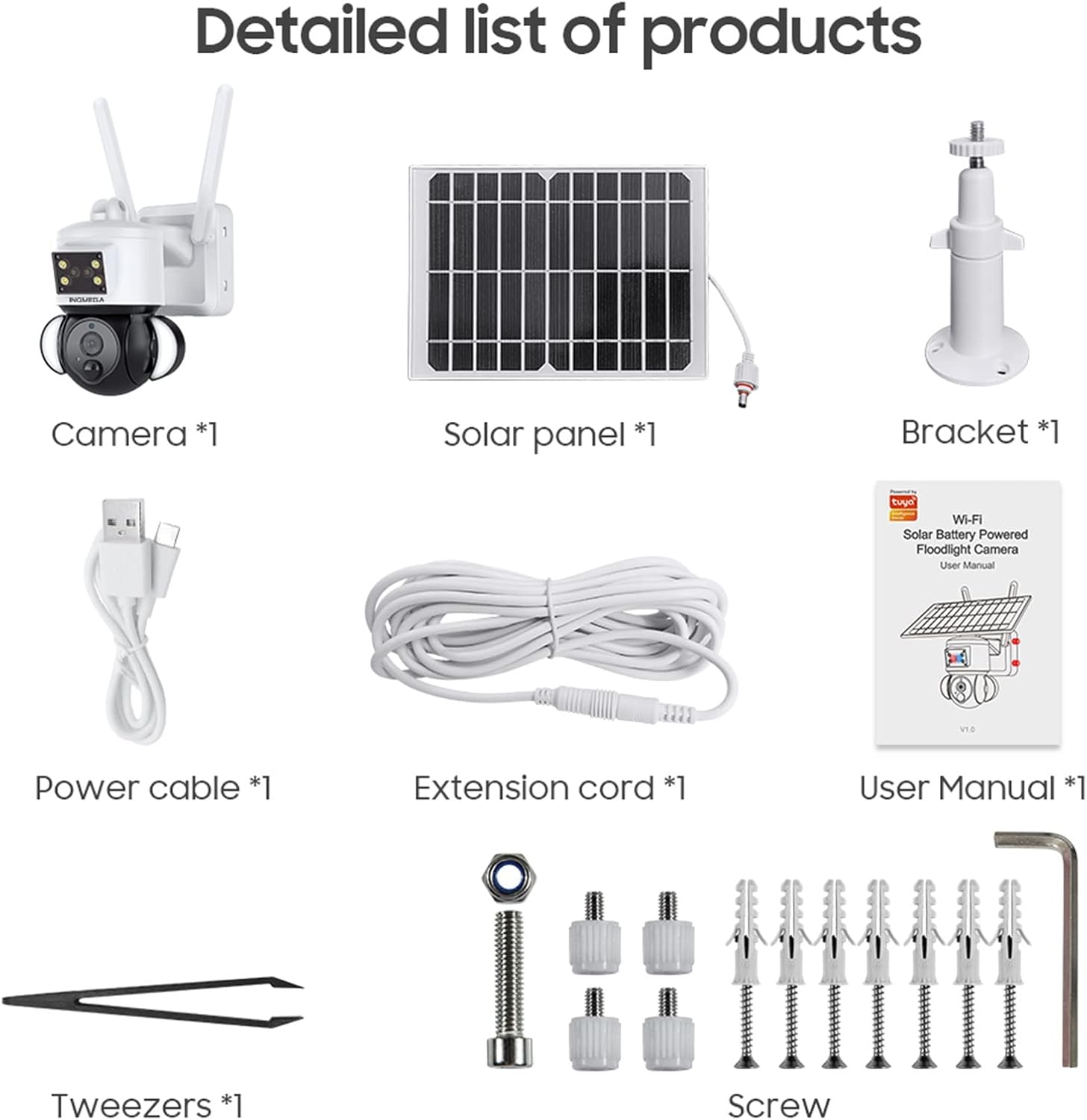
Figure 1: Package Contents. This image displays all items included in the INQMEGA Solar Security Camera package, such as the camera unit, solar panel, mounting bracket, power cable, extension cord, user manual, and installation hardware.
2.2 Características principales
- 3MP FHD Resolution: Captura videos claros y detallados.tage.
- Energía solar: Equipped with a 15000mAh rechargeable battery and a solar panel for continuous operation with 2-3 hours of daily sunlight.
- 360° View (Panorámica e inclinación): Offers 355° horizontal pan and 120° vertical tilt for comprehensive area coverage, controllable via the TUYA SMART LIFE app.
- Detección de movimiento PIR: Built-in radar PIR motion sensor provides high sensitivity detection, sending instant alerts to your app.
- Floodlight with Siren: Features 10 LEDs for color night vision up to 90ft, with the floodlight activating upon motion detection. Includes a siren for deterrence.
- Audio bidireccional: Allows real-time communication through the camera via the app.
- Conectividad WiFi de 2.4 GHz: Ensures stable network reception with 5dBi dual antennas. (Note: Does not support 5G WiFi).
- Opciones de almacenamiento: Supports 8-128GB SD card (not included) and cloud storage.
- Compatibilidad con Alexa: Can be paired with Alexa-enabled smart speakers for voice control.
- A prueba de la intemperie: IP66 International Protection Rating for outdoor use in various weather conditions.

Figure 2: PIR Human Detection. This image illustrates the camera's ability to detect human motion, activate a smart floodlight, and send phone alarms.

Figure 3: 3MP HD Image Quality and PTZ Control. This image demonstrates the camera's high-definition video capture and the pan-tilt-zoom functionality controlled through a mobile application.
3. Instrucciones de configuración
3.1 Encendido inicial
- Desembale todos los componentes y asegúrese de que estén intactos.
- Connect the solar panel cable to the camera's power input.
- Locate the power button/switch on the camera and turn it on.
- Observe the LED indicator. It should blink RED initially, then turn to blink BLUE, indicating it is ready for connection.
3.2 Instalación y conexión de la aplicación
- Download the "TUYA SMART LIFE" app from your smartphone's app store (iOS or Android).
- Regístrese o inicie sesión en su cuenta.
- In the app, select "Add Device" or the "+" icon to add a new camera.
- Follow the on-screen prompts to select your device type (e.g., "Security Camera").
- Confirm that the camera's LED is blinking blue.
- Ingrese el nombre y la contraseña de su red Wi-Fi de 2.4 GHz. (Nota: No se admite Wi-Fi de 5 GHz).
- The app will generate a QR code. Aim your phone screen, displaying the QR code, in front of the camera lens at a distance of approximately 4-8 inches.
- The camera will emit a confirmation sound once the QR code is successfully scanned and connected.
- Una vez conectado, puedes nombrar tu cámara y comenzar a transmitir en vivo. viewEn.
Video 1: INQMEGA 528 Solar Security Cameras Packing list. This video demonstrates the unboxing and initial setup process for the INQMEGA solar security camera, including powering on and connecting to the mobile application.
3.3 Montaje de la cámara
- Elija un lugar al aire libre adecuado con ampla luz solar para el panel solar y una clara view para la cámara.
- Use the provided bracket and screws to securely mount the camera to a wall or other stable surface.
- Asegúrese de que el panel solar esté posicionado para recibir la máxima luz solar directa durante todo el día.
- Adjust the camera's angle for optimal surveillance coverage.

Figure 4: Outdoor Mounting and Solar Power. This image shows the camera and solar panel installed outdoors, emphasizing the solar charging capability and the use of a 16ft extension cord for flexible positioning of the solar panel.
4. Instrucciones de funcionamiento
4.1 en vivo View y reproducción
- Open the TUYA SMART LIFE app and select your camera to view la transmisión en vivo.
- Utilice la función de reproducción para volver aview comida grabadatagy almacenados en la tarjeta SD o en la nube.
4.2 Control de panorámica e inclinación
- Dentro del directo view interface, use the directional controls to remotely adjust the camera's horizontal (355°) and vertical (120°) angles.

Figure 5: PTZ App Control. This image illustrates how to control the camera's pan (355°) and tilt (90°) movements using the mobile application.
4.3 Audio bidireccional
- Toque el ícono del micrófono en la aplicación para hablar a través del altavoz de la cámara.
- Toque el ícono del altavoz para escuchar el audio desde la ubicación de la cámara.

Figure 6: Two-Way Audio Communication. This image shows the camera's two-way audio function, allowing users to speak and listen through the device via their smartphone.
4.4 Visión nocturna y reflector
- La cámara cambia automáticamente al modo de visión nocturna en condiciones de poca luz.
- Color night vision is enabled by the built-in floodlight, which activates upon motion detection.
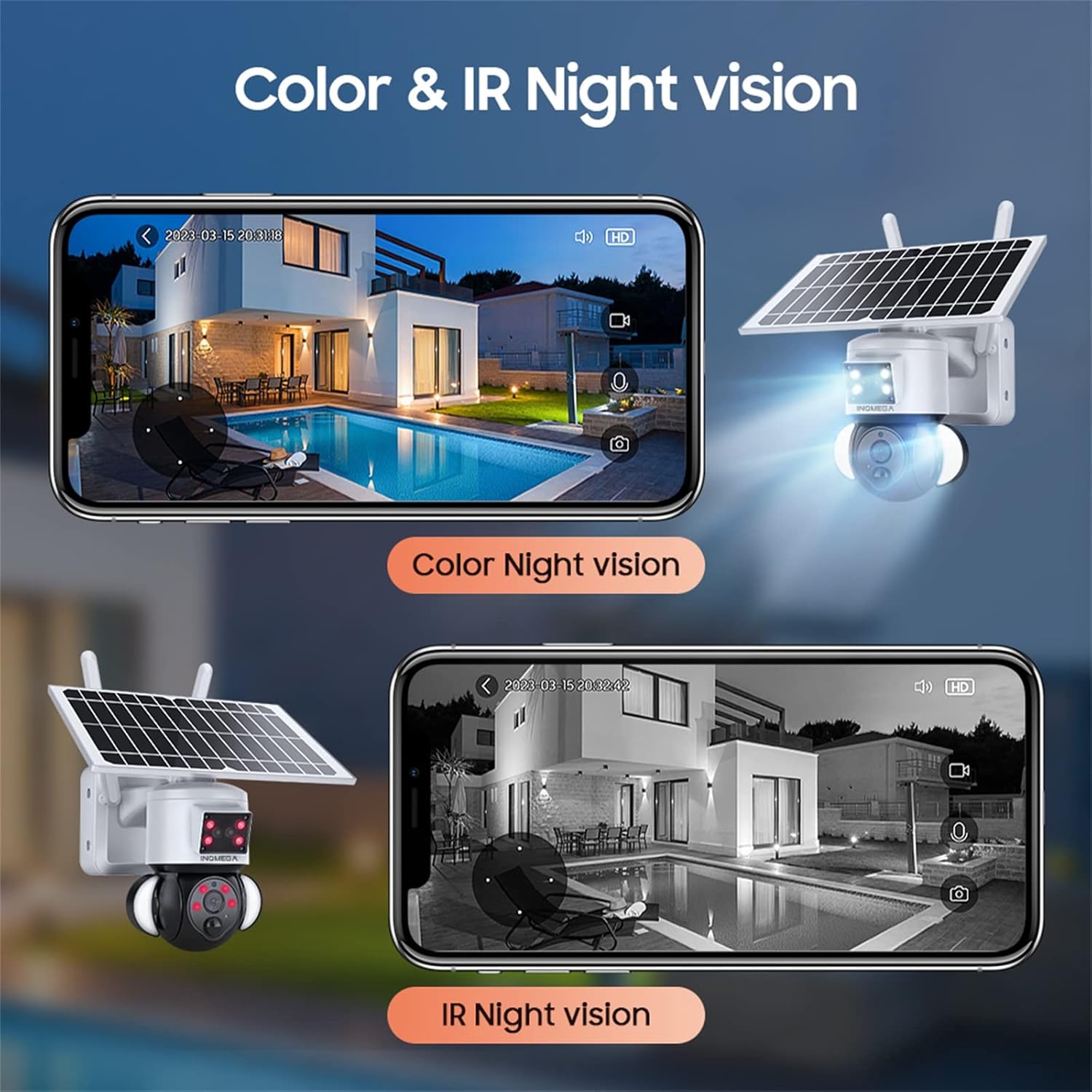
Figure 7: Color and IR Night Vision. This image compares the camera's color night vision, enabled by its floodlight, with traditional infrared (IR) night vision, both displayed on a smartphone.
4.5 Detección de movimiento y alertas
- The PIR motion sensor detects movement and triggers recording.
- Receive instant alerts on your TUYA SMART LIFE app when motion is detected.
- Ajuste la configuración de sensibilidad dentro de la aplicación para minimizar las falsas alarmas.
5. Mantenimiento
- Limpieza de paneles solares: Limpie regularmente el panel solar con un paño suave y seco.amp cloth to remove dust, dirt, and debris. A clean panel ensures optimal charging efficiency.
- Limpieza de lentes de cámara: Limpie suavemente la lente de la cámara con un paño de microfibra para mantener una calidad de imagen nítida. Evite materiales abrasivos.
- Actualizaciones de firmware: Check the TUYA SMART LIFE app periodically for available firmware updates to ensure your camera has the latest features and security enhancements.
- Estado de la batería: While solar-powered, ensure the camera receives adequate sunlight. If the camera is in a shaded area for extended periods, consider temporarily relocating it or manually charging the battery if possible (refer to product specifications for charging options).
- Protección ambiental: Although the camera is IP66 rated, avoid direct high-pressure water jets or prolonged submersion.
6. Solución de problemas
- La cámara no se conecta a Wi-Fi:
- Asegúrese de que su red Wi-Fi sea de 2.4 GHz. La cámara no es compatible con Wi-Fi de 5 GHz.
- Verifique que la contraseña de Wi-Fi esté ingresada correctamente en la aplicación.
- Compruebe que la cámara esté dentro del alcance de su enrutador Wi-Fi.
- Restart the camera and your router, then attempt the connection process again.
- Ensure the camera's LED is blinking blue before scanning the QR code.
- Mala calidad de imagen:
- Limpiar la lente de la cámara.
- Asegúrese de que no haya obstrucciones en el campo de visión de la cámara. view.
- Verifique la intensidad de su señal Wi-Fi; una señal débil puede afectar la calidad de la transmisión.
- La batería no se carga:
- Asegúrese de que el panel solar esté limpio y libre de obstrucciones.
- Verify the solar panel is receiving direct sunlight for at least 2-3 hours daily.
- Verifique la conexión entre el panel solar y la cámara.
- Motion Detection Not Working or Too Sensitive:
- Adjust the PIR motion detection sensitivity settings in the TUYA SMART LIFE app.
- Asegúrese de que la cámara view no está obstruido.
- No Audio or Poor Two-Way Audio:
- Verifique la configuración del volumen en su teléfono inteligente y dentro de la aplicación.
- Ensure there is no interference near the camera's microphone or speaker.
7. Especificaciones
| Característica | Especificación |
|---|---|
| Nombre del modelo | ST-S528M-3M-TY |
| Marca | INQMEGA |
| Uso en interiores y exteriores | Exterior |
| Fuente de poder | Alimentado por energía solar |
| Protocolo de conectividad | Wi-Fi (solo 2.4 GHz) |
| Resolución de captura de video | 3 MP |
| Tipo de montaje | Montaje en pared |
| Rango de visión nocturna | Up to 90ft (Color Night Vision) |
| Material | Plástico |
| Dimensiones del artículo (largo x ancho x alto) | 6 x 8.5 x 6 pulgadas |
| Peso del artículo | 3.74 libras (1.7 kilogramos) |
| Baterías | 3 Lithium Polymer batteries required (15000mAh capacity) |
| Calificación de protección internacional | IP66 |
| Método de control | App (TUYA SMART LIFE) |
| Características especiales | Motion Sensor, Night Vision, Floodlight, Two-Way Audio |
8. Garantía y soporte
For warranty information, please refer to the documentation included with your product packaging or contact INQMEGA customer support directly. INQMEGA is committed to providing reliable brand reputation and professional technical services. If you encounter any product problems, please contact support in a timely manner.
For further assistance, please visit the official INQMEGA website or refer to the TUYA SMART LIFE app's help section.