
Introducción
This manual provides detailed instructions for the safe and efficient use of your Jectse N509 2G Flip Phone. Please read this manual thoroughly before operating the device and keep it for future reference.

Image: The Jectse N509 flip phone in its closed state, featuring a pink and white gradient finish adorned with elegant butterfly patterns.
Configuración
1. Instalación de la batería
- Retire con cuidado la cubierta posterior del teléfono.
- Insert the provided 6800 mAh lithium-ion battery into the battery compartment, ensuring the contacts align correctly.
- Vuelva a colocar la cubierta posterior hasta que encaje firmemente en su lugar.
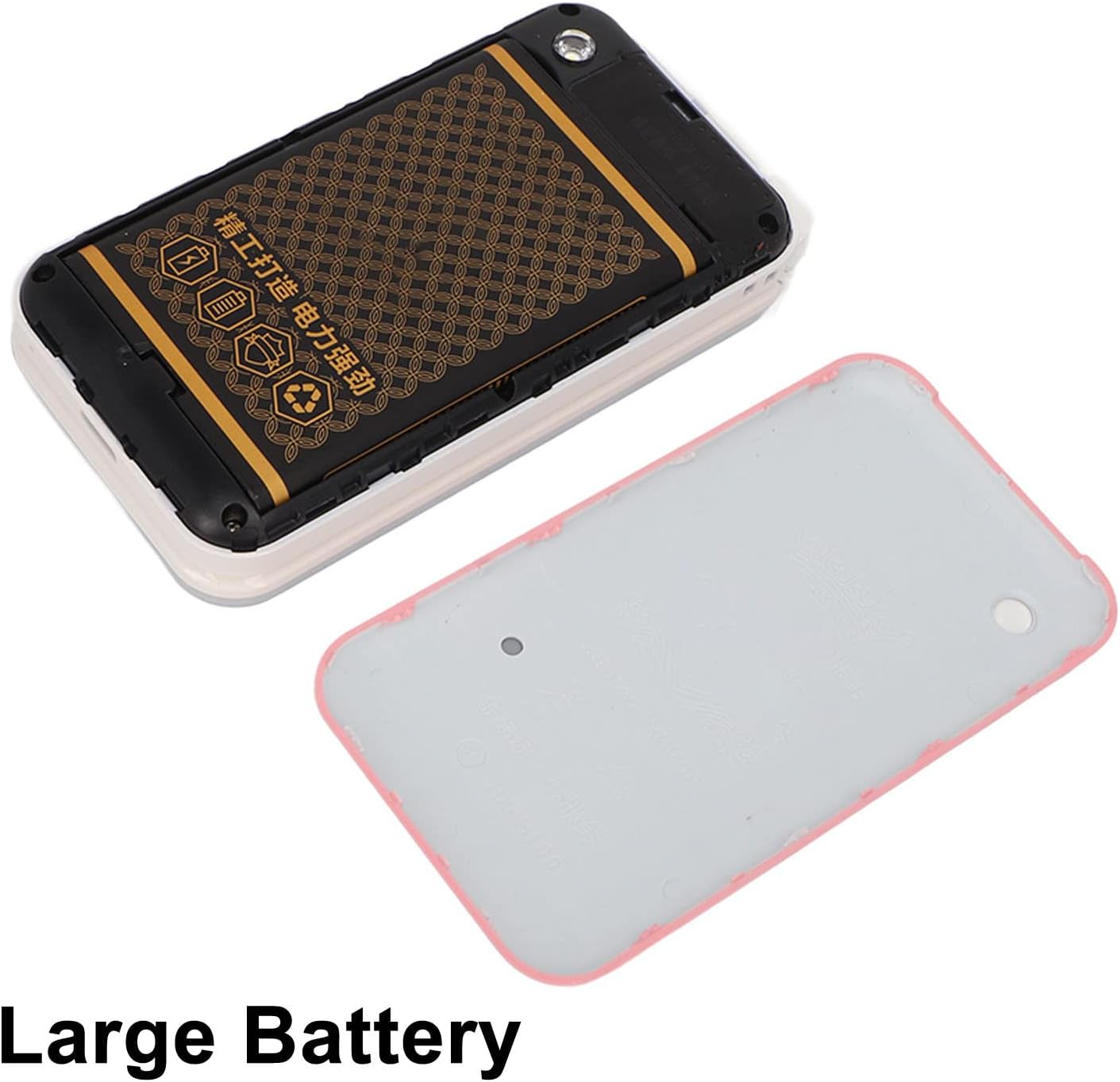
Image: The phone's back cover is removed, revealing the battery compartment and the large capacity battery ready for installation.
2. Instalación de la tarjeta SIM y la tarjeta de memoria
The N509 supports dual SIM cards and one memory card (up to 16GB, not included).
- Con la batería quitada, ubique las ranuras para la tarjeta SIM y la ranura para la tarjeta de memoria.
- Inserte sus tarjetas SIM en las ranuras designadas.
- If desired, insert a memory card into its slot.
- Vuelva a instalar la batería y la cubierta posterior.
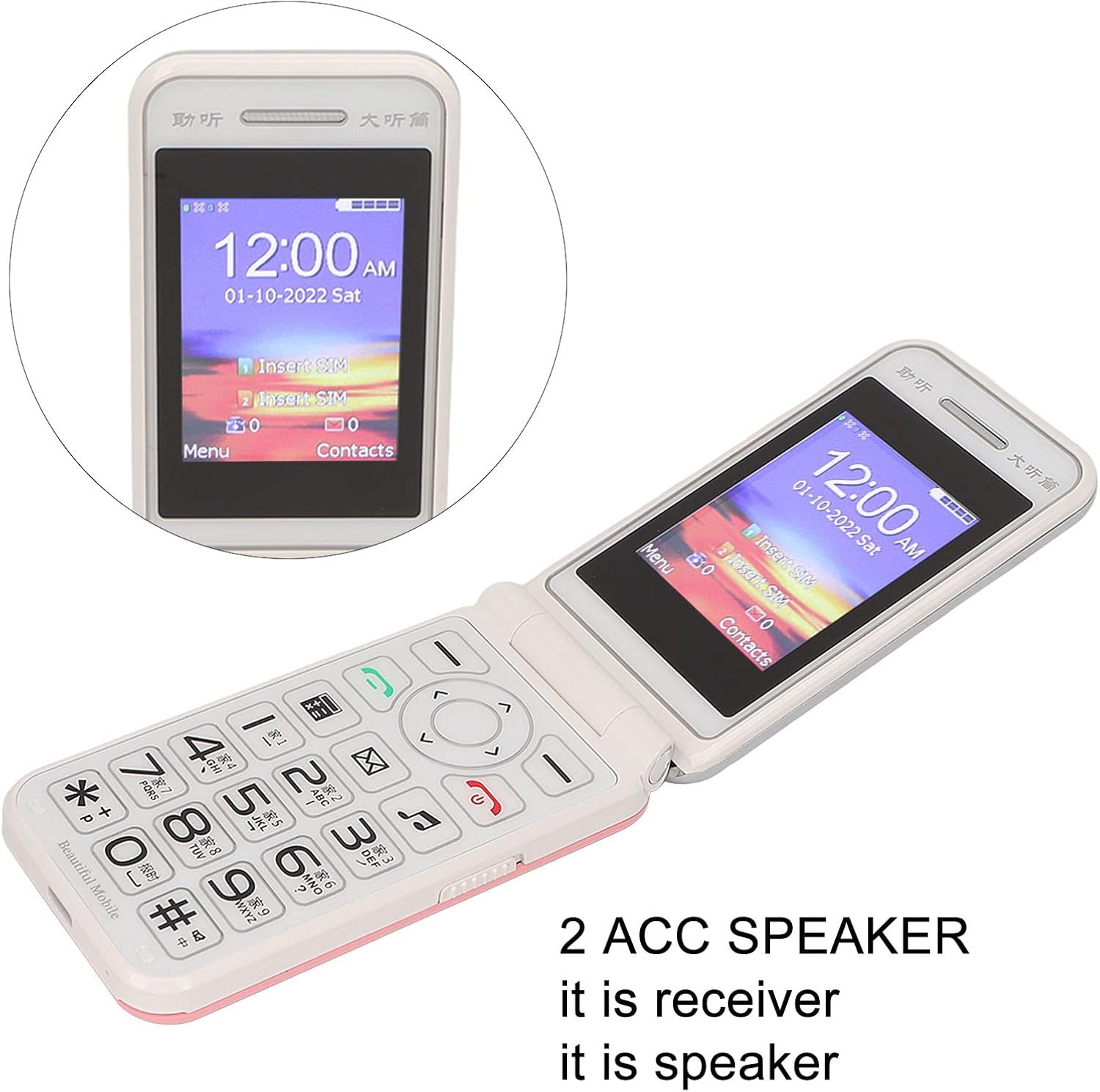
Image: The phone's screen prompts to "Insert SIM", indicating the need for SIM card installation before use.
3. Carga de la batería
Antes del primer uso, cargue completamente la batería del teléfono.
- Connect the Type-C charger cable to the charging port on the phone.
- Conecte el cargador a una toma de corriente.
- The charging indicator will show the charging status. Disconnect the charger once the battery is full.

Imagen: Un primer plano view of the Type-C charging port on the Jectse N509 flip phone, highlighting its modern connectivity.
4. Encendido / apagado
- Para encender: Mantenga presionado el botón de encendido hasta que la pantalla se ilumine.
- Para apagar: Press and hold the Power button until the power-off options appear, then select 'Power Off'.
Instrucciones de funcionamiento
1. Funciones básicas
- Haciendo llamadas: Introduzca el número de teléfono utilizando el teclado y presione el botón verde de llamada.
- Responder llamadas: Presione el botón de llamada verde cuando suene el teléfono.
- Finalización de llamadas: Presione el botón rojo de finalizar llamada.
- Envío de mensajes: Vaya al menú 'Mensajes', seleccione 'Nuevo mensaje', ingrese el número del destinatario y su texto, luego envíe.

Image: The Jectse N509 flip phone is open, showcasing its vibrant 2.4-inch HD color display and the clearly visible, large keypad with LED backlighting.
2. Keypad and Navigation
The phone features large, backlit buttons for easy operation, especially in low-light conditions.
- Teclas de navegación: Use the directional pad to navigate through menus and options. The center button typically acts as 'OK' or 'Select'.
- Claves suaves: Las teclas directamente debajo de la pantalla realizan funciones indicadas por el texto en la pantalla sobre ellas.
- Teclas numéricas: Used for dialing numbers and text input.
- Iluminar desde el fondo: The keypad features a backlight for visibility in dark environments.

Image: This composite image highlights key features: the large battery for extended use, oversized buttons for ease of dialing, a convenient on/off switch, and the modern Type-C charging port.
3. Función SOS
The N509 includes an SOS function for emergencies. Refer to the phone's settings to configure emergency contacts and messages.
- Activando SOS: Typically, a dedicated SOS button or a long press of a specific key will activate this function, sending pre-set messages and dialing emergency contacts.
4. Funciones extendidas
The phone supports various additional features:
- Music and Video Player: Acceso a multimedia filese almacena en la tarjeta de memoria.
- Navegador de imágenes: View fotos.
- Grabadora: Grabar audio.
- Calendario: Realizar un seguimiento de fechas y eventos.
- Despertador: Establecer múltiples alarmas.
- Calculadora: Realizar cálculos básicos.
- Flash: Activar la linterna incorporada.
- Cronógrafo: Úselo para cronometrar eventos.
- Call Blacklist: Bloquear números no deseados.
- Lista de llamadas: View Historial de llamadas.
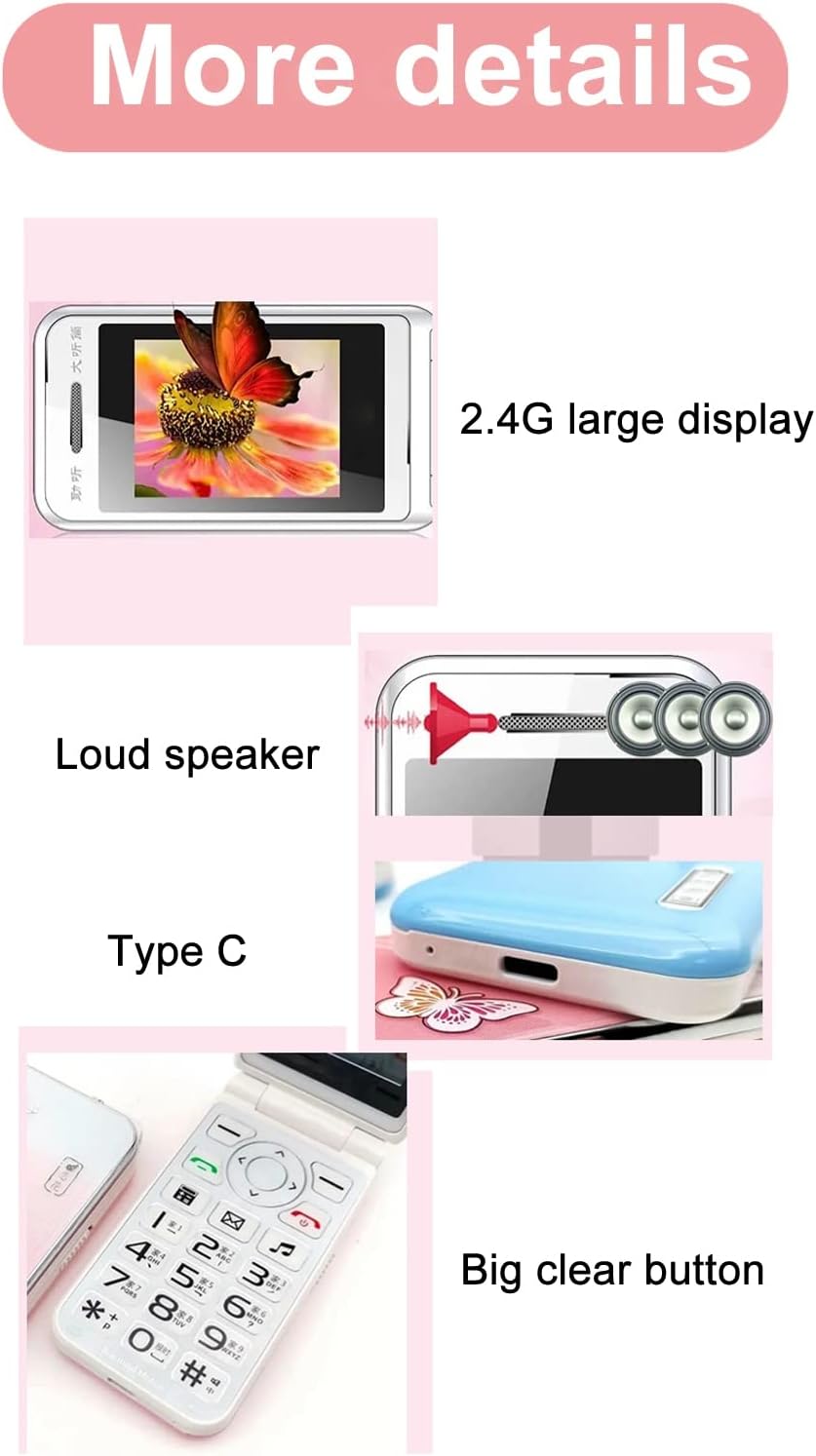
Image: This image details the phone's features, including its 2.4G large display, powerful loudspeaker, and convenient Type-C charging interface.
Mantenimiento
1. Limpieza
Utilice un paño suave y seco para limpiar el exterior del teléfono. Evite usar limpiadores líquidos o materiales abrasivos.
2. Cuidado de la batería
- Evite exponer la batería a temperaturas extremas.
- No perfore ni dañe la batería.
- Si el teléfono no se utilizará durante un período prolongado, cárguelo periódicamente para mantener la salud de la batería.
Solución de problemas
| Asunto | Posible solución |
|---|---|
| El teléfono no se enciende | Asegúrese de que la batería esté correctamente instalada y cargada. Conecte el cargador y vuelva a intentarlo. |
| Sin señal de red | Check if the SIM card is properly inserted. Verify with your service provider that your SIM card supports 2G GSM 900/1800 networks. The N509 only supports 2G networks. |
| No puedo hacer ni recibir llamadas | Ensure you have network coverage. Check SIM card balance or plan. Verify that the number is not on the call blacklist. |
| La batería no se carga | Check the charger cable and adapter for damage. Ensure the Type-C port is clean and free of debris. Try a different power outlet. |
Nota importante sobre la compatibilidad de red: The Jectse N509 phone exclusively supports 2G GSM 900/1800 networks. Before purchasing or using, please confirm with your local SIM card operator that they provide 2G network services in your area. Some operators, particularly in regions like the USA (e.g., AT&T, T-Mobile), may no longer support 2G networks.
Presupuesto
| Característica | Detalle |
|---|---|
| Modelo | N509 (Jectseft5hwserna-12) |
| Material | abdominales |
| Tamaño de la pantalla principal | Pantalla a color HD de 2.4 pulgadas |
| Ranuras para tarjetas SIM | 2 (Dual SIM) |
| Ranura para tarjeta de memoria | 1 (supports up to 16GB, not included) |
| Tipo de batería | Iones de litio |
| Capacidad de la batería | 6800 mAh |
| Banda de frecuencia | 2G GSM 900/1800 |
| Tipo de red | 2G GSM |
| Apariencia | Teléfono plegable |
| Interfaz | Tipo C |
| Idiomas soportados | English, French, Portuguese, Malay, Indonesian, Vietnamese, Russian, Arabic, Hebrew, Thai |
| Características especiales | Large Buttons, LED Backlight, SOS Function, Music/Video Player, Image Browser, Recorder, Calendar, Alarm, Calculator, Flashlight, Stopwatch, Call Blacklist |
| Dimensiones (paquete) | 15 x 9 x 6 cm |
| Peso (aprox.) | 246 gramos |
Garantía y soporte
For warranty information and technical support, please refer to the documentation included with your purchase or contact Jectse customer service through their official channels. Keep your proof of purchase for warranty claims.
Para obtener más ayuda, puede visitar el Jectse Brand Store.