
Introducción
Thank you for choosing the Cosmic Byte ARES Wireless Controller. This manual provides essential information for setting up, operating, maintaining, and troubleshooting your new controller. Please read this manual carefully before use to ensure optimal performance and longevity of your device.
The Cosmic Byte ARES Wireless Controller is designed for PC gaming, offering a reliable wireless connection, ergonomic design, and responsive controls for an enhanced gaming experience. It features pressure-sensitive analog triggers, LED-backlit buttons, and supports both Xinput and D Input modes.
Guía de configuración
1. Contenido del paquete
- Controlador inalámbrico Cosmic Byte ARES
- Dongle inalámbrico USB
- Cable de carga USB
- Manual de usuario
2. Carga del controlador
Before initial use, fully charge the controller. Connect the supplied USB charging cable to the USB port on the top of the controller and plug the other end into a powered USB port (e.g., PC, USB wall adapter). The LED indicator on the controller will show charging status and turn off or change color when fully charged.

Arriba view of the Cosmic Byte ARES Wireless Controller showing the USB port for charging and connection, along with the V LED and ABXY button backlighting.
3. Conexión a la PC
- Insert the USB wireless dongle into an available USB port on your PC.
- Turn on the Cosmic Byte ARES Wireless Controller by pressing the central 'Home' button.
- The controller will automatically pair with the dongle. The LED indicator on the controller will stabilize once connected.
- Your PC should automatically detect and install the necessary drivers. If not, refer to the troubleshooting section.
The controller offers a wireless range of 8-10 meters, providing flexibility during gameplay.

The Cosmic Byte ARES Wireless Controller highlighting its reliable wireless connection and 700mAh battery, providing up to 12 hours of continuous gaming.
Instrucciones de funcionamiento
1. Controles básicos
El controlador cuenta con botones de juego y joysticks estándar:
- Joystick analógico izquierdo: Movimiento y navegación.
- Joystick analógico derecho: Control y puntería de la cámara.
- Almohadilla direccional: Entrada direccional, navegación por menú.
- Botones ABXY: Action buttons, typically for jumping, interacting, attacking, etc. These buttons are LED-backlit.
- Botones de hombro (L1/R1): Acciones rápidas.
- Disparadores (L2/R2): Pressure-sensitive analog triggers for precise input, such as acceleration or shooting.
- Botones INICIO/ATRÁS: Menu access, map, inventory, etc.
- Botón de inicio: Enciende/apaga el controlador y accede a los menús del sistema.
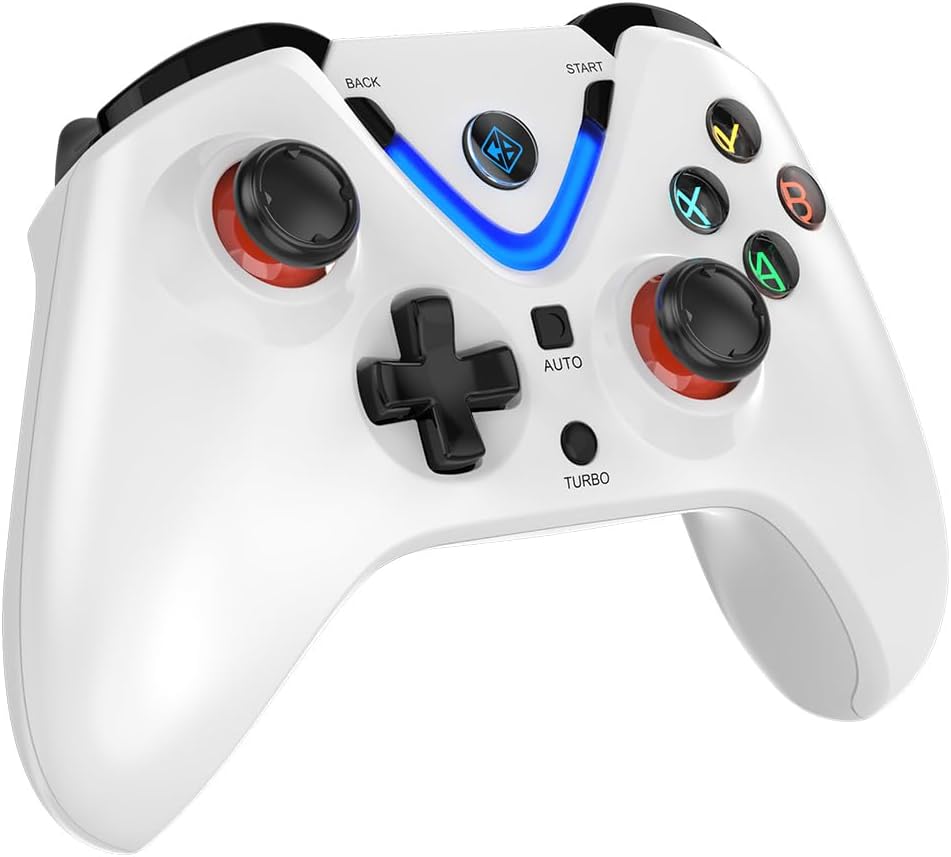
Frente view of the Cosmic Byte ARES Wireless Controller, showcasing the button layout, joysticks, D-pad, and central LED indicator.
2. Características especiales
- Xinput and D Input Support: The controller automatically detects and supports both Xinput and D Input modes, ensuring compatibility with a wide range of PC games.
- Retroalimentación de vibración: Experience immersive gameplay with the built-in vibration feature, providing tactile feedback for in-game events.
- Función turbo: The 'TURBO' button allows for rapid, repeated input of a selected action button. To activate, press and hold the 'TURBO' button, then press the desired action button (e.g., A, B, X, Y). To deactivate, repeat the process.
- Función automática: The 'AUTO' button enables continuous, automatic input of a selected action button without holding it down. To activate, press and hold the 'AUTO' button, then press the desired action button. To deactivate, repeat the process.
- Desencadenantes de efecto Hall: The controller is equipped with Hall Effect Triggers, providing precise and durable input for enhanced control.
- Diseño ergonómico: The controller features ergonomic, rubberized textured sticks for improved grip and comfort during extended gaming sessions.
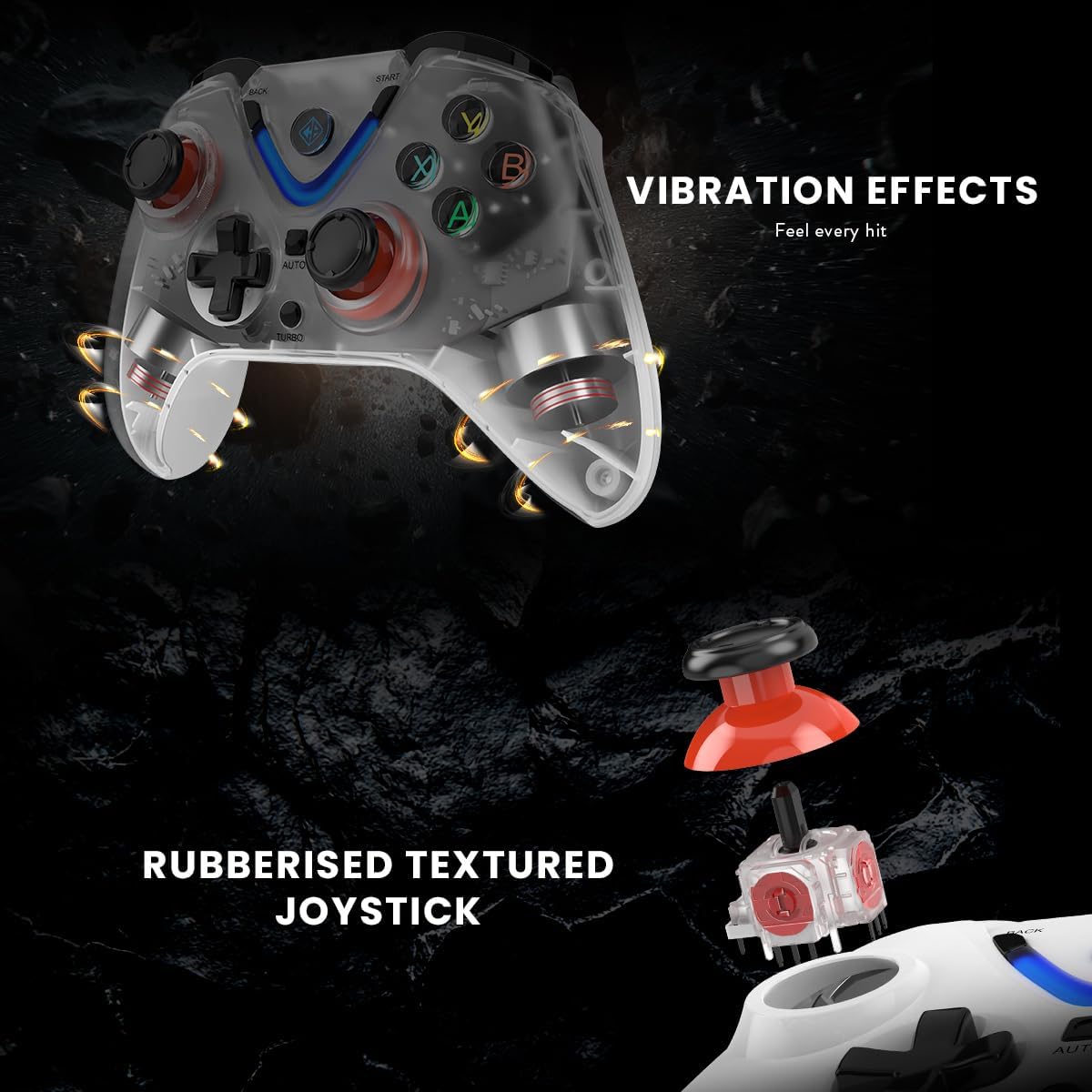
Illustration of the Cosmic Byte ARES Wireless Controller's vibration feedback feature and the design of its rubberized textured joysticks for enhanced grip.

Detail of the Cosmic Byte ARES Wireless Controller's Turbo and Auto function buttons, alongside an illustration of its Hall Effect Triggers for precise input.
Mantenimiento
1. Limpieza
Para limpiar el mando, utilice un paño suave y seco. Para la suciedad difícil, utilice un paño ligeramente seco.ampen the cloth with water. Do not use harsh chemicals, solvents, or abrasive cleaners, as these can damage the controller's surface and internal components.
2. Cuidado de la batería
- Evite exponer el controlador a temperaturas extremas (calor o frío).
- Do not leave the controller uncharged for extended periods. Charge it periodically if not in use.
- No intente reemplazar la batería interna usted mismo. Contacte con el servicio de asistencia si tiene problemas con la batería.
Solución de problemas
1. El controlador no se conecta
- Ensure the USB wireless dongle is securely plugged into a working USB port on your PC.
- Asegúrese de que el controlador esté encendido y tenga suficiente carga de batería.
- Try plugging the dongle into a different USB port on your PC.
- Restart your PC and try connecting again.
- If the issue persists, try re-pairing the controller by pressing the reset button (if available, usually a small pinhole on the back) on the controller and then the pairing button on the dongle (if applicable).
2. Los botones/joysticks no responden
- Check if the controller is properly connected to your PC.
- Asegúrate de que el juego que estás jugando admita la entrada del gamepad.
- Test the controller with another game or a gamepad testing tool on your PC to rule out game-specific issues.
- Restart the controller and your PC.
3. La batería no se carga
- Verify that the USB charging cable is correctly connected to both the controller and a powered USB port.
- Try using a different USB charging cable or a different USB port/power adapter.
- Ensure the charging port on the controller is free of debris.
Presupuesto
| Característica | Detalle |
|---|---|
| Número de modelo | ARES Wireless White |
| Conectividad | Inalámbrico (dongle USB) |
| alcance inalámbrico | 8-10 metros |
| Batería | 1 polímero de litio (incluido), 700 mAh |
| Duración de la batería | Hasta 12 horas de juego continuo |
| Compatibilidad | PC (Xinput & D Input) |
| Dimensiones del producto (L x An x Al) | 6 x 10 x 4 cm |
| Peso | 200 gramos |
| Material exterior | Plastic and paper |
| Nivel de resistencia al agua | Resistente al agua |
| Fabricante | Byte cósmico |
Información de garantía
The Cosmic Byte ARES Wireless Controller comes with a standard manufacturer's warranty. Please refer to the warranty card included in your product packaging or visit the official Cosmic Byte webVisite el sitio web para conocer los términos y condiciones detallados de la garantía. Conserve su recibo de compra como comprobante para cualquier reclamación de garantía.
Atención al cliente
For technical assistance, troubleshooting not covered in this manual, or warranty inquiries, please contact Cosmic Byte customer support. Contact details can typically be found on the official Cosmic Byte websitio o en el embalaje del producto.