
1. Producto terminadoview
The Jansite TPMS (Tire Pressure Monitoring System) is designed to monitor your vehicle's tire pressure and temperature in real-time, enhancing driving safety. This system features a cigarette lighter power supply with an adjustable display angle for optimal viewing, and includes a USB charging port for convenience. It utilizes four wireless external IP68 waterproof sensors for accurate data collection.
Las características principales incluyen:
- Monitoreo en tiempo real de la presión y temperatura de los neumáticos.
- Six distinct alarm methods: fast leak, high-pressure, low-pressure, high-temperature, sensor battery low power, and sensor fault.
- User-adjustable alarm values for pressure and temperature.
- Volumen de batería integradotage monitoring for the vehicle.
- Easy plug-and-play installation with pre-paired sensors.

Image 1.1: Jansite TPMS monitor and four external tire sensors.
Vídeo 1.1: Terminadoview of the Car TPMS Tire Pressure Monitoring System. This video demonstrates the basic functionality and components of the system.
2. Configuración e instalación
2.1 Instalación del monitor
The TPMS monitor is designed for easy installation into your vehicle's cigarette lighter socket. Simply plug the monitor into the 12V power outlet. The display angle can be adjusted to suit your viewpreferencia de ing.
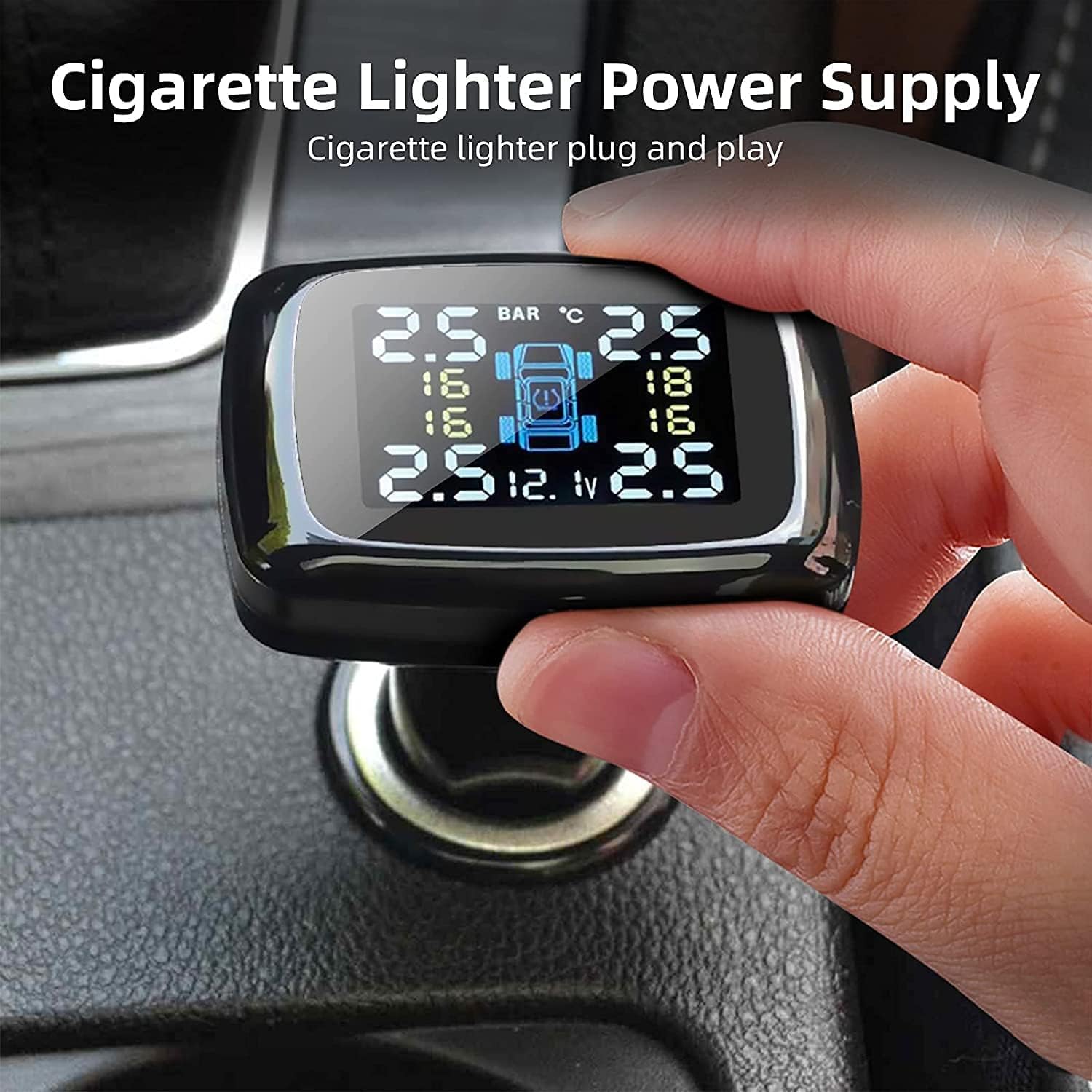
Image 2.1: The TPMS monitor connects directly to the cigarette lighter for power.
Image 2.2: The monitor's display angle can be adjusted for optimal visibility.
2.2 Instalación del sensor
The four external sensors are pre-paired with the monitor for convenience. Install them on your tires following these steps:
- Desenrosque la tapa de la válvula original de la válvula del neumático.
- Screw on the hex nut (anti-theft nut) onto the valve stem.
- Screw the sensor onto the valve stem. Ensure it is tightened securely.
- Rotate the hex nut towards the sensor and tighten it with the provided wrench to secure the sensor and prevent theft.
- Compruebe si hay fugas de aire aplicando agua jabonosa alrededor del sensor y el vástago de la válvula.
It is recommended to install one sensor at a time to ensure the monitor correctly registers each tire.

Image 2.3: The IP68 waterproof sensors are designed for durability and wide compatibility.

Image 2.4: Step-by-step guide for installing the external tire sensors. (Note: Image is small, refer to physical manual for clearer details.)
Video 2.1: Detailed instructions for the installation and removal of TPMS sensors.
3. Instrucciones de funcionamiento
3.1 Monitoreo en tiempo real
Once installed and powered on, the monitor will automatically display the real-time tire pressure and temperature for all four tires. The display also shows the vehicle's battery voltage.

Image 3.1: Diagram illustrating the various indicators on the TPMS monitor display.
3.2 funciones de alarma
The system provides six types of alarms to alert you to abnormal tire conditions:
- Alarma de fuga rápida: Alerts to rapid air loss.
- Alarma de presión alta/baja: Se activa si la presión excede o cae por debajo de los umbrales establecidos.
- Alarma de temperatura alta: Warns of excessively hot tires.
- Alarma de batería baja del sensor: Indicates a low battery in one of the sensors.
- Alarma de falla del sensor: Notifies of a malfunction in a sensor.
When an alarm is triggered, the monitor will emit an audible warning and display a flashing icon. Press the 'Set' button on the monitor to stop the buzzer.

Image 3.2: Visual representation of the six alarm modes on the TPMS display.
3.3 Configuración de valores de alarma
You can customize the high and low-pressure alarm thresholds. Refer to the detailed user manual (physical copy) for specific instructions on how to enter the settings menu and adjust these values. The adjustable range for high pressure is 0.6-6 bar, and for low pressure is 0.5-2.5 bar.
3.4 Volumen de la bateríatagy Monitoreo
The monitor continuously displays the vehicle's battery voltage, helping you ensure the battery operates within normal parameters and prolong its lifespan.

Image 3.3: The monitor displays the current battery voltage de su vehículo.
3.5 puertos de carga USB
The monitor includes a USB charging port, allowing you to charge your smartphone, tablet, or other USB-powered devices while the TPMS is in use.

Image 3.4: The integrated USB port provides convenient charging for other devices. (Note: Image is small, refer to physical manual for clearer details.)
4. Mantenimiento
4.1 Reemplazo de la batería del sensor
When a sensor battery low power alarm is triggered, the sensor battery needs to be replaced. Follow these steps:
- Remove the anti-theft hex nut and unscrew the sensor from the tire valve.
- Carefully remove the dismantling gasket from the sensor.
- Use a small wrench or tool to gently pry open the sensor shell.
- Remove the old battery and replace it with a new CR1632 lithium button cell battery, ensuring correct polarity.
- Reassemble the sensor, ensuring the gasket is properly seated, and re-install it on the tire valve.

Image 4.1: Step-by-step guide for replacing the sensor battery. (Note: Image is small, refer to physical manual for clearer details.)
5. Solución de problemas
Si tiene problemas con su Jansite TPMS, consulte los siguientes problemas y soluciones comunes:
| Problema | Posible causa | Solución |
|---|---|---|
| No tire pressure/temperature displayed for a sensor. | Sensor not installed correctly, sensor battery low/dead, sensor out of range, or pairing issue. | Ensure sensor is tightly screwed on. Check sensor battery and replace if necessary. Re-pair the sensor with the monitor (refer to re-pairing video). |
| Lecturas inexactas. | Sensor not fully seated, air leak, or external interference. | Verify sensors are securely installed and no air leaks are present. Ensure the monitor is not obstructed. |
| Occasional false alarms. | Alarm thresholds set too close to normal operating pressure/temperature, or temporary signal interference. | Adjust alarm thresholds to appropriate levels for your vehicle's tires. Ensure sensors are transmitting correctly. |
| El monitor no se enciende. | Cigarette lighter socket issue, or monitor fault. | Check if the cigarette lighter socket is functional with another device. Ensure the monitor is fully inserted. |
Video 5.1: Instructions on re-pairing TPMS sensors. This video can be helpful if sensors lose connection or need to be re-assigned.
6. Especificaciones
- Modelo: Tire Pressure Monitoring System-0328
- Marca: Sitio de conserjería
- Fuente de alimentación: Cigarette Lighter (12V)
- Tipo de sensor: External, Wireless
- Clasificación de impermeabilidad del sensor: IP68
- Battery Type (Sensors): 1 Lithium Polymer battery (CR1632, included)
- High Pressure Adjustable Range: 0.6 - 6.0 bares
- Low Pressure Adjustable Range: 0.5 - 2.5 bares
- Temperatura de funcionamiento: -20°C to 80°C (Monitor), -30°C to 85°C (Sensors) (Assumed typical range for TPMS)
- Precisión de presión: ±0.1 barras (Assumed typical accuracy)
- Precisión de temperatura: ±3 °C (Assumed typical accuracy)
- Peso del artículo: Aproximadamente 160 g
- Dimensiones del paquete: Aproximadamente 13.9 x 13.7 x 4.9 cm
7. Garantía y soporte
All Jansite products are backed by a Garantía de reemplazo de 12 meses y servicio postventa de por vida. If you encounter any issues with your product, please contact Jansite customer support for assistance. Refer to the contact information provided in your product packaging or on the official Jansite websitio.