1. Información importante de seguridad
Please read all instructions carefully before using the product. Keep this manual for future reference.
- This product is not waterproof. Do not immerse the product in water or expose it to excessive moisture.
- No intente desarmar o modificar el dispositivo.
- Mantener fuera del alcance de los niños pequeños.
- Utilice únicamente el cable tipo C proporcionado para cargar.
2. Contenido del paquete
Verifique que todos los artículos estén presentes en el paquete:
- 1 × Voice Activated Sensor Light
- 1 × Base
- 1 × cable de carga tipo C
3. Especificaciones del producto
| Nombre del producto | Voice-activated Sensor Light |
| Modelo del producto | NO-HB034 |
| Fuente de luz | CONDUJO |
| Color claro | Warm Yellow (3000 Kelvin) |
| Poder de la luz | 1W |
| Capacidad de la batería | Batería de litio de 1500 mAh |
| Vol nominaltage | 5 V CC, 1 A |
| Material del producto | Sapele wood, Iron, Plastic, Electronic Components |
| Grado de IP | IP20 (no resistente al agua) |
| Dimensiones del producto | 70mm (D) x 70mm (W) x 186mm (H) / 2.75"D x 2.75"W x 7.32"H |
| Peso neto | 360 gramos / 12.7 onzas |
| Métodos de control | Control por voz, control táctil |
| Características especiales | Cordless, Dimmable (3 levels), Rechargeable |
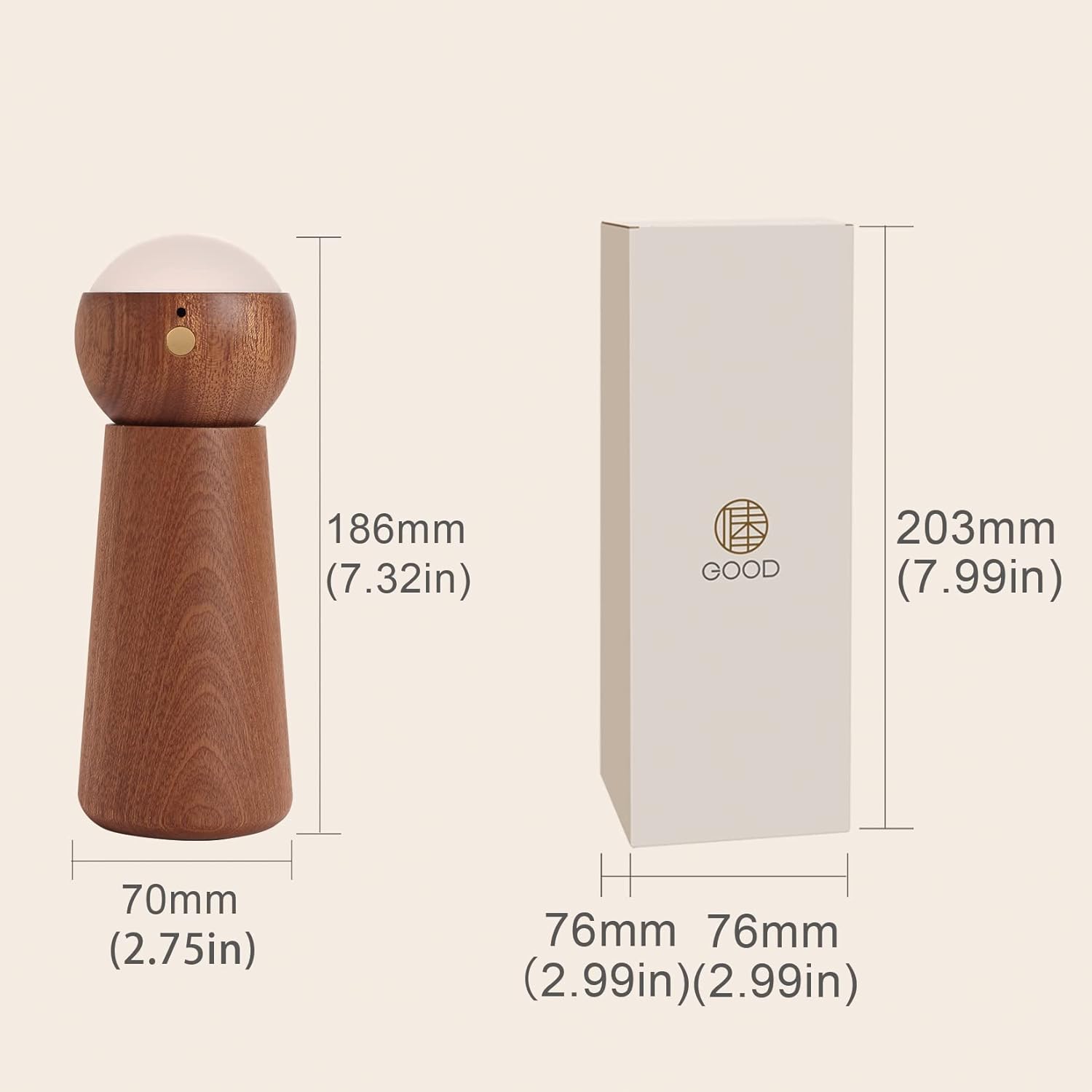
Figura 1: Dimensiones del producto (70 mm x 70 mm x 186 mm)
4. Configuración
- Deshacer: Retire con cuidado todos los componentes del embalaje.
- Armar: The light module can be separated from its base. Place the light module securely onto the base. The direction of the light can be adjusted by rotating the light module on the base.
- Carga inicial: Before first use, fully charge the device using the provided Type-C cable. Refer to the 'Charging the Device' section for details.
- Modo encendido/en espera: Long press the switch button on the light module for 2 seconds to enter standby mode. Once in standby mode, you can enable either voice control or touch control mode.
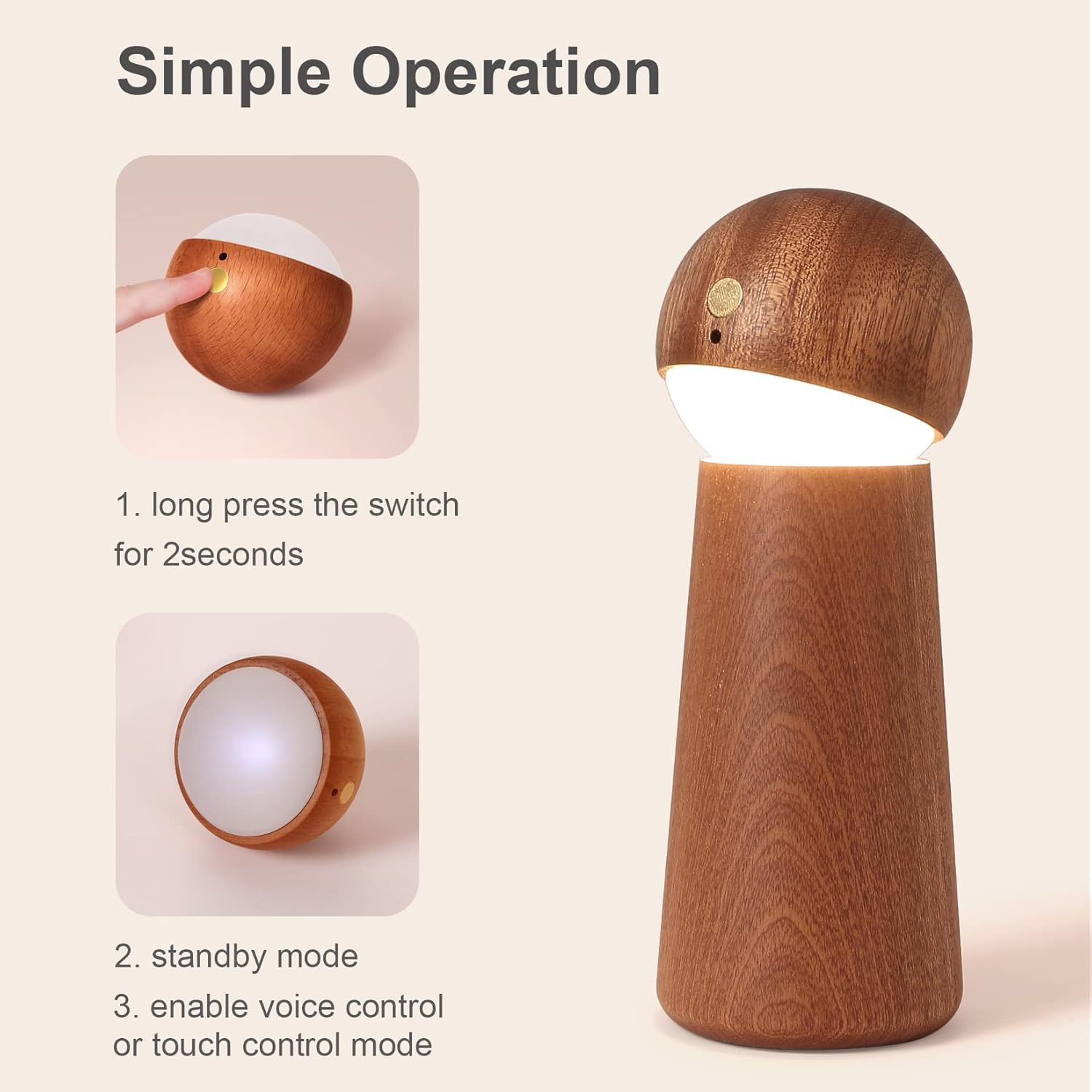
Figure 2: Simple Operation - Power On
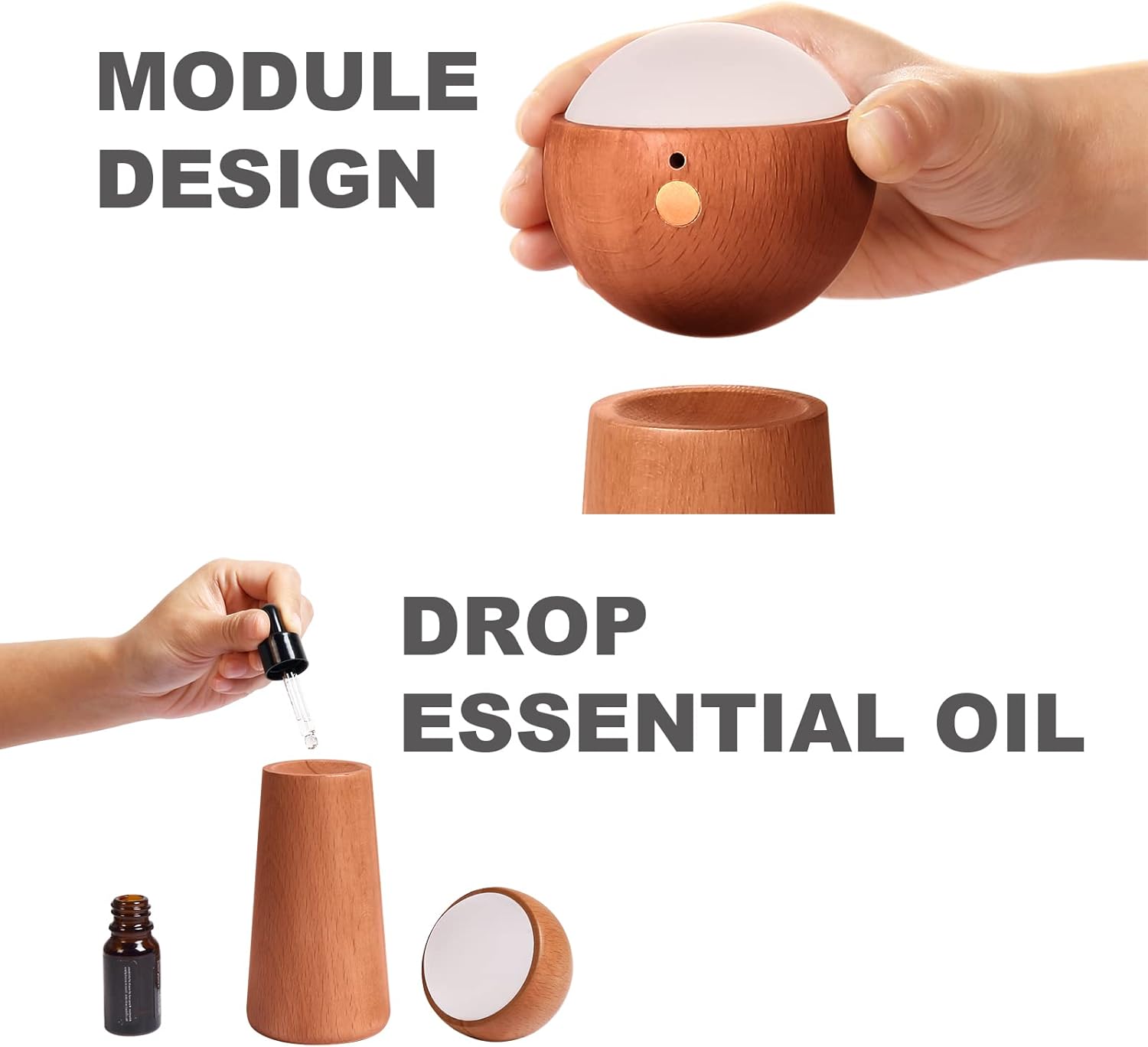
Figure 3: Module Design and Essential Oil Application
5. Instrucciones de funcionamiento
5.1 Modo de control por voz
The night light features an AI artificial intelligence chip for independent voice recognition, requiring no internet connection. Ensure ambient noise is below 60dB for optimal performance within a 5-meter range.
To activate voice control, ensure the device is in standby mode. Use the following commands:
- "Light on": Turns the light on.
- "Light off": Turns the light off.
- "Brighten the light": Increases the brightness level.
- "Dim the light": Decreases the brightness level.

Figura 4: Comandos de control de voz
5.2 Touch Control Mode
The night light also offers touch control for adjusting brightness.
- Activar: Ensure the device is in standby mode. Gently touch the designated touch area on the light module.
- Ajustar el brillo: Each touch will cycle through three brightness levels: Low, Medium, and High. Continue touching until the desired brightness is achieved.

Figure 5: Smart Touch Control and Brightness Levels
5.3 Difusión de aceites esenciales
The wooden base of the night light can be used for essential oil diffusion.
- Separate Module: Gently lift the light module from its wooden base.
- Apply Essential Oil: Add a few drops of your preferred essential oil directly onto the wooden base. The wood will absorb the oil and slowly release its fragrance.
- Volver a montar: Place the light module back onto the base.
6. Carga del dispositivo
The night light is equipped with a 1500mAh lithium battery and charges via a Type-C port.
- Cable de conexión: Insert the Type-C charging cable into the charging port on the light module.
- Conecte la electricidad: Connect the other end of the cable to a compatible USB power source (e.g., adapter, power bank, computer, laptop).
- Indicador de carga: During normal charging, the indicator light will be red.
- Carga completa: La luz indicadora se apagará una vez que la batería esté completamente cargada.

Figure 6: Charging via Type-C Port
7. Mantenimiento
- Limpieza: Use a soft, dry cloth to wipe the surface of the night light. Do not use abrasive cleaners or solvents.
- Almacenamiento: Guarde el dispositivo en un lugar fresco y seco cuando no lo utilice durante períodos prolongados.
- Cuidado de la batería: Para prolongar la vida útil de la batería, evite descargarla por completo con frecuencia. Cargue el dispositivo regularmente, incluso si no lo usa constantemente.
8. Solución de problemas
- La luz no enciende:
- Asegúrese de que la batería esté cargada. Conecte el dispositivo a una fuente de alimentación y compruebe el indicador de carga.
- Long press the switch button for 2 seconds to ensure it is in standby mode.
- Voice control is not responsive:
- Ensure the ambient noise level is below 60dB. High background noise can interfere with voice recognition.
- Speak clearly and within 5 meters of the device.
- Confirm the device is in standby mode.
- Touch control is not working:
- Asegúrese de que el dispositivo esté en modo de espera.
- Ensure your finger is making proper contact with the touch area.
9. Garantía y soporte
For product support, warranty information, or any inquiries, please contact the manufacturer or your retailer. Please have your product model number (NO-HB034) available when seeking assistance.