
Introducción
Thank you for choosing the Jectse Mini HD 1080P WiFi Camera. This compact and versatile camera is designed for indoor security and surveillance, offering features such as 1080P video recording, night vision, motion detection, and real-time monitoring via a mobile application. Please read this manual carefully to ensure proper setup and operation of your device.

Image: The Jectse Mini HD 1080P WiFi Camera, showcasing su diseño compacto y puertos de conectividad.
Características del producto
- Vídeo HD 1080P: Records high-definition video at 1080 pixels.
- Visión nocturna: Equipped with 6 photosensitive lenses for clear night vision.
- Detección de movimiento: Detecta automáticamente el movimiento y envía alertas.
- Conectividad WiFi: Supports WiFi network connection for remote viewing a través de la aplicación móvil.
- Grabación en bucle: Overwrites older footage cuando la tarjeta de memoria está llena.
- Diseño magnético: Strong magnetic force for easy attachment to metallic surfaces. Includes a magnetic bracket for adjustable angles.
- Batería incorporada: Provides up to 60 minutes of operation on a full charge.
- Tamaño compacto: Ultra-small body for easy portability and discreet placement.
- Almacenamiento expandible: Admite tarjetas Micro SD de hasta 128 GB (tarjeta no incluida).

Image: Visual representation of the camera's key features, including night vision, HD quality, remote access, hotspot, video/audio recording, and storage capabilities.
Contenido del paquete
Por favor revise el paquete para ver los siguientes artículos:
- 1 x Jectse Mini HD 1080P WiFi Camera
- 1 x Manual de instrucciones
- 1 x Soporte magnético
- 1 x cable de carga micro USB
Configuración
1. Cargar la cámara
Before first use, fully charge the camera. Connect the Micro USB charging cable to the camera's charging port and the other end to a 5V/1A USB power adapter (not included). A full charge takes approximately 30 minutes (from 0% to 100%).
2. Inserción de una tarjeta Micro SD (opcional)
To enable video recording and storage, insert a Micro SD card (up to 128GB, not included) into the designated slot on the camera. Ensure the card is inserted correctly. The camera supports continuous recording for up to 21 hours with a 128GB card.

Image: The camera's Micro SD card slot, illustrating its storage capability for continuous recording.
3. Conexión de la aplicación móvil
Download the dedicated mobile application from your smartphone's app store. Follow the in-app instructions to connect the camera to your home or office WiFi network. This allows for real-time viewing y control.
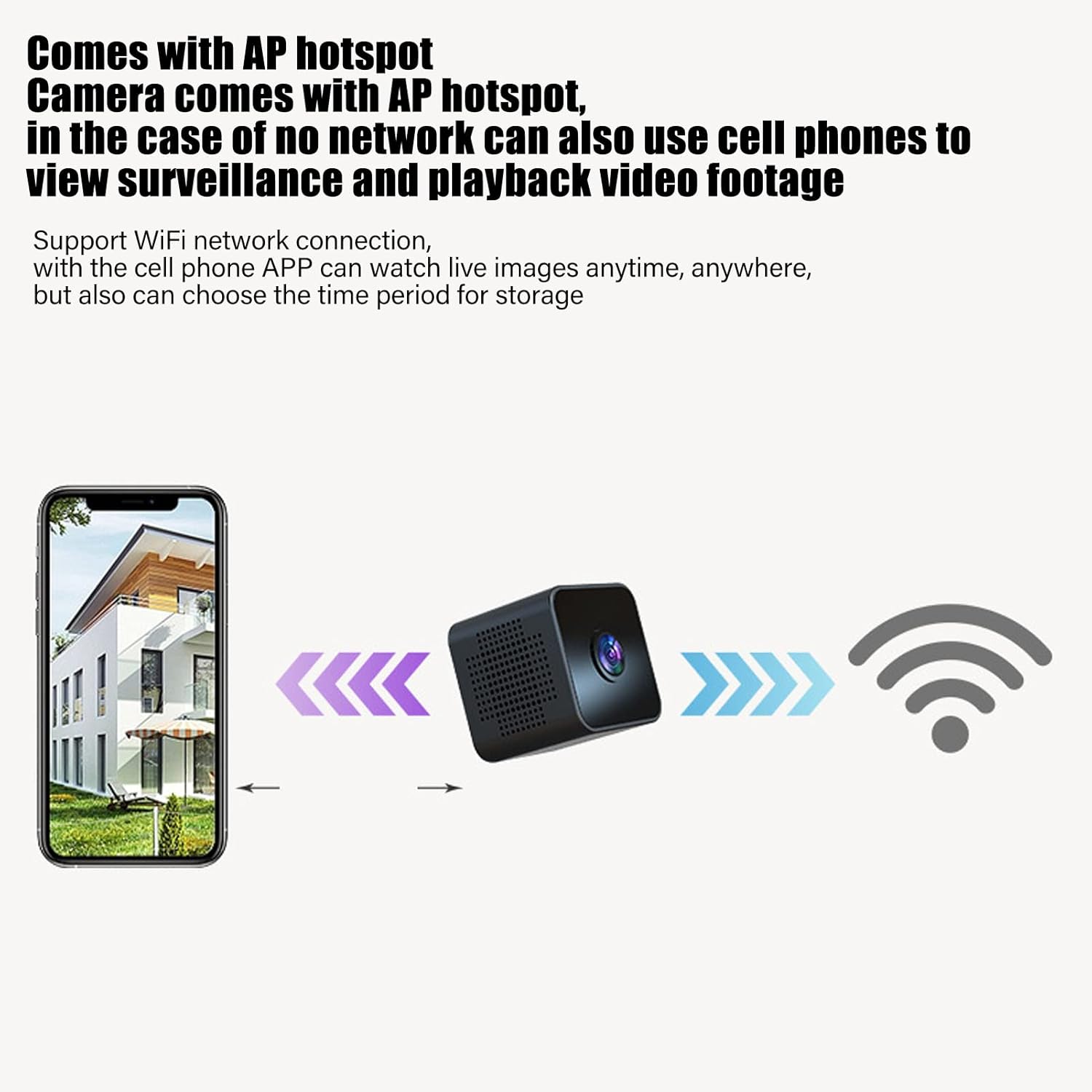
Image: Diagram showing a smartphone connecting to the camera, indicating remote viewing and control via the mobile app.
Instrucciones de funcionamiento
Encendido/apagado
Refer to the instruction manual included in the package for specific power on/off procedures. Typically, a long press of the power button will turn the device on or off.
Monitoreo en tiempo real
Una vez conectado a la aplicación móvil, puedes view video en vivo footage from the camera anytime, anywhere. The app also allows you to set specific time periods for video storage.
Detección de movimiento
The camera features intelligent motion detection. When movement is detected in the camera's field of view, an alarm notification will be sent to your mobile app. This feature helps monitor your premises effectively.

Image: Illustration of the motion detection function, where the camera identifies movement and triggers an alert on a connected smartphone.
Visión nocturna
The camera is equipped with high-definition night vision capabilities, ensuring clear video even in low-light conditions. The night vision mode can be manually activated or set to open at specific times via the app.

Image: A visual comparison demonstrating the clear picture quality of the camera, highlighting its HD capabilities.
Grabación en bucle
When a Micro SD card is inserted, the camera will continuously record. If the memory card becomes full, the camera will automatically overwrite the oldest video files to make space for new recordings, ensuring continuous surveillance without manual intervention.
Montaje magnético
The camera features a strong magnetic back, allowing it to be easily attached to any metallic surface. Use the included magnetic bracket to adjust the camera's angle for optimal viewEn.

Image: Two perspectives of the mini camera, emphasizing its small size and magnetic design for flexible placement.
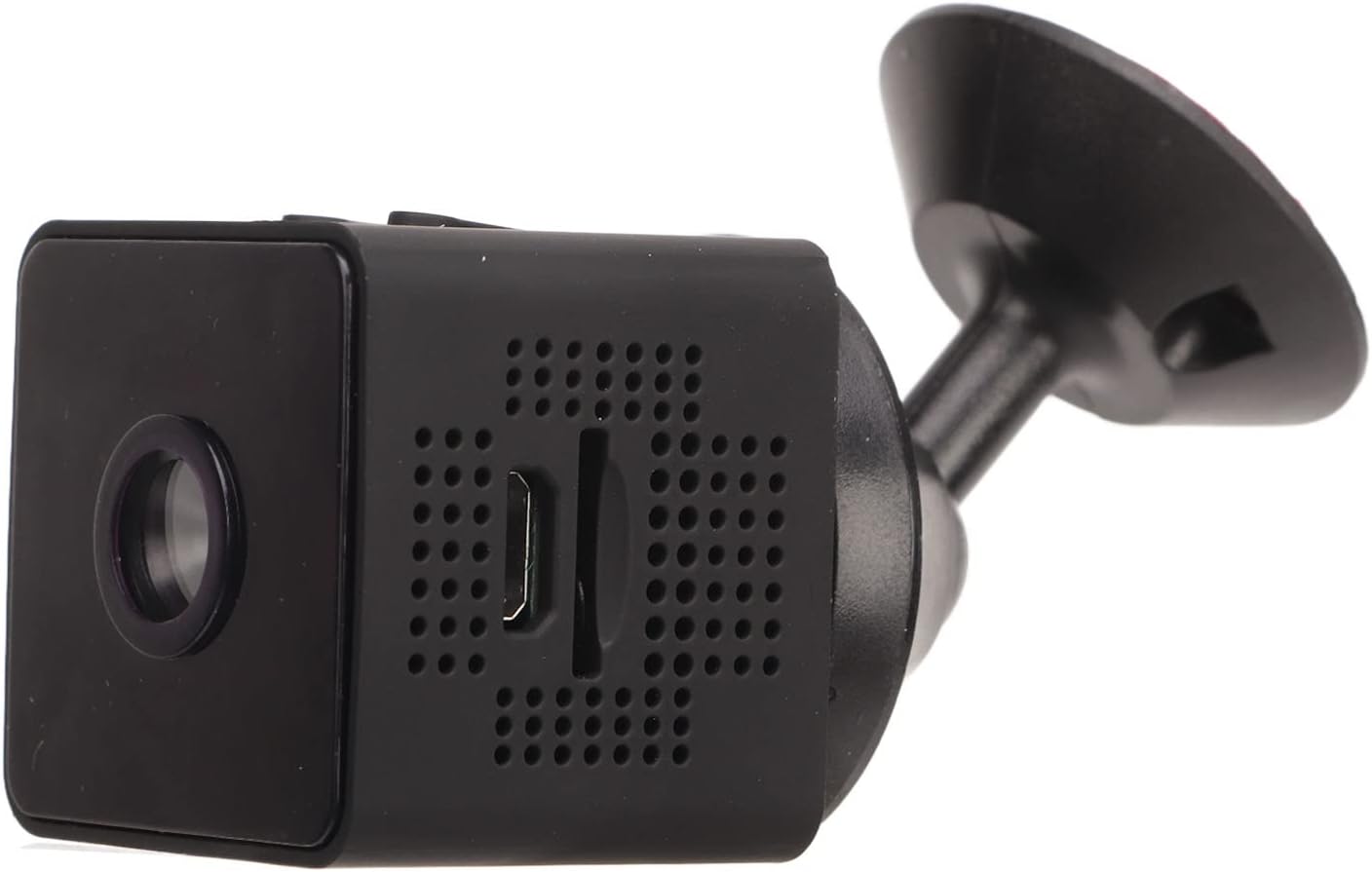
Imagen: Lateral view of the camera, showing how it connects to the magnetic bracket for adjustable positioning.
Mantenimiento
- Limpieza: Utilice un paño suave y seco para limpiar la lente y el cuerpo de la cámara. Evite usar limpiadores líquidos o materiales abrasivos.
- Almacenamiento: Guarde la cámara en un lugar fresco y seco, alejado de la luz solar directa y de temperaturas extremas.
- Cuidado de la batería: Para prolongar la vida útil de la batería, evite descargarla por completo con frecuencia. Cargue la cámara regularmente, incluso si no la usa.
- Actualizaciones de firmware: Revise periódicamente la aplicación móvil para verificar si hay actualizaciones de firmware disponibles para garantizar un rendimiento y seguridad óptimos.
- Condiciones ambientales: This camera is designed for indoor use. It is not waterproof and should not be exposed to rain, moisture, or submerged in water.
Solución de problemas
| Problema | Posible solución |
|---|---|
| La cámara no se enciende. | Ensure the camera is fully charged. Connect it to a power source and wait for the charging indicator. |
| No se puede conectar a WiFi. | Check your WiFi network credentials. Ensure the camera is within range of your router. Restart the camera and your router. Follow the app's connection guide carefully. |
| No se permite grabación de vídeo. | Verify that a Micro SD card is properly inserted and formatted. Check if the card has sufficient free space. |
| Mala calidad de vídeo. | Ensure the camera lens is clean. Check your network connection speed if streaming remotely. |
| La detección de movimiento no funciona. | Check the motion detection settings in the mobile app. Ensure the camera's view Es claro y sin obstrucciones. |
Presupuesto
| Tipo de producto | Mini cámara WiFi |
| Número de modelo | Jectseot42hdk8wq |
| Resolución de vídeo | Alta definición 1080P |
| Tecnología de sensor de imagen | CMOS |
| Tecnología de conectividad | Inalámbrico (Wi-Fi) |
| Fuente de poder | Built-in Rechargeable Battery (350 mAh) / Corded Electric (via Micro USB) |
| Duración de la batería | Aprox. 60 minutos (grabación continua) |
| Interfaz de carga | Micro USB (5 V / 1 A) |
| Duración de la carga | Approx. 30 minutes (0%-100%) |
| Almacenamiento | Tarjeta Micro SD (hasta 128 GB, no incluida) |
| Estándar de compresión de vídeo | H.264 Main, H.264 Baseline, MJPEG, JPEG Baseline |
| Formato de captura de video | MP4 |
| Visión nocturna | Infrared (IR) with 6 photosensitive lenses, Color Night Vision |
| Detección de movimiento | Yes (App-controlled alerts) |
| Método de control | Aplicación móvil |
| Material | Plástico ABS |
| Dimensiones aproximadas del producto | 3 x 3 x 3 cm |
| Uso recomendado | Seguridad interior |
| Nivel de resistencia al agua | Not waterproof; designed for indoor use. |
Note: All data is measured manually and may contain minor discrepancies.
Garantía y soporte
For warranty information and technical support, please refer to the contact details provided on the product packaging or the official Jectse webSitio. Conserve su recibo de compra como comprobante de compra para cualquier reclamación de garantía.
Si encuentra algún problema no contemplado en este manual, comuníquese con el servicio de atención al cliente para obtener ayuda.