
SUNOL F07
Manual de usuario de las gafas inteligentes SUNOL F07
Model: F07 | Brand: SUNOL
Introducción
This manual provides comprehensive instructions for the operation, maintenance, and troubleshooting of your SUNOL F07 Smart Glasses. Please read this manual carefully before using the product to ensure proper function and longevity.

Imagen: Frente view of the SUNOL F07 Smart Glasses, showcasing su elegante diseño.
The SUNOL F07 Smart Glasses combine stylish eyewear with advanced audio technology. Featuring an open-ear listening design, TWS 5.3 Bluetooth connectivity, and intuitive touch controls, these glasses allow you to enjoy audio while remaining aware of your surroundings. They are also equipped with UV protection lenses and a waterproof design, making them suitable for various outdoor activities. The design ensures comfortable and stable wear, adapting to various face shapes.

Image: A diagram illustrating the ergonomic design of the smart glasses, allowing them to adapt comfortably to various face shapes with a 30-degree elastic space.
Configuración
1. Carga del dispositivo
Before initial use, fully charge your SUNOL F07 Smart Glasses. Use the provided charging cable. The charging port is typically located on one of the temples of the glasses.

Image: The SUNOL F07 Smart Glasses connected to a charging cable, illustrating the charging process.
2. Emparejamiento Bluetooth
- Encendido: Press and hold the touch button area on the temple for 3 seconds to switch on the glasses. You will hear an audible prompt indicating they are powered on and ready for pairing.
- Activar Bluetooth: On your mobile phone, tablet, or other device, navigate to the Bluetooth settings and ensure Bluetooth is enabled.
- Seleccione el dispositivo: Look for "TWS-F" in the list of available Bluetooth devices and select it to connect.
- Confirmación: Once successfully paired, you will hear a confirmation sound from the glasses.
The glasses are equipped with TWS 5.3 Bluetooth technology for a fast and reliable connection.
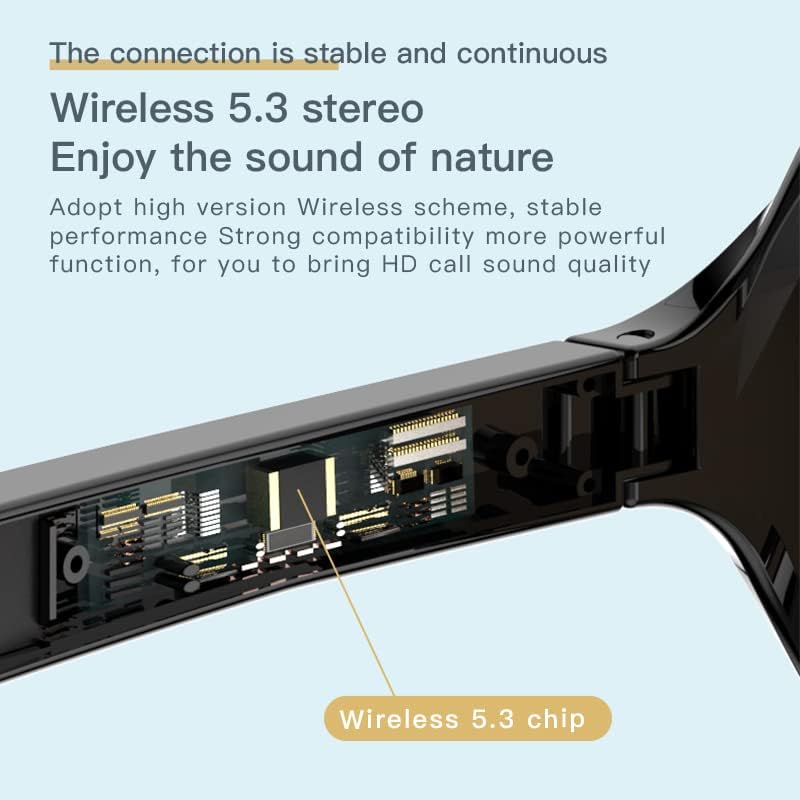
Imagen: Un detalle view of the smart glasses' temple, highlighting the integrated Wireless 5.3 chip for stable connectivity.
Instrucciones de funcionamiento
Controles táctiles
The SUNOL F07 Smart Glasses feature touch-sensitive controls on the temples for easy management of audio and calls. Refer to the table below for common operations:

Image: A hand interacting with the touch-sensitive area on the glasses' temple, demonstrating the intuitive controls.
| Acción | Función |
|---|---|
| Mantenga pulsado durante 3 segundos | Power On / Enter Pairing Mode |
| Mantenga pulsado durante 5 segundos | Apagado |
| Un solo toque | Reproducir/Pausar música, Responder/Finalizar llamada |
| Double tap (Left Temple) | Pista anterior |
| Double tap (Right Temple) | Pista siguiente |
| Triple toque | Activar el Asistente de Voz (por ejemplo, Siri, Asistente de Google) |

Image: The smart glasses demonstrating voice assistant integration for tasks like navigation and making calls.
Funciones de audio
The F07 Smart Glasses utilize an open-ear listening design, allowing you to hear audio from your device while maintaining awareness of your surroundings. This feature enhances safety during outdoor activities such as running or cycling.
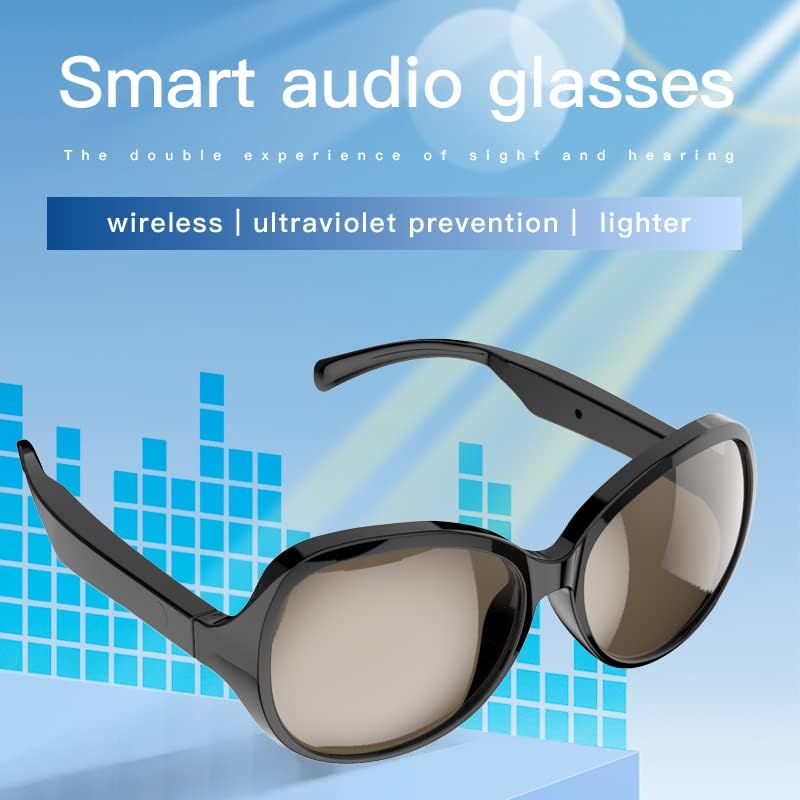
Image: The smart audio glasses highlighting their key features: wireless connectivity, UV prevention, and lightweight design.
The integrated speakers provide high-fidelity sound transmission for calls, GPS navigation, and music playback.
Video: An official product video demonstrating the features and usage of the SUNOL F07 Smart Glasses, including audio capabilities and design.
UV Protection Lenses
The lenses are designed with UV protection, effectively filtering light and protecting your eyes from fatigue, especially during extended outdoor exposure.

Image: The lenses of the smart glasses, illustrating their ability to block harmful light and provide high-definition UV protection for clearer vision.
Mantenimiento
Limpieza
To clean your smart glasses, use the provided lens cloth or a soft, lint-free cloth. For lenses, a specialized lens cleaning solution can be used. Avoid harsh chemicals or abrasive materials that could damage the lenses or frame.
Resistencia al agua
The SUNOL F07 Smart Glasses feature an IPX4 waterproof design, making them resistant to splashes and sweat. They are suitable for use in various environments, including light rain. However, they are not designed for submersion in water.

Image: The smart glasses with water droplets, demonstrating their IPX4 waterproof capability, suitable for exercise and light rain.
Almacenamiento
When not in use, store the glasses in the included storage case to protect them from scratches and damage. Keep them away from extreme temperatures and direct sunlight.
Solución de problemas
- No se puede encender: Ensure the glasses are fully charged. Connect them to the charger and wait a few minutes before attempting to power on again.
- No se puede emparejar con el dispositivo:
- Ensure Bluetooth is enabled on your device and the glasses are in pairing mode ("TWS-F").
- Acerque las gafas a su dispositivo.
- Apague y encienda el Bluetooth en su dispositivo, luego intente emparejarlo nuevamente.
- Si ya lo emparejó anteriormente, intente "olvidar" el dispositivo en su teléfono y volver a emparejarlo.
- Sin sonido o volumen bajo:
- Check the volume level on both the glasses (if adjustable via touch controls) and your connected device.
- Asegúrese de que las gafas estén conectadas correctamente mediante Bluetooth.
- The open-ear design means sound is not isolated; in noisy environments, sound may seem lower.
- Conexión intermitente:
- Ensure there are no obstructions between the glasses and your device.
- Move closer to your device to maintain a stable connection.
- Evite entornos con fuertes interferencias electromagnéticas.
Si los problemas persisten, comuníquese con el servicio de atención al cliente para obtener más ayuda.
Presupuesto
| Característica | Detalle |
|---|---|
| Número de modelo | F07 |
| Versión de Bluetooth | Auriculares TWS 5.3 |
| Dimensiones | 5.12 x 2.76 x 2.05 pulgadas |
| Peso | 3.99 onzas |
| Tipo de batería | 1 batería de polímero de litio (incluida) |
| Resistencia al agua | IPX4 (resistente a salpicaduras y sudor) |
| Protección de lentes | Protección UV |
| Fabricante | SWISSES |
Garantía y soporte
The SUNOL F07 Smart Glasses come with a standard return policy of 30 days for refund or replacement, as per the seller's terms. For specific warranty details and technical support, please refer to the documentation provided with your purchase or contact the manufacturer, SWISSES, directly.
For general inquiries or assistance, you may also visit the product page on Amazon or contact Amazon customer service.
Ask a question about this manual
Ask about setup, troubleshooting, compatibility, parts, safety, or missing instructions. Manuals+ will review the question and use this page’s manual context to help answer it.