
1. Producto terminadoview
The Cudy GS108D is an 8-port Gigabit Ethernet Network Switch designed for expanding your network connectivity. It offers high-speed data transfer for devices such as computers, IPTVs, printers, NAS, game consoles, and routers. Featuring a plug-and-play design, fanless operation, and energy-efficient technology, this switch provides a reliable and quiet solution for both home and office networks.

Imagen: Frente view of the Cudy GS108D switch, highlighting its 8 Gigabit Ethernet ports and LED indicators.
Características principales:
- 8 puertos Gigabit Ethernet: Proporciona conexiones cableadas de alta velocidad para múltiples dispositivos.
- Conectar y usar: Requires no software installation or configuration for immediate use.
- Diseño sin ventilador: Garantiza un funcionamiento silencioso, adecuado para cualquier entorno.
- Eficiencia energética: Compliant with IEEE802.3az standard, saving power when ports are idle.
- Montaje versátil: Admite tanto colocación en escritorio como montaje en pared.
2. Contenido del paquete
Verifique que su paquete contenga los siguientes elementos:
- Cudy GS108D 8-Port Gigabit Ethernet Network Switch
- Adaptador de corriente
- Manual de instrucciones (este documento)
- Cable Ethernet (puede variar según la región/paquete)

Image: Contents of the Cudy GS108D package, showing the switch, power adapter, and an Ethernet cable.
3. Descripción física
Panel frontal:
The front panel features eight 10/100/1000 Mbps RJ45 ports. Each port has an associated LED indicator to show link/activity status.
- LED de encendido: Indica el estado de alimentación del interruptor.
- LED de enlace/acción (1-8):
- Verde sólido: A device is connected and the link is active.
- Verde intermitente: Se están transmitiendo o recibiendo datos en el puerto.
- Apagado: No device is connected or the link is inactive.

Imagen: Detallada view of the Cudy GS108D's front panel, showing the 8 RJ45 ports and their corresponding LED indicators.
Panel trasero:
El panel trasero normalmente contiene el puerto de entrada de alimentación.
Dimensiones:
The compact design of the GS108D allows for flexible placement. Approximate dimensions are 138mm (5.43") L x 61.5mm (2.42") W x 24mm (0.94") H.
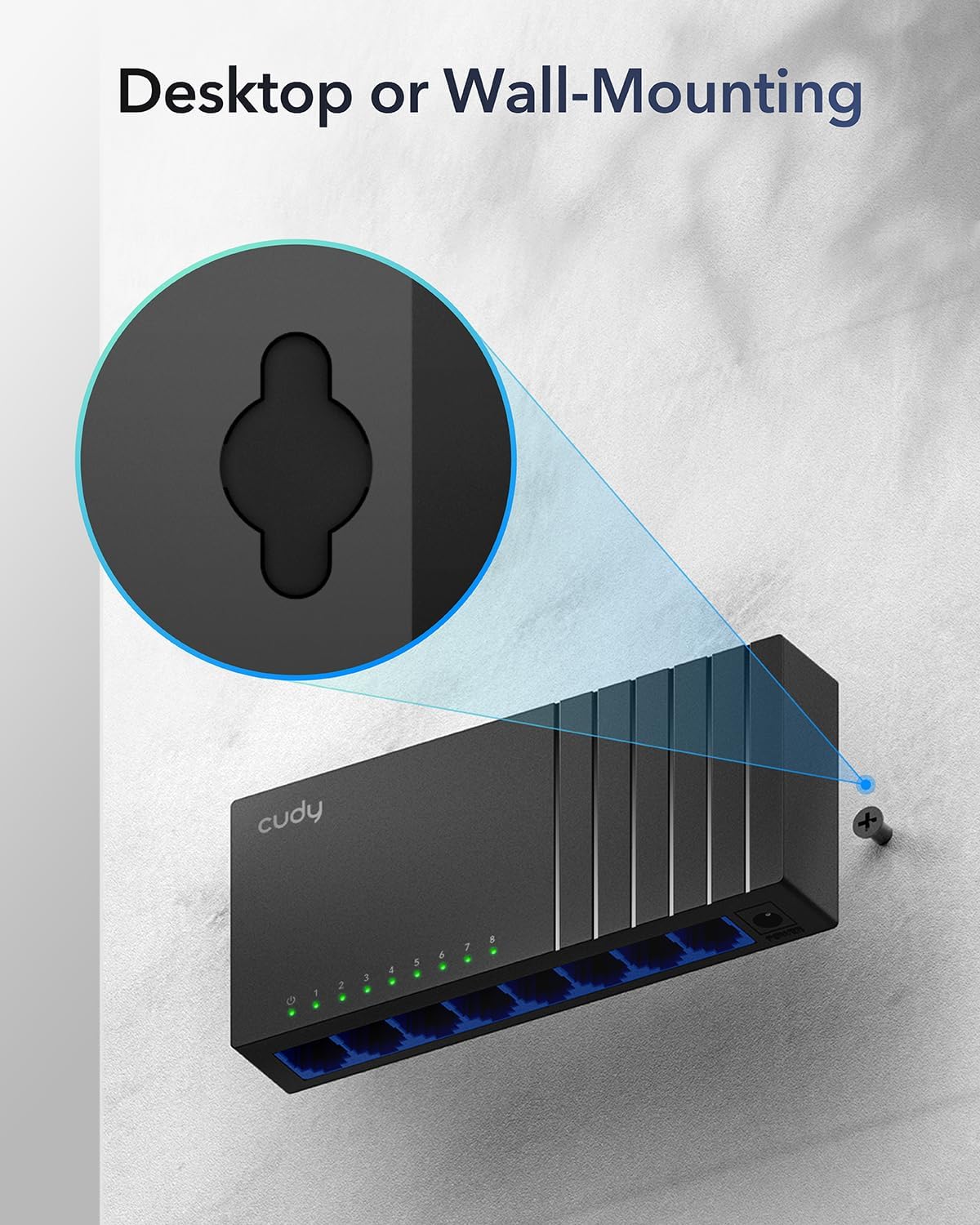
Image: The Cudy GS108D switch with its compact dimensions clearly indicated.
4. Instrucciones de configuración
The Cudy GS108D switch is designed for simple plug-and-play installation. No complex configuration is required.
Paso 1: Conexión de energía
- Connect one end of the provided power adapter to the power port on the rear panel of the GS108D switch.
- Conecte el otro extremo del adaptador de corriente a una toma eléctrica estándar.
- Verify that the Power LED on the front panel illuminates, indicating the switch is receiving power.

Image: The Cudy GS108D switch with its power adapter connected and ready for use.
Paso 2: Conexión del dispositivo
- Connect your network devices (e.g., computer, router, NAS, game console) to any of the 8 RJ45 ports on the front panel using standard Ethernet cables (Cat5e or higher recommended for Gigabit speeds).
- Ensure the Link/Act LED for each connected port illuminates, indicating a successful connection. If the LED is flashing, data is being transmitted.

Image: A laptop being connected to the Cudy GS108D switch with an Ethernet cable, demonstrating a typical setup.
Paso 3: Opciones de montaje
The GS108D supports both desktop placement and wall mounting.
- Colocación de escritorio: Simplemente coloque el interruptor sobre una superficie plana y estable.
- Montaje en pared: The switch features mounting slots on its underside. Use appropriate screws (not included) to secure the switch to a wall.

Image: The Cudy GS108D switch shown with its wall-mounting slots, illustrating how it can be securely attached to a wall.
5. Instrucciones de funcionamiento
Once connected, the Cudy GS108D operates automatically without further user intervention.
Negociación automática
Each port on the switch automatically detects the network speed (10/100/1000 Mbps) and duplex mode (Half/Full Duplex) of the connected device and adjusts accordingly for optimal performance.
Optimización de tráfico
The switch features a 4 Mbit packet buffer to ensure stable and efficient data forwarding, reducing packet loss and improving overall network performance, especially during high traffic loads.
Energy Efficiency (IEEE 802.3az)
The GS108D incorporates energy-efficient Ethernet technology. It automatically adjusts power consumption based on cable length and network traffic, reducing energy usage when ports are idle or when connected devices are turned off.

Image: Visual representation of the power-saving feature, showing reduced energy consumption when ports are idle.
Transmisión a larga distancia
The switch supports long-distance Ethernet cable runs, allowing for reliable data transmission up to 170 meters (557 feet) with Cat5e or higher Ethernet cables.

Image: Illustration of the Cudy GS108D's capability for long-distance transmission, up to 170 meters, requiring Cat5e or higher cables.
6. Mantenimiento
To ensure optimal performance and longevity of your Cudy GS108D switch, follow these maintenance guidelines:
- Colocación: Coloque el interruptor en un lugar fresco y seco, alejado de la luz solar directa, fuentes de calor y humedad excesiva. Asegúrese de que haya una ventilación adecuada alrededor del dispositivo.
- Limpieza: Utilice un paño suave y seco para limpiar el exterior del interruptor. No utilice limpiadores líquidos ni en aerosol.
- Fuerza: Utilice únicamente el adaptador de corriente incluido. Desconecte el adaptador de corriente durante tormentas eléctricas o si no lo va a utilizar durante un período prolongado.
- cables: Ensure all Ethernet cables are securely connected and free from damage.
7. Solución de problemas
If you encounter issues with your Cudy GS108D switch, refer to the following common troubleshooting steps:
Sin poder
- Asegúrese de que el adaptador de corriente esté conectado de forma segura tanto al interruptor como a una toma de corriente eléctrica que funcione.
- Compruebe si la toma de corriente funciona enchufando otro dispositivo.
- Verify that the Power LED on the switch is illuminated. If not, try a different power outlet.
Sin enlace/actividad en un puerto
- Ensure the Ethernet cable is securely plugged into both the switch port and the connected device.
- Intente utilizar un cable Ethernet diferente para descartar daños en el cable.
- Conecte el dispositivo a un puerto diferente en el conmutador.
- Verify that the connected device (e.g., computer, router) is powered on and its network adapter is enabled.
- If connecting to a router, ensure the router's port is active.
Velocidad de red lenta
- Ensure you are using Cat5e or higher Ethernet cables for Gigabit speeds. Older Cat5 cables may limit speed.
- Check the Link/Act LED for the port. A solid green light indicates a Gigabit connection. If it's amber or off, there might be a speed mismatch or connection issue.
- Verify that the connected devices also support Gigabit Ethernet.
- Reducir la congestión de la red limitando las actividades simultáneas que requieren gran ancho de banda.
8. Especificaciones
| Característica | Descripción |
|---|---|
| Marca | Cudy |
| Número de modelo | GS108D |
| Número de puertos | 8 |
| Interfaz | RJ45 |
| Velocidad de transferencia de datos | 1000 megabits por segundo (Gigabit) |
| Tipo de interruptor | Ethernet Switch |
| Dispositivos compatibles | Camera, Desktop, Laptop, Router |
| Volumentage | 28 voltios (entrada para adaptador de corriente) |
| Temperatura de funcionamiento | 40 °F a 104 °F (4.4 °C a 40 °C) |
| Tipo de material de la caja | Plástico |
| Dimensiones del artículo (largo x ancho x alto) | 7.87" x 5.91" x 5.91" (Product packaging dimensions, actual device is smaller) |
| Peso del artículo | 200 gramos |
9. Garantía y soporte
Información de garantía:
The Cudy GS108D 8-Port Gigabit Ethernet Network Switch comes with a Garantía de 2 años A partir de la fecha de compra. Conserve su comprobante de compra para reclamaciones de garantía. Esta garantía cubre defectos de materiales y mano de obra en condiciones normales de uso.
Apoyo técnico:
For technical assistance, troubleshooting, or further inquiries, please visit the official Cudy website or contact Cudy customer support. Cudy is committed to delivering high-performance, user-friendly communication technology and provides resources to help you with your product.
A menudo puede encontrar recursos de soporte, preguntas frecuentes e información de contacto en Cudy Store on Amazon or the main Cudy websitio.