
1. Producto terminadoview
The Jectse 2.4GHz 4-Channel RC Gyro Receiver is designed for remote control vehicles such as cars and boats. It features a single antenna bidirectional transmission system and integrates a high-performance gyroscope for enhanced control. This receiver is compatible with AFHDS 3 transmitters, including Flysky NB4, Noble Lite, and Noble Pro series.
Las características principales incluyen:
- Bidirectional transmission with a single antenna.
- Support for PWM, PPM, i BUS2, S.BUS, and J BUS data output.
- Compatibility with AFHDS 3 protocol transmitters.
- Built-in high-performance gyroscope.
- Integrated BVD (Battery Voltage Detection) function.
- PPX6 splash-proof rating.
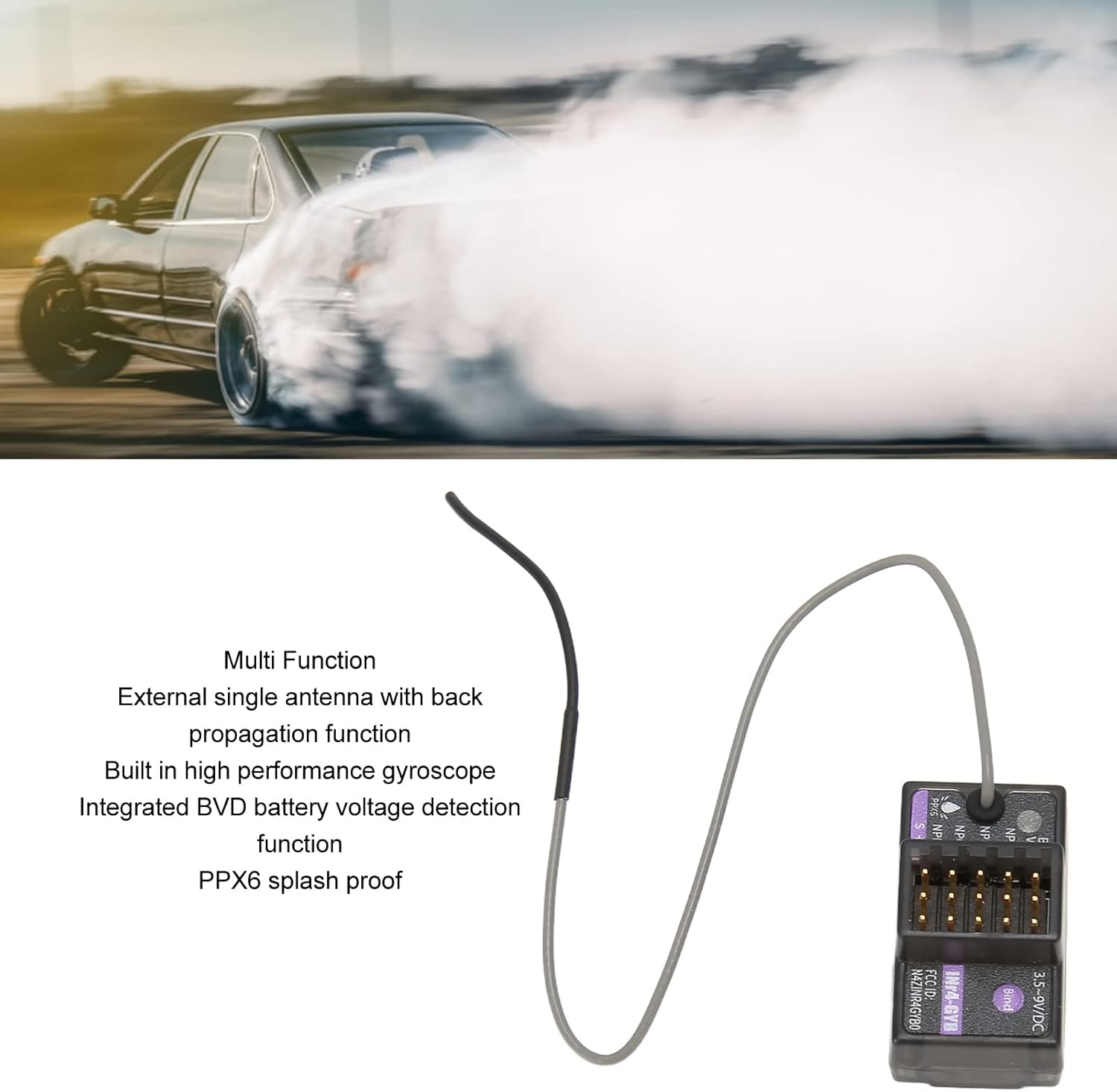
Image 1.1: The Jectse RC Gyro Receiver highlighting its multi-function capabilities, including external single antenna with back propagation, built-in high-performance gyroscope, integrated BVD battery voltage detection, and PPX6 splash-proof design.
2. Contenido del paquete
Verifique que todos los artículos enumerados a continuación estén incluidos en su paquete:
- 1 x Gyro Receiver
- 1 x cable de conexión
- 1 x Manual de instrucciones (este documento)
- 1 x caja de plástico

Image 2.1: The Jectse RC Gyro Receiver shown alongside its included connection cable.
3. Especificaciones
| Tipo de artículo | Receptor giroscópico |
| Material | abdominales |
| Transmisor compatible | AFHDS 3 (e.g., Flysky PL18, NB4, NB4 Lite, Noble series) |
| Suitable Machine Type | Cars (drift, recreational, F1, linear acceleration), Boats |
| Canales PWM | 4 |
| Frecuencia inalámbrica | 2.4 GHz ISM |
| Protocolo inalámbrico | AHDS 3 |
| Tipo de antena | Antena individual |
| Potencia de entrada | 3.5-9 V DC |
| Salida de datos | PWM, PPM, i BUS2, S.BUS, J BUS |
| Rango de temperatura | -10°C a +60°C |
| Rango de humedad | 20%-95% |
| Actualización en línea | Sí |
| Dimensiones | 8 x 6 x 4 cm |
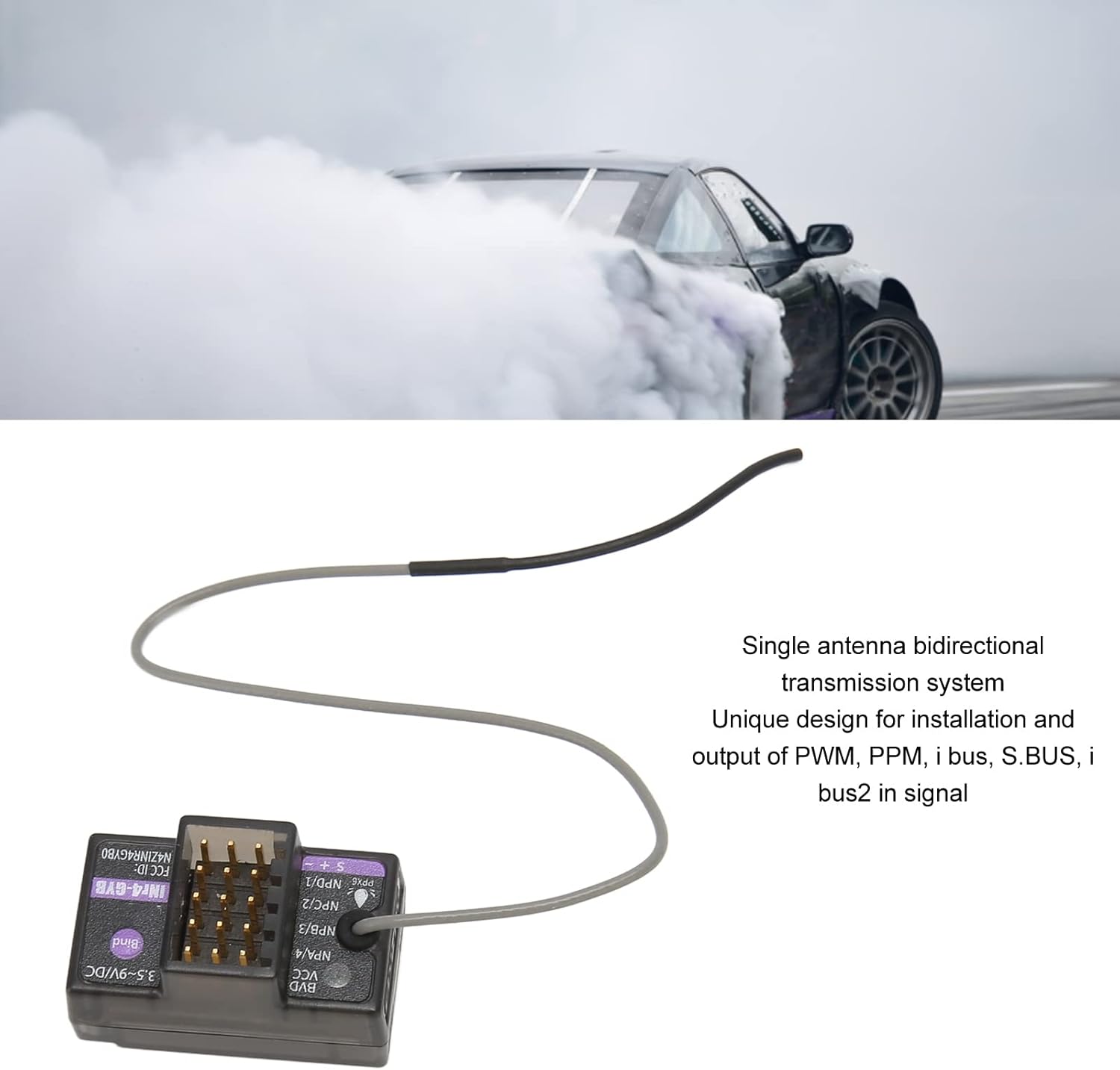
Image 3.1: The Jectse RC Gyro Receiver, illustrating its single antenna bidirectional transmission system and the various data output types supported (PWM, PPM, i BUS, S.BUS, i BUS2).
4. Configuración e instalación
Follow these steps to properly install and set up your Jectse RC Gyro Receiver:
- Instalación física: Mount the receiver securely in your RC vehicle (car or boat), ensuring it is protected from excessive vibration and moisture.
- Conexión de energía: Connect the receiver to a power source within the specified input power range of 3.5-9 V DC.
- Compatibilidad del transmisor: Ensure your transmitter uses the AFHDS 3 protocol. Compatible transmitters include Flysky PL18, NB4, NB4 Lite, and other Noble series transmitters.
- Proceso de encuadernación:
- Encienda el receptor.
- Mantenga pulsado el Unir botón en el receptor.
- Initiate the binding process on your AFHDS 3 compatible transmitter according to its specific instructions.
- Once bound, the receiver's indicator light will confirm a successful connection.
- Data Output Connections: Connect your servos, ESC, and other components to the appropriate PWM, PPM, i BUS2, S.BUS, or J BUS ports on the receiver.
- BVD Port Connection: If using the Battery Voltage Detection (BVD) function, connect the provided cable to the BVD port solo. Do not connect other components to this port.
- Gyroscope Function (Noble Series): For Noble series transmitters, you may need to enable the gyroscope function (INr4 GYB) through your transmitter's settings menu. Refer to your transmitter's manual for detailed instructions.
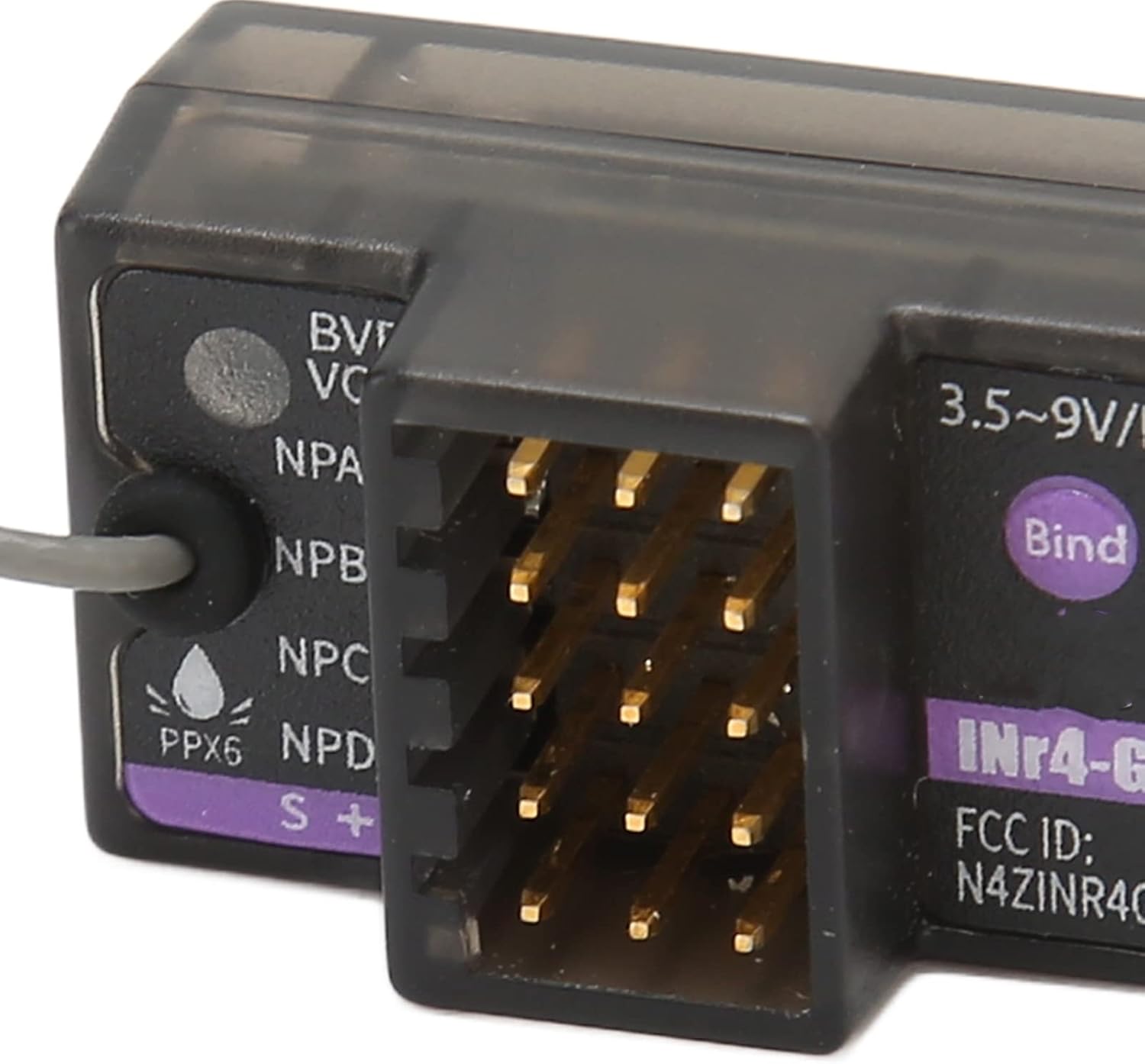
Imagen 4.1: Un primer plano view of the Jectse RC Gyro Receiver, showing the various ports for connections and the "Bind" button for pairing with a transmitter.

Image 4.2: The connection cable, with a clear warning to connect it to the BVD port only for battery voltage detección.
5. Instrucciones de funcionamiento
Once the receiver is successfully installed and bound to your transmitter, you can begin operation:
- Control básico: Use your AFHDS 3 transmitter to control your RC vehicle. The receiver processes signals for steering, throttle, and other functions via the connected servos and ESC.
- Función del giroscopio: The built-in gyroscope provides stability and improved handling, especially for drift cars and other high-performance vehicles. Adjust gyroscope sensitivity via your transmitter if supported.
- Volumen de la bateríatage Detection (BVD): If the BVD cable is connected, your transmitter can display the real-time battery voltage of your RC vehicle, allowing you to monitor power levels during operation.
- Salida de datos: The receiver supports various data output protocols. Ensure your connected devices (e.g., flight controllers, telemetry modules) are configured to receive data from the appropriate port (PWM, PPM, i BUS2, S.BUS, J BUS).

Image 5.1: The Jectse RC Gyro Receiver, detailing its compatibility with AFHDS 3 transmitters (PL18, NB4, NB4 Lite) and its suitability for various RC applications including drift cars, recreational vehicles, F1, and linear acceleration cars. It also notes the ability to enable gyroscope function for Noble series.
6. Mantenimiento
Proper maintenance ensures the longevity and reliable performance of your receiver:
- Limpieza: Regularly clean the receiver with a soft, dry cloth. Avoid using harsh chemicals or solvents.
- Condiciones ambientales: Operate and store the receiver within the specified temperature range (-10°C to +60°C) and humidity range (20%-95%).
- Protección contra la humedad: While the receiver is PPX6 splash-proof, avoid submerging it in water or exposing it to heavy rain. Ensure all connections are dry before powering on.
- Integridad de la conexión: Periodically check all wire connections for looseness or damage. Secure any loose connections.
- Actualizaciones de firmware: The receiver supports online updates. Check the Jectse official website or your transmitter's manufacturer for available firmware updates to ensure optimal performance and access to new features.
7. Solución de problemas
Si tiene problemas con su receptor, consulte los siguientes pasos de solución de problemas comunes:
- Sin energía:
- Verifique la conexión de la fuente de alimentación y la carga de la batería.
- Asegúrese del volumen de entradatage is within 3.5-9 V DC.
- Fallo de encuadernación:
- Ensure both receiver and transmitter are in binding mode.
- Verify your transmitter is AFHDS 3 compatible.
- Move closer to the transmitter during the binding process.
- Compruebe si hay interferencias de otros dispositivos de 2.4 GHz.
- Loss of Signal/Intermittent Control:
- Verifique la ubicación de la antena; asegúrese de que no esté obstruida o dañada.
- Verifique el nivel de batería del transmisor.
- Asegúrese de que no haya fuentes de interferencia fuertes cerca.
- Gyroscope Not Functioning (Noble Series):
- Confirm the gyroscope function (INr4 GYB) is enabled in your transmitter's settings.
- Refer to your transmitter's manual for specific gyroscope calibration or adjustment procedures.
- Salida de datos incorrecta:
- Verify that connected devices are configured for the correct data protocol (PWM, PPM, i BUS2, S.BUS, J BUS).
- Check wiring connections to ensure they are correctly plugged into the designated ports.
If problems persist, consult the support resources mentioned in the next section.
8. Garantía y soporte
For warranty information and technical support, please refer to the documentation provided with your purchase or contact Jectse customer service directly. Keep your proof of purchase for warranty claims.
Para obtener más ayuda, también puede visitar el Tienda Jectse en Amazon.