
1. Introducción
This manual provides detailed instructions for the proper use and maintenance of your Micool DY20PLUS Bluetooth Earpiece. Please read this manual thoroughly before using the product to ensure safe and efficient operation. The Micool DY20PLUS is a single-ear Bluetooth headset designed for clear communication, featuring noise cancellation and extended talk time.
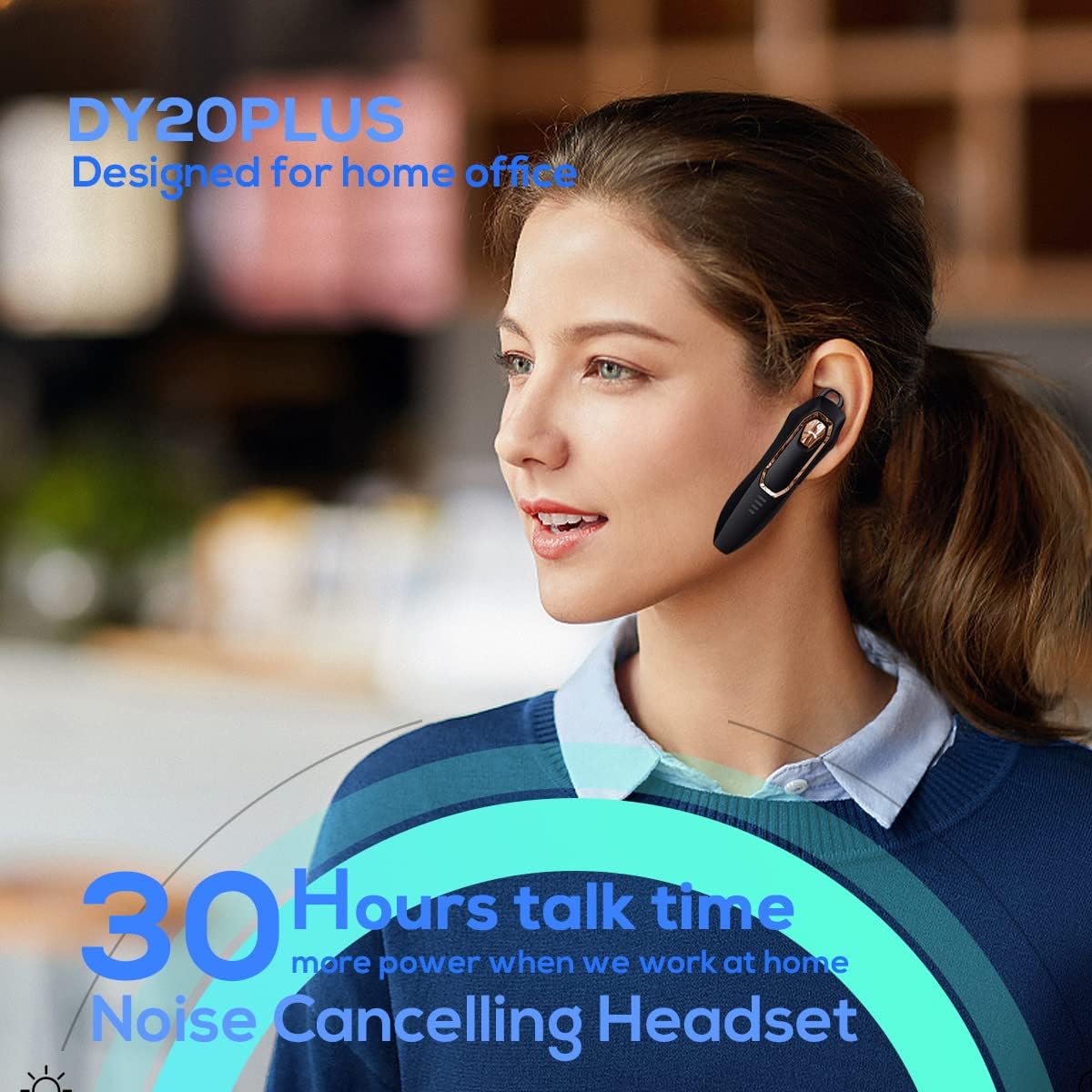
Figure 1: Micool DY20PLUS Bluetooth Earpiece
Vídeo 1: Terminadoview of Micool Bluetooth Headset features, including noise cancellation and long battery life.
2. Contenido del paquete
Por favor revise el paquete para ver los siguientes artículos:
- Micool DY20PLUS Bluetooth Earpiece
- Cable de carga USB
- Ear Hooks (various sizes)
- Manual de usuario
3. Producto terminadoview
Familiarize yourself with the buttons and indicators on your Micool DY20PLUS earpiece:

Figure 2: Earpiece controls and functions.
- MFB (botón multifunción): Encender/apagar, reproducir/pausar, responder/finalizar llamadas.
- Subir volumen (+): Aumentar el volumen, siguiente pista (pulsación larga).
- Bajar volumen (-): Disminuir volumen, pista anterior (pulsación larga).
- Botón de silencio: Mute/unmute microphone during a call.
- Indicador LED: Muestra el estado de energía, emparejamiento y carga.
- Puerto de carga: Puerto USB para cargar.
4. Configuración
4.1 Charging the Earpiece
Before first use, fully charge the earpiece. Connect the provided USB charging cable to the earpiece's charging port and a USB power source. The LED indicator will show charging status and turn off when fully charged. A full charge provides up to 30 hours of talk time.
4.2 Emparejamiento Bluetooth
To connect your Micool DY20PLUS earpiece to your mobile phone or other Bluetooth-enabled device:
- Ensure the earpiece is turned off.
- Press and hold the MFB until the LED indicator flashes red and blue alternately, indicating pairing mode.
- En su dispositivo, habilite Bluetooth y busque los dispositivos disponibles.
- Select "DY20PLUS" from the list of devices.
- Una vez conectado, el indicador LED parpadeará en azul lentamente.
The earpiece supports connecting to two devices simultaneously. After pairing with the first device, disable Bluetooth on it, then pair with the second device. Re-enable Bluetooth on the first device, and both should connect.
Video 2: Demonstrates Bluetooth pairing and setting up the "Speak Caller's Name" function using the RealTTS app.
5. Instrucciones de funcionamiento
5.1 Encendido y apagado
- Encendido: Mantenga presionado el MFB durante aproximadamente 3 segundos hasta que el indicador LED parpadee en azul.
- Apagado: Mantenga presionado el MFB durante aproximadamente 3 segundos hasta que el indicador LED parpadee en rojo y luego se apague.
5.2 Gestión de llamadas
- Responder llamada: Short press the MFB once.
- Finalizar llamada: Short press the MFB once during a call.
- Rechazar llamada: Mantenga presionado el MFB durante 2 segundos.
- Silenciar/Activar silencio: Short press the dedicated Mute button during a call.
- Cambiar audio de llamada: During a call, you can switch the audio output between the earpiece and your phone. Refer to your phone's call interface for this option.
5.3 Reproducción de música
- Reproducir/Pausa: Short press the MFB once.
- Pista siguiente: Mantenga presionado el botón Subir volumen (+).
- Pista anterior: Mantenga presionado el botón para bajar el volumen (-).
5.4 Control de volumen
- Aumenta el volumen: Presione brevemente el botón Subir volumen (+).
- Disminuir volumen: Presione brevemente el botón para bajar el volumen (-).
5.5 Asistente de voz
Double-tap the MFB to activate your device's voice assistant (Siri, Cortana, Bixby, Google Assistant, etc.). This allows for hands-free control of your connected device.
6. Mantenimiento
- Keep the earpiece dry. Do not expose it to extreme temperatures.
- Clean the earpiece with a soft, dry cloth. Avoid using harsh chemicals.
- Store the earpiece in a cool, dry place when not in use.
- Avoid dropping or subjecting the earpiece to strong impacts.
7. Solución de problemas
| Problema | Posible causa | Solución |
|---|---|---|
| No se puede encender | Batería baja | Charge the earpiece fully. |
| No se puede emparejar con el dispositivo | Earpiece not in pairing mode; Bluetooth off on device; too far apart. | Ensure earpiece is in pairing mode (flashing red/blue). Turn on Bluetooth on your device. Keep devices within 1 meter during pairing. |
| Sin sonido o con mala calidad de sonido | Volume too low; earpiece not selected as audio output; interference. | Adjust volume on both earpiece and device. Check device's audio output settings. Move away from sources of interference. |
| Caller's name not announced | RealTTS app not installed or permissions not granted. | Download and install the "RealTTS" app. Ensure Bluetooth and contact access permissions are granted to the app. |
8. Especificaciones
| Característica | Detalle |
|---|---|
| Nombre del modelo | DY20PLUS |
| Marca | Micool |
| Versión de Bluetooth | 5.0 |
| alcance inalámbrico | Hasta 50 metros (150 pies) |
| Tiempo de conversación | Hasta 30 horas |
| Control de ruido | Active Noise Cancellation (2 Microphones) |
| Peso | 12 g (ultraligero) |
| Compatibilidad | Bluetooth-enabled devices (phones, laptops, tablets) |
| Material | Plástico |
| Código Postal | 768399519588 |
9. Garantía y soporte
Micool products come with a standard manufacturer's warranty. For specific warranty details, please refer to the warranty card included in your product packaging or visit the official Micool website. If you encounter any issues or require technical assistance, please contact Micool customer support through their official channels.