
1. Producto terminadoview
The LENCENT 100W GaN3 Universal Travel Adapter is a versatile charging solution designed for international travel. It features a universal AC outlet, two USB-C ports, and two USB-A ports, allowing for simultaneous charging of multiple devices. Equipped with advanced GaN III technology, it offers efficient and fast charging in a compact form factor.

Image: LENCENT 100W GaN3 Universal Travel Adapter, showcasing its multiple ports and compact design.
2. Información importante de seguridad
ADVERTENCIA: Este adaptador NO es un voltage convertidor. No convierte voltagmi. Asegúrese de que sus dispositivos sean compatibles con el volumen local.tage (100-250V) before use. Failure to do so may damage your devices or the adapter.
- Do not exceed the maximum load of 2500W (at 250V) or 10A.
- Equipped with integrated double 10A fuses for overload protection.
- Features a safety valve to prevent accidental contact with live parts.
- Constructed from fire-resistant materials.
- Mantener fuera del alcance de los niños.
- No exponer a líquidos ni temperaturas extremas.
- Do not disassemble or attempt to repair the adapter.
3. Configuración y selección del enchufe
The LENCENT Universal Travel Adapter includes interchangeable plugs for various regions. To select the appropriate plug:
- Identify the required plug type for your destination (e.g., US, UK, EU, AUS).
- Slide the corresponding plug selector switch on the side of the adapter to extend the correct pins. Ensure the pins are fully extended and locked into place before use.
- To retract a plug, slide the selector switch back.

Image: Diagram illustrating the different international plug types (EU, UK, US, AUS) supported by the adapter.

Image: Visual representation of the universal AC socket, compatible with over 200 countries and various plug types (A, B, C, O, E/F, G, I, J, L, N).
4. Instrucciones de funcionamiento
This adapter allows you to charge up to five devices simultaneously using its universal AC outlet, two USB-C ports, and two USB-A ports.
4.1 Conexión a una toma de corriente
- Ensure the correct plug type is extended for your destination.
- Inserte el adaptador firmemente en el tomacorriente de pared.
4.2 Dispositivos de carga
- Toma de corriente CA universal: Plug in devices such as laptops, electric toothbrushes, shavers, or cameras. This outlet supports up to 2500W (at 250V).
- Puertos USB-C (C1, C2): Connect USB-C compatible devices for fast charging. USB-C1 supports up to 100W Max. When both C1 and C2 are used, C1 provides 65W and C2 provides 35W.
- Puertos USB-A (A1, A2): Connect standard USB-A devices. Each USB-A port provides up to 18W.
The adapter intelligently identifies connected devices and delivers optimal charging current for fast and safe charging.

Image: The adapter connected to a wall outlet, fast charging a laptop via USB-C, demonstrating its 100W capability.

Image: The adapter in use, charging multiple devices (phone, laptop, landline phone base) simultaneously from a single wall outlet.
5. Mantenimiento
- Limpie el adaptador con un paño seco y suave. No utilice limpiadores líquidos.
- Guarde el adaptador en un lugar fresco y seco cuando no esté en uso.
- Evite dejar caer o someter el adaptador a impactos fuertes.
- The adapter includes a replaceable 10A fuse. If the adapter stops working, check and replace the fuse if necessary. A spare fuse is typically included.
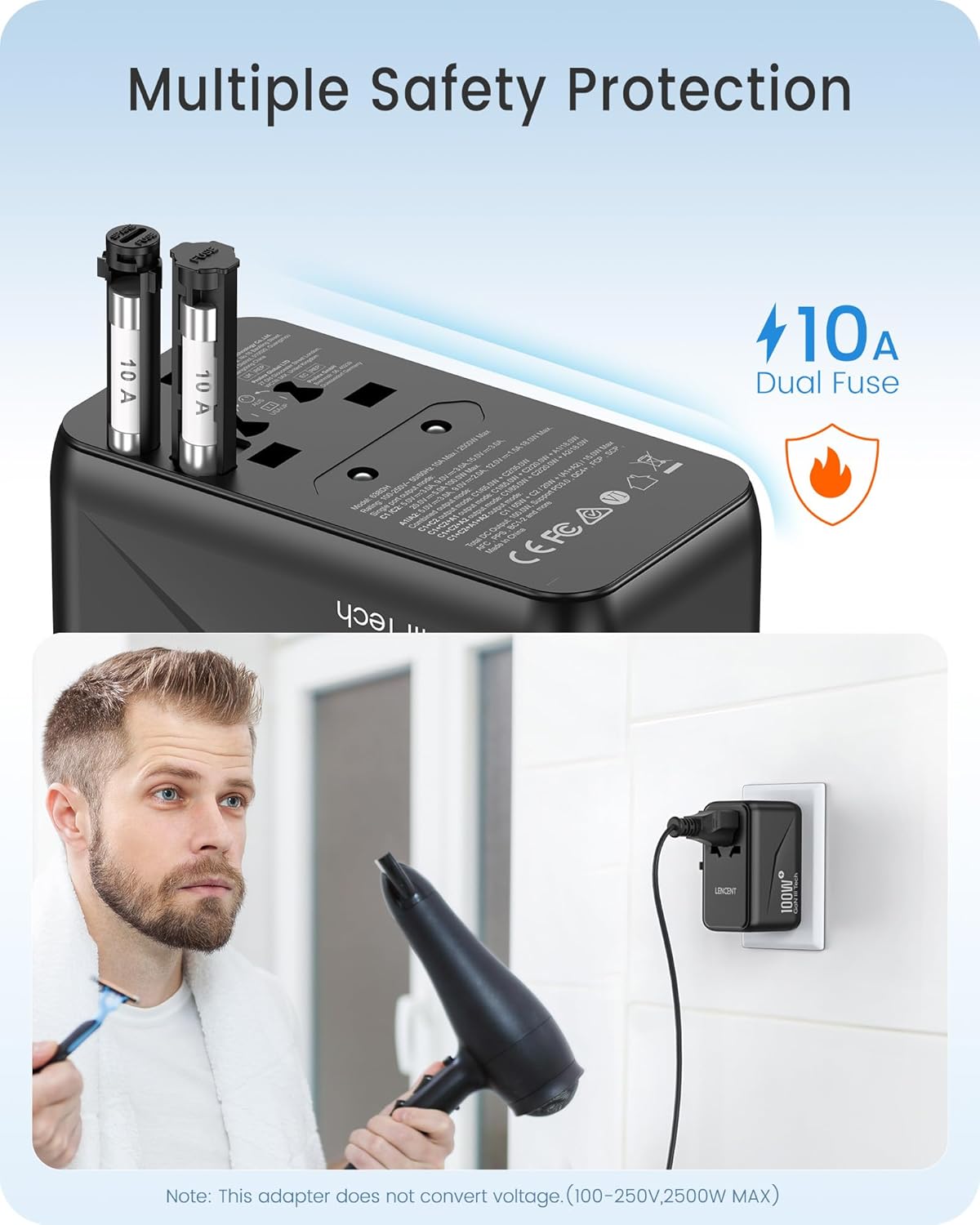
Imagen: Primer plano view of the adapter's side, highlighting the dual 10A fuses for safety and overload protection.
6. Solución de problemas
- Adapter not working:
- Asegúrese de que el adaptador esté completamente insertado en el tomacorriente de pared.
- Verify that the correct plug pins are fully extended and locked.
- Check if the device connected to the adapter is functioning correctly.
- Inspect the fuse. If blown, replace it with a new 10A fuse.
- El dispositivo no se carga o se carga lentamente:
- Asegúrese de que el cable de carga de su dispositivo esté conectado de forma segura tanto al adaptador como al dispositivo.
- Confirm that your device is compatible with the adapter's output specifications (voltage y wattagmi).
- If charging multiple devices, the total power output is shared. Disconnect some devices to see if charging speed improves for a specific device.
- Calentamiento excesivo:
- Disconnect all devices and unplug the adapter from the wall. Allow it to cool down.
- Asegurar el agua total.tage of connected devices does not exceed the adapter's maximum capacity (2500W).
- Asegúrese de que haya una ventilación adecuada alrededor del adaptador.
7. Especificaciones
| Número de modelo | 638DH |
| Vol de entradatage | 100-250 V ~ 50/60 Hz |
| Salida de CA | 100-250V ~ 10A Max, 2500W Max |
| Salida USB-C1 | 5 V/3 A, 9 V/3 A, 12 V/3 A, 15 V/3 A, 20 V/5 A (100 W máx.) |
| Salida USB-C2 | 5 V/3 A, 9 V/3 A, 12 V/2.9 A (35 W máx.) |
| Salida USB-A1/A2 | 5 V/3 A, 9 V/2 A, 12 V/1.5 A (18 W máx.) |
| Salida USB total | 100W Max |
| Dimensiones (L x An x Al) | 3.62 x 2.13 x 2.09 pulgadas (9.2 x 5.4 x 5.3 cm) |
| Peso del artículo | 9.5 onzas (268 gramos) |
| Tecnología | GaN III, PD 3.0, QC 4.0, PPS |
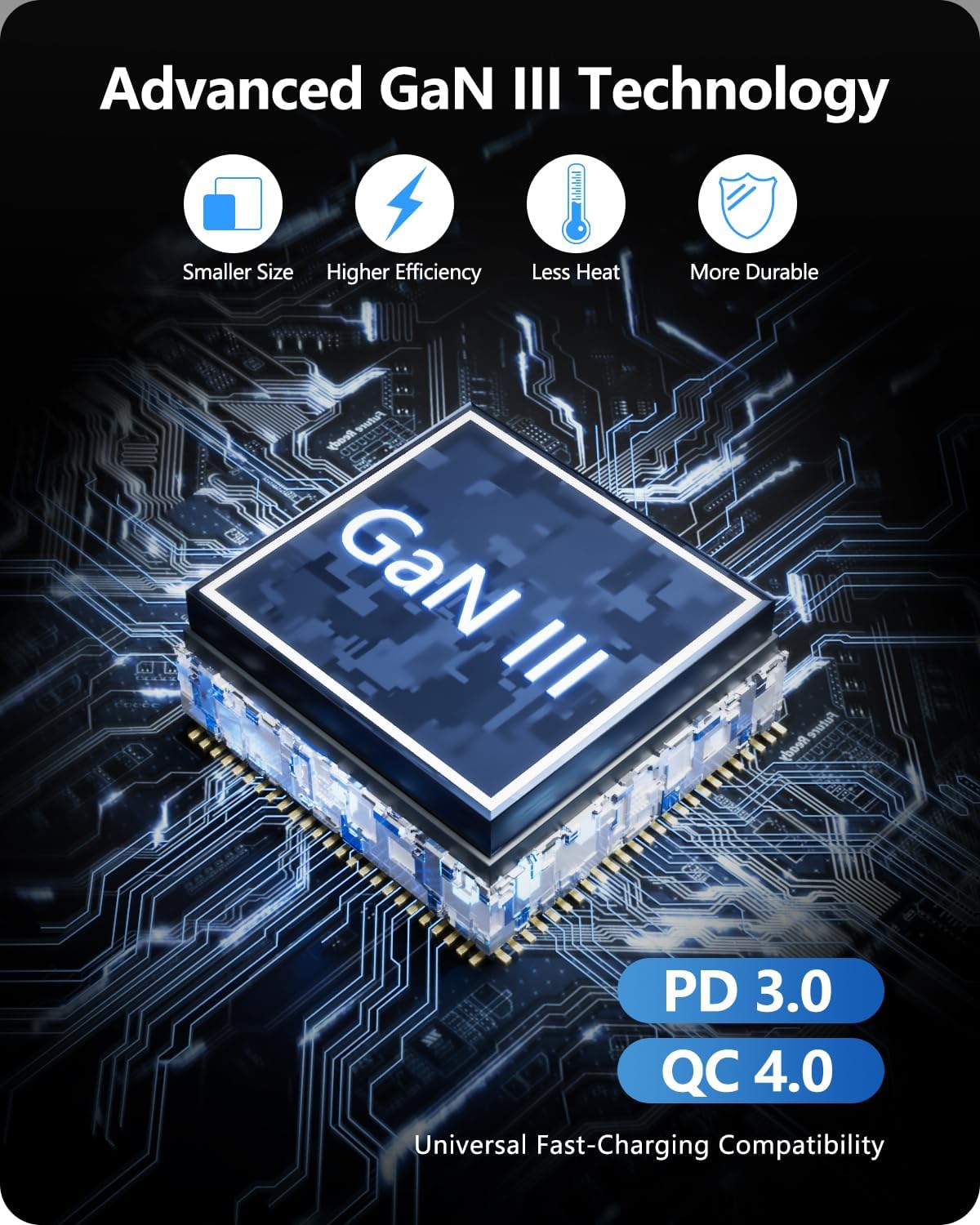
Image: Diagram illustrating the benefits of GaN III Technology: smaller size, higher efficiency, less heat, and increased durability.

Image: The adapter next to a smartphone, tablet, and smartwatch, emphasizing its compact size (2.05*3.62*2.09 inches).
8. Garantía y soporte
LENCENT products are manufactured with quality and reliability in mind. For warranty information or technical support, please refer to the official LENCENT webSitio web o contacte directamente con el servicio de atención al cliente. Conserve su comprobante de compra para cualquier reclamación de garantía.
Fabricante: LENCENT Technology Co.,Ltd.
Para obtener más ayuda, visite el Tienda LENCENT en Amazon.