
1. Introducción
This manual provides essential information for setting up, operating, maintaining, and troubleshooting your Beelink SER5 MAX Mini PC. Please read this guide thoroughly before using the device to ensure optimal performance and longevity.
The Beelink SER5 MAX is a compact and powerful mini PC designed for various applications, from office tasks and multimedia consumption to gaming and content creation. It features an AMD Ryzen R7 7735HS processor, 24GB LPDDR5 RAM, and a 500GB M.2 PCIe SSD, offering robust performance in a small form factor.

The Beelink SER5 MAX Mini PC is designed for compact and space-saving integration into any workspace.
2. Información de seguridad
- Utilice únicamente el adaptador de corriente proporcionado con el dispositivo.
- No exponga el dispositivo al agua, la humedad o temperaturas extremas.
- Evite colocar el dispositivo cerca de fuentes de calor o bajo la luz solar directa.
- Asegúrese de que haya una ventilación adecuada para evitar el sobrecalentamiento. No bloquee las aberturas de ventilación.
- No intente abrir ni reparar el dispositivo usted mismo. Consulte a personal de servicio técnico cualificado.
- Mantenga el dispositivo alejado de campos magnéticos fuertes.
3. Contenido del paquete
Verifique que todos los artículos estén presentes en el paquete:
- 1 miniordenador Beelink SER5 MAX
- 1 x adaptador de corriente
- 2 x HDMI Cables (100cm and 25cm)
- 1 soporte VESA con tornillos
- 1 x Manual de usuario

Illustration of the Beelink SER5 MAX Mini PC and its included accessories.
4. Producto terminadoview
4.1 Panel frontal
- Clave RTC: Reset CMOS button.
- USB3.2 Gen2: High-speed USB port (10Gbps).
- USB2.0: Puerto USB estándar.
- Tipo C: Data and Video output port (10Gbps, 4K@120Hz).
- Toma de auriculares: Salida de audio.
- Botón de encendido: Para encender/apagar el dispositivo.
4.2 Panel trasero
- LAN: Puerto Gigabit Ethernet (1000Mbps).
- USB3.2 Gen2: High-speed USB port (10Gbps).
- USB2.0: Standard USB port (480Mbps).
- DisplayPort 1.4: Video output (4K@144Hz).
- HDMI2.0: Video output (4K@60Hz).
- DC en: Entrada de alimentación.

Detallado view of the connectivity ports on the Beelink SER5 MAX Mini PC.
5. Instrucciones de configuración
5.1 Conexión de periféricos
- Connect your monitor(s) to the HDMI, DisplayPort, or Type-C ports using the provided or compatible cables.
- Conecte su teclado y mouse a los puertos USB disponibles.
- For wired network access, connect an Ethernet cable to the LAN port.
- If desired, connect external speakers or headphones to the headphone jack.
5.2 Encendido
- Connect the power adapter to the DC-in port on the rear panel of the mini PC.
- Conecte el adaptador de corriente a una toma de pared.
- Press the power button on the front panel to turn on the mini PC. The power indicator light will illuminate.
5.3 Configuración inicial del sistema operativo
The Beelink SER5 MAX typically comes with DOS pre-installed. You will need to install your preferred operating system (e.g., Windows, Linux) to use the device. Follow the on-screen instructions provided by your chosen operating system's installation media.
6. Instrucciones de funcionamiento
6.1 Uso general
Once your operating system is installed and configured, the Beelink SER5 MAX functions as a standard desktop computer. You can install applications, browse the internet, and perform various computing tasks.
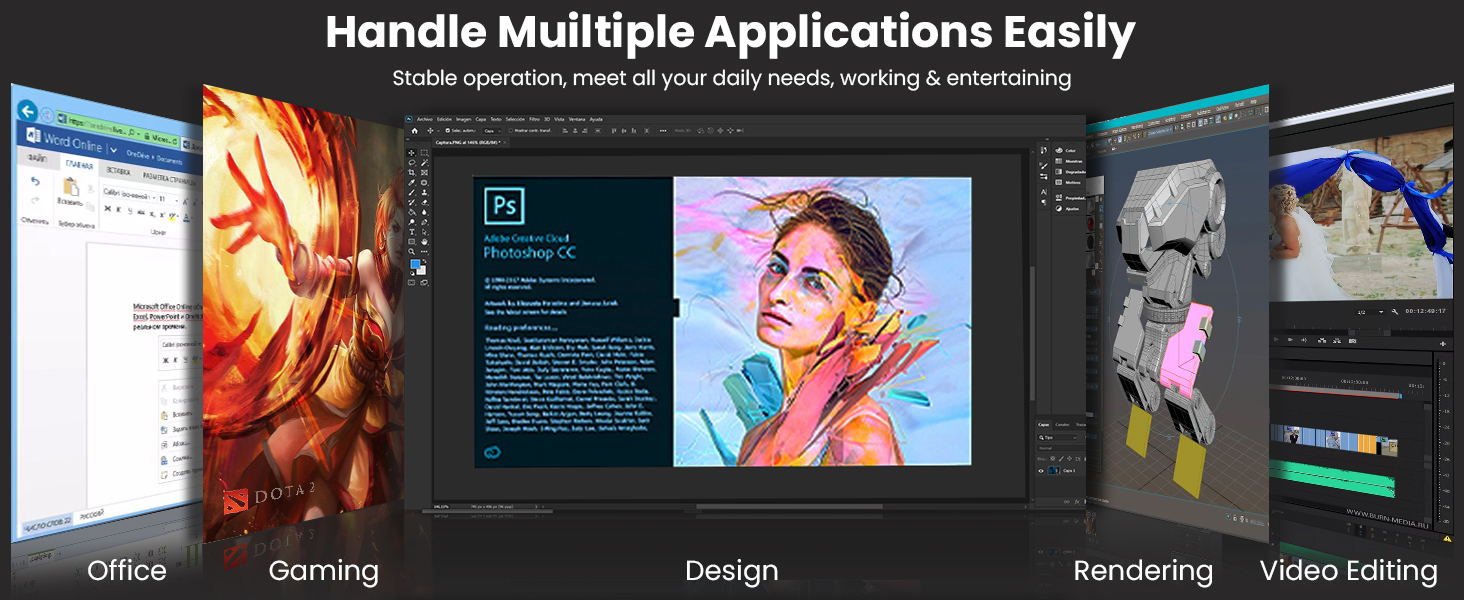
The Beelink SER5 MAX is capable of handling multiple applications, from office work to creative tasks.
6.2 Configuración de pantalla triple
The mini PC supports connecting up to three displays simultaneously for enhanced productivity or immersive experiences. Use the HDMI, DisplayPort, and Type-C video outputs.
- Puerto de pantalla: Admite una resolución de hasta 4K a 144 Hz.
- Tipo C: Admite una resolución de hasta 4K a 120 Hz.
- HDMI: Admite una resolución de hasta 4K a 60 Hz.

Triple display configuration allows for efficient multitasking and expanded visual workspace.
6.3 Conectividad inalámbrica
The SER5 MAX features Wi-Fi 6 for high-speed wireless internet access and Bluetooth 5.2 for connecting wireless peripherals such as keyboards, mice, and headphones.
- Wifi 6: Provides faster speeds and improved performance in congested network environments.
- Bluetooth 5.2: Offers stable and efficient connections for compatible devices.

Enjoy uninterrupted internet access and stable connections with Wi-Fi 6 and Bluetooth 5.2.
6.4 Expansión del almacenamiento
The mini PC comes with a 500GB M.2 PCIe 2280 SSD pre-installed. It supports two M.2 PCIe SSDs, allowing for significant storage expansion up to 4TB per slot (additional SSDs not included).

The Beelink SER5 MAX supports dual M.2 PCIe SSDs for flexible storage expansion.
7. Mantenimiento
7.1 Limpieza
- Limpie periódicamente el exterior de la mini PC con un paño suave y seco.
- Use compressed air to clear dust from the ventilation openings to maintain optimal airflow and cooling.
- No utilice limpiadores líquidos ni materiales abrasivos.
7.2 Actualizaciones de software
Keep your operating system and drivers updated to ensure system stability, security, and performance. Check the Beelink official website for the latest driver releases for your model.
7.3 Sistema de enfriamiento
The Beelink SER5 MAX features an MSC2.0 Cooling System with a heat pipe, heat sink, and silent fan. Ensure the device is placed in an area with adequate air circulation to allow the cooling system to function effectively.
8. Solución de problemas
If you encounter issues with your Beelink SER5 MAX, refer to the following common solutions:
- Sin energía: Asegúrese de que el adaptador de corriente esté bien conectado tanto a la mini PC como a la toma de corriente. Pruebe con otra toma de corriente.
- Sin pantalla: Verify that the monitor is powered on and correctly connected to the mini PC's video output port. Try a different video cable or monitor.
- Sin conexión a Internet: For wired connections, check the Ethernet cable and router. For Wi-Fi, ensure Wi-Fi is enabled in your operating system and you are connected to the correct network with the correct password.
- Rendimiento lento: Close unnecessary applications. Check for background processes consuming resources. Ensure the cooling system is not obstructed.
- Periférico no detectado: Ensure the peripheral is properly connected to the correct port. Try a different USB port. Install necessary drivers for the peripheral.
For persistent issues, refer to the Beelink support websitio o póngase en contacto con el servicio de atención al cliente.
9. Especificaciones
| Componente | Detalle |
|---|---|
| Procesador | AMD Ryzen R7 7735HS (8 Cores, 16 Threads, up to 4.75 GHz) |
| Gráficos | AMD Radeon 680M (Integrated Graphics, 2200 MHz) |
| RAM | 24GB LPDDR5 (3200 MHz, 2 slots, Max 24GB) |
| Almacenamiento | 500GB M.2 PCIe 2280 SSD (Supports 2x M.2 PCIe SSDs up to 4TB each) |
| Salida de vídeo | 1x HDMI 2.0 (4K@60Hz), 1x DisplayPort 1.4 (4K@144Hz), 1x Type-C (4K@120Hz) - Triple Display Support |
| Conectividad inalámbrica | Wi-Fi 6 (802.11ax), Bluetooth 5.2 |
| Conectividad por cable | 1x Gigabit Ethernet (LAN) |
| Puertos USB | 3x USB3.2 Gen2, 2x USB2.0, 1x Type-C (Total 5 USB ports + 1 Type-C) |
| Audio | 1x conector para auriculares |
| Consumo de energía | 54 vatios |
| Dimensiones | 11.3 x 4.2 x 12.6 cm |
| Peso | 940 gramos |
| Sistema operativo | DOS (User-installable OS) |

Key specifications and features of the Beelink SER5 MAX Mini PC.

The AMD Ryzen R7 7735HS processor powers the Beelink SER5 MAX.

Integrated AMD Radeon 680M Graphics provide capable visual performance.

The 24GB LPDDR5 RAM ensures smooth system operation and efficient processing.
10. Garantía y soporte
Beelink provides comprehensive support for your SER5 MAX Mini PC:
- Garantía: El producto viene con una garantía de un año.
- Apoyo técnico: Lifetime technical support is available for all Beelink products.
- Tiempo de respuesta: Las consultas de los clientes normalmente reciben respuesta en un plazo de 24 horas.
- Devoluciones: A 30-day return policy is offered for customer satisfaction.
For warranty claims, technical assistance, or product inquiries, please visit the official Beelink support websitio o comuníquese con su equipo de servicio al cliente.


