
1. Introducción y másview
The Buffbee Sound Machine & Alarm Clock is a versatile 2-in-1 device designed to enhance your sleep and wake-up experience. It combines a high-quality sound machine with a precise digital alarm clock, offering a range of features to create a peaceful environment and ensure timely waking.

Image 1.1: The Buffbee device highlighting its dual functionality as a sound machine and an alarm clock.
Características principales:
- Funcionalidad 2 en 1: Combines a sound machine and a digital alarm clock in one compact unit.
- 18 sonidos relajantes: Includes 5 white noises, 3 fan sounds, and 10 nature sounds (ocean, lullaby, waves, rain, thunderstorm, stream, croaks, bird chirps, summer night, campfire) to aid sleep and relaxation.
- Brillo de pantalla ajustable: Clock face brightness can be dimmed from 0% to 100% to suit your preference.
- Control de volumen preciso: Offers 30 levels of volume adjustment for optimal sound output.
- Tiempo de dormir: Set the sound machine to automatically turn off after 15, 30, 60, 90, or 120 minutes, or allow continuous play.
- Luz nocturna de 7 colores: Features a soothing colored light at the base with 7 color options and ON/OFF functionality.
- Altavoz de alta calidad: Equipped with a 5W speaker for rich, detailed sound.

Imagen 1.2: Frente view of the Buffbee Sound Machine & Alarm Clock, displaying the time and the top control panel.
2. Configuración
2.1 Desempaquetado y contenido
Carefully remove the Buffbee Sound Machine & Alarm Clock from its packaging. Verify that all components are present:
- Buffbee Sound Machine & Alarm Clock unit
- Adaptador de corriente (cable USB y adaptador de pared)
- Manual de usuario (este documento)
2.2 Conexión de alimentación
The device is powered by an electrical cable.
- Insert the small end of the USB power cable into the DC IN port on the back of the Buffbee unit.
- Plug the larger end of the USB cable into the provided wall adapter.
- Conecte el adaptador de pared a una toma eléctrica estándar.
The device will power on automatically, and the digital display will illuminate.
2.3 Configuración de la hora
Upon initial power-on or after a power outage, you may need to set the correct time.
- Mantenga pulsado el Hora establecida botón (normalmente indicado por un icono de reloj) en el panel superior hasta que los dígitos de la hora comiencen a parpadear.
- Utilice el +/- buttons (or arrow buttons) to adjust the hour.
- Presione el Hora establecida Presione nuevamente el botón para cambiar al ajuste de minutos.
- Utilice el +/- Botones para ajustar los minutos.
- Presione el Hora establecida Presione el botón una vez más para confirmar y salir del modo de configuración de la hora.
3. Instrucciones de funcionamiento
3.1 Sound Machine Function
The Buffbee Sound Machine offers 18 soothing sounds to help you relax and sleep.

Imagen 3.1: Interno view illustrating the upward-firing speaker for enhanced sound quality.
Reproducir sonidos:
- Presione el Modo de sonido button (often a music note icon) to cycle through the available sound categories (White Noise, Fan Sounds, Nature Sounds).
- Utilice el Next/Previous Sound buttons (arrow icons) to select a specific sound within the chosen category.
- The sound will begin playing automatically.
Ajuste del volumen:
The device features 30 levels of precise volume control.
- Presione el Subir volumen (+) or Bajar volumen (-) Botones para aumentar o disminuir el volumen del sonido.

Image 3.2: Illustration of the auto-off timer and 30-level precise volume control features.
Configuración del temporizador de reposo:
The sleep timer allows the sound machine to turn off automatically after a set duration.
- Presione el Minutero button (often an hourglass icon) repeatedly to cycle through the available timer options: 15 minutes, 30 minutes, 60 minutes, 90 minutes, 120 minutes, or continuous play (indicated by 'ON' or no timer display).
- The selected timer duration will be displayed briefly on the screen.
3.2 Función de despertador
The Buffbee device functions as a digital alarm clock with customizable wake-up sounds.
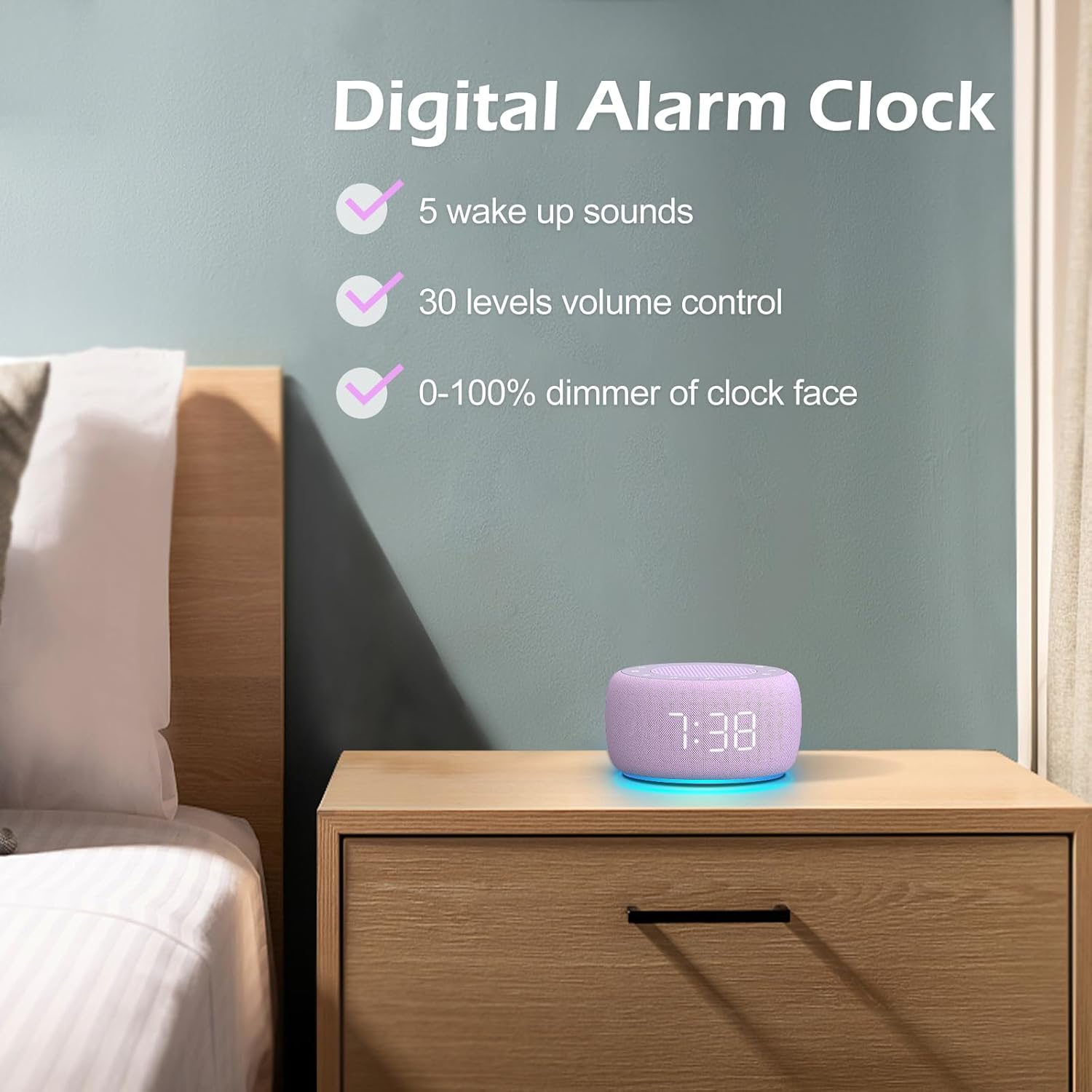
Imagen 3.3: Másview of the digital alarm clock features, including wake-up sounds, volume control, and display dimmer.
Configurar una alarma:
- Mantenga pulsado el Set de alarmas button (often an alarm clock icon) until the alarm hour digits begin to flash.
- Utilice el +/- Botones para ajustar la hora de la alarma.
- Presione el Set de alarmas Presione nuevamente el botón para cambiar al ajuste de minutos.
- Utilice el +/- Botones para ajustar los minutos de la alarma.
- Presione el Set de alarmas button one more time to confirm the alarm time.
- After setting the time, you can select the wake-up sound by pressing the Selección de sonido button (if available, or use +/- buttons while alarm sound is flashing). There are 5 wake-up sounds available.
- Presione el Set de alarmas button again to activate the alarm. An alarm icon will appear on the display.
Función de repetición:
Cuando suene la alarma, presione el Siesta button (usually a large button on top or a dedicated snooze icon) to temporarily silence the alarm for a few minutes (typically 9 minutes). The alarm will sound again after the snooze period.
Apagar la alarma:
Para apagar la alarma por completo, presione el botón Alarma encendida / apagada button (often the same as the Alarm Set button, or a dedicated toggle). The alarm icon will disappear from the display.
3.3 Display & Light Functions
Ajuste del brillo de la pantalla:
The digital display brightness can be adjusted from 0% (completely dark) to 100% (brightest).

Image 3.4: Demonstration of the 0-100% display dimmer feature, showing various brightness levels.
- Presione el Regulador de intensidad button (often a sun icon) repeatedly to cycle through different brightness levels.
- Sostener el Regulador de intensidad button to smoothly adjust the brightness from 0% to 100% and vice versa. Release the button at your desired brightness.
Uso de la luz nocturna:
The device features a colored night light at its base with 7 color options.

Image 3.5: The Buffbee device showcasing su función de luz nocturna de 7 colores en un entorno de dormitorio.
- Presione el Luz button (often a light bulb icon) to turn the night light ON.
- Presione el Luz Presione el botón repetidamente para recorrer los 7 colores disponibles.
- Presione el Luz button one more time after cycling through all colors to turn the night light OFF.
4. Mantenimiento
4.1 Limpieza
To maintain the appearance and functionality of your Buffbee device:
- Desenchufe siempre el dispositivo de la toma de corriente antes de limpiarlo.
- Utilice un paño suave, seco y sin pelusa para limpiar las superficies exteriores.
- No utilice limpiadores abrasivos, ceras o disolventes, ya que pueden dañar el acabado.
- Evite que entre humedad en las aberturas.
4.2 Almacenamiento
Cuando no utilice el dispositivo durante períodos prolongados, guárdelo en un lugar fresco y seco, alejado de la luz solar directa y de temperaturas extremas.
4.3 Advertencias de seguridad
Tenga en cuenta las siguientes precauciones de seguridad:
- Este producto no es un juguete. Mantener fuera del alcance de los niños.
- Handle with care to avoid electric shock. Do not expose the device to water or excessive moisture.
- Use within recommended noise exposure limits to prevent hearing damage.
- No intente desmontar ni reparar el dispositivo usted mismo. Encargue cualquier servicio técnico a personal cualificado.
5. Solución de problemas
If you encounter issues with your Buffbee Sound Machine & Alarm Clock, please refer to the following common problems and solutions:
| Problema | Posible causa | Solución |
|---|---|---|
| El dispositivo no se enciende. | No hay conexión de alimentación o adaptador defectuoso. | Ensure the power cable is securely plugged into the device and the wall outlet. Try a different outlet. |
| No sale sonido del altavoz. | El volumen está demasiado bajo o silenciado. Se seleccionó un sonido incorrecto. | Aumente el volumen usando el Subir volumen (+) button. Ensure a sound is selected and not paused. |
| La alarma no suena. | Alarm is not set or not activated. Alarm volume is too low. | Verify that the alarm time is set correctly and the alarm icon is displayed. Increase the alarm volume (if separate from main volume). |
| La pantalla es demasiado oscura o demasiado brillante. | Display dimmer setting is incorrect. | Mantenga pulsado el botón Regulador de intensidad button to adjust the brightness to your preference. |
| La luz nocturna no funciona. | Night light is turned off. | Presione el Luz button to turn on and cycle through colors. |
6. Especificaciones
Detailed technical specifications for the Buffbee Sound Machine & Alarm Clock (Model BK11):
| Característica | Especificación |
|---|---|
| Marca | bufé |
| Número de modelo | BK11 |
| Color | Violeta |
| Material | Plástico |
| Fuente de poder | Eléctrico con cable |
| Dimensiones del producto | 14.3 x 11.2 x 7.7 cm (5.6 x 4.4 x 3.0 pulgadas) |
| Peso del artículo | 322 gramos (0.71 libras) |
| Salida de altavoz | 5W |
| Opciones de sonido | 18 Soothing Sounds (5 White Noise, 3 Fan, 10 Nature) |
| Niveles de volumen | 30 Precise Levels |
| Atenuador de pantalla | 0-100% Adjustable Brightness |
| Colores de luz nocturna | 7 Colores |
| Opciones del temporizador de apagado automático | 15, 30, 60, 90, 120 minutes, or Continuous Play |
| Wake-up Sounds | 5 Alarm Sounds |
7. Garantía y soporte
7.1 Información de garantía
Este producto incluye una garantía estándar del fabricante. Consulte el embalaje del producto o la información del vendedor. websitio para conocer los términos y condiciones específicos de la garantía, incluidos los detalles sobre la duración y la cobertura.
7.2 Atención al cliente
For any questions, technical assistance, or warranty claims, please contact Buffbee customer support through the retailer's platform or the official Buffbee website. Have your product model number (BK11) and purchase details ready when contacting support.