
1. Introducción
This manual provides essential information for setting up, operating, maintaining, and troubleshooting your VIBOX VIII-100 Gaming PC. This high-performance system is designed for gaming, photo editing, and video editing, featuring an Intel Core i9-12900KF processor, Nvidia GeForce RTX 5060 graphics card, 16GB DDR4 RAM, and a 1TB SSD, running on Windows 11 Home.

The VIBOX VIII-100 Gaming PC, highlighting its internal components and vibrant RGB lighting.
2. Configuración
2.1 Desembalaje e inspección inicial
Retire con cuidado todos los componentes del embalaje. Asegúrese de que estén presentes los siguientes elementos:
- VIBOX VIII-100 PC Tower
- Monitor de 23 pulgadas
- Teclado para juegos
- Ratón para juegos
- Auriculares
- Alfombrilla de ratón LED
- USB Wi-Fi 6 AX900 and Bluetooth 5.4 Adapter
- Cables de alimentación
- Display Cables (HDMI/DisplayPort)
2.2 Conexión de periféricos
Connect your monitor, keyboard, mouse, and headset to the appropriate ports on the rear and front of the PC tower. The PC features versatile connectivity options.
- Monitor: Use the HDMI or DisplayPort outputs on the graphics card.
- Teclado y ratón: Connect to any available USB ports (USB 2.0 or USB 3.0).
- Auriculares: Connect to the audio jacks (headphone and microphone) or a USB port if it's a USB headset.
- Fuerza: Connect the power cable to the PC and a wall outlet.
- Red: Connect an Ethernet cable for wired internet or use the provided USB Wi-Fi adapter for wireless connectivity.

Front panel connectivity ports, including USB 3.0, USB 2.0, headphone jack, RGB control, and power.
2.3 Primer encendido
Press the power button on the front of the PC tower. The system will boot into Windows 11 Home. Follow the on-screen instructions for initial Windows setup, including language, region, and user account creation.
3. Instrucciones de funcionamiento
3.1 Windows 11 Home
Your VIBOX VIII-100 PC comes pre-installed with Windows 11 Home, optimized for gaming. Key features include:
- DirectStorage: For faster game loading times.
- HDR automático: Enhances visuals for supported games.
- Xbox Game Pass Integration: Seamless access to a library of games.
- Optimized CPU Performance: For a smoother gaming experience.
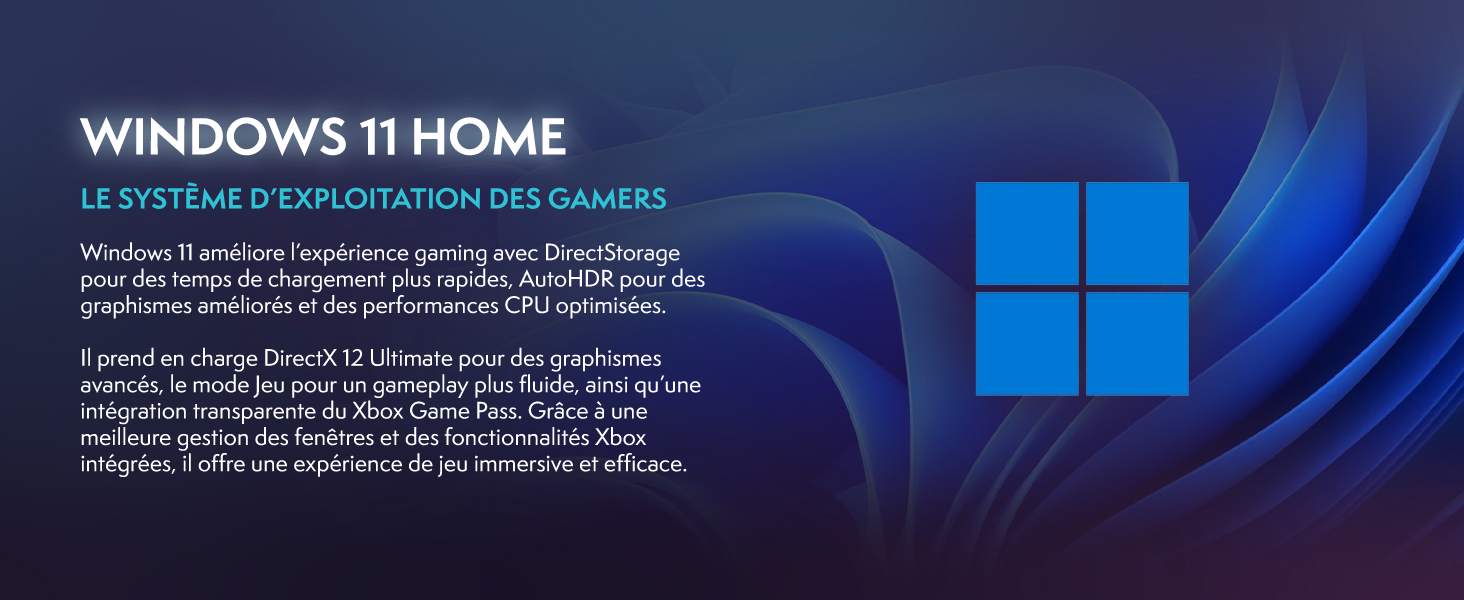
Windows 11 Home, the operating system designed for gamers.
3.2 Juegos y rendimiento
The Intel Core i9-12900KF processor and Nvidia GeForce RTX 5060 graphics card provide excellent performance for demanding games and applications. The 16GB DDR4 RAM ensures smooth multitasking.
For optimal gaming performance, ensure your graphics drivers are up to date. You can manage RGB lighting effects using the dedicated button on the front panel or through compatible software.
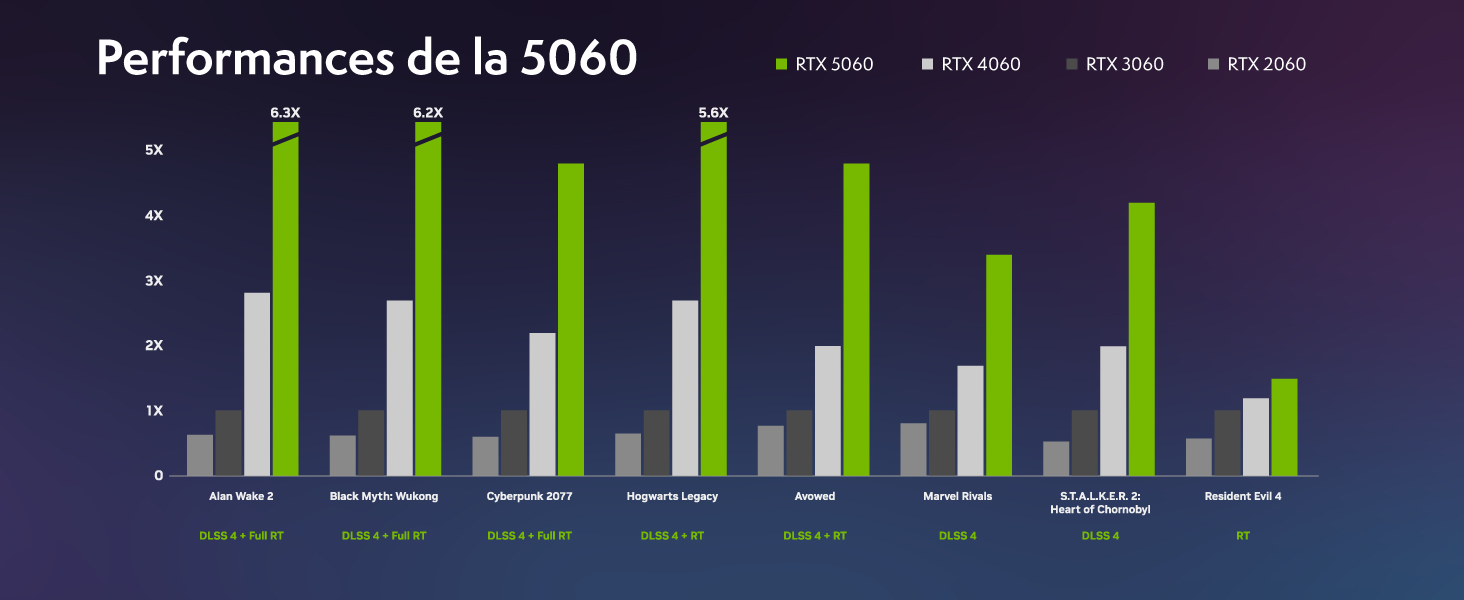
Performance benchmarks for the RTX 5060 in popular games.
4. Mantenimiento
4.1 Sistema de enfriamiento
Your VIBOX VIII-100 PC features an advanced cooling system, including a 120mm AIO liquid cooler for the CPU and Hex RGB Infinity 120mm fans for optimal airflow. The mesh design of the ATX gaming case ensures excellent ventilation.
- AIO Liquid Cooler: Provides efficient and quiet CPU cooling.
- Hex RGB Fans: Enhance airflow and allow for customizable aesthetics.
- Diseño de malla: Promotes superior air intake and exhaust.

The VIBOX AIO 120mm liquid cooler ensures stable CPU temperatures.
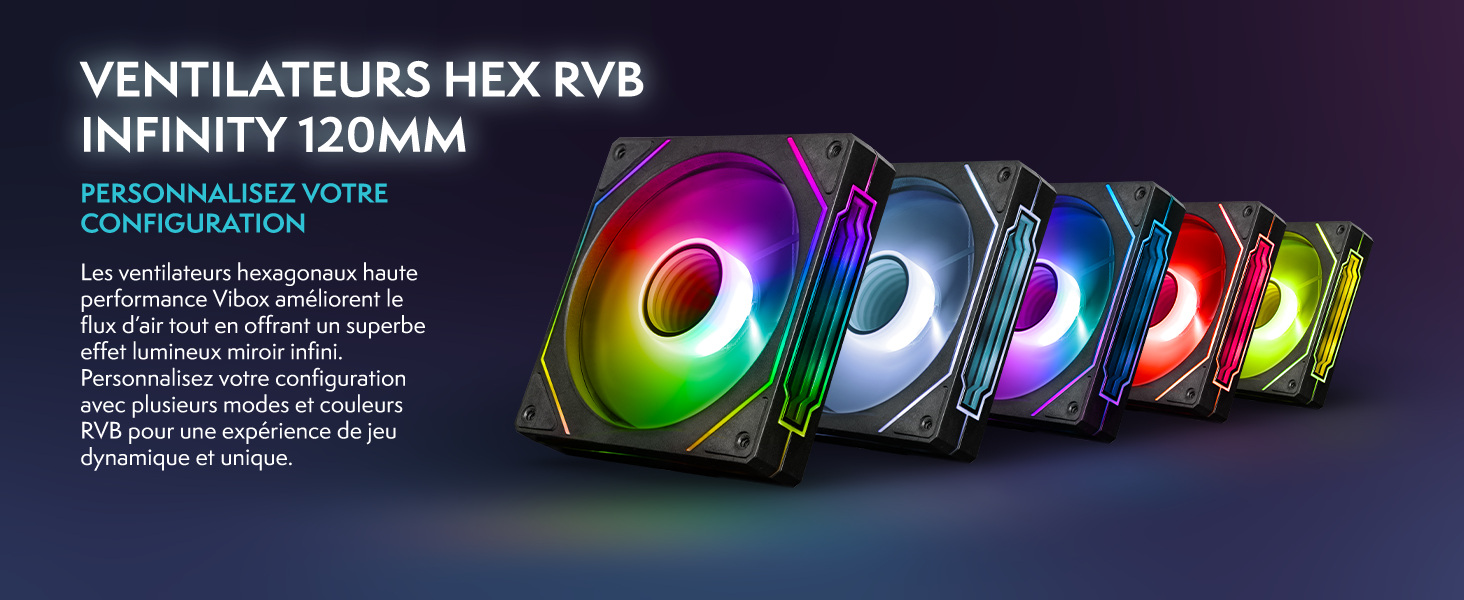
Hex RGB Infinity 120mm fans for personalized aesthetics and improved airflow.
4.2 Limpieza
Regular cleaning helps maintain optimal performance and extends the lifespan of your PC. The VTX-3 case features a magnetic, hinged tempered glass side panel for easy access to components for cleaning and maintenance.
- Exterior: Limpie las superficies exteriores con un paño suave, damp paño. Evite los productos químicos agresivos.
- Interior: Periodically open the side panel and use compressed air to remove dust from fans, heatsinks, and other components. Ensure the PC is powered off and unplugged before cleaning the interior.

The modern ATX gaming case with mesh design and tempered glass side panel for easy access.
4.3 Actualizaciones de software
Keep your operating system and drivers updated to ensure stability, security, and optimal performance. Windows Update will handle OS updates, and graphics drivers can be updated via NVIDIA's official websitio o software GeForce Experience.
5. Solución de problemas
If you encounter issues with your VIBOX VIII-100 PC, consider the following common troubleshooting steps:
- Sin energía: Ensure all power cables are securely connected to the PC and the wall outlet. Check the power switch on the power supply unit (PSU) at the back of the PC.
- Sin pantalla: Verify that the monitor is connected to the graphics card's output (HDMI or DisplayPort), not the motherboard's integrated graphics ports. Ensure the monitor is powered on and set to the correct input source.
- Ruido del ventilador: While the cooling system is designed for efficiency, high fan speeds can occur under heavy load. Ensure the PC has adequate ventilation and is not obstructed. If noise is excessive or unusual, check for dust buildup in fans and heatsinks.
- Inestabilidad/fallos del sistema: Ensure all drivers are up to date. Check for Windows updates. Monitor component temperatures using software utilities.
- Problemas periféricos: Try connecting the keyboard, mouse, or headset to different USB ports. Ensure drivers for specialized peripherals are installed.
For persistent issues, refer to the official VIBOX support resources or contact customer service.
6. Especificaciones
Detailed technical specifications for your VIBOX VIII-100 Gaming PC:
| Componente | Especificación |
|---|---|
| Marca | VIBOX |
| Nombre del modelo | VIII-100 |
| Sistema operativo | Inicio de Windows 11 |
| Modelo de CPU | Intel Core i9-12900KF |
| Velocidad de la CPU | 3.2 GHz (Max 5.2 GHz) |
| Núcleos de CPU | 16 |
| Coprocesador gráfico | Nvidia GeForce RTX 5060 |
| RAM de gráficos | 8 GB GDDR7 |
| RAM instalada | 16 GB DDR4 |
| RAM máxima admitida | 128 GB |
| Capacidad de almacenamiento | SSD de 1TB |
| Conectividad | Ethernet, HDMI, USB, Wi-Fi 6 AX900, Bluetooth 5.4 |
| Interfaz de salida de vídeo | HDMI, DisplayPort |
| Método de enfriamiento | Water Cooling (AIO 120mm) |
| Dimensiones (L x An x Al) | 40 x 21 x 45 cm |
| Included Monitor Size | 23 pulgadas |
| Resolución del monitor | 1920x1080 píxeles |
| Disposición del teclado | Azerty |

Encimaview of the VIBOX VIII-100's core components.
7. Garantía y soporte
7.1 Información de garantía
Your VIBOX VIII-100 Gaming PC comes with a 2 años de garantía de piezas y lifetime labor warrantyConserve su comprobante de compra para reclamaciones de garantía.
7.2 Atención al cliente
For technical assistance, warranty inquiries, or any other support needs, please contact VIBOX customer service. You can also refer to the official user guide PDF for more detailed information.
Guía oficial del usuario (PDF): Descarga aquí