
Introducción
This manual provides instructions for the proper setup, operation, and maintenance of your MXR Phase 90 50th-Anniversary Pedal. Please read this manual thoroughly before use to ensure optimal performance and longevity of the product.
Información de seguridad
- Use only the specified power adapter (9 Volts DC, 2.1mm barrel connector, center-negative).
- Do not expose the pedal to moisture or extreme temperatures.
- Do not attempt to open or modify the pedal casing.
- Mantener fuera del alcance de los niños.
Producto terminadoview
The MXR Phase 90 is a classic phaser guitar effects pedal known for its distinctive modulation sound. This 50th-anniversary edition features a special gold finish and simple, single-knob operation.
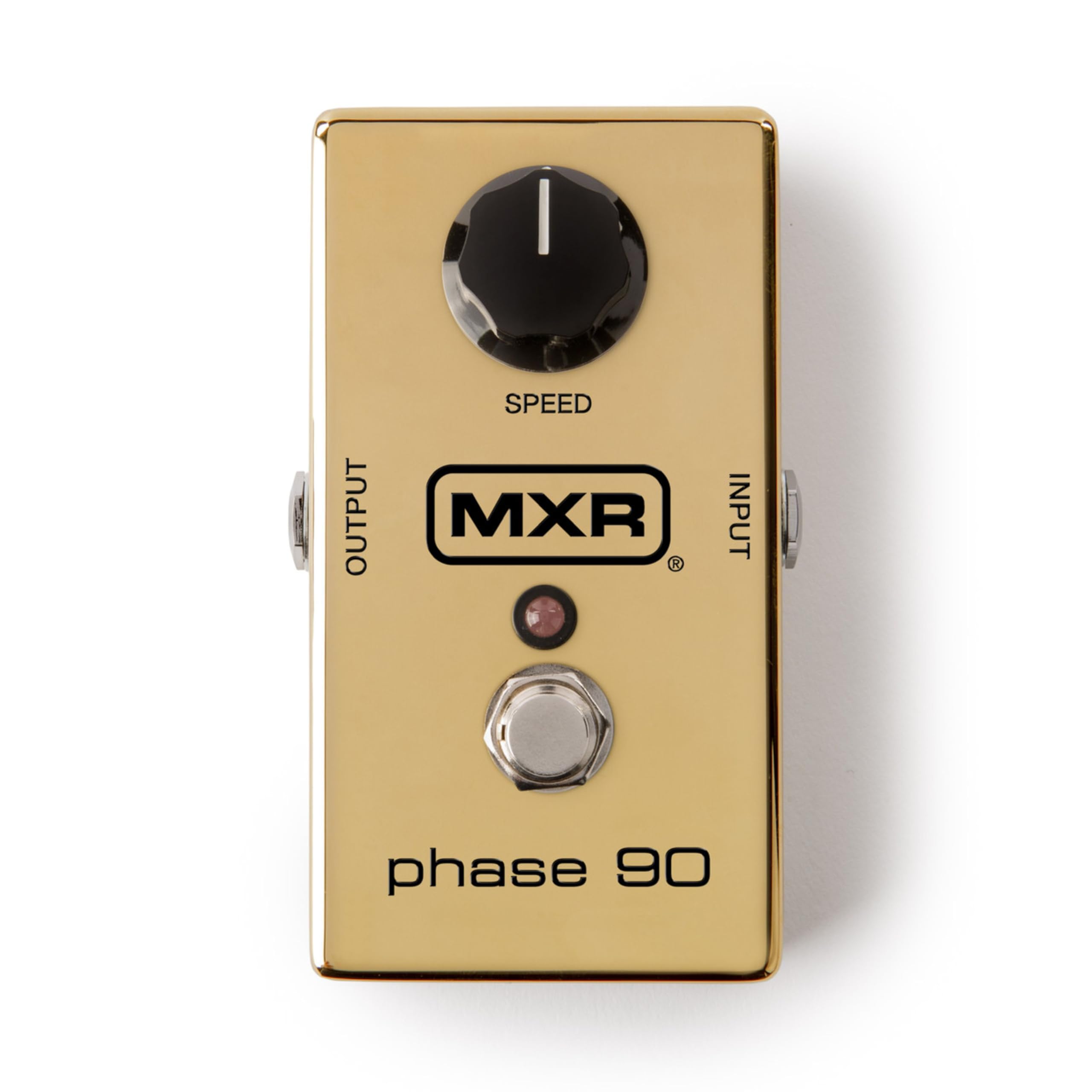
Imagen: de arriba hacia abajo view of the MXR Phase 90 50th-Anniversary Pedal. The pedal is gold-colored with a single black 'SPEED' knob on the top left, an input jack on the right side, an output jack on the left side, and a footswitch with an LED indicator in the center. The MXR logo and 'phase 90' are visible on the top surface.
Configuración
- Conexión de energía: Connect a 9-volt DC AC adapter (not included) to the power input jack on the side of the pedal. Ensure the adapter has a 2.1mm barrel connector and center-negative polarity.
- Entrada del instrumento: Connect your instrument (e.g., guitar) to the INPUT jack on the right side of the pedal using a standard 1/4-inch instrument cable.
- AmpSalida del amplificador: Conecte el jack OUTPUT en el lado izquierdo del pedal a su amplifier o el siguiente pedal en su cadena de señal utilizando un cable de instrumento estándar de 1/4 de pulgada.
- Colocación: Coloca el pedal sobre una superficie estable o intégralo a tu pedalera.

Imagen: Lateral view of the MXR Phase 90 50th-Anniversary Pedal showing the power input jack (left) and the instrument input jack (right). The pedal is gold with a black 'SPEED' knob visible on the top surface.
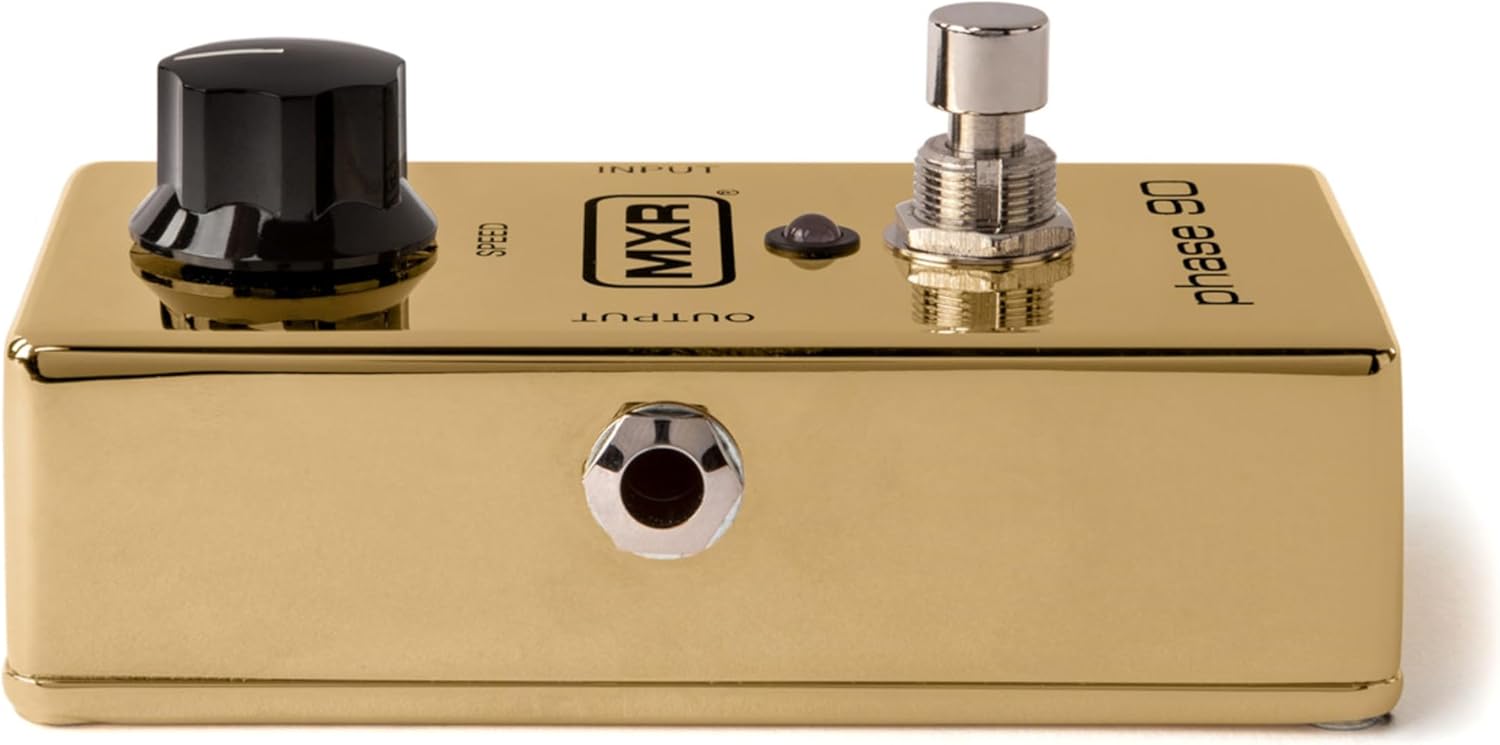
Imagen: Arriba view of the MXR Phase 90 50th-Anniversary Pedal, highlighting the 'INPUT' and 'OUTPUT' labels near the respective jacks. The gold finish and black 'SPEED' knob are prominent.
Instrucciones de funcionamiento
Controles
- Perilla de VELOCIDAD: This is the only control on the Phase 90. Turning the knob clockwise increases the speed of the phasing effect, while turning it counter-clockwise decreases the speed. Experiment with different settings to achieve various modulation sounds, from subtle sweeps to fast, watery warbles.
- Pedal: Press the footswitch to engage or bypass the phasing effect. The LED indicator will illuminate when the effect is active.

Imagen: Primer plano view of the black 'SPEED' knob on the MXR Phase 90 pedal. The knob has a white indicator line for setting the phase speed.

Imagen: Primer plano view of the chrome footswitch and the small red LED indicator on the MXR Phase 90 pedal. The footswitch is used to activate or deactivate the effect.
Operación básica
- Ensure all connections (power, input, output) are secure.
- Enciende tu ampmás duradero.
- Press the footswitch to activate the Phase 90. The LED will light up.
- Adjust the SPEED knob to achieve your desired phasinefecto g.
- To bypass the effect, press the footswitch again. The LED will turn off.
Mantenimiento
- Limpieza: Limpie el pedal con un paño suave y seco. No utilice limpiadores abrasivos ni disolventes.
- Almacenamiento: Store the pedal in a dry environment, away from direct sunlight and extreme temperatures, when not in use.
- Reemplazo de batería: This pedal is designed for AC adapter use. There is no internal battery compartment.
Solución de problemas
Sin sonido
- Compruebe todas las conexiones de cables (instrumento, ampificador, potencia).
- Ensure the power adapter is correctly connected and providing power (LED should light up when engaged).
- Test with different cables and a different power supply if available.
- Omite el pedal para confirmar tu instrumento y amplifier están funcionando correctamente.
Efecto no atractivo
- Ensure the power adapter is connected and functional.
- Presione el pedal firmemente. El LED debería iluminarse cuando el efecto esté activo.
Ruido no deseado
- Asegúrese de que todos los cables estén blindados y en buenas condiciones.
- Check for ground loops in your setup. Try isolating the power supply.
- Ensure the power adapter is rated correctly for the pedal (9V DC, center-negative).
Presupuesto
| Característica | Detalle |
|---|---|
| Modelo | M101GLD |
| de tipos de efectos | Phaser |
| Controles | 1x SPEED knob |
| Aporte | 1/4-inch Instrument Jack |
| Producción | 1/4-inch Instrument Jack |
| Fuerza | 9V DC, 2.1mm barrel connector, center-negative (AC adapter not included) |
| Dimensiones | 5.5 x 4.5 x 2.5 pulgadas (aproximadamente) |
| Peso | 1.16 libras (aproximadamente) |
| Color | Oro |
Información de garantía
This MXR product is covered by a 2-year warranty from the date of purchase. The warranty covers defects in materials and workmanship under normal use. It does not cover damage caused by misuse, accident, modification, or unauthorized repair. Please retain your proof of purchase for warranty claims.
Apoyo
For technical assistance, troubleshooting beyond this manual, or warranty service, please contact MXR customer support through their official website or authorized service centers. Refer to the MXR webSitio para obtener la información de contacto más actualizada.