
Introducción
This manual provides comprehensive instructions for the Veho Kuzo Sports Smart Watch F1S. Please read this manual carefully before using your device to ensure proper operation and to maximize its features. Keep this manual for future reference.

Imagen: Frente view of the Veho Kuzo Sports Smart Watch F1S, showcasing su pantalla redonda y su diseño robusto.
Información de seguridad
Always follow basic safety precautions when using this device to reduce the risk of injury, electric shock, fire, or damage to the product.
- No intente desarmar o modificar el dispositivo.
- Mantenga el dispositivo alejado de temperaturas extremas y de la luz solar directa.
- Evite exponer el dispositivo a impactos fuertes o caídas.
- Consulte con un profesional médico antes de comenzar cualquier nuevo régimen de ejercicios, especialmente si tiene condiciones de salud preexistentes.
- The device is water-resistant (IP68) but not waterproof for diving or high-pressure water activities.
Contenido del paquete
Asegúrese de que todos los artículos estén presentes en la caja:
- Veho Kuzo Sports Smart Watch F1S (Black)
- Magnetic Charging Cradle (USB-A)
- Manual de usuario en varios idiomas
Configuración
1. Carga del reloj inteligente
Before first use, fully charge your Veho Kuzo F1S Smart Watch.
- Connect the magnetic charging cradle to a USB-A power source (e.g., computer USB port, wall adapter).
- Align the magnetic pins of the cradle with the charging contacts on the back of the watch. The watch will snap into place and display a charging indicator.
- Charge for approximately 2 hours for a full charge. A full charge provides up to 15 days of typical use.

Image: Graphic illustrating the 15-day battery life of the Veho Kuzo F1S Smart Watch.
2. Instalación de la aplicación complementaria
Para desbloquear todas las funciones y sincronizar datos, descargue la aplicación complementaria oficial en su teléfono inteligente.
- The app is compatible with Apple iOS and Android devices.
- Buscar "Kuzo" or "Veho Kuzo" in your device's app store.
- Install the app and follow the on-screen instructions to create an account.
3. Emparejamiento con su teléfono inteligente
After installing the app, pair your watch with your phone via Bluetooth.
- Asegúrese de que Bluetooth esté habilitado en su teléfono inteligente.
- Open the companion app and navigate to the device pairing section.
- Turn on your Veho Kuzo F1S Smart Watch.
- Select your watch from the list of available devices in the app.
- Confirme la solicitud de emparejamiento tanto en su reloj como en su teléfono inteligente.

Image: A smartphone displaying the Veho Kuzo companion app, showing health and activity data.
Instrucciones de funcionamiento
Navegación básica
The Veho Kuzo F1S features a 1.3-inch AMOLED touchscreen and physical buttons for navigation.
- Pantalla táctil: Desliza el dedo hacia arriba, abajo, izquierda o derecha para navegar por los menús y widgets. Toca para seleccionar elementos.
- Botones laterales: Use the physical buttons on the side of the watch to return to the home screen, access sports modes, or other quick functions.
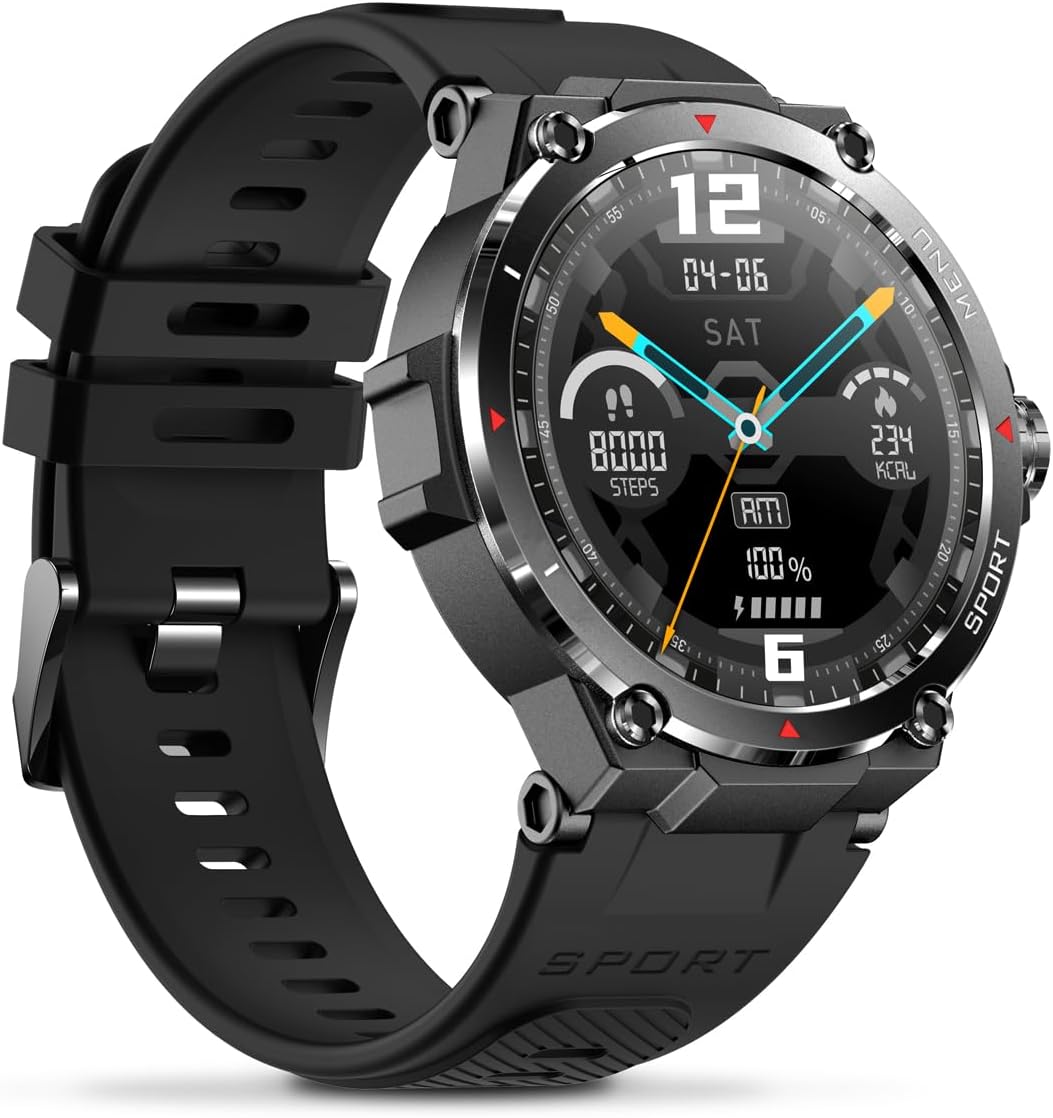
Imagen: Lateral view of the Veho Kuzo F1S Smart Watch, highlighting the control buttons and rugged casing.
Seguimiento de la salud y el estado físico
The watch continuously monitors various health and fitness metrics.
- Frecuencia cardíaca: Monitoreo de frecuencia cardíaca 24 horas al día, 7 días a la semana. View datos en tiempo real en el reloj o tendencias detalladas en la aplicación.
- Oxígeno en sangre: Mida sus niveles de oxígeno en sangre.
- Rastreador de actividad: Tracks steps, calories burned, and distance covered. Supports walking, running, and cycling.
- Monitor de sueño: Monitors daily, weekly, and monthly sleep patterns, detailing deep sleep, light sleep, and awake times.
- GPS: Built-in 3-mode GPS (GPS+Beidou+Glonass) and Assisted GPS (AGPS) for accurate outdoor performance tracking and live map positioning. Compatible with STRAVA.

Image: The Veho Kuzo F1S Smart Watch displaying heart rate monitoring data.
Funciones inteligentes
- Notificaciones: Receive push notifications from apps like WhatsApp, Twitter, Facebook, LinkedIn, Skype, YouTube, Messenger, and Instagram directly on your watch.
- Control de música: Control music playback (volume, skip tracks, play/pause) on your paired smartphone directly from the watch.
- Funciones de tiempo: Access alarm, timer, intermittent timer, stopwatch, and countdown functions.
- Encontrar teléfono: Utilice su reloj para localizar su teléfono inteligente emparejado.
- News/Weather App: Integrated news and weather application functionality.
- Esferas de reloj personalizables: Choose from hundreds of different watch face designs through the companion app.
Mantenimiento
Limpieza
Para mantener la apariencia y funcionalidad del reloj:
- Limpie el reloj y la correa regularmente con un paño suave.amp paño.
- Evite utilizar productos químicos agresivos o limpiadores abrasivos.
- Asegúrese de que los contactos de carga estén limpios y secos antes de cargar.
Resistencia al agua (IP68)
The Veho Kuzo F1S Smart Watch has an IP68 rating, meaning it is water-resistant in fresh water up to a maximum depth of 1.5 meters for up to 30 minutes, and is protected from dust.
- Do not use the watch for diving, snorkeling, or high-speed water sports.
- Avoid exposing the watch to hot water, steam, or detergents.
- Seque completamente el reloj después de exponerlo al agua.
Cuidado de la batería
- Cargue el reloj periódicamente para mantener la salud de la batería.
- Evite descargar completamente la batería con frecuencia.
- Guarde el reloj en un lugar fresco y seco si no lo utiliza durante períodos prolongados.
Solución de problemas
If you encounter issues with your Veho Kuzo F1S Smart Watch, refer to the following common solutions:
- El reloj no enciende: Ensure the watch is fully charged. Connect it to the charging cradle and check for the charging indicator.
- No se puede emparejar con el teléfono:
- Asegúrese de que Bluetooth esté habilitado en su teléfono y en el reloj.
- Asegúrese de que el reloj esté dentro del alcance de su teléfono.
- Reinicie tanto el reloj como el teléfono.
- Intente desvincular y volver a vincular el dispositivo a través de la aplicación.
- Datos de salud inexactos:
- Asegúrese de que el reloj esté ajustado cómodamente a su muñeca, pero no demasiado apretado.
- Limpie el sensor en la parte posterior del reloj.
- Environmental factors and skin conditions can affect accuracy.
- Las notificaciones no aparecen:
- Verifique la configuración de notificaciones de la aplicación en su teléfono y dentro de la aplicación complementaria.
- Asegúrese de que el reloj esté conectado a su teléfono a través de Bluetooth.
Para obtener más ayuda, consulte la sección de soporte o comuníquese con el servicio de atención al cliente.
Presupuesto
| Nombre del modelo | F1S |
| Número de modelo | VSW-001-F1S-B (164426) |
| Mostrar | 1.3" AMOLED Touchscreen |
| Resolución | 360 x 360 píxeles |
| Conjunto de chips | Dialogue14695, PPGHX3690 |
| Memoria | ROM 128MB + RAM 2MB |
| Bluetooth | v5.1 |
| Capacidad de la batería | Polímero de litio de 300 mAh |
| Tiempo de trabajo | Hasta 15 días |
| Tiempo de espera | Hasta 21 días |
| Tiempo de carga | Aproximadamente 2 horas |
| Tipo de carga | USB-A to Magnetic Charging Cradle |
| Resistencia al agua | IP68 (up to 1.5 meters for 30 minutes in fresh water) |
| Sistema de GPS | 3-mode (GPS+Beidou+Glonass) |
| Dimensiones | 46 mm x 12.9 mm |
| Peso | 51 gramos |
| Ancho de la correa | 22 mm |
| Longitud de la correa | 260 mm |
| Compatibilidad del sistema operativo | Android, iOS |
| Idiomas compatibles | All major languages (replicates paired smartphone language) |
Garantía y soporte
The Veho Kuzo Sports Smart Watch F1S comes with a limited warranty. Please refer to the warranty card included in your package or visit the official Veho webSitio para conocer los términos y condiciones detallados de la garantía.
Atención al cliente
For technical support, troubleshooting, or warranty claims, please contact Veho customer service through their official websitio o la información de contacto proporcionada en la documentación de su producto.
- Soporte en línea: www.veho-world.com/support (Examp(el enlace real puede variar)
- Correo electrónico: support@veho-world.com (ExampEl correo electrónico (el correo electrónico real puede variar)


