
1. Introducción
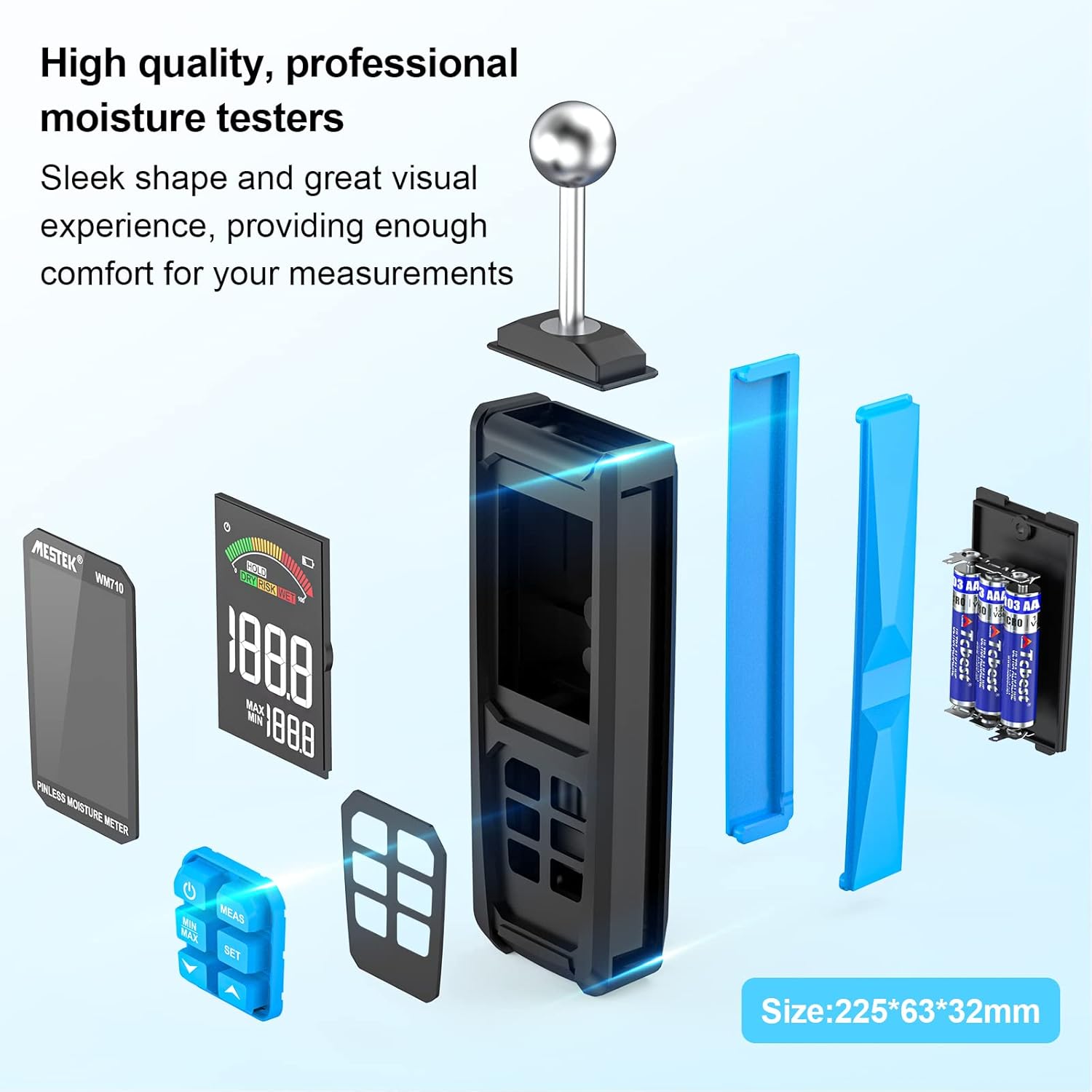
The MESTEK WM710A is a professional, non-destructive pinless moisture meter designed for detecting moisture content in various building materials. This device utilizes a spherical probe to send and receive high-frequency signals, allowing for damage-free moisture assessment. It is an essential tool for homeowners, builders, carpenters, and gardeners to identify leaks and moisture-related issues in wood, walls, concrete, and other construction materials.
This manual provides detailed instructions on how to set up, operate, and maintain your MESTEK WM710A moisture meter to ensure accurate and reliable measurements.
2. Características del producto
- Medición no destructiva: Detects moisture without damaging the material. The spherical probe allows for easy measurement in corners and narrow areas.
- Amplio rango de medición: Measures moisture from 0.0% to 100.0% with a resolution of 0.1%. Maximum measurement depth is 40mm.
- Calibración automática: Simple three-second press of the 'MEAS' button initiates automatic calibration for consistent accuracy.
- Large HD Color Display: Features a 3-inch high-definition color LCD screen with an analog bar for intuitive and clear readings.
- Función de alarma audible: Provides audible alerts based on user-settable thresholds for 'Wet', 'Risk', and 'Dry' conditions.
- Data Retention & Max/Min Record: Allows for data hold and displays maximum/minimum measured values simultaneously.
- Apagado automático: The device automatically powers off after 30 minutes of inactivity to conserve battery life.
- Diseño duradero: Robust construction with a soft rubber exterior for enhanced durability.
3. Contenido del paquete
Al abrir el paquete, verifique que estén incluidos todos los siguientes elementos:
- 1 x MESTEK WM710A Pinless Moisture Meter
- 3 pilas AAA
- 1 x Manual de usuario
- 1 x Destornillador
- 1 x bolsa de almacenamiento
4. Configuración
4.1 Instalación de la batería
To power on your MESTEK WM710A, you need to install the included AAA batteries:
- Localice el compartimento de la batería en la parte posterior del dispositivo.
- Utilice el destornillador proporcionado para abrir la tapa del compartimento de la batería.
- Inserte 3 pilas AAA, asegurándose de la polaridad correcta (+/-).
- Vuelva a colocar la tapa del compartimiento de la batería y asegúrela con el tornillo.
Descripción: This image shows the back of the MESTEK WM710A moisture meter with the battery compartment open. A hand is inserting AAA batteries into the compartment, and a small screwdriver is visible, indicating the tools needed for installation.
5. Instrucciones de funcionamiento
5.1 Encendido y calibración
Follow these steps to power on the device and perform initial calibration:
- Presione el Fuerza botón (
 ) to turn on the moisture meter.
 - Hold the spherical probe in the air, away from any materials, to ensure a dry environment for calibration.
- Mantenga pulsado el MEDIDAS button for approximately three seconds until 'CAL' appears on the screen, indicating automatic calibration is in progress.
- Once calibration is complete, the display will show '0.0' or a very low value, ready for measurement.
Descripción: This image provides a visual four-step guide for operating the MESTEK WM710A. It shows pressing the power button, holding the probe in a dry area for calibration, pressing the MEAS button, and the display showing 'CAL' during calibration.
5.2 Toma de medidas
Para medir el contenido de humedad:
- Place the spherical probe directly onto the surface of the material you wish to measure. Ensure full contact between the probe and the material.
- The device will instantly display the moisture reading on the LCD screen. The measurement depth is between 20-40mm.
- The color analog bar on the display will indicate the moisture level: Verde for Dry, Amarillo for Risk, and Rojo for Wet.

Descripción: A close-up of the MESTEK WM710A's large backlit LCD display, showing the current measured value, maximum and minimum recorded values, and a color-coded analog bar indicating moisture levels (Dry, Risk, Wet).

Descripción: This image shows the MESTEK WM710A moisture meter being used to measure moisture on a wall surface, demonstrating the non-destructive nature of the spherical probe.
5.3 Data Hold and Max/Min Record
- To hold the current measurement on the screen, press the SOSTENER Botón. Presiónelo nuevamente para liberarlo.
- The device automatically records the maximum (MAX) and minimum (MIN) moisture values during a measurement session. These values are displayed below the current reading.
- A view only the MAX or MIN value, press the MÍNIMO MÁXIMO botón.

Descripción: A close-up of the MESTEK WM710A display showing the 'HOLD' indicator, signifying that the current measurement is frozen on the screen.

Descripción: The MESTEK WM710A held against a wall, demonstrating its ability to automatically detect and display the maximum and minimum moisture values within a test range to help locate wet and dry areas.
5.4 Configuración de umbrales de alarma
The MESTEK WM710A allows you to set custom alarm thresholds for 'Risk' and 'Wet' conditions:
- Presione el COLOCAR Botón para ingresar al modo de configuración de alarma.
- Utilice el Up (
 ) y Abajo () arrow buttons to adjust the desired 'Risk' or 'Wet' value.
 - Prensa COLOCAR again to switch between 'Risk' and 'Wet' thresholds.
- Once the desired values are set, press the Fuerza para salir del modo de configuración.

Descripción: The moisture meter in use on a wooden surface, illustrating the 'Dry', 'Risk', and 'Wet' indicators on the display, which change based on the measured moisture content. An exclamation mark indicates an alarm condition.
5.5 Demostración en vídeo
Descripción: An official product video demonstrating the features and usage of the MESTEK WM710A Pinless Moisture Meter, including battery installation, calibration, measurement on different materials, and alarm functions.
6. Aplicaciones de medición
The MESTEK WM710A is versatile and can be used on a wide range of materials:
- Materiales de madera: Ideal for checking moisture levels in various types of wood before cutting or for assessing existing wooden structures.
- Paredes: Suitable for detecting moisture in plaster, stucco, and brick walls.
- Concrete & Cement: Effective for measuring moisture in concrete slabs and cement surfaces.
- Techos: Can be used to check for moisture in ceiling materials.
Note: This device is not designed for use on metallic materials.

Descripción: Four images demonstrating the MESTEK WM710A being used to measure moisture in different materials: wood, a powder/brick wall, concrete, and a ceiling, showcasing su versatilidad.
7. Especificaciones
| Característica | Especificación |
|---|---|
| Número de modelo | WM710A |
| Marca | MESTEK |
| Profundidad de medición | 20-40 mm |
| Rango de medición | 0.0 - 100.0 |
| Resolución | 0.1% |
| Mostrar | Large HD Color LCD (3 inches) |
| Fuente de poder | Pilas alcalinas 3 x AAA |
| Dimensiones del producto (An x Al) | 32 mm x 225 mm |
| Peso del producto | 360 gramos |
| Temperatura de funcionamiento | Hasta 50°C |
| Apagado automático | Después de 30 minutos de inactividad |
| Componentes incluidos | WM710A Hygrometer, 3 AAA Batteries, User Manual, Screwdriver, Storage Bag |
8. Mantenimiento
- Limpieza: Limpie el dispositivo con un paño suave y seco. No utilice limpiadores abrasivos ni disolventes.
- Almacenamiento: Store the moisture meter in a cool, dry place when not in use. If storing for an extended period, remove the batteries to prevent leakage.
- Reemplazo de batería: Replace batteries when the low power reminder appears on the display to ensure accurate readings.
- Cuidado de la sonda: Keep the spherical probe clean and free from debris to maintain optimal performance.
9. Solución de problemas
If you encounter issues with your MESTEK WM710A, please refer to the following common problems and solutions:
- El dispositivo no se enciende:
- Compruebe si las baterías están instaladas correctamente con la polaridad correcta.
- Reemplácelas con baterías AAA nuevas.
- Lecturas inexactas:
- Ensure the device is calibrated in a dry environment before use.
- Make sure the spherical probe has full contact with the material surface.
- Avoid measuring near metallic objects, as this can interfere with readings.
- La alarma no suena:
- Verify that the alarm thresholds are set correctly in the settings menu.
- Check if the measured moisture level exceeds the set threshold.
10. Garantía y soporte
The MESTEK WM710A Pinless Moisture Meter comes with a 2 año de garantía from the date of purchase. This warranty covers manufacturing defects and ensures the product's quality and performance under normal use.
For any questions, technical support, or warranty claims, please contact MESTEK customer service. We aim to respond to all inquiries within 24 hours.
Información del contacto: Please refer to the contact details provided in your product packaging or visit the official MESTEK webSitio de soporte.