
TEYES CC3 2K
TEYES CC3 2K Car Radio Multimedia Navigation System User Manual
Model: CC3 2K | Brand: TEYES
Introducción
This manual provides comprehensive instructions for the installation, operation, and maintenance of your TEYES CC3 2K Car Radio Multimedia Navigation System. Designed for Toyota Sienna 3 XL30 models from 2014-2020, this Android 10 head unit offers advanced multimedia, navigation, and connectivity features. Please read this manual thoroughly before using the device to ensure proper function and safety.
Contenido del paquete
Verifique que todos los artículos enumerados a continuación estén incluidos en su paquete. Si falta algún artículo o está dañado, comuníquese con atención al cliente.

Head Unit CC3 2K: La unidad principal de visualización y procesamiento.
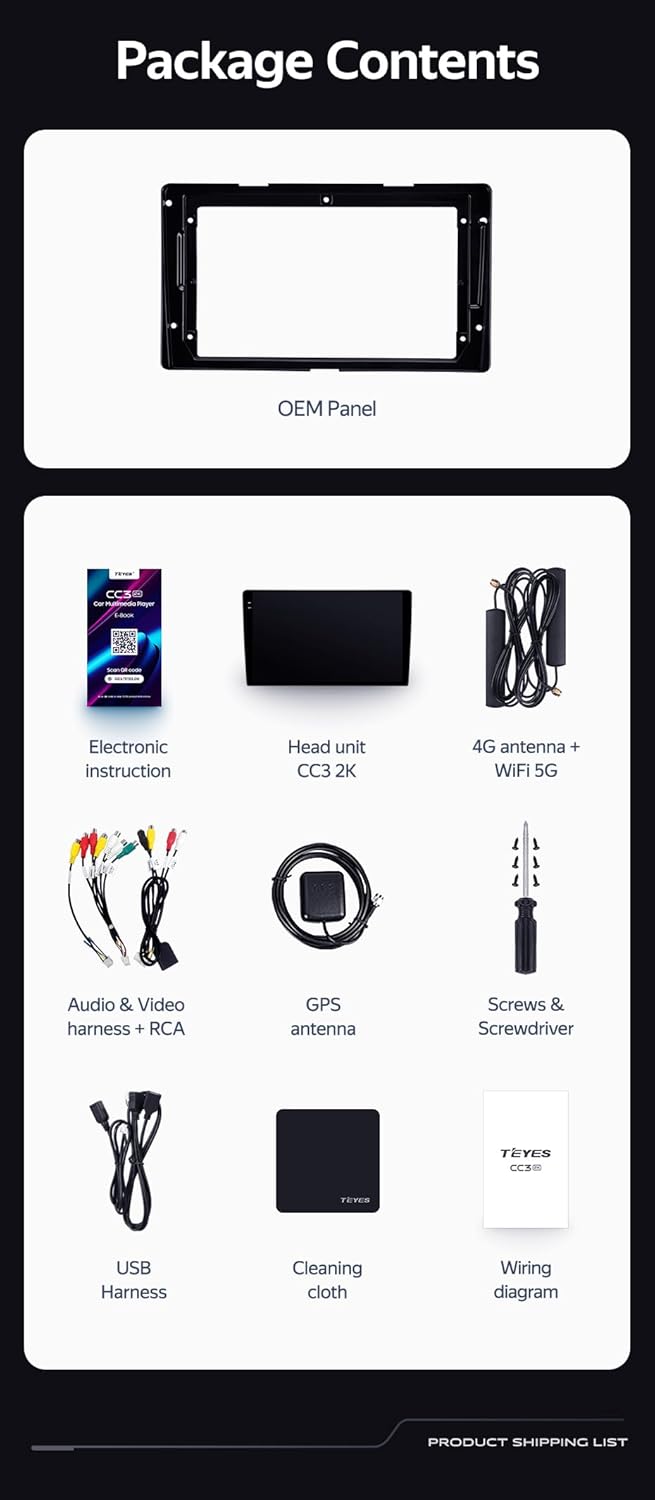
OEM Panel (Frame): Custom-fit panel for seamless integration into your vehicle's dashboard.

Cable USB: Para transferencia de datos y conexión de dispositivos externos.

Antena GPS: Para servicios de navegación y ubicación precisos.

cable auxiliar: Para entrada de audio auxiliar.

Antena WiFi 4G: Para conectividad de red.

AHD 1080p Rear Camera: For enhanced reverse visibility.

Cable de energía: For connecting the head unit to the vehicle's power supply.
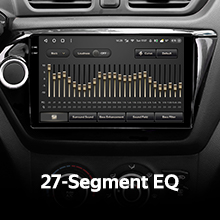
Diagrama de cableado: Essential for correct electrical connections.
Electronic Instruction: Digital manual for detailed guidance.

paño de limpieza: For maintaining the display's clarity.
Configuración e instalación
Installation of the TEYES CC3 2K head unit requires technical knowledge and familiarity with car audio systems. It is recommended to seek professional installation to avoid damage to your vehicle or the device. Always disconnect the vehicle's battery before beginning installation.
Instalación terminadaview
- Preparación: Ensure the vehicle's power is off. Remove the original car radio and dashboard trim.
- Mounting the OEM Panel: Secure the provided OEM panel to the head unit.
- Conexiones de cableado: Connect the power cable, USB cables, GPS antenna, 4G WiFi antenna, AUX cable, and rear camera according to the wiring diagram. Ensure all connections are secure.
- Integración del control del volante: The unit supports original car steering wheel buttons. Connect the appropriate wires as per the wiring diagram. Configuration may be required in the unit's settings.
- Pruebas: Before fully reassembling the dashboard, connect the battery and power on the unit to test basic functions.
- Montaje final: Carefully reassemble the dashboard trim and secure the head unit in place.

Descripción de la imagen: This image displays a side-by-side comparison of a Toyota Sienna dashboard before and after the installation of the TEYES CC3 2K head unit. The 'before' image shows the original car radio, while the 'after' image shows the integrated TEYES CC3 2K unit, demonstrating a seamless fit and updated aesthetic.

Descripción de la imagen: Un primer plano view of a car's steering wheel with integrated control buttons. The text indicates that the TEYES CC3 2K supports these original car steering wheel buttons, allowing for convenient control of the multimedia system.
Instrucciones de funcionamiento
The TEYES CC3 2K operates on an Android 10 system, providing a user-friendly interface. The 2K in-cell touch screen offers responsive interaction.
Operación básica
- Encendido/apagado: Press and hold the power button (if physical) or use the vehicle's ignition.
- Navegación por pantalla táctil: Swipe, tap, and pinch to navigate through menus and applications.
- Pantalla de inicio: Access frequently used apps and widgets. Customize the layout as desired.
- Control de volumen: Ajuste el volumen utilizando los controles en pantalla o los botones del volante.
Funciones multimedia
- Radio: Access the built-in radio tuner. Supports RDS for enhanced information display.
- Bluetooth: Pair your smartphone for hands-free calling and audio streaming via the upgraded QCC3031QFN Qualcomm Bluetooth module.
- Reproducción USB: Conecte unidades USB para reproducir audio y video files.
- Reproductor de video: Play various video formats on the 2K display.
- Salida de audio: Utilize the 2*DSP ADAU1701 + ROHM32107 for high-quality audio, including optical and coaxial digital audio output.
Navegación y conectividad
- Navegacion GPS: Use pre-installed navigation apps or download others from the app store. Supports North America maps.
- 4G Internet & WiFi: Connect to the internet via 4G or WiFi hotspot for online services, app downloads, and real-time traffic updates.
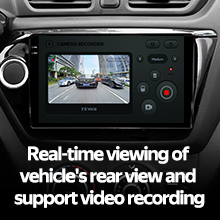
- Cámara trasera: The included AHD 1080p rear camera provides real-time viewing when reversing and supports video recording.
Descripción del vídeo: This video demonstrates the TEYES CC3 2K head unit's user interface and features, including its responsive touch screen, multimedia playback, and integration into a car dashboard. It highlights the visual quality and various functionalities of the system.
Descripción de la imagen: Un detallado view of the TEYES CC3 2K head unit's display, showcasing its modern user interface with various application icons for video, radio, folders, and Teyes Yahu. It also displays a music player widget and a car speed indicator, illustrating the system's multimedia and informational capabilities.
Mantenimiento
Proper maintenance ensures the longevity and optimal performance of your TEYES CC3 2K head unit.
- Limpieza de pantalla: Use the provided cleaning cloth or a soft, lint-free cloth with a screen-safe cleaner. Avoid abrasive materials or harsh chemicals.
- Actualizaciones de software: Regularly check for and install software updates to ensure the system has the latest features and security patches.
- Condiciones ambientales: Evite exponer la unidad a temperaturas extremas, luz solar directa durante períodos prolongados o humedad excesiva.
- Conexiones de cable: Revise periódicamente todas las conexiones de cables para asegurarse de que estén seguras y libres de daños.
Solución de problemas
If you encounter issues with your TEYES CC3 2K, refer to the following common troubleshooting steps. For persistent problems, contact customer support.
- La unidad no se enciende:
- Check vehicle's battery connection.
- Verify power cable connections to the head unit.
- Asegúrese de que el encendido del vehículo esté encendido.
- Sin sonido:
- Check volume levels on the unit and vehicle.
- Verifique las conexiones de los cables del altavoz.
- Asegúrese de que esté seleccionada la fuente de audio correcta.
- El GPS no funciona:
- Asegúrese de que la antena GPS esté conectada correctamente y tenga una vista clara. view del cielo.
- Verifique la configuración del GPS en el menú de la unidad.
- La pantalla táctil no responde:
- Reinicie la unidad principal.
- Asegúrese de que la pantalla esté limpia y libre de residuos.
- Problemas de conectividad Bluetooth:
- Asegúrese de que Bluetooth esté habilitado tanto en la unidad principal como en su dispositivo.
- Eliminar emparejamientos anteriores y volver a emparejar el dispositivo.
- Move devices closer to the head unit.
Presupuesto
| Característica | Detalle |
|---|---|
| Número de modelo | CC3 2K |
| Tamaño de la pantalla | 9.5 pulgadas |
| Sistema operativo | Androide 10 |
| RAM | 6 GB |
| memoria de sólo lectura | 128 GB |
| Procesador | 8 núcleos 2.0 GHz |
| Tecnología de visualización | 2K In-cell Display, Gamut Coverage 157% |
| Módulo Bluetooth | QCC3031QFN Qualcomm |
| Procesadores de audio | 2*DSP ADAU1701 + ROHM32107 |
| Salida de audio | Optical and Coaxial Digital Audio Output, Stereo |
| Conectividad | Bluetooth, USB, WiFi, Hotspot, 4G Internet |
| Tipo de mapa | América del norte |
| Características especiales | Touchscreen, RDS Support, Real-time Rear View, Video Recording Support, 3D Software (TEYES Vision & TEYES Yahu) |
| Tipo de servicio del vehículo | Car (Toyota Sienna 3 XL30 2014-2020) |

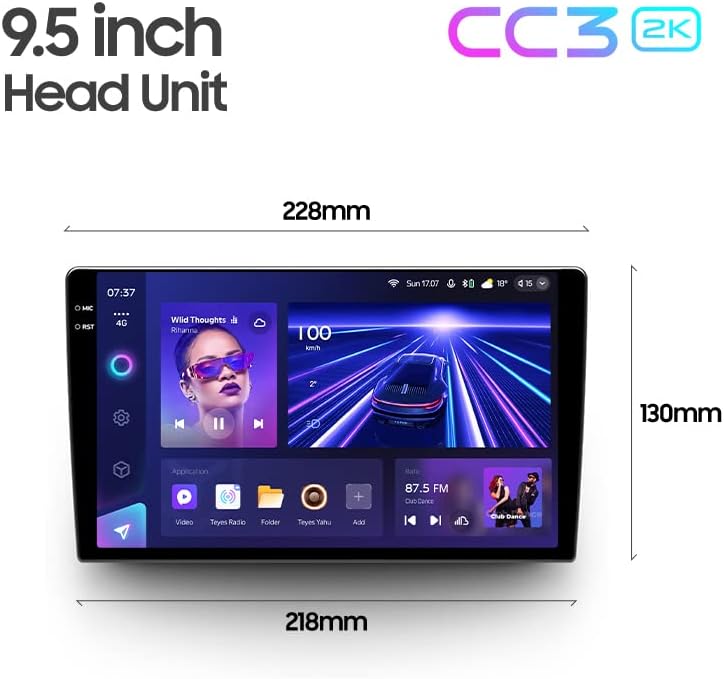
Descripción de la imagen: This image provides a dimensional diagram of the TEYES CC3 2K 9.5-inch head unit, showing its width (228mm at the top, 218mm at the bottom) and height (130mm). The display also shows the user interface with music playback and car speed information.
Información de garantía
The TEYES CC3 2K Car Radio Multimedia Navigation System comes with a 1 año de garantía from the date of purchase. This warranty covers manufacturing defects and malfunctions under normal use. It does not cover damage caused by improper installation, accidents, misuse, unauthorized repairs, or normal wear and tear. Please retain your proof of purchase for warranty claims.
Atención al cliente
For technical assistance, troubleshooting, or warranty inquiries, please contact TEYES customer support. Refer to the contact information provided with your product packaging or visit the official TEYES webSitio para recursos de soporte.
Fabricante: Shenzhen TEYES Alta tecnología Co., Ltd.