
1. Introducción
This manual provides instructions for the proper setup, operation, and maintenance of the Flashpoint Wave Commander II Camera Release Cable. This accessory is designed to provide remote shutter control and intervalometer functions for compatible cameras equipped with a Canon Sub-Mini Connector.
Lea este manual detenidamente antes de utilizar el producto para garantizar un funcionamiento seguro y eficaz.
2. Producto terminadoview
The Flashpoint Wave Commander II Camera Release Cable is a durable and reliable accessory that connects to your camera's remote port. It facilitates remote shutter release, reducing camera shake for sharper images, and offers advanced functions such as an intervalometer for time-lapse photography and a self-timer when used with a compatible remote unit.
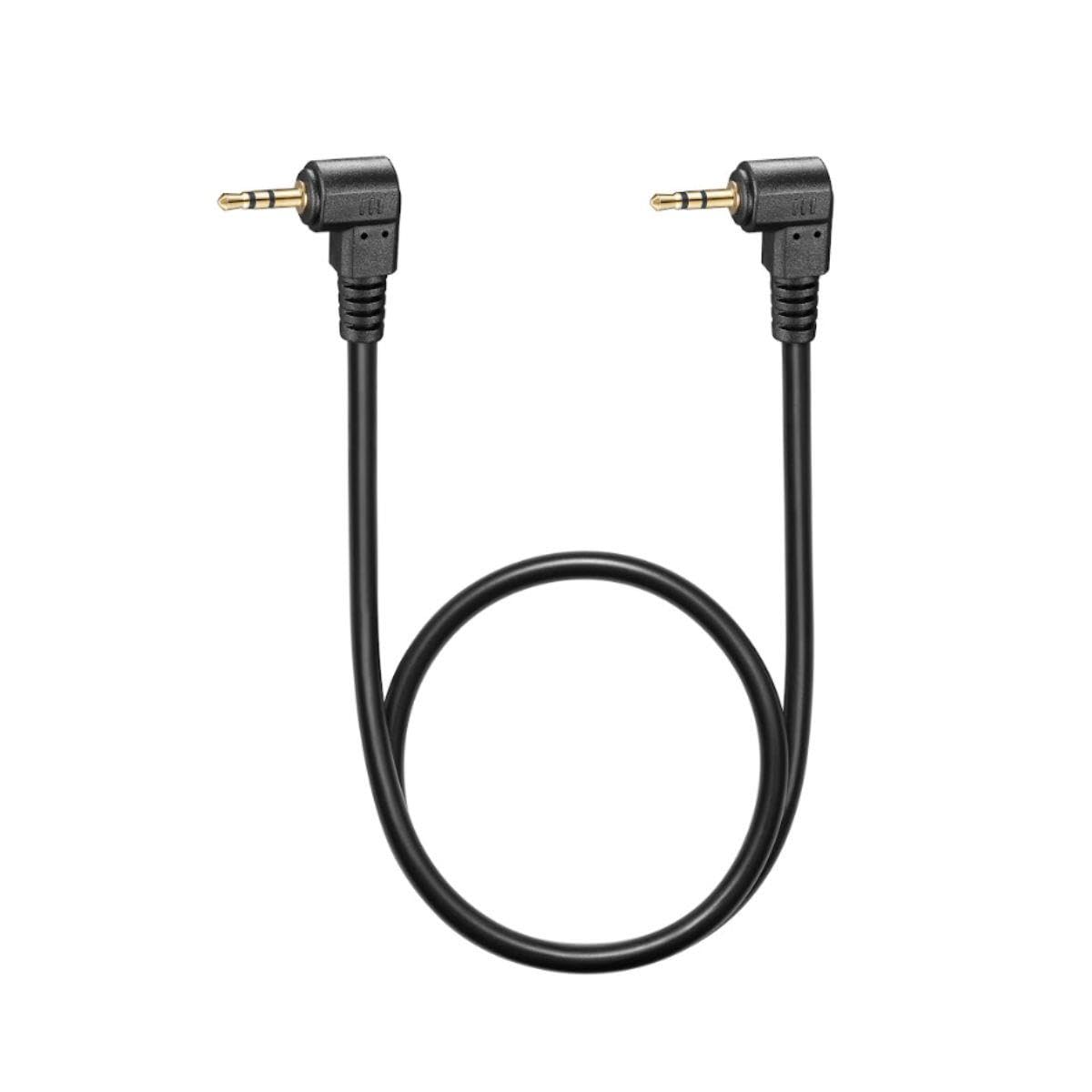
Figura 1: Flashpoint Wave Commander II Camera Release Cable. This image shows the cable with its connectors, designed for remote camera control.
Las características principales incluyen:
- Alcance extendido: A 3-foot cable length allows for remote operation, preventing camera shake.
- Estabilidad mejorada: Eliminates vibrations caused by direct shutter button presses.
- Construcción duradera: Built for regular use and reliable performance.
- Multifuncional: Enables remote shutter release, intervalometer, or self-timer functions when paired with a compatible remote unit.
3. Compatibilidad
This cable is compatible with cameras featuring a Canon Sub-Mini Connector. Verified compatible camera models include, but are not limited to:
- Canon R6 II, R7, T7, R6, R, SX70, 90D, T8i, R10, RP, SL3, RP, G1X Mark III, 80D
- Fujifilm X-T5, FUJIFILM X-T30 II, FUJIFILM X-T4, FUJIFILM GFX 100S
For other camera models, please verify the connector type before use.
4. Configuración
Follow these steps to connect the Wave Commander II Camera Release Cable to your camera:
- Localice el puerto remoto: Identify the remote control terminal on your camera. This is typically a small port, often labeled with a remote control icon or "REMOTE". For Canon cameras, this is the Sub-Mini Connector port.
- Conecte el cable: Gently insert the connector end of the Wave Commander II cable into the camera's remote port. Ensure it is fully seated to establish a secure connection.
- Connect to Remote Unit (if applicable): If using with a separate remote trigger unit (e.g., Flashpoint Wave Commander II remote), connect the other end of the cable to the designated port on the remote unit.
- Encendido: Turn on your camera and the remote unit (if applicable).
The cable is now ready for operation.
5. Instrucciones de funcionamiento
Once connected, the Wave Commander II cable enables various remote control functions:
5.1. Remote Shutter Release
- Media prensa: Press the shutter button on your remote unit (or the cable's integrated button, if present) halfway down to activate autofocus and metering, similar to pressing the camera's shutter button halfway.
- Prensa completa: Press the shutter button fully down to trigger the camera's shutter and capture a photograph.
- Modo de bombilla: For long exposures in Bulb mode, press and hold the shutter button on the remote unit. Release the button to end the exposure. Some remote units may have a lock function for extended Bulb exposures.
5.2. Intervalometer / Self-Timer Functions
When used with a compatible remote unit that features intervalometer or self-timer capabilities, the cable transmits these commands to the camera. Refer to your remote unit's specific manual for detailed instructions on setting up time-lapse sequences, delayed shots, or continuous shooting modes.
6. Mantenimiento
To ensure the longevity and optimal performance of your Wave Commander II Camera Release Cable, follow these maintenance guidelines:
- Almacenamiento: Guarde el cable en un lugar fresco y seco, alejado de la luz solar directa y de temperaturas extremas. Evite enrollarlo demasiado o doblarlo bruscamente, ya que podría dañar los cables internos.
- Limpieza: Use a soft, dry cloth to wipe the cable and connectors. Do not use liquid cleaners, solvents, or abrasive materials.
- Manejo: Sujete siempre la carcasa del conector al conectar o desconectar el cable. Evite tirar directamente del cable.
- Inspección: Inspeccione periódicamente el cable para detectar signos de desgaste, deshilachado o daños en los conectores. Suspenda su uso si observa daños.
7. Solución de problemas
If you encounter issues with your Wave Commander II Camera Release Cable, consider the following:
- Cable Not Responding:
- Ensure the cable is securely connected to both the camera and the remote unit (if applicable).
- Verify that the camera and remote unit are powered on.
- Check camera settings to ensure remote control is enabled, if applicable.
- Test with another compatible camera or remote unit if available, to isolate the issue.
- Conexión intermitente:
- Inspect connectors for dirt, dust, or damage. Clean gently with a dry, soft brush if necessary.
- Ensure the cable is not strained or bent at sharp angles during use.
- Camera Shake Still Occurs:
- While the cable reduces shake from pressing the shutter, other factors like tripod stability or wind can still cause movement. Ensure your camera setup is stable.
If problems persist, contact Flashpoint customer support for further assistance.
8. Especificaciones
| Número de modelo: | Wave Commander II Cable |
| Marca: | Punto de inflamabilidad |
| Tipo de conector: | Canon Sub-Mini Connector |
| Longitud del cable: | Aproximadamente 3 pies (0.9 metros) |
| Dimensiones del producto: | 7 x 5 x 0.05 pulgadas (dimensiones aproximadas de embalaje/envío) |
| ASIN: | B0CD2M2G1N |
| Fecha de primera disponibilidad: | 27 de julio de 2023 |
9. Garantía y soporte
Specific warranty information for the Flashpoint Wave Commander II Camera Release Cable is not provided in this document. For details regarding warranty coverage, technical support, or service inquiries, please contact Flashpoint customer service directly or refer to the official Flashpoint websitio.
Conserve su recibo de compra como comprobante de compra para cualquier reclamo de garantía.