
Kinganda Q71
Manual de usuario de los auriculares Bluetooth Kinganda
Modelo: Q71
Marca: Kinganda
Introducción
Thank you for choosing Kinganda Bluetooth Headphones. This user manual provides detailed instructions on how to set up, operate, and maintain your new headphones. Please read this manual thoroughly before use to ensure optimal performance and longevity of your device.
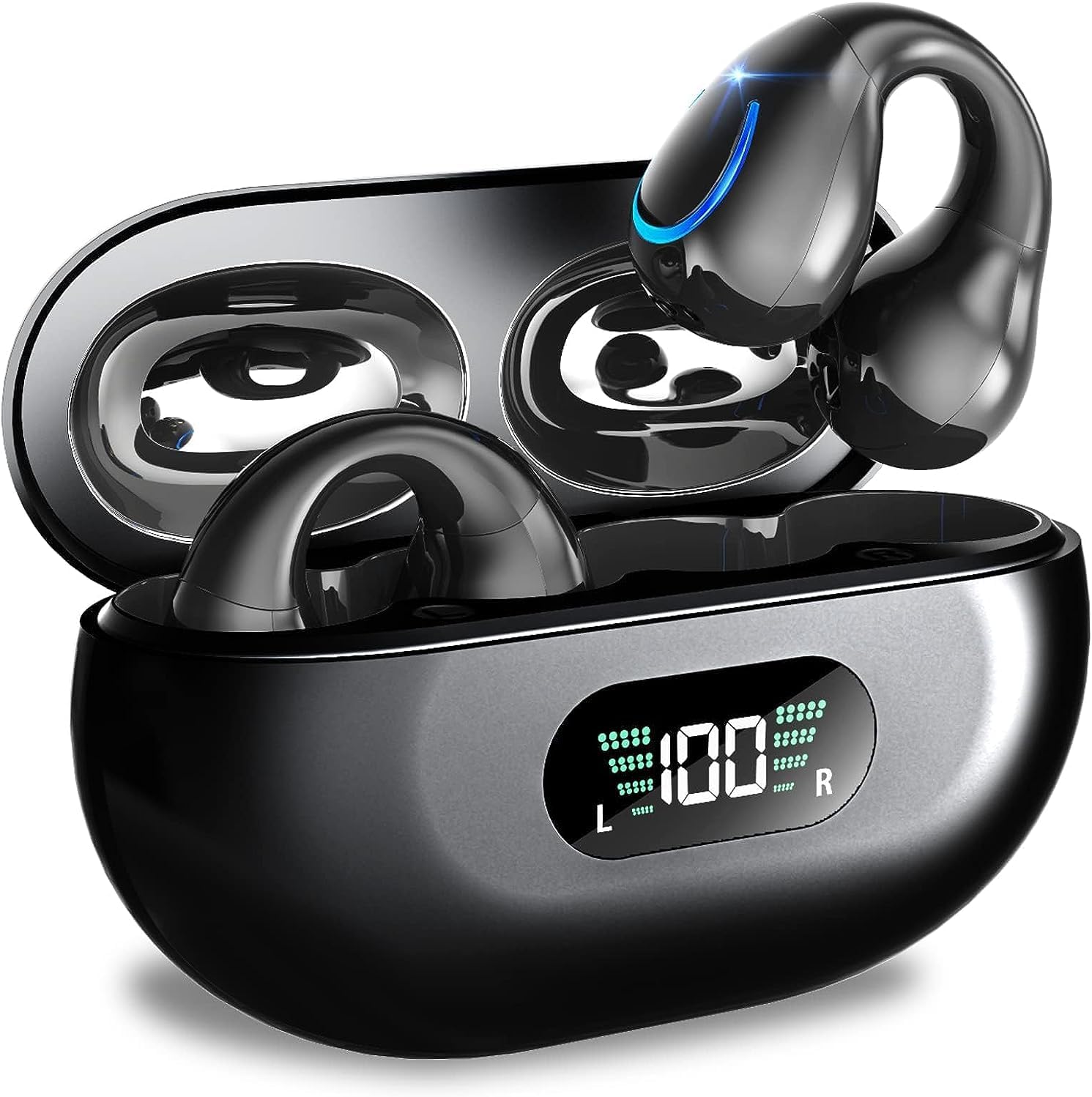
Image: Kinganda Bluetooth Headphones (Model Q71) in their charging case, showcasing el diseño elegante y la pantalla LED.
¿Qué hay en la caja?
Verifique el contenido del paquete para asegurarse de que todos los artículos estén presentes:
- Wireless Headphones (Left and Right)
- Estuche de carga inalámbrica
- Cable de carga USB-C
- Manual de usuario

Image: An illustration showing the Kinganda headphones, charging case, USB-C cable, and user manual, representing the package contents.
Información de seguridad
To ensure safe operation and prevent damage to your headphones, please observe the following safety guidelines:
- Do not swim underwater or take hot baths with the headphones. Exposure to high temperatures or prolonged submersion can cause damage to the internal components.
- Keep the headphones and charging case away from extreme temperatures, direct sunlight, and high humidity.
- Evite dejar caer o someter el dispositivo a impactos fuertes.
- Do not attempt to disassemble, repair, or modify the headphones yourself. Contact qualified service personnel for any repairs.
- Mantener fuera del alcance de los niños y las mascotas.
Producto terminadoview y características
The Kinganda Q71 headphones are designed for comfort and high-quality audio, featuring advanced technology for an enhanced listening experience.
Características principales:
- Tecnología avanzada Bluetooth 5.3: Ensures a stable, low-latency connection with lower power consumption and faster transmission.
- Comfortable Open Ear Clip Design: Ergonomically designed to fit the contours of the ear, providing a secure and comfortable fit without entering the ear canal. This design allows you to remain aware of your surroundings.
- 36 horas de reproducción: Enjoy up to 6 hours of continuous playback on a single charge, with an additional 30 hours provided by the compact magnetic charging case.
- Pantalla digital LED: The charging case features an LED screen that clearly shows the remaining power of both the headphones and the charging case.
- Clasificación de impermeabilidad IPX7: Designed to withstand sweat and light rain, making them suitable for various activities.
- Controladores de 10 mm: Deliver deep bass and stereo sound for a rich audio experience.
- Micrófono ENC incorporado: Enhanced Noise Cancellation microphone for clear calls.
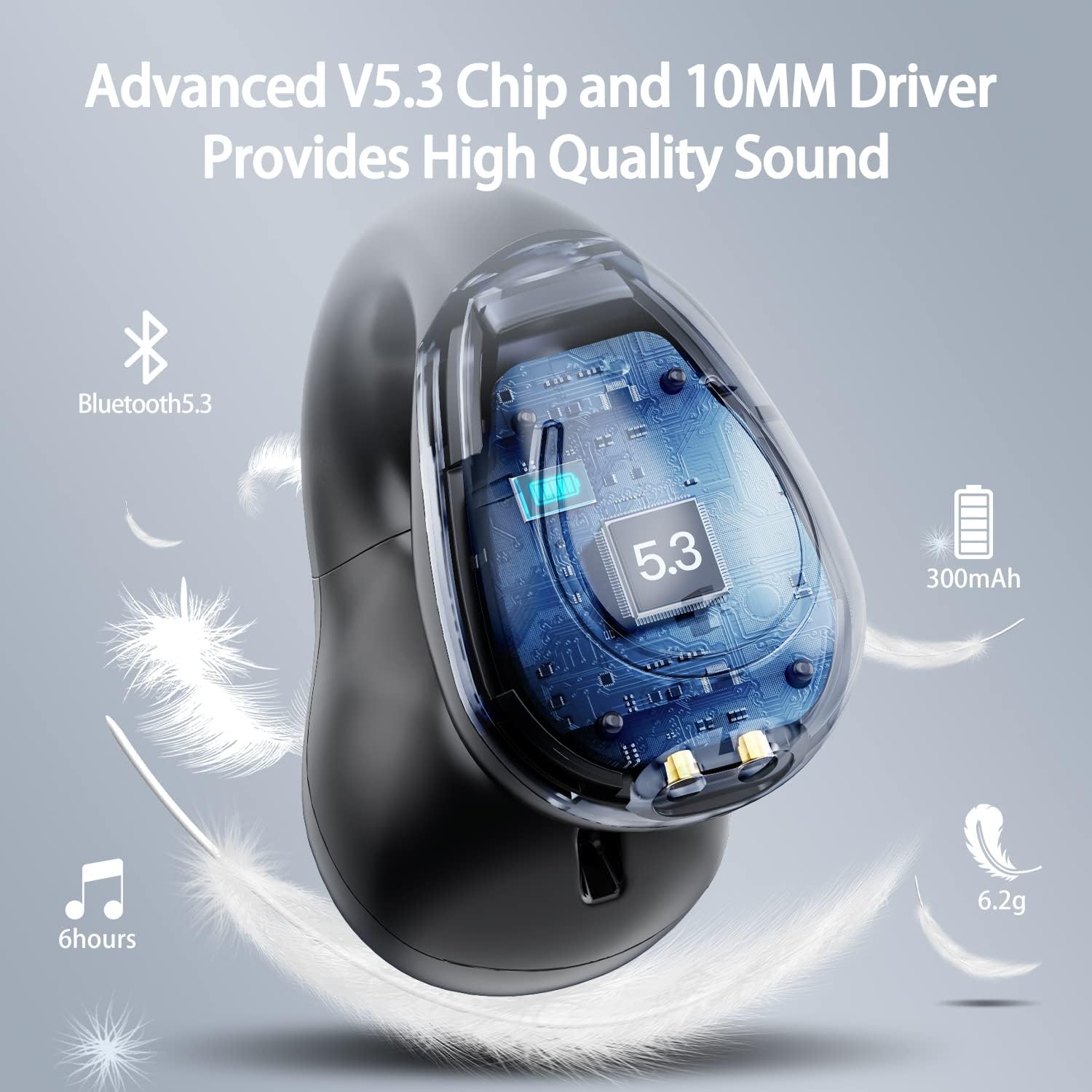
Imagen: Un corte transversal view of the Kinganda earbud, highlighting the advanced V5.3 chip and 10mm driver for high-quality sound.

Image: A person wearing the Kinganda Q71 headphones, demonstrating the comfortable and secure open-ear clip design.
Configuración
Pairing Your Headphones:
- Cargue los auriculares: Before first use, ensure both the headphones and the charging case are fully charged. Place the earbuds into the charging case and connect the USB-C cable to a power source. The LED display on the case will indicate charging status.
- Encendido: Abre el estuche de carga. Los auriculares se encenderán automáticamente y entrarán en modo de emparejamiento.
- Activar Bluetooth: En su dispositivo (teléfono inteligente, tableta, computadora portátil, etc.), vaya a la configuración de Bluetooth y active Bluetooth.
- Seleccione el dispositivo: In the list of available Bluetooth devices, look for "YYK-Q71" and select it to connect.
- Confirmación: Once connected, you will hear an audio prompt from the headphones, and the device will show "YYK-Q71" as connected.
The headphones are widely compatible with iOS, Android, and Windows devices.

Image: An illustration demonstrating the simple one-step pairing process and wide compatibility of the Kinganda Q71 headphones with various devices.
Instrucciones de funcionamiento
Charging the Headphones and Case:
- Carga de auriculares: Place the earbuds back into the charging case. They will automatically begin charging. The LED display on the case will show the charging status of each earbud.
- Carga de la caja: Connect the provided USB-C cable to the charging port on the case and the other end to a USB power adapter (not included). The LED display will show the battery percentage del caso.
- A full charge of the earbuds provides approximately 6 hours of playtime. The charging case provides an additional 30 hours of battery life, allowing for multiple recharges on the go.
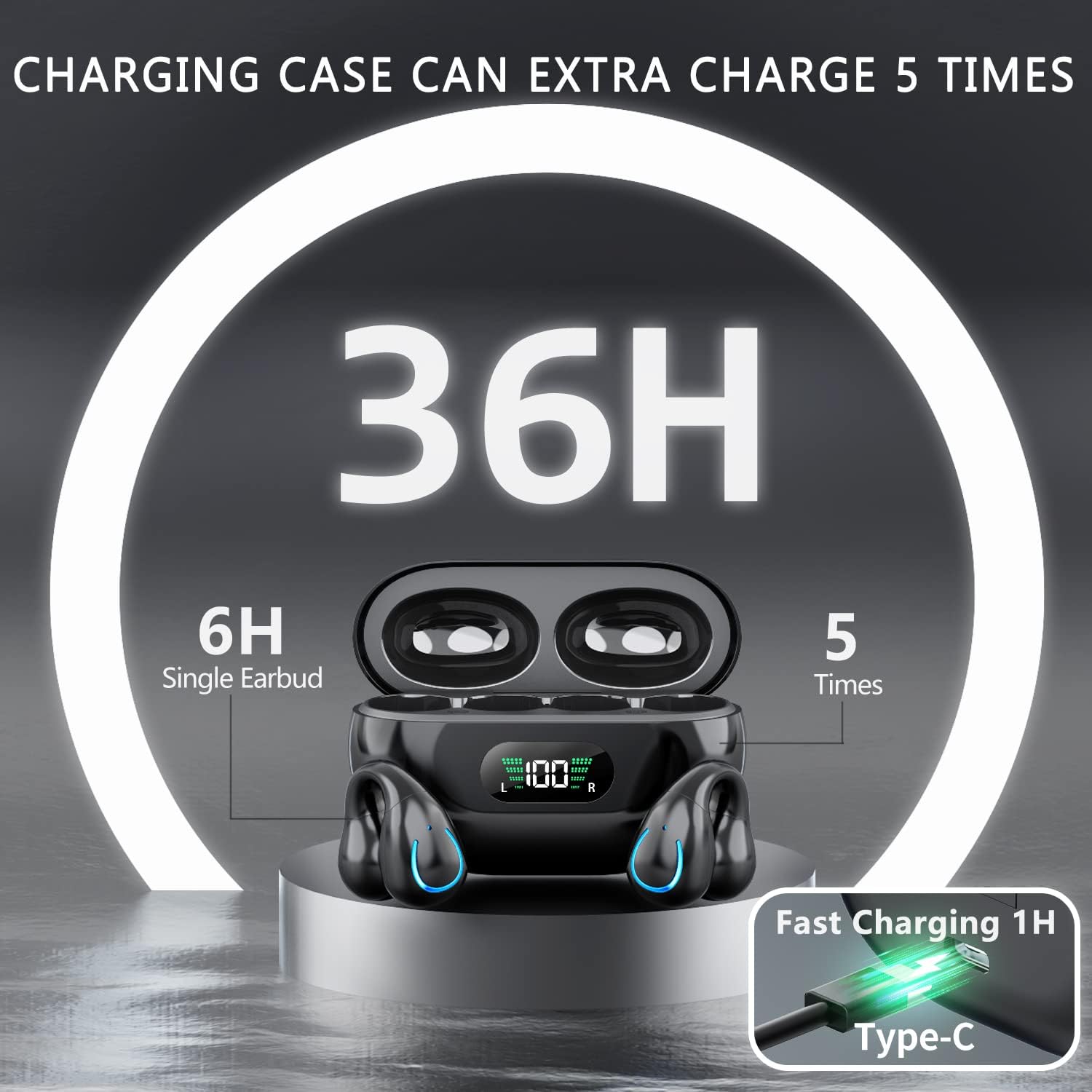
Image: The Kinganda charging case displaying "36H" total playtime, indicating 6 hours from a single earbud charge and 5 additional charges from the case.
Controles táctiles:
The Kinganda Q71 headphones feature physical buttons for precise control, preventing accidental touches.
| Acción | Control |
|---|---|
| Encendido/apagado | Automatically On/Off when taken out/put into case. |
| Responder/Finalizar llamada | Click 1 time (either earbud) |
| Rechazar llamada | Mantenga presionado (cualquiera de los auriculares) |
| Reproducir/Pausar música | Click 1 time (either earbud) |
| Pista siguiente | Click Right earbud 2 times |
| Pista anterior | Click Left earbud 2 times |
| Activar Asistente de voz (Siri, Asistente de Google) | Click 3 times (either earbud) |

Image: Diagram illustrating the one-button physical controls for the Kinganda headphones, including call management, music playback, and voice assistant activation.
Mantenimiento
Proper maintenance will extend the life of your Kinganda headphones:
- Limpieza: Utilice un paño suave, seco y sin pelusa para limpiar los auriculares y el estuche de carga. No utilice productos químicos agresivos, disolventes de limpieza ni detergentes fuertes.
- Almacenamiento: Cuando no los uses, guarda los auriculares en su estuche de carga para protegerlos del polvo y de posibles daños. Guárdalos en un lugar fresco y seco.
- Resistencia al agua: While the headphones are IPX7 waterproof (resistant to sweat and light rain), they are not designed for swimming or submersion in water. Avoid exposure to hot water or steam.
- Cuidado de la batería: To preserve battery life, charge the headphones regularly, even if not used for extended periods. Avoid fully draining the battery frequently.
Solución de problemas
Si tiene algún problema con sus auriculares, consulte los siguientes problemas y soluciones comunes:
Los auriculares no se emparejan:
- Asegúrese de que ambos auriculares estén completamente cargados.
- Asegúrese de que Bluetooth esté habilitado en su dispositivo.
- Place the earbuds back into the charging case, close the lid, wait a few seconds, then open the lid again to re-enter pairing mode.
- Olvide "YYK-Q71" de la lista de Bluetooth de su dispositivo e intente emparejarlo nuevamente.
- Ensure the headphones are within the effective Bluetooth range (typically 10 meters/33 feet) of your device.
Solo funciona un auricular:
- Place both earbuds back into the charging case and ensure they are charging correctly.
- Take both earbuds out simultaneously. They should automatically connect to each other.
- If the issue persists, try resetting the headphones (refer to the manufacturer's website or contact support for specific reset instructions if not detailed here).
Mala calidad de sonido o desconexiones:
- Asegúrese de que no haya obstrucciones entre el dispositivo y los auriculares.
- Acérquese a su dispositivo para reducir la interferencia.
- Compruebe que los auriculares estén limpios y libres de residuos.
- Intente reproducir audio desde una fuente o aplicación diferente.
Los auriculares no se cargan:
- Asegúrese de que el cable de carga USB-C esté conectado de forma segura tanto al estuche como a la fuente de alimentación.
- Intente utilizar un cable USB-C o un adaptador de corriente diferente.
- Limpie los contactos de carga de ambos auriculares y del interior del estuche de carga con un hisopo de algodón seco.
Presupuesto
| Característica | Detalle |
|---|---|
| Número de modelo | Q71 (YYK-Q71) |
| Marca | Kinganda |
| Tecnología de conectividad | Inalámbrico (Bluetooth 5.3) |
| Colocación de orejas | Oído abierto |
| Factor de forma | Clip en |
| Control de ruido | Sound Isolation (via ENC Mic) |
| Dimensiones del producto | 3 x 3 x 3 cm; 6.2 g (per earbud) |
| Baterías | 2 batería de polímero de litio (incluida) |
| Componentes incluidos | Wireless Headphones, User Manual, USB-C Charging Cable, Wireless Charging Case |
| Color | Negro |
| Fabricante | Kinganda |
Garantía y soporte
Kinganda products are manufactured to the highest quality standards. For any warranty claims or technical support, please contact your original retailer or the manufacturer directly. Please retain your proof of purchase for warranty service.
For further assistance, please refer to the contact information provided with your purchase or visit the official Kinganda websitio.