
1. Introducción
Gracias por la compraasing the Blaupunkt Rock & Roll PS150 Wireless Bluetooth Outdoor Party Speaker. This manual provides essential information for the safe and efficient operation of your device. Please read it thoroughly before use and retain it for future reference.
2. Información de seguridad
- No exponga el altavoz a temperaturas extremas, luz solar directa o humedad alta.
- Evite dejar caer o someter el altavoz a impactos fuertes.
- Do not attempt to disassemble or modify the speaker. Repairs should only be performed by qualified service personnel.
- Mantenga el altavoz alejado del agua y otros líquidos para evitar descargas eléctricas o daños.
- Asegúrese de que haya una ventilación adecuada al utilizar el altavoz.
3. ¿Qué hay en la caja?
- Blaupunkt Rock & Roll PS150 Party Speaker
- Micrófono de karaoke
- Cable de carga
- Manual de usuario
4. Producto terminadoview
The Blaupunkt Rock & Roll PS150 is a portable outdoor party speaker designed for robust audio performance and ease of transport. It features a powerful 100W output, X-Bass enhancement, and multiple connectivity options.

Figura 1: Frente view of the Blaupunkt Rock & Roll PS150 Party Speaker.
5. Controles y conexiones
The control panel on top of the speaker provides access to all functions.

Figura 2: detallada view del panel de control del altavoz.
- Botón de encendido: Press to turn the speaker ON/OFF.
- Botón de fuente: Select input source (Bluetooth, AUX, USB).
- X-Bass Button: Activate or deactivate the X-Bass sound enhancement.
- Botón de menú: Acceder a varias configuraciones.
- Track Select Buttons (< / >): Navegar entre pistas.
- Botón TWS: Inicie el emparejamiento estéreo inalámbrico verdadero.
- Marcación de volumen: Ajuste el volumen maestro.
- Botones numerados (1-6): For direct track selection or preset functions.
- Puerto AUX IN: Conecte dispositivos de audio externos mediante un cable de audio de 3.5 mm.
- Puerto USB: For USB playback and charging (5V, 2000mAh).
6. Configuración y carga
6.1 Carga inicial
Before first use, fully charge the speaker. Connect the charging cable to the speaker's charging port and a suitable power adapter. The charging indicator will illuminate. A full charge ensures optimal battery life for the 4500mAh battery.
6.2 Encendido / Apagado
Mantenga presionado el botón de encendido en el panel de control para encender o apagar el altavoz.
7. Operación
7.1 Emparejamiento Bluetooth
- Enciende el altavoz. El indicador de Bluetooth parpadeará para indicar que está en modo de emparejamiento.
- Habilite Bluetooth en su teléfono inteligente o tableta y busque los dispositivos disponibles.
- Select "Blaupunkt PS150" from the list.
- Una vez emparejado, el indicador de Bluetooth dejará de parpadear y permanecerá fijo.
7.2 Modo de entrada auxiliar
Connect an external audio device (e.g., MP3 player) to the AUX IN port using a 3.5mm audio cable. Press the Source button to select AUX mode.
Reproducción USB 7.3
Inserte una unidad USB con audio files into the USB port. The speaker will automatically switch to USB mode and begin playback. Use the track select buttons to navigate.
7.4 Función de karaoke
Connect the provided karaoke microphone to the designated microphone input. Adjust the microphone volume as needed. The speaker is ready for karaoke performances.

Figure 3: Using the karaoke function with the PS150 speaker.
7.5 X-Bass Feature
Press the X-Bass button to enhance the bass output for a deeper, more impactful sound experience.

Figure 4: Visual representation of the X-Bass feature.
8 Portabilidad y diseño
The PS150 is designed for portability with integrated wheels and a retractable handle, making it easy to transport to any location.
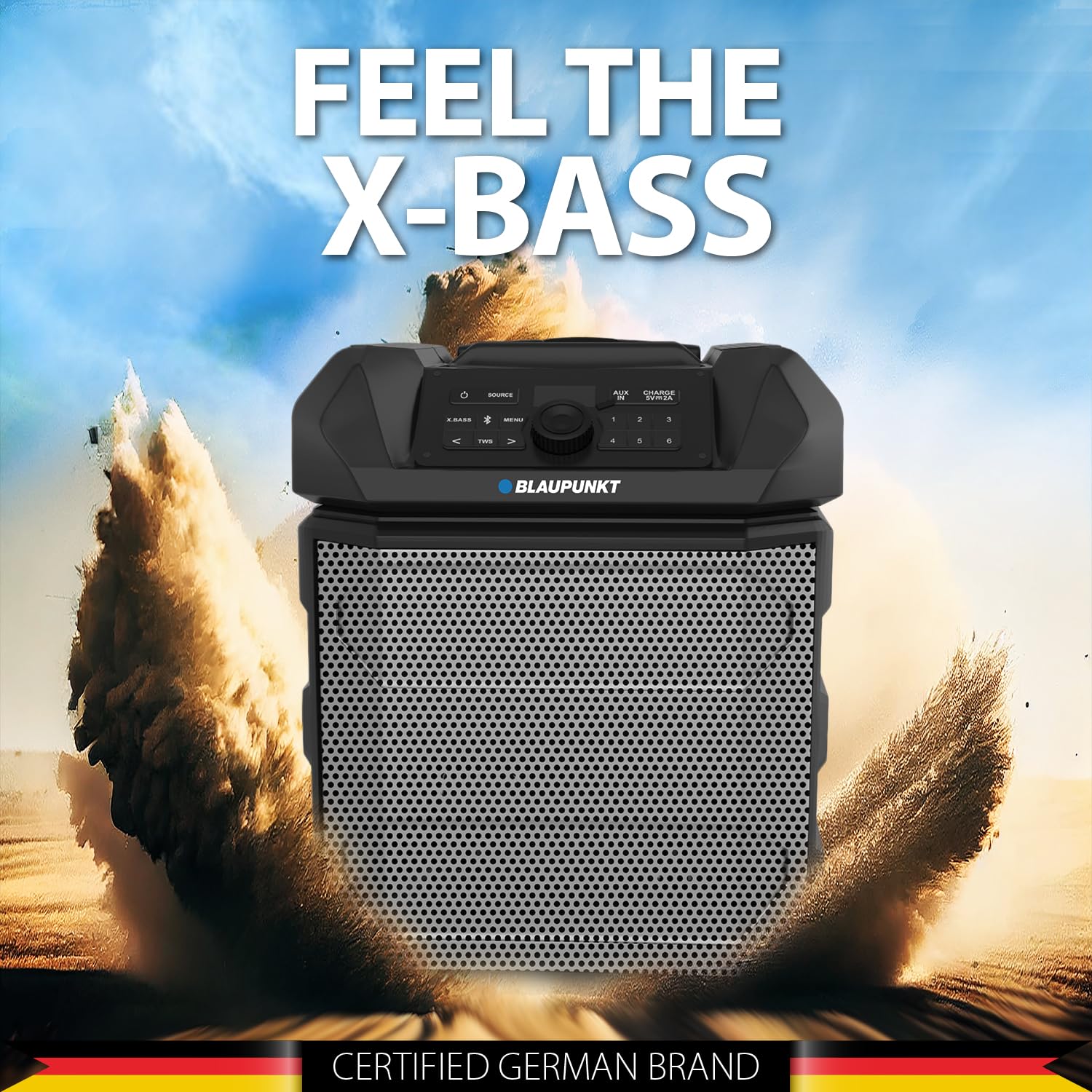
Figure 5: The PS150 speaker being transported with its wheels and handle.
9. Especificaciones
| Característica | Especificación |
|---|---|
| Marca | Blaupunkt |
| Número de modelo | PS150 BK |
| Salida Wattage | 100 vatios |
| Tecnología de conectividad | Bluetooth |
| Dispositivos compatibles | Teléfono inteligente, tableta |
| Fuente de poder | Funciona con pilas |
| Capacidad de la batería | 4500 mAh |
| Entrada de audio | Auxiliar |
| Salida USB | 5 V, 2000 mAh |
| Dimensiones del artículo (largo x ancho x alto) | 43 x 31.5 x 52.5 centímetros |
| Peso del artículo | 7500 gramos |
| Material del recinto | Acrilonitrilo butadieno estireno (ABS) |
10. Mantenimiento
- Limpie el altavoz con un paño suave y seco. No utilice limpiadores abrasivos ni disolventes.
- Guarde el altavoz en un lugar fresco y seco cuando no esté en uso.
- Evite la exposición prolongada a la luz solar directa o a temperaturas extremas.
11. Solución de problemas
11.1 Sin energía
- Asegúrese de que el altavoz esté completamente cargado.
- Compruebe si el cable de alimentación está conectado de forma segura.
- Mantenga presionado el botón de encendido durante unos segundos para asegurarse de que no sea solo una pulsación breve.
11.2 Sin sonido
- Aumente el volumen tanto del altavoz como del dispositivo conectado.
- Ensure the correct input source (Bluetooth, AUX, USB) is selected.
- Si usa Bluetooth, asegúrese de que el dispositivo esté correctamente emparejado.
- Si usa AUX, verifique la conexión del cable.
11.3 Bluetooth Disconnection
- Ensure the connected device is within the Bluetooth range (typically 10 meters).
- Avoid obstacles between the speaker and the device that may interfere with the signal.
- Intente desvincular y volver a vincular el dispositivo.
12. Garantía y soporte
The Blaupunkt Rock & Roll PS150 comes with a 1-year warranty from the date of purchase. For warranty claims, technical support, or any other inquiries, please contact:
- Fabricante: Envent Worldwide Pvt Ltd
- Atención al cliente Soporte de WhatsApp: 8860022600
- ID de correo electrónico: wecare@blaupunktaudio.in