
Introducción
Thank you for choosing the DYONDER Mini Wireless Controller. This compact gamepad is designed for enhanced gaming experiences across multiple platforms, including PlayStation 4 (PS4, PS4 Pro, PS4 Slim) and PC (Windows 10/8/7). It features dual vibration, a 6-axis sensor, and an audio function for immersive gameplay. Please read this manual carefully to ensure proper setup and operation.
Producto terminadoview

Frente view of the DYONDER Mini Wireless Controller, showcasing su diseño compacto.

Dimensions of the controller: 145mm (5.7 inches) length, 75mm (3 inches) height, 45mm (1.5 inches) width.
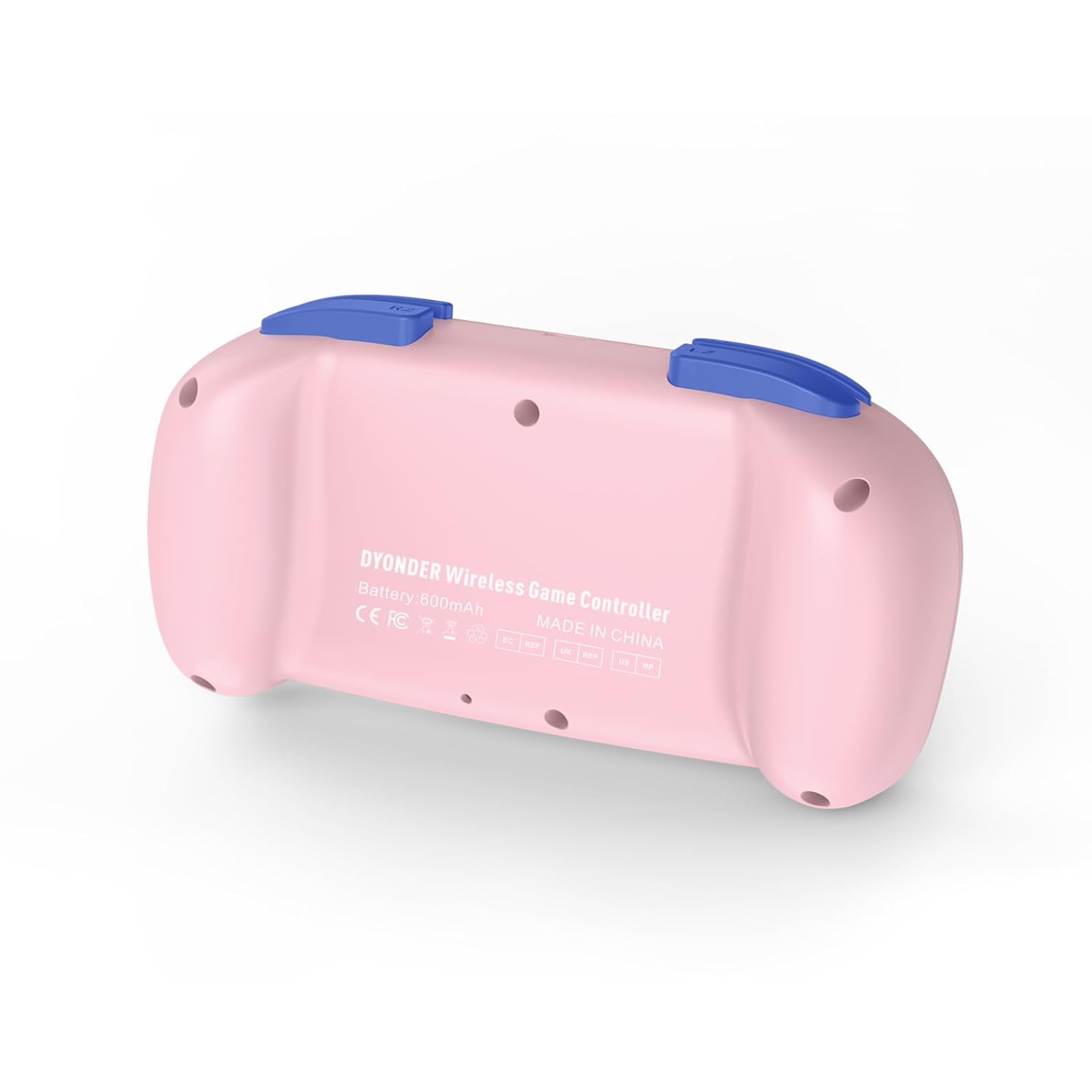
Atrás view of the controller, showing the model information and regulatory marks.

Detailed layout of the controller buttons, including Multi-touch Pad, Share Button, Options Button, D-Pad, Left Stick, Right Stick, Home Button, R1/R2, L1/L2, and Charging Port.
Características principales:
- Doble vibración: Experience immersive feedback with dual vibration motors.
- Sensor de movimiento de 6 ejes: Enhance dynamic feeling and control in compatible games.
- Batería incorporada de 600 mAh: Provides 10-12 hours of playing time on a 2-hour charge.
- Multi-platform Support: Compatible with PS4/Pro/Slim, PC (Windows 10/8/7), iOS, and Android.
- Mini diseño: Compact and easy to handle, especially suitable for smaller hands.
- Función de audio: Includes a 3.5mm headphone jack for audio output.
Official product video demonstrating the DYONDER wireless controller for PS4, highlighting its features and design.
Configuración y conexión
Connecting to PlayStation 4 (PS4/Pro/Slim):
- Asegúrese de que su consola PS4 esté encendida.
- Connect the controller to the PS4 console using the provided USB cable.
- Press the Home button on the controller. The light bar will flash, indicating it's pairing.
- Once the light bar turns solid, the controller is successfully connected and ready for use.
- After initial pairing, you can disconnect the USB cable and use the controller wirelessly.
Connecting to PC (Windows 10/8/7):
- Conexión por cable: Connect the controller to your PC using a USB cable. The PC should automatically detect and install the necessary drivers.
- Conexión Bluetooth:
- Asegúrese de que su PC tenga Bluetooth habilitado.
- On the controller, press and hold the Share button and the Home button simultaneously until the light bar starts flashing rapidly.
- En su PC, vaya a la configuración de Bluetooth y busque nuevos dispositivos.
- Seleccione el controlador de la lista de dispositivos disponibles para emparejar.
Connecting to iOS/Android Devices:
- Asegúrese de que Bluetooth esté habilitado en su dispositivo móvil.
- On the controller, press and hold the Share button and the Home button simultaneously until the light bar starts flashing rapidly.
- En su dispositivo móvil, vaya a la configuración de Bluetooth y busque nuevos dispositivos.
- Seleccione el controlador de la lista de dispositivos disponibles para emparejar.
Instrucciones de funcionamiento
Encendido/apagado:
- Encendido: Press the Home button once.
- Apagado: Press and hold the Home button for approximately 10 seconds until the light bar turns off. The controller will also automatically power off after a period of inactivity.
Cargando el controlador:

The controller features a built-in 600mAh battery, providing 10-12 hours of playtime after a 2-hour charge.
- Connect the provided USB cable to the charging port on the controller and the other end to a USB power source (e.g., PS4 console, PC, or USB wall adapter).
- The light bar will slowly flash while charging and turn off when fully charged.
- A full charge typically takes about 2 hours and provides 10-12 hours of gameplay.
Using the Audio Function:
- Plug a 3.5mm compatible headset into the audio jack located on the bottom of the controller.
- Audio output will be routed through the headset.
Mantenimiento
- Mantenga el mando limpio frotándolo con un paño suave y seco. Evite el uso de productos químicos agresivos o materiales abrasivos.
- Guarde el controlador en un lugar fresco y seco, alejado de la luz solar directa y de temperaturas extremas.
- Evite dejar caer el controlador o someterlo a impactos fuertes.
- No intente desmontar ni modificar el controlador, ya que esto anulará la garantía.
Solución de problemas
El controlador no se conecta:
- Asegúrese de que el controlador esté completamente cargado.
- For PS4, try connecting via USB cable first to establish the initial pairing.
- Reset the controller: Locate the small reset button on the back of the controller (often inside a small hole). Use a thin object (like a paperclip) to press and hold the button for 3-5 seconds. Then, attempt to re-pair.
- Asegúrese de que ningún otro dispositivo Bluetooth interfiera con la conexión.
Retraso de entrada o botones/sticks que no responden:
- Ensure the controller is within range of the console/device.
- Check for any physical obstructions between the controller and the console/device.
- Si utiliza una conexión por cable, pruebe con un puerto USB o cable diferente.
- Reinicie el controlador como se describe arriba.
La batería no mantiene la carga:
- Ensure you are using a reliable USB cable and power source.
- Si el problema persiste, póngase en contacto con el servicio de atención al cliente.
Presupuesto
| Característica | Detalle |
|---|---|
| Marca | DIONDER |
| Número de modelo (ASIN) | B0CFQ8816Z |
| Dispositivos compatibles | PlayStation 4 (PS4/Pro/Slim), PC (Windows 10/8/7), iOS, Android |
| Tipo de controlador | Mando para juegos |
| Cantidad de botones | 15 |
| Plataforma de hardware | Gaming Console, PC, Mobile |
| Fuente de poder | Alimentado por batería (600 mAh incorporada) |
| Tiempo de carga | Aproximadamente 2 horas |
| Tiempo de juego | Aprox. 10-12 horas |
| Color | Rosa |
Garantía y soporte
For warranty information or technical support, please refer to the product packaging or contact DYONDER customer service directly. Keep your purchase receipt for any warranty claims.