
Kit de mascotas P570
PETKIT Automatic Pet Feeder (Model P570) Instruction Manual
Your guide to smart and convenient pet feeding.
Producto terminadoview
The PETKIT Automatic Cat Feeder is designed to simplify your pet's feeding routine with smart app control and reliable dispensing. It features a triple fresh-lock system to keep food fresh, a large 3L capacity, and dual power options for uninterrupted feeding.
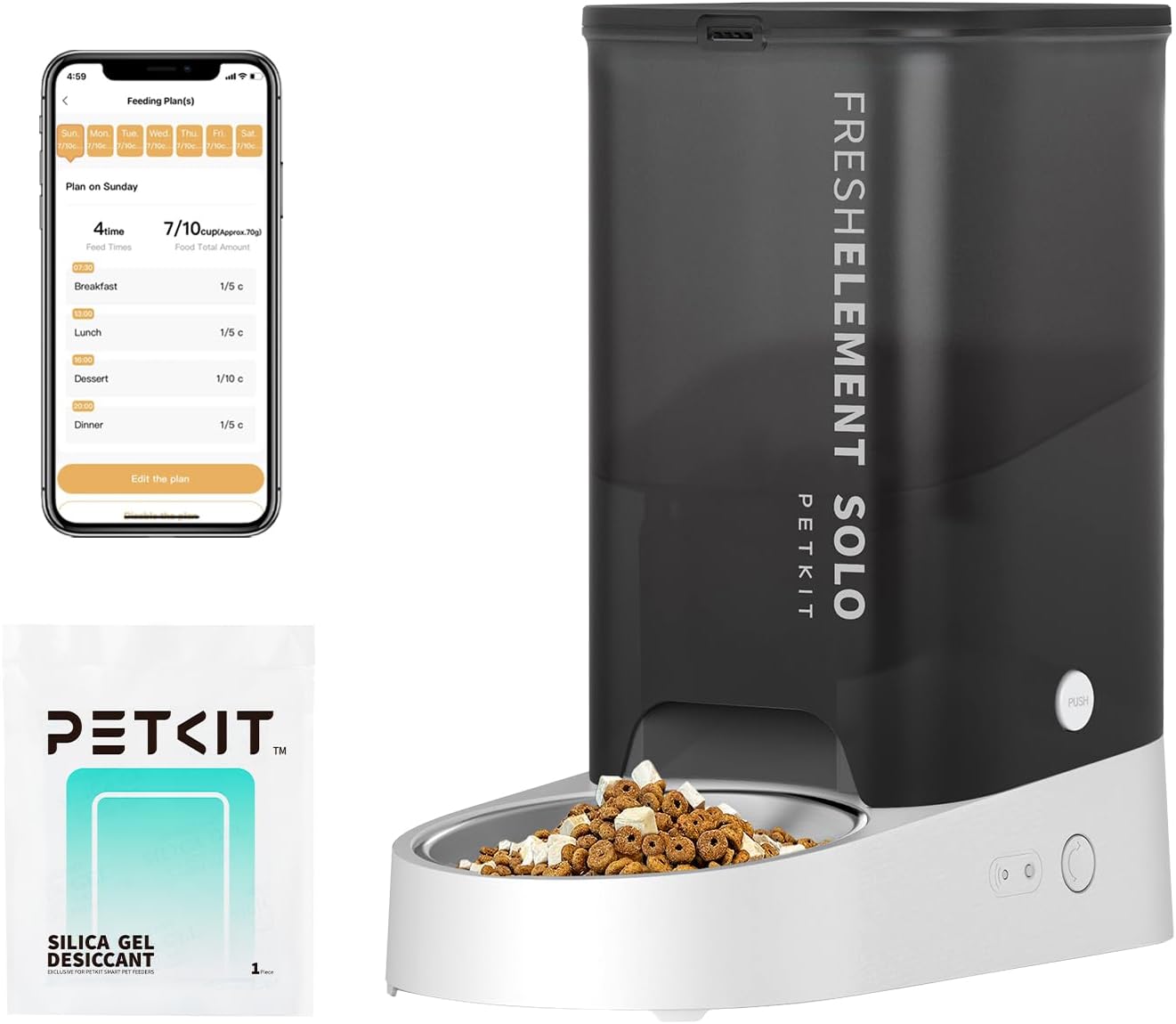
The PETKIT Automatic Pet Feeder in grey, showcasing its sleek design, food reservoir, and stainless steel bowl. An accompanying smartphone screen displays the feeding schedule interface.

An image illustrating the PETKIT app interface, highlighting features such as setting feeding schedules, extra feeding, food shortage alerts, desiccant replacement reminders, and battery shortagrecordatorios electrónicos.

A cat eating from the PETKIT Automatic Pet Feeder, emphasizing its 3L (12 cups) capacity, capable of providing up to 10 meals per day with 1-5 portions per meal, sufficient for an adult cat for up to 15 days.
¿Qué hay en la caja?
- PETKIT Fresh Element Solo Pet Feeder
- Cable USB
- Bolsa desecante
- Manual de usuario

A visual representation of the components included with the PETKIT Fresh Element Solo Pet Feeder: the main feeder unit, USB cable, desiccant bag, and user manual.
Guía de configuración
- Desempaquetar componentes: Retire con cuidado todos los elementos del embalaje.
- Ensamblar el alimentador: Place the stainless steel bowl into the designated slot on the feeder base.
- Instalar la bolsa desecante: Open the lid of the food reservoir and insert the desiccant bag into its holder to maintain food freshness.
- Conecte la electricidad: Plug the USB cable into the feeder and connect it to a 5V/1A USB adapter (not included). For backup power, insert three 3A batteries (not included) into the battery compartment.
- Descargar la aplicación PETKIT: Scan the QR code on the feeder or search for "PETKIT" in your device's app store (iOS/Android) to download the official application.
- Conectarse a Wi-Fi: Follow the in-app instructions to connect your feeder to your 2.4GHz Wi-Fi network. Ensure your Wi-Fi password is not excessively long or complex.
- Llenar el depósito de alimentos: Open the top lid and pour dry pet food into the reservoir. Ensure kibble size is less than 12mm to prevent blockages.
The PETKIT Automatic Pet Feeder unit, ready for initial setup and assembly of its components.
The PETKIT mobile application interface, used for connecting the feeder to Wi-Fi and managing settings.
Instrucciones de funcionamiento
Control de aplicaciones
Utilize the PETKIT app to fully customize your pet's feeding schedule:
- Programar la alimentación: Set up to 10 meals per day with 1-5 portions per meal (1/10 cup each).
- Dispensación manual: Dispense food instantly from anywhere using the app's
Ask a question about this manual
Ask about setup, troubleshooting, compatibility, parts, safety, or missing instructions. Manuals+ will review the question and use this page’s manual context to help answer it.