
Introducción
The Jumpeak Wireless Android Auto Adapter converts your car's existing wired Android Auto system into a wireless connection. This adapter allows you to enjoy all Android Auto features, such as navigation, music playback, voice assistant, and phone calls, without the need for a physical cable connection to your smartphone.
This device is designed for ease of use, offering a plug-and-play experience with automatic reconnection after the initial setup.
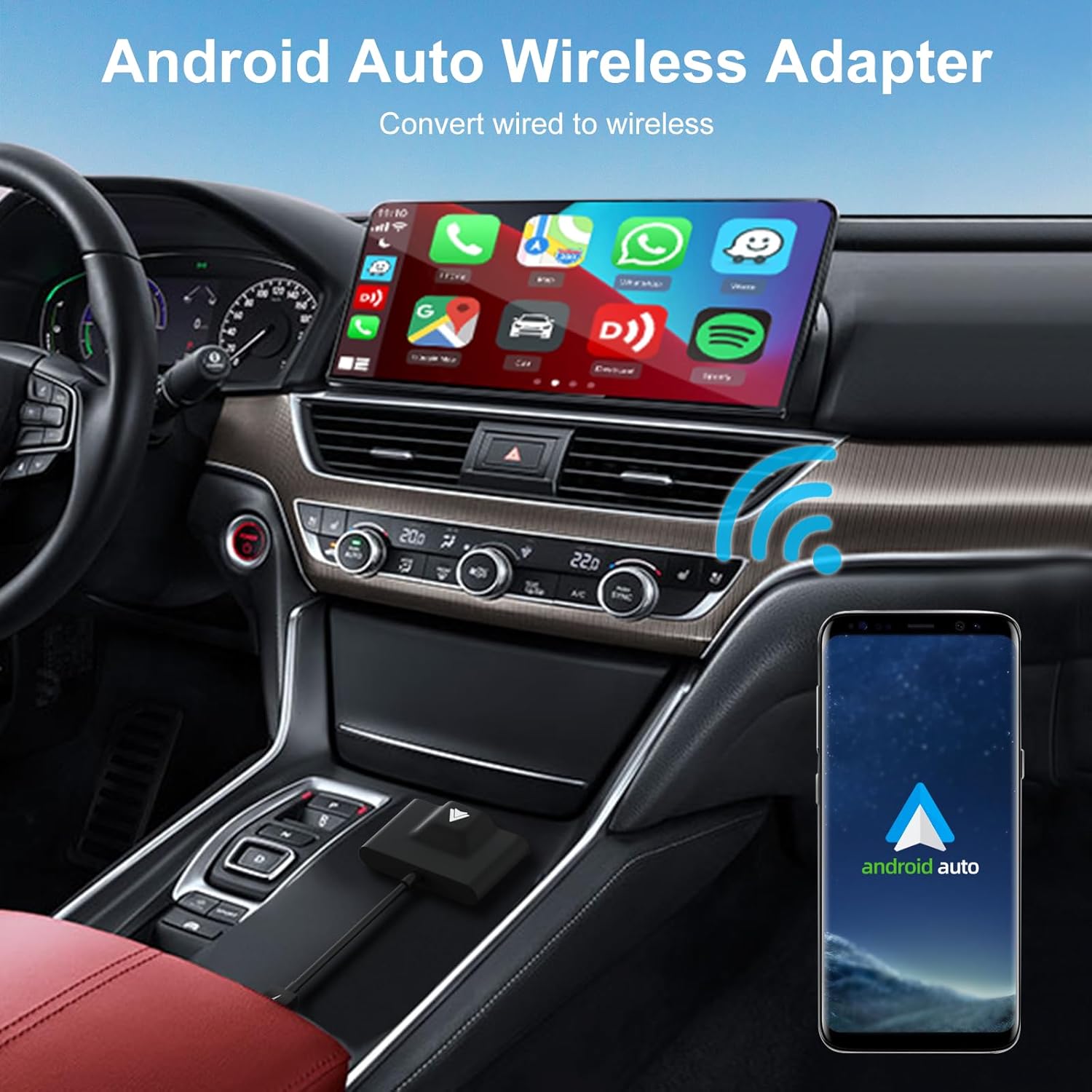
Image: The Jumpeak Wireless Android Auto Adapter in use, converting a wired Android Auto system to wireless, displayed on a car's infotainment screen.
Compatibilidad
This adapter is compatible only with vehicles or stereo systems that are equipped with a factory-installed wired Android Auto system. It is not compatible with other car play systems, such as Apple CarPlay.
Ensure your Android smartphone supports Android Auto. It is recommended to use Android 11 or a newer version for optimal performance.

Imagen: Compatibilidad sobreview, showing the adapter connecting to a car and various Android phones. For a detailed list of compatible vehicles and phones, please visit the official Android Auto compatibility websitio: android.com/auto/compatibility/.
Instrucciones de instalación
The setup process for the Jumpeak Wireless Android Auto Adapter is quick and straightforward, requiring only three simple steps:
- Conectar: Connect the adapter to your car's USB port that supports wired Android Auto. Use the provided USB-A or USB-C cable as needed.
- Emparejamiento Bluetooth: En su teléfono Android, habilite Bluetooth y Wi-Fi. Buscar the adapter's Bluetooth name (e.g., "smartBox-XXXX") and pair with it. Confirm any pairing requests on your phone and car screen.
- Initiate Android Auto: Once paired, your car's infotainment system should automatically launch Android Auto wirelessly.
After the initial setup, the adapter will automatically connect to your phone each time you start your car, provided Bluetooth and Wi-Fi are enabled on your phone.

Image: Visual guide illustrating the three steps for setting up the wireless Android Auto adapter.
Instrucciones de funcionamiento
Once the adapter is set up, operating wireless Android Auto is seamless:
- Conexión automática: After the first successful pairing, the adapter will automatically connect to your phone when you start your car. Ensure your phone's Bluetooth and Wi-Fi are active.
- Funcionalidad completa de Android Auto: All standard Android Auto features remain accessible, including navigation (Google Maps, Waze), music streaming (Spotify, YouTube Music), making calls, sending messages, and using voice commands via Google Assistant.
- Controles del coche: You can interact with Android Auto using your car's original controls, such as the touchscreen, OEM knob, and steering wheel buttons.

Image: Display of Android Auto's core functions, including phone calls, music, navigation, and voice assistant, all accessible wirelessly.

Image: The adapter ensures fast and automatic reconnection to Android Auto every time the car starts.
Mantenimiento
The Jumpeak Wireless Android Auto Adapter requires minimal maintenance:
- Limpieza: Utilice un paño suave y seco para limpiar el adaptador. Evite usar limpiadores líquidos o disolventes.
- Almacenamiento: Cuando no utilice el adaptador durante períodos prolongados, guárdelo en un lugar fresco y seco, alejado de la luz solar directa y de temperaturas extremas.
- Actualizaciones de firmware: The adapter supports firmware updates. If you experience performance issues or compatibility problems, contact Jumpeak support for guidance on updating the firmware. Firmware updates can resolve various operational issues and improve compatibility.
Solución de problemas
- No Connection / Disconnections:
- Ensure your car has a factory-installed wired Android Auto system.
- Verifique que el Bluetooth y el Wi-Fi de su teléfono estén habilitados.
- Check if your phone's Android version is 11 or higher.
- Try unplugging the adapter and plugging it back into the car's USB port.
- Reinicie su teléfono y el sistema de información y entretenimiento del automóvil.
- If issues persist, consider updating the adapter's firmware. Connect your phone to the adapter's Wi-Fi network (as if it were a home modem's Wi-Fi) and follow instructions provided by Jumpeak support for firmware updates.
- Android Auto no se inicia:
- Confirm successful Bluetooth pairing between your phone and the adapter.
- Ensure Android Auto is enabled on your phone and in your car's settings.
- Problemas de retraso o rendimiento:
- Asegúrese de que su teléfono no esté ejecutando demasiadas aplicaciones en segundo plano.
- Compruebe si hay obstrucciones que puedan interferir con la señal inalámbrica.
- A firmware update might improve performance.
- Not Compatible with iPhone:
- This adapter is designed exclusively for Android Auto and is not compatible with Apple CarPlay or iPhones.
Presupuesto
| Marca | Jumpeak |
| Número de modelo | Jumpeak Wireless Android Auto Adapter |
| Fabricante | Top High Technology Co., Ltd. |
| Dispositivos compatibles | Smartphones (Android 11+), MP3 Players, Tablets, Headsets |
| Tipo de conector | Bluetooth, USB/USB C |
| Color | Negro |
| Número de puertos | 1 |
| Tipo de enchufe de alimentación | No plug (USB powered) |
| Dimensiones (aprox.) | Length: 2.56 inches, Width: 0.47 inches (adapter body) |
| UPC / GTIN | 710891765437 |

Image: The compact and lightweight design of the adapter, with approximate dimensions.
Información de garantía
Jumpeak provides lifetime technical support and replacement for this wireless Android Auto dongle. This warranty covers manufacturing defects and operational issues under normal use.
For warranty claims or detailed information, please contact Jumpeak customer support.
Atención al cliente
If you encounter any compatibility issues, usage problems, or require technical assistance, please do not hesitate to contact Jumpeak customer support. Our team is ready to assist you with troubleshooting and provide solutions, including guidance on firmware updates if necessary.
Please refer to the contact information provided with your product packaging or visit the official Jumpeak websitio para detalles de soporte.