
1. Producto terminadoview
The EsaSam Android Car Stereo M400S is a 9-inch touchscreen multimedia player designed for the JAC Refine S3 2019 model. It features an Android 11/12 operating system, GPS navigation, Bluetooth 4.0, WiFi, and 4G connectivity. This unit supports various functions including Carplay, Android Auto, steering wheel control, and a reverse camera input, enhancing your driving experience with advanced infotainment capabilities.

Image: The EsaSam Android Car Stereo M400S integrated into a vehicle's dashboard, showcasing su pantalla de 9 pulgadas y su interfaz de usuario.
2. Contenido del paquete
Verifique que todos los artículos enumerados a continuación estén incluidos en su paquete. Si falta algún artículo o está dañado, comuníquese con atención al cliente.

Image: All components of the EsaSam Android Car Stereo M400S package, including the head unit and various cables.
- Main Head Unit (9-inch touchscreen display)
- Power Harness (specific for JAC Refine S3 2019)
- Micrófono externo (MIC)
- Cables de entrada/salida RCA
- 2 x Cables USB
- Cable de entrada de la cámara
- Antena GPS
- Manual de instrucciones
- 4G Antenna (for 8-core models only)
- AHD Backup Camera (gift)
3. Guía de instalación
This unit is specifically designed for the JAC Refine S3 2019. Professional installation is recommended. Ensure the vehicle's power is disconnected before beginning installation.
- Preparación: Carefully remove the original car radio unit from your JAC Refine S3 2019 dashboard.
- Conectar el arnés de alimentación: Connect the provided power harness to the car's wiring. Ensure all connections are secure.
- Conectar antenas:
- Conecte la antena GPS y colóquela en un lugar con visibilidad despejada. view del cielo (por ejemplo, la esquina del tablero).
- Si su modelo admite 4G, conecte la antena 4G.
- Conectar cables USB: Route the USB cables to a convenient location, such as the glove compartment, for future use with USB devices.
- Conectar micrófono externo: Conecte el micrófono externo para mejorar la calidad de las llamadas y los comandos de voz.
- Conectar cables RCA: Si usa externo amplifiers or other audio/video devices, connect the RCA input/output cables as needed.
- Connect Reverse Camera: Install the AHD backup camera at the rear of the vehicle and route its cable to the head unit. Connect it to the camera input cable.
- Monte la unidad principal: Securely mount the EsaSam M400S head unit into the dashboard opening.
- Encendido inicial: Reconnect the vehicle's power. Turn on the ignition and power on the car stereo.
- Configuración del sistema:
- Contraseña de fábrica: For initial access or specific settings, use the factory password. For M400S models, the password is 3368.
- Control del volante: To configure original steering wheel controls, navigate to the system settings and follow the on-screen instructions to learn or configure the CANBUS protocol.
4. Instrucciones de funcionamiento
4.1 Sistema operativo Android
The unit runs on an Android 11/12 operating system, providing a familiar interface. Navigate using the 9-inch capacitive multi-touch screen. You can download, install, and manage applications from the Google Play Store.

Image: The Android operating system interface displayed on the car stereo, showing various application icons.
4.2 bluetooth 4.0
Connect your mobile phone via Bluetooth 4.0 for hands-free calling and audio streaming. The system supports synchronizing your contact list for easy access.
- Pairing: Go to Bluetooth settings on the head unit and your phone to pair devices.
- Hands-free Calls: Make and receive calls directly from the car stereo.
- Music Playback: Stream audio from your phone to the car speakers.
4.3 Navegación GPS
The built-in GPS module supports both online and offline navigation applications. Connect to WiFi to download offline maps for use without an internet connection. The dual-zone function allows you to listen to music while navigation is active.

Image: A GPS navigation map showing routes and current location on the car stereo screen.
Radio 4.4FM/AM
Access FM and AM radio stations. The system allows you to save your favorite stations for quick access.
- Frecuencia FM: 87.5-108.5 MHz
- AM Frequency: 520-1700 Hz
4.5 Enlace espejo
Support for both Android and iOS devices to mirror your phone's screen onto the car radio display. This allows you to view El contenido de tu teléfono directamente en la pantalla más grande.
4.6 Control del volante (SWC)
The unit supports original steering wheel controls. Configure these controls in the system settings to manage audio, calls, and other functions without taking your hands off the wheel.

Image: A steering wheel with control buttons, illustrating the integration with the car stereo for convenient operation.
4.7 Entrada de cámara de marcha atrás
El sistema muestra automáticamente la parte trasera view when the vehicle is shifted into reverse. The included AHD backup camera provides a clear image for safer parking and maneuvering.
4.8 Función de pantalla dividida
Utilize the split-screen feature to display two applications simultaneously, such as navigation and music playback, for enhanced multitasking.

Image: The car stereo display in split-screen mode, showing a navigation map on one side and a music player on the other.
4.9 Built-in Carplay and Android Auto
The M400S supports both wireless Carplay and Android Auto (via USB cable). Connect your smartphone to access navigation, music, messages, and other apps safely through the car's display.
Procesador 4.10DSP
The Digital Sound Processor (DSP) allows for various sound effects and music styles (pop, rock, jazz, etc.) to be set, providing a customizable audio experience.
4.11 Conectividad 4G LTE
For models with 4G support, connect to the internet to stream online music, watch videos, and access web content directly from the car stereo.
4.12 5GHz WiFi Support
The unit supports 5GHz WiFi (802.11 b/g/n) for faster data transmission, wider coverage, and a more stable internet connection compared to 2.4GHz WiFi.
4.13 Compatibilidad con DVR ADAS
When connected to an optional ADAS DVR, the system can provide advanced driver-assistance features such as anti-collision warnings and lane departure warnings.
4.14 Compatibilidad con cámara panorámica de 360 grados
The unit supports a 360-degree panoramic camera system (requires additional camera hardware and a 360 camera chip on the radio motherboard) for a comprehensive view alrededor del vehículo.
4.15 Opciones de la interfaz de usuario (UI)
The system offers various user interface designs, allowing you to customize the visual appearance of your car stereo's home screen and menus.
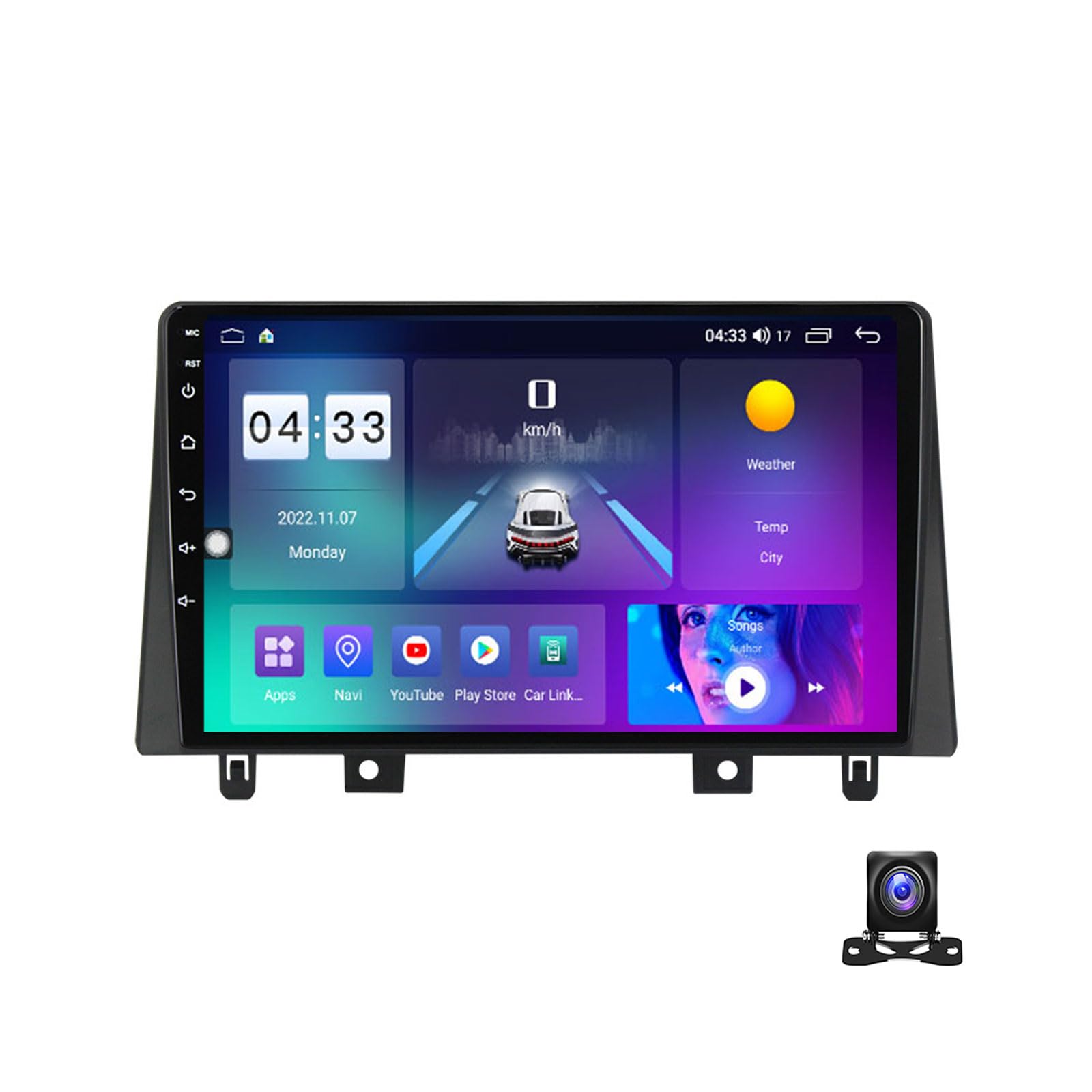
Imagen: Examples of different user interface designs available on the EsaSam car stereo.
5. Especificaciones
| Nombre de marca | EsaSam |
| Número de modelo | M400S |
| Sistema operativo | Android 11/12 |
| Tamaño de pantalla | 9 pulgadas |
| Resolución de pantalla | 1024*600 (or 1280*720 for higher models) |
| Procesador | Quad-core / Octa-core |
| Opciones de RAM | 1GB / 2GB / 3GB / 4GB / 6GB / 8GB DDR3 |
| Opciones de ROM | 16 GB / 32 GB / 64 GB / 128 GB |
| Bluetooth | Bluetooth 4.0 |
| Wi-Fi | Built-in (802.11 b/g/n), supports 5GHz |
| Soporte 4G | Yes (with 4G antenna for 8-core models) |
| GPS | Módulo de GPS incorporado |
| Frecuencias de radio | AM: 520-1700 Hz, FM: 87.5-108.5MHz |
| Salida de vídeo | Full RCA Output, supports HD 1080P |
| Salida de audio | Subwoofer audio output, DSP support |
| Conectividad | USB, SD, AUX-IN |
| Funciones compatibles | Carplay, Android Auto, SWC, Reverse Camera, DVR, TPMS, OBD2, DAB+ |
| Idiomas | Multi-lingual (English, Russian, French, German, Spanish, Italian, Arabic, etc.) |
6. Solución de problemas
If you encounter issues with your EsaSam Android Car Stereo, refer to the following common solutions:
- Sin energía: Revise todas las conexiones eléctricas y los fusibles. Asegúrese de que el encendido del vehículo esté activado.
- Sin sonido: Verifique las conexiones de los altavoces. Compruebe el volumen y la configuración de audio. Asegúrese de que la función de silencio no esté activada.
- Pérdida de señal GPS: Asegúrese de que la antena GPS esté conectada correctamente y tenga una vista clara. view del cielo. Intente reiniciar la unidad.
- Problemas de conexión Bluetooth: Asegúrate de que el Bluetooth esté activado tanto en la unidad principal como en tu dispositivo móvil. Intenta desvincular y volver a vincular los dispositivos.
- La pantalla táctil no responde: Reinicie la unidad. Si el problema persiste, podría ser necesario restablecer la configuración de fábrica (nota: esto borrará todos los datos del usuario).
- Sistema lento/congelado: Close unnecessary applications. Clear cache. If persistent, consider a factory reset or system update.
- Los controles del volante no funcionan: Re-enter the steering wheel control learning interface in settings and reconfigure the buttons. Check CANBUS connections if applicable.
For issues not covered here, please contact EsaSam customer support.
7. Mantenimiento
Un mantenimiento adecuado garantiza la longevidad y el rendimiento óptimo del estéreo de su automóvil.
- Limpieza de pantalla: Utilice un paño suave y sin pelusa ligeramente seco.ampLimpie con agua o un limpiador de pantallas. Evite productos químicos agresivos o materiales abrasivos.
- Actualizaciones de software: Periodically check for and install system software updates to ensure optimal performance and access to new features.
- Temperatura: Evite exponer la unidad a temperaturas extremas durante períodos prolongados.
- Ventilación: Ensure the unit's ventilation openings are not blocked to prevent overheating. The unit may include a cooling fan for M200S-M700S models to prevent abnormal operation due to high temperatures.
8. Garantía y atención al cliente
For warranty information, technical assistance, or any questions regarding your EsaSam Android Car Stereo M400S, please refer to the warranty card included in your package or contact EsaSam customer support directly through their official channels.
When contacting support, please have your model number (M400S) and purchase details ready.