
ENOMIR IDW19
Manual de usuario del reloj inteligente ENOMIR
Modelo: IDW19
Introducción
Welcome to the user manual for your new ENOMIR Smart Watch. This guide provides essential information on setting up, operating, maintaining, and troubleshooting your device to ensure optimal performance and a seamless user experience. Your smart watch is designed to be a versatile companion for fitness, health monitoring, and staying connected.
¿Qué hay en la caja?
- ENOMIR Smart Watch (Model IDW19)
- Cable de carga magnética
- Manual de usuario (este documento)
Configuración
1. Cargar su reloj inteligente
Before initial use, fully charge your ENOMIR Smart Watch. Connect the magnetic charging cable to the charging points on the back of the watch. Plug the USB end into a compatible power adapter (not included) or a computer USB port. A full charge typically takes about 2 hours and provides up to 7 days of typical usage.
2. Descarga y emparejamiento de la aplicación
To unlock the full potential of your smart watch, download the 'VeryFit' app from your smartphone's app store (Google Play Store for Android or Apple App Store for iOS). Once installed, open the app and follow the on-screen instructions to create an account and pair your device via Bluetooth 5.3. Ensure Bluetooth is enabled on your phone during the pairing process.

Figure 1: The ENOMIR Smart Watch, showcasing its sleek design and call function.
Vídeo 1: Un oficial sobreview of the ENOMIR Smartwatch, demonstrating its features and user interface.
Instrucciones de funcionamiento
1. Visualización y navegación
The ENOMIR Smart Watch features a vibrant 1.8-inch HD touchscreen for intuitive navigation. Swipe left/right or up/down to access different menus and functions. The side button can be used to wake the screen or return to the home screen.
2. Bluetooth Call Function & Notifications
With Bluetooth 5.3, your smart watch allows you to answer and make calls directly from your wrist. You will also receive instant notifications for texts, social media alerts (Facebook, WhatsApp, etc.), and other app messages. Note that while you can receive texts, you cannot reply directly from the watch.

Figure 2: Seamless Bluetooth 5.3 connectivity enables making and receiving calls directly on your smart watch.
3. Alexa integrada
Leverage the power of Alexa with built-in voice commands. Ask questions, set alarms, check the weather, and control smart home devices directly from your wrist, providing convenient hands-free assistance.

Figure 3: Utilize Alexa's intelligent assistance for quick queries and commands.
Seguimiento de la salud y el estado físico
Your ENOMIR Smart Watch is equipped with high-performance optical sensors for comprehensive 24/7 health monitoring.
1. Monitoreo de salud 24/7
- Frecuencia cardíaca: Continuously tracks your heart rate, providing insights into your cardiovascular health.
- Oxígeno en sangre (SpO2): Mide tus niveles de saturación de oxígeno en sangre.
- Estrés: Monitorea tus niveles de estrés a lo largo del día.
- Dormir: Analiza tus patrones de sueño, incluidos el sueño profundo, el sueño ligero y el sueño REM.tages, to help you improve sleep quality.

Figure 4: The smart watch provides 24/7 health management, including heart rate, blood oxygen, and stress tracking.
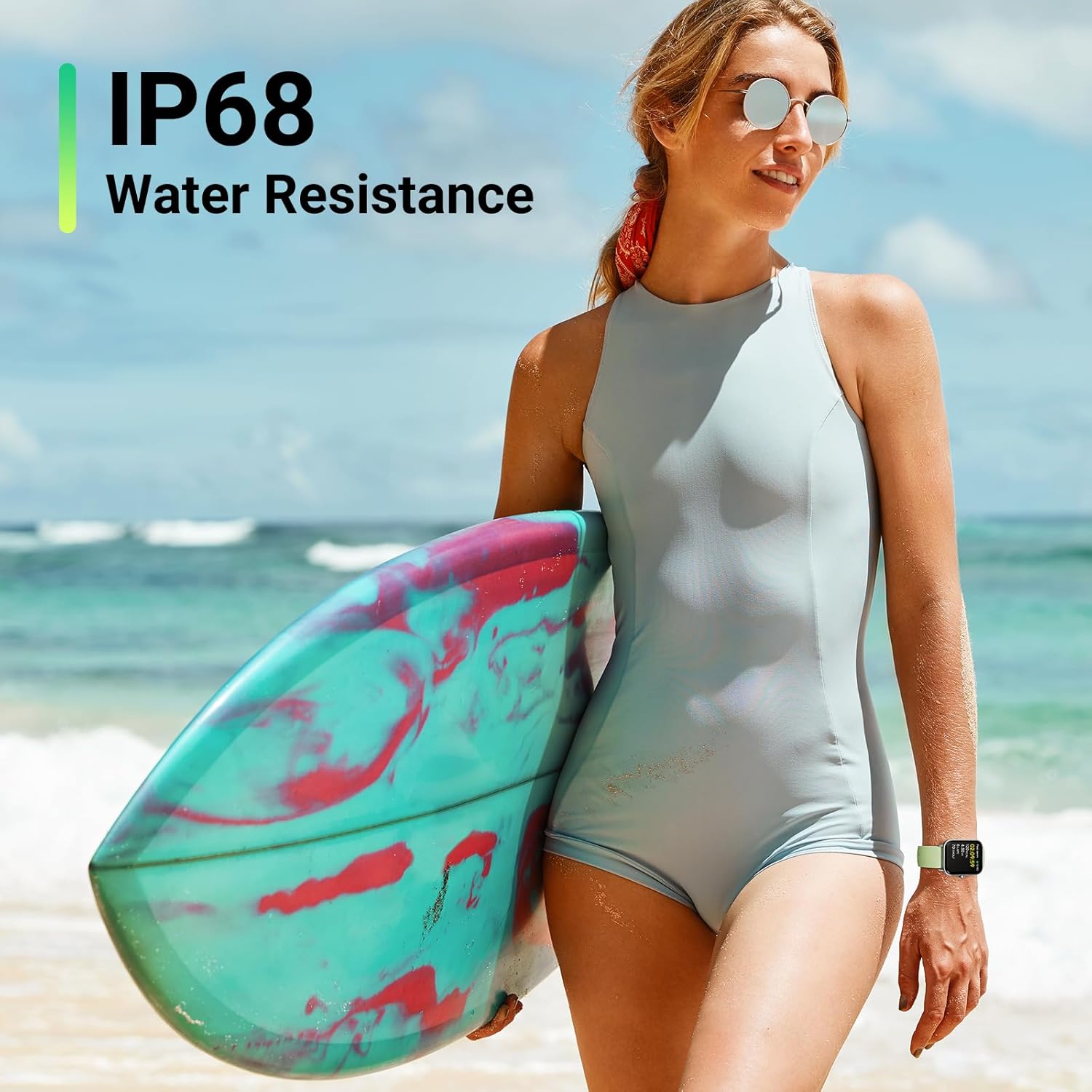
Figure 5: Detailed sleep stage analysis helps you understand and improve your sleep quality.
2. Más de 110 modos deportivos
Track your workouts with over 110 sports modes, including running, swimming, cycling, and more. The watch records essential metrics like calories burned, distance covered, steps taken, and real-time heart rate during your activities.

Figure 6: Explore over 100 sports modes to accurately track your diverse physical activities.
Resistencia al agua
The ENOMIR Smart Watch boasts an IP68 waterproof rating, making it suitable for daily wear, showering, and swimming in pools. It is built to withstand splashes, rain, and even submersion up to a certain depth, ensuring durability for active lifestyles.

Figure 7: The IP68 water resistance ensures your smart watch is protected during water activities.
Duración de la batería
The 2025 upgraded battery provides impressive longevity. Enjoy up to 7 days of typical usage on a single 2-hour charge, with a standby time of up to 30 days. This ensures your smart watch stays powered longer, reducing the need for frequent recharging.
Presupuesto
| Característica | Detalle |
|---|---|
| Dimensiones del producto | 10.63 x 3.54 x 0.79 pulgadas |
| Peso del artículo | 3.2 onzas |
| Número de modelo del artículo | IDW19 |
| Baterías | Se requieren 1 baterías de polímero de litio (incluidas) |
| Compatibilidad del sistema operativo | Android, iOS |
| Comunicación inalámbrica | Bluetooth 5.3 |
| GPS | Sin GPS |
| Características especiales | Bluetooth Call (Answer/Make Call), TEXT&APP Message notification, Alexa Built-in, Weather Forecast, Music Control, 24-Hour Heart Rate, Blood Oxygen (SpO2), Sleep Stress Health Guard, 110+ Sports Modes, IP68 Water Resistance, Calories, Steps, Distance, Game, Female menstrual cycle, Pedometer, Alarm Clock, Stopwatch, Calendar, Brightness Adjustment, 105+ Dial selection, Custom dial, Removable 22mm strap |
| Entrada de interfaz humana | Pantalla táctil |
| Color | Verde |
| Tamaño de pantalla | 1.8 pulgadas |
| Capacidad de almacenamiento de memoria | 32 GB |
Mantenimiento
To ensure the longevity and optimal performance of your ENOMIR Smart Watch, follow these maintenance guidelines:
- Limpieza: Regularly wipe the screen and strap with a soft, damp paño. Evite el uso de productos químicos agresivos o materiales abrasivos.
- El secado: Después de la exposición al agua, asegúrese de que el reloj esté completamente seco antes de cargarlo o usarlo durante un tiempo prolongado.
- Almacenamiento: Guarde el reloj en un lugar fresco y seco, alejado de la luz solar directa y de temperaturas extremas.
- Evite el impacto: Aunque es duradero, evite dejar caer el reloj o someterlo a impactos fuertes.
Solución de problemas
If you encounter any issues with your ENOMIR Smart Watch, please refer to the following common solutions:
- El reloj no se enciende: Ensure the watch is fully charged. Long-press the side button to power on.
- Problemas de conectividad (Bluetooth): Ensure Bluetooth is enabled on your phone and the watch is within range (10m). Try unpairing and re-pairing the device in the 'VeryFit' app. Restart both your phone and the watch.
- Notificaciones no recibidas: Check notification settings in the 'VeryFit' app and your phone's system settings to ensure app notifications are enabled for the watch.
- Heart Rate/SpO2/Stress Monitoring Inaccurate: Asegúrese de que el reloj esté bien ajustado a su muñeca, ni demasiado apretado ni demasiado suelto. Limpie los sensores de la parte trasera del reloj.
- 'Raise to Wake' Not Working: Check the settings within the 'VeryFit' app for display preferences and ensure the 'Raise to Wake' feature is enabled. If the issue persists, try restarting the watch.
Para obtener más ayuda, comuníquese con atención al cliente.
Garantía y soporte
Your ENOMIR Smart Watch comes with a 365-day replacement warranty and lifetime service. For any inquiries or support needs, please contact EnomirDirect customer service. They offer 12-hour quick reply support.
Información del contacto: Refer to the 'VeryFit' app or the seller's contact details on the purchase platform for direct support.