
Introducción
The Havit Gamenote KB885L mechanical keyboard is engineered for precision, durability, and customization. It features a gasket structure design, providing a soft and stable typing experience while minimizing noise. The full key rollover with multi-key response ensures fast and accurate input, crucial for gaming. With customizable RGB backlighting, you can personalize your keyboard with various lighting modes and effects. The detachable USB-C cable enhances portability and simplifies cable management. This keyboard is built with mechanical switches rated for 50 million key presses, making it suitable for gamers, typists, and professionals who require long-lasting performance.
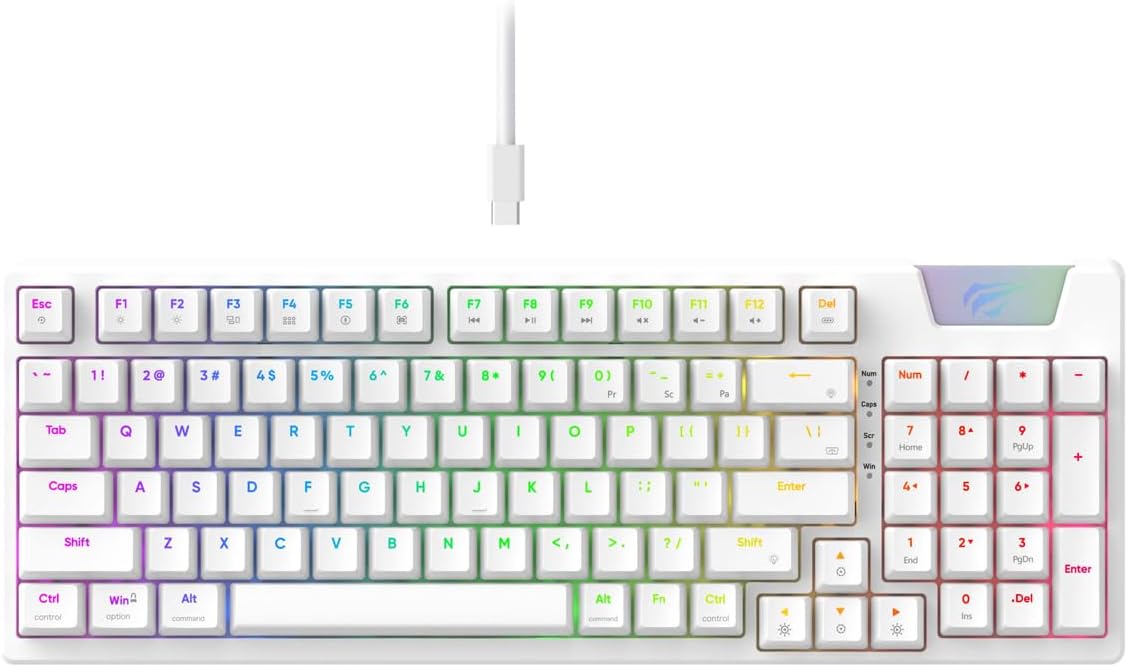
Image: The Havit Gamenote KB885L mechanical keyboard in white, showcasing its full layout and detachable USB-C cable.
Guía de configuración
Follow these steps to set up your Havit Gamenote KB885L mechanical keyboard:
- Desembalaje del teclado: Retire con cuidado el teclado y sus accesorios del embalaje.
- Conecte el cable USB-C: Insert the detachable USB Type-C cable into the port on the keyboard.
- Conectar a la computadora: Conecte el otro extremo del cable USB a un puerto USB disponible en su computadora.
- Instalación del controlador: El teclado es plug-and-play y normalmente no requiere controladores adicionales. Su sistema operativo debería detectar e instalar automáticamente los controladores necesarios.
- Funcionalidad de prueba: Open a text editor or browser to test key presses and ensure all functions are working correctly.

Image: A close-up of the Havit Gamenote KB885L keyboard highlighting its portable design and detachable cable for easy setup and transport.
Instrucciones de funcionamiento
The Havit Gamenote KB885L keyboard offers various features for an enhanced user experience:
Control de retroiluminación RGB
El teclado cuenta con retroiluminación RGB personalizable. Utilice las siguientes combinaciones de teclas para ajustar los efectos de iluminación:
- Fn + [Tecla]: Cycle through different RGB lighting modes. (Specific key combinations may vary, refer to on-keyboard legends if available).
- Fn + Teclas de flecha: Ajusta el brillo y la velocidad de los efectos de iluminación.

Image: The Havit Gamenote KB885L keyboard displaying its vibrant RGB backlighting, illustrating customizable lighting effects.
Transferencia completa de claves (NKRO)
This keyboard supports Full Key Rollover, meaning every key press is registered independently, regardless of how many keys are pressed simultaneously. This feature is essential for fast-paced gaming and typing, preventing ghosting or missed inputs.
Diseño ergonómico
The keyboard is designed with ergonomics in mind to provide comfort during extended use. Its layout and keycap profile aim to reduce strain on your wrists and fingers.

Imagen: A view of the Havit Gamenote KB885L keyboard highlighting its ergonomic design for comfortable use.
Mantenimiento
Un mantenimiento adecuado garantiza la longevidad y el rendimiento óptimo de su teclado:
- Limpieza: Limpie el teclado regularmente con un paño suave y seco. Para una limpieza más profunda, utilice aire comprimido para eliminar el polvo y los residuos entre las teclas. Para la suciedad persistente, utilice un paño ligeramente seco.amp Se puede utilizar un paño con jabón suave, asegurándose de que no entre líquido en el teclado.
- Evite derrames: Mantenga el teclado alejado de líquidos para evitar daños en los componentes internos. En caso de derrame, desconecte el teclado inmediatamente y deje que se seque por completo antes de volver a conectarlo.
- Cuidado de cables: Manipule el cable USB-C desmontable con cuidado. Evite doblarlo bruscamente o tirarlo demasiado para evitar dañar el cable o los conectores.
- Almacenamiento: Cuando no esté en uso, guarde el teclado en un entorno limpio y seco, alejado de temperaturas extremas.
Solución de problemas
If you encounter issues with your Havit Gamenote KB885L keyboard, try the following solutions:
- El teclado no responde:
- Asegúrese de que el cable USB-C esté conectado de forma segura tanto al teclado como a la computadora.
- Intente conectar el teclado a un puerto USB diferente en su computadora.
- Pruebe el teclado en otra computadora para determinar si el problema está en el teclado o en el sistema.
- Las luces RGB no funcionan:
- Compruebe si la iluminación está apagada usando las combinaciones de teclas Fn.
- Asegúrese de que el teclado esté correctamente alimentado a través de la conexión USB.
- Claves que no se registran/funcionan como fantasmas:
- Due to full key rollover, this is unlikely. However, ensure no debris is lodged under the keycap.
- If a specific key is consistently failing, it might indicate a switch issue. Contact support if the problem persists.
Presupuesto
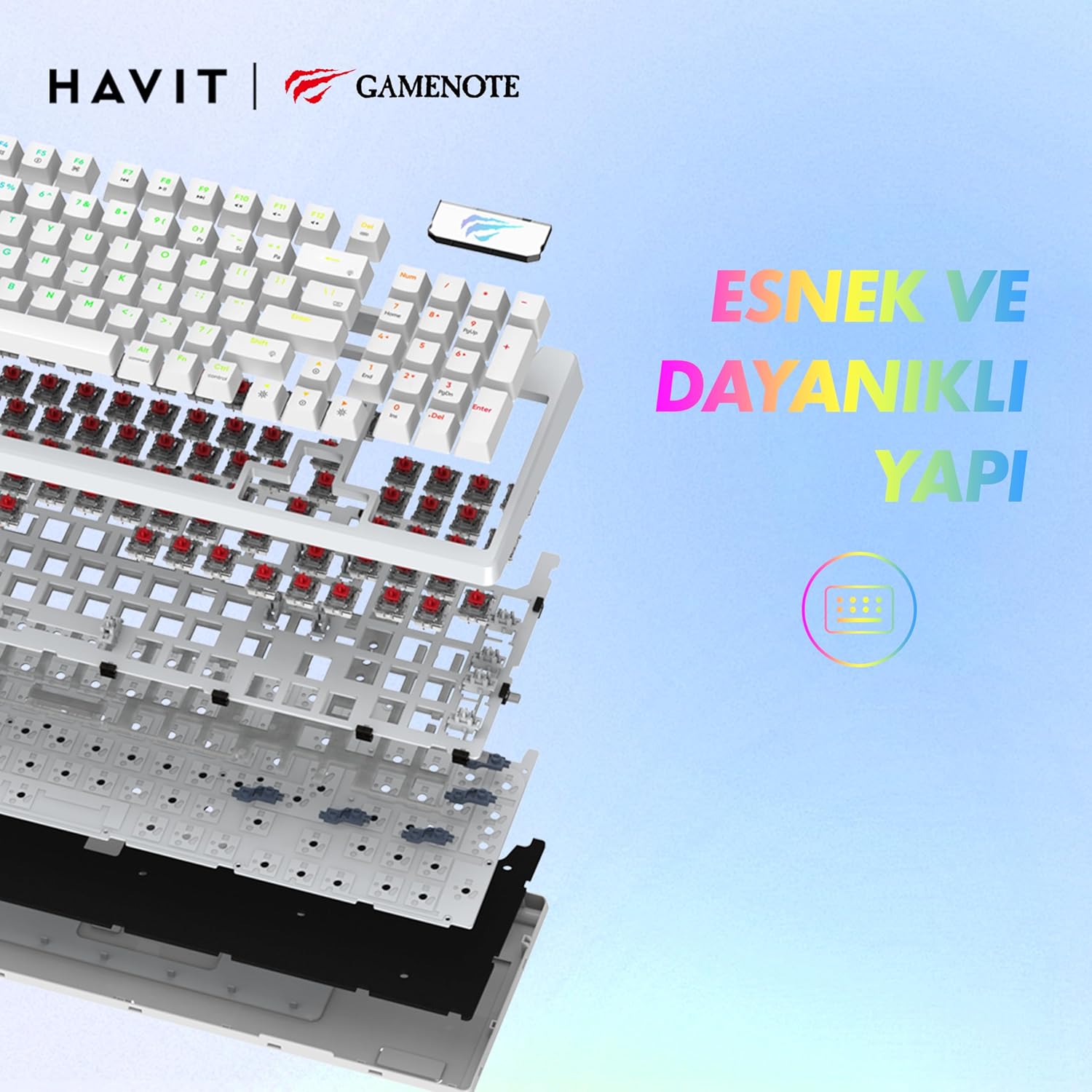
Imagen: Una explosión view of the Havit Gamenote KB885L keyboard, illustrating its internal gasket structure for enhanced stability and typing feel.
| Característica | Detalle |
|---|---|
| Marca | Hábito |
| Número de modelo | KB885L |
| Dispositivos compatibles | Computadora |
| Tecnología de conectividad | USB |
| Descripción del teclado | Juego de azar |
| Usos recomendados | Juego de azar |
| Característica especial | Portátil |
| Color | Blanco |
| Compatibilidad con colores de retroiluminación | RGB (Red, Green, Blue model) |
| Estilo | Moderno |
| Dimensiones del producto (L x An x Al) | 38.7 x 14 x 4.5 cm |
| Idioma | Inglés |
| Fuente de poder | Alimentación USB |
| Tipo de interruptor | Táctil |
| Disposición del teclado | QWERTY |
| Orientación de la mano | Ambidextro |
| Número de llaves | 95 |
| Cantidad de botones | 104 |
| Componentes incluidos | Cable USB |
| Material | Plástico |
| Vida útil de la pulsación de tecla | 50 Million (from description) |

Image: An illustration highlighting the Havit Gamenote KB885L's durable mechanical switches, rated for a 50 million key press lifespan.
Información de garantía
El teclado mecánico Havit Gamenote KB885L viene con un garantía de un año from the date of purchase. This warranty covers manufacturing defects and issues arising from normal use. It does not cover damage caused by misuse, accidents, unauthorized modifications, or improper maintenance. Please retain your proof of purchase for warranty claims.
Atención al cliente
For further assistance, technical support, or warranty inquiries, please contact Havit customer service through their official website or the retailer where you purchased the product. Have your model number (KB885L) and proof of purchase ready when contacting support.