Jectse Y113 V5.0 Wireless Bluetooth Earbuds User Manual
Modelo: Y113
Introducción
Thank you for choosing the Jectse Y113 V5.0 Wireless Bluetooth Earbuds. These earbuds are designed to provide a high-quality audio experience with convenience and durability. Featuring Bluetooth 5.0 for stable connectivity, automatic pairing, and a comfortable, sweat-resistant design, they are suitable for various activities, including sports.
¿Qué hay en la caja?
2 x auriculares inalámbricos
1 x Estuche de carga
1 x cable de datos
1 x Manual de usuario (chino e inglés)
Image: Contents of the Jectse Y113 package, including the charging case, two earbuds, and a USB charging cable.
Producto terminadoview
The Jectse Y113 earbuds feature an ergonomic in-ear design for a secure and comfortable fit. The compact charging case provides portable power for extended listening.
Auriculares
Factor de forma: Intra-Auricular (In-ear)
Método de control: Tocar
Resistencia al agua: Impermeable (Waterproof and Sweatproof)
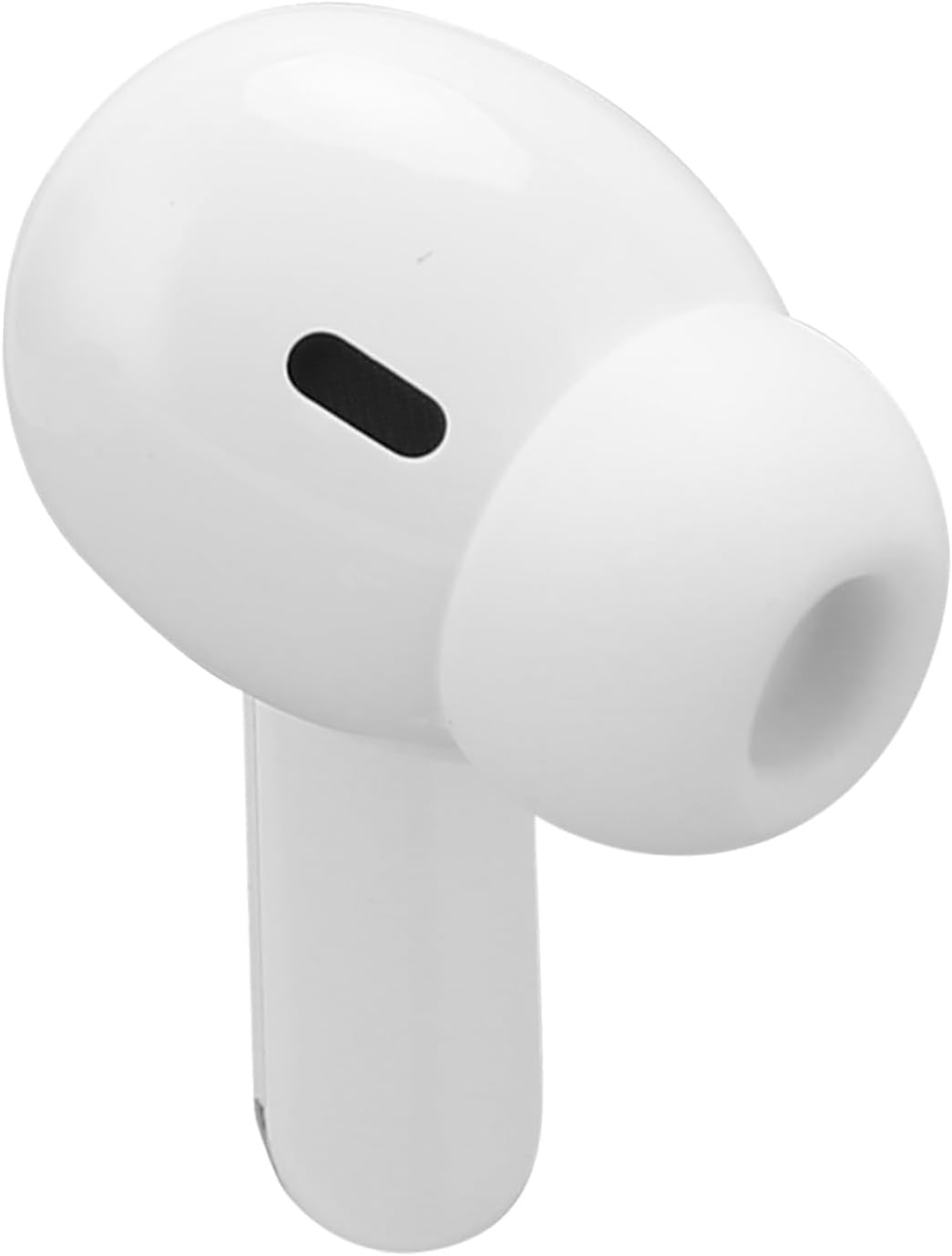
Image: A pair of Jectse Y113 wireless earbuds, highlighting their sleek, white design and in-ear form factor.
Estuche de carga
Houses and charges the earbuds.
Features an LED digital display (not explicitly detailed in provided data, but mentioned in product title).
Image: The Jectse Y113 charging case with its lid open, revealing the two earbuds nestled inside.
Configuración
1. Carga de los auriculares y el estuche
Before first use, fully charge the earbuds and the charging case. Place the earbuds into the charging case. Connect the provided data cable to the charging case and a suitable USB power source. The earbuds will charge automatically when placed in the case.
Tiempo de carga del auricular: Aproximadamente 3 horas para una carga completa.
Tiempo de reproducción de auriculares: Up to 2.5 to 3 hours on a full charge.
Image: The Jectse Y113 charging case next to its USB charging cable, illustrating the charging components.
2. Emparejamiento automático
The earbuds feature quick automatic pairing. Once removed from the charging case, the earbuds will automatically power on and enter pairing mode. They will then automatically connect to the last paired device. For first-time pairing:
Saca ambos auriculares del estuche de carga. Se encenderán automáticamente e intentarán emparejarse.
On your device (phone, tablet, etc.), open the Bluetooth settings.
Buscar available devices and select "Y113" (or similar name) from the list.
Once connected, you will hear a confirmation sound, and the earbuds are ready for use.
Operante
Controles táctiles
The Jectse Y113 earbuds utilize touch controls for various functions. Specific touch gestures (e.g., single tap, double tap, long press) will control playback, calls, and voice assistant activation. Refer to the included printed manual for detailed touch control instructions, as these can vary.
Cómo usar los auriculares
The earbuds are designed for comfortable and secure wear, even during intense physical activity. Insert each earbud gently into your ear canal and rotate slightly until it feels snug and stable. The ergonomic design ensures they stay in place.
Image: Two individuals engaged in running, both wearing Jectse Y113 wireless earbuds, demonstrating their suitability for sports.
Resistencia al agua y al sudor
The earbuds are waterproof and sweat-resistant, making them ideal for workouts and outdoor activities. They are designed to withstand sweat and splashes of water. However, they are not intended for swimming or prolonged submersion in water.
Mantenimiento
To ensure the longevity and optimal performance of your Jectse Y113 earbuds, follow these maintenance guidelines:
Limpieza: Limpie periódicamente los auriculares y el estuche de carga con un paño suave, seco y sin pelusa. No utilice limpiadores abrasivos ni disolventes.
Almacenamiento: Cuando no los utilice, guarde los auriculares en su estuche de carga para protegerlos y mantenerlos cargados.
Evite condiciones extremas: Do not expose the earbuds or charging case to extreme temperatures, humidity, or direct sunlight for extended periods.
Cargando: Utilice únicamente el cable de carga proporcionado o un equivalente certificado.
Solución de problemas
If you encounter issues with your Jectse Y113 earbuds, try the following steps:
Problemas de sonido/conexión:
Asegúrese de que los auriculares estén cargados.
Asegúrese de que Bluetooth esté habilitado en su dispositivo.
Intente desvincular y volver a vincular los auriculares con su dispositivo.
Asegúrese de que los auriculares estén dentro del alcance Bluetooth de su dispositivo.
Un auricular no funciona:
Place both earbuds back into the charging case, close the lid, wait a few seconds, then remove them to allow them to re-sync.
Compruebe si ambos auriculares están cargados.
Problemas de carga:
Asegúrese de que el cable de carga esté conectado de forma segura tanto al estuche como a la fuente de alimentación.
Compruebe si el puerto de carga del estuche está limpio y libre de residuos.
Pruebe con un adaptador de corriente o puerto USB diferente.
If problems persist, consult the full user manual included in the package or contact customer support.
Presupuesto
Marca
Inyección
Nombre del modelo
Y113 (Jectse865vfh3cru)
Color
Blanco
Material
Acrilonitrilo butadieno estireno (ABS)
Tecnología de conectividad
Inalámbrico
Tecnología de comunicación inalámbrica
Bluetooth
Versión de Bluetooth
5.0
Colocación de orejas
Extra-Auricular
Factor de forma
Intra-Auricular (In-ear)
Método de control
Tocar
Tipo de controlador de audio
Dinámica
Nivel de resistencia al agua
Waterproof (Imperméable)
Capacidad de la batería del auricular
35 mAh (Polymer Battery)
Capacidad de la batería del estuche de carga
200 mAh (Polymer Battery)
Tiempo de carga
Aproximadamente 3 horas
Average Battery Life (Playtime)
2.5 - 3 horas
Dispositivos compatibles
Phone, Tablet, Car Audio System
Usos específicos del producto
Deporte
Garantía y soporte
Jectse products are designed for reliability and performance. For warranty information and customer support, please refer to the documentation included with your product or visit the official Jectse webSitio. Conserve su recibo de compra como comprobante de compra para cualquier reclamación de garantía.
Ask a question about this manual
Ask about setup, troubleshooting, compatibility, parts, safety, or missing instructions. Manuals+ will review the question and use this page’s manual context to help answer it.