
SUNOL K8
Manual de usuario de los auriculares inalámbricos GM20
Modelo: K8
Introducción
Thank you for choosing the SUNOL GM20 True Wireless Earbuds. This manual provides detailed instructions on how to set up, operate, and maintain your earbuds to ensure optimal performance and longevity. Please read this manual thoroughly before using the product.
Producto terminadoview

Image: The GM20 True Wireless Earbuds in orange, shown with their matching charging case. The charging case features an LED display indicating battery percentage.
The GM20 True Wireless Earbuds are designed for a superior audio experience with advanced features:
- Tecnología Bluetooth 5.3: Ensures faster pairing, more stable connection, and lower power consumption with an effective range of up to 10 meters.
- Micrófono integrado: High-quality microphone with environmental noise reduction for clear hands-free calls.
- Reproducción extendida: Up to 48 hours of total playback time with the 600mAh charging case, which can recharge the earbuds four times.
- Pantalla LED: The charging case features an LED display to show the power levels of both the earbuds and the charging case.
- Diseño a prueba de agua: IPX8 waterproof nano-coating makes the earbuds suitable for various activities, including sports.
- Ajuste cómodo: Ergonomic in-ear design with multiple ear tip sizes for prolonged comfortable wear.
¿Qué hay en la caja?
Upon opening your GM20 True Wireless Earbuds package, you should find the following items:
- GM20 True Wireless Earbuds (Left and Right)
- Estuche de carga
- Cable de carga
- Múltiples tamaños de tapones para los oídos
- Manual de usuario (este documento)
Configuración
1. Carga de los auriculares y el estuche
Antes del primer uso, asegúrese de que tanto los auriculares como el estuche de carga estén completamente cargados.
- Place the earbuds into the charging case. Ensure they are correctly seated; the LED display on the case will show charging status.
- Connect the charging cable to the charging port on the case and to a USB power source. The LED display will indicate the charging progress of the case.
- A full charge for the case typically takes a few hours. The earbuds will charge automatically when placed inside the powered case.

Image: The GM20 charging case displaying "100" on its LED screen, indicating a full charge. An earbud is shown next to it, ready for use.
2. Emparejamiento con su dispositivo (emparejamiento en un solo paso)
Los auriculares GM20 cuentan con emparejamiento automático para mayor comodidad.
- Emparejamiento inicial:
- Abre el estuche de carga y retira ambos auriculares. Se encenderán automáticamente y entrarán en modo de emparejamiento.
- En su dispositivo (teléfono inteligente, tableta, etc.), habilite Bluetooth.
- Buscar Bluetooth devices and select "GM20 TWS" from the list.
- Una vez conectado, escuchará un tono de confirmación y los auriculares estarán listos para usar.
- Reemparejamiento: The earbuds will automatically connect to the last paired device when taken out of the charging case.
- If the earbuds do not connect automatically, ensure Bluetooth is enabled on your device and select "GM20 TWS" from your Bluetooth settings.
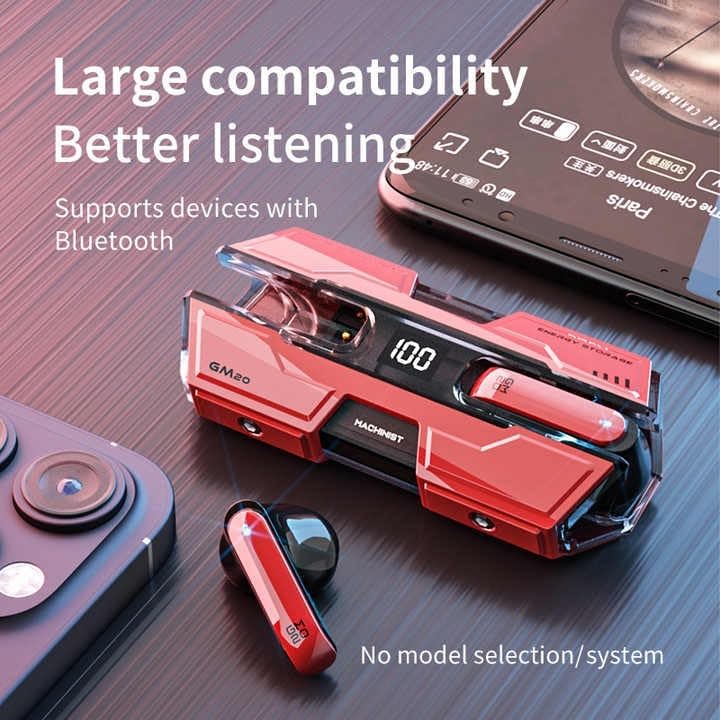
Image: The GM20 earbuds and charging case positioned near a smartphone, emphasizing their broad compatibility with Bluetooth-enabled devices.
Instrucciones de funcionamiento
Controles de los auriculares
The GM20 earbuds feature a multifunction button on each earbud for easy control of audio playback and calls.
| Acción | Función |
|---|---|
| Una sola pulsación (auricular izquierdo/derecho) | Reproducir/Pausar música, Responder/Finalizar llamada |
| Pulsación doble (auricular izquierdo) | Canción anterior |
| Pulsación doble (auricular derecho) | Próxima canción |
| Pulsación larga (2 segundos) | Rechazar llamada, activar asistente de voz |
| Pulsación larga (5 segundos) | Encendido/apagado |
Cómo usar los auriculares
For optimal sound quality and comfort, ensure the earbuds are properly seated in your ears. Experiment with the different sizes of ear tips provided to find the best fit for your ears.

Imagen: Una explosión view diagram of an earbud, illustrating its internal components such as the 13mm moving coil and composite diaphragm, which contribute to high-resolution sound.
Mantenimiento
Proper maintenance will extend the life of your GM20 earbuds.
- Limpieza: Limpie periódicamente los auriculares y el estuche de carga con un paño suave, seco y sin pelusa. No utilice limpiadores abrasivos ni disolventes.
- Resistencia al agua: The earbuds are IPX8 waterproof, meaning they are protected against prolonged immersion in water. However, the charging case is not waterproof. Avoid exposing the charging case to liquids. Always ensure earbuds are dry before placing them back in the charging case.
- Almacenamiento: Cuando no los uses, guarda los auriculares en su estuche de carga para protegerlos y mantenerlos cargados. Guárdalos en un lugar fresco y seco, alejado de temperaturas extremas.
- Cuidado de la batería: Para prolongar la duración de la batería, evite descargar completamente los auriculares y el estuche de carga con frecuencia. Cárguelos regularmente, incluso si no los usa constantemente.
Solución de problemas
If you encounter issues with your GM20 earbuds, try the following solutions:
- Los auriculares no se emparejan:
- Asegúrese de que ambos auriculares estén completamente cargados.
- Desactive el Bluetooth en su dispositivo y luego vuelva a activarlo.
- Forget "GM20 TWS" from your device's Bluetooth settings and attempt to re-pair.
- Coloque nuevamente los auriculares en el estuche, cierre la tapa, espere unos segundos, luego ábrala e inténtelo nuevamente.
- No hay sonido o el volumen es bajo:
- Verifique el nivel de volumen tanto en su dispositivo como en los auriculares.
- Asegúrese de que los auriculares estén conectados correctamente a su dispositivo.
- Limpie cualquier residuo de la malla del altavoz del auricular.
- Sound distortion or crackling:
- Asegúrese de que los auriculares estén dentro del alcance Bluetooth de 10 metros de su dispositivo.
- Reduce interference by moving away from other wireless devices or strong electromagnetic fields.
- Intente volver a emparejar los auriculares.
- Los auriculares no se cargan:
- Asegúrese de que el cable de carga esté conectado de forma segura tanto al estuche como a la fuente de alimentación.
- Compruebe si el puerto de carga del estuche está limpio y libre de residuos.
- Pruebe con un cable de carga o adaptador de corriente diferente.
Presupuesto
| Característica | Detalle |
|---|---|
| Nombre del modelo | K8 |
| Versión de Bluetooth | 5.3 |
| Alcance de Bluetooth | 10 metros |
| Duración de la batería (auriculares) | Approx. 8-10 hours (single charge) |
| Duración de la batería (con estuche de carga) | Hasta 48 horas |
| Capacidad de la batería del estuche de carga | 600 mAh |
| Nivel de resistencia al agua | IPX8 (solo auriculares) |
| Respuesta de frecuencia | 20 Hz - 20 kHz |
| Impedancia | 32 ohmios |
| Método de control | Toque/Botón |
| Material | Acrilonitrilo butadieno estireno (ABS) |
| Peso del artículo | 14.4 onzas (paquete total) |
Garantía y soporte
For warranty information and customer support, please refer to the documentation included with your purchase or visit the official SUNOL website. If you experience any issues not covered in this manual, please contact SUNOL customer service for assistance.
Conserve su comprobante de compra para reclamos de garantía.
Ask a question about this manual
Ask about setup, troubleshooting, compatibility, parts, safety, or missing instructions. Manuals+ will review the question and use this page’s manual context to help answer it.