Introducción
This manual provides instructions for the proper installation, operation, and maintenance of your Generic phone case and tempered glass screen protector for the INOI A151 and INOI A63 models. Please read this manual thoroughly before use to ensure optimal performance and protection for your device.
Características del producto
- Superficie esmerilada: Provides a delicate feel and features a silver reflective light effect.
- Soporte para anillo de dedo de metal adhesivo: Can be attached to the case or used separately. Offers 360-degree rotation for versatile use and magnetic suction compatibility with car brackets.
- Protección de doble capa: Constructed with a hard PC (Polycarbonate) back panel and a soft silicone frame.
- Bolsas de aire amortiguadoras: Four-corner shock airbags provide enhanced impact absorption.
- Advanced Back Panel Design: Compuesto por cuatro capas: PC sólida, capa de patrón de ultra alta definición, capa de proceso especial y una capa de superficie transparente resistente a los arañazos.
- Protección elevada: The case design is higher than both the camera and the screen, offering improved flat surface protection.

Image: Illustration of the shockproof design with reinforced corners and shock airbags for impact protection.

Image: Depiction of the silver reflective plating style and the multi-layered construction of the case's back panel, highlighting the frosted, scratch-free, and fingerprint-free surface.
Contenido del paquete
Por favor verifique que todos los artículos estén presentes en su paquete:
- 1 x Phone Case (for INOI A151 / A63)
- 1 x Protector de pantalla de vidrio templado
Configuración e instalación
1. Instalación de la funda del teléfono
- Asegúrese de que su teléfono esté limpio y libre de polvo o residuos.
- Align the phone with the soft silicone frame of the case.
- Gently press the phone into the case, starting from one corner and working your way around, ensuring all edges are securely seated within the frame.
- Verifique que todos los puertos, botones y recortes de la cámara estén alineados correctamente con su teléfono.
2. Instalación del protector de pantalla de vidrio templado
For best results, perform this installation in a dust-free environment.
- Limpiar la pantalla: Use the provided alcohol wipe to thoroughly clean your phone's screen. Remove any smudges, dust, or fingerprints.
- Seque la pantalla: Use the microfiber cloth to dry the screen completely. Ensure no lint or dust particles remain.
- Retire la película protectora: Retire con cuidado la película protectora del lado adhesivo del protector de pantalla de vidrio templado. Evite tocar la superficie adhesiva.
- Alinear el protector: Carefully align the screen protector with your phone's screen, paying attention to the edges, speaker, and camera cutouts.
- Aplicar: Once aligned, gently lower the screen protector onto the screen. It will begin to adhere automatically.
- Eliminar burbujas: If any air bubbles appear, gently push them towards the edges of the screen using the microfiber cloth or a soft card.

Image: Features of the tempered glass screen protector, including 9H high hardness, perfect adhesion, shatterproof, 99.9% super transparency, case friendly design, and anti-fingerprint properties.
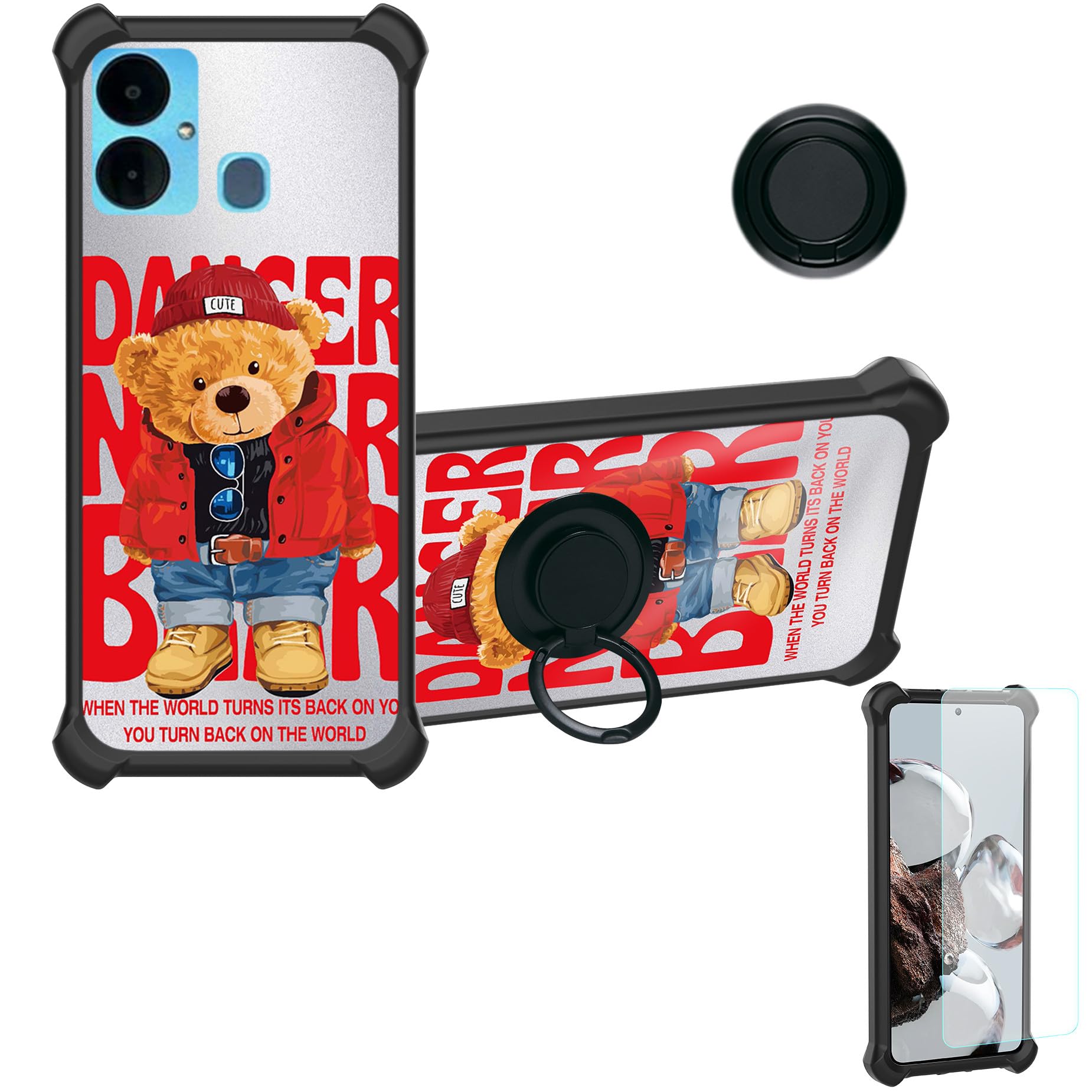
Image: Demonstration of the screen protector's scratch-proof capability, showing resistance to sharp objects.
Instrucciones de funcionamiento
1. Using the Ring Support
- The adhesive metal finger ring can be attached to the back of the phone case or directly to your phone, depending on your preference.
- Once attached, the ring can be rotated 360 degrees to provide a comfortable grip for one-hand operation or to function as a kickstand for hands-free viewEn.
- To use as a kickstand, pull out the ring and rotate it to your desired angle.

Image: Illustration demonstrating improved one-hand operation and reach across the screen when using the integrated ring support.
2. Magnetic Car Mount Compatibility
- The metal plate integrated into the ring support allows the case to be compatible with magnetic car mounts (car mount not included).
- Simply attach the back of the case to a magnetic car mount for secure hands-free navigation or calls while driving.
- Nota: This case does not support wireless charging due to the metal ring component. Please remove the case or charge your phone via cable.

Image: Depiction of the case's compatibility with magnetic car mounts, showing the ring support attaching to a car vent mount. Note: Magnetic car mount is not included.
Mantenimiento
- Limpieza de la caja: Limpie la carcasa del teléfono con un paño suave.amp cloth to remove dust and smudges. For stubborn dirt, a mild soap solution can be used, followed by rinsing and thorough drying. Avoid harsh chemicals or abrasive materials.
- Limpieza del protector de pantalla: Use a microfiber cloth to gently wipe the screen protector. For fingerprints or smudges, a screen cleaner spray designed for electronics can be applied to the cloth (not directly to the screen) and then wiped.
- Evite temperaturas extremas: No exponga la funda ni el protector de pantalla a calor o frío extremos, ya que esto puede afectar la integridad del material.
Solución de problemas
- La carcasa no encaja correctamente: Ensure you have the correct case model for your INOI A151 or A63 phone. Remove and re-install the case, ensuring all corners are properly seated.
- Burbujas del protector de pantalla: Small bubbles often disappear within 24-48 hours. For larger bubbles, gently lift the nearest edge of the protector and re-apply, pushing the bubble out with a soft card or cloth. Ensure the screen is completely clean before application.
- Aflojamiento del soporte del anillo: If the adhesive ring support feels loose, ensure the surface it is attached to is clean and dry. Re-apply pressure for a few seconds. If it continues to loosen, the adhesive may be compromised.
Presupuesto
| Característica | Detalle |
|---|---|
| Modelos de teléfonos compatibles | INOI A151, INOI A63 |
| Material | Panel trasero rígido de PC + marco de silicona suave + anillo de soporte de metal para el dedo |
| Características especiales | 360 Rotating Ring, Car Magnetic Fixing, Finger ring + support + car bracket magnetic suction |
| Color/Style Identifier | DYH-KX |
| Peso del artículo | 2.46 onzas |
| Dimensiones del producto | 0.39 x 0.39 x 0.39 pulgadas (dimensiones aproximadas del embalaje) |
| Dureza del protector de pantalla | 9H (Tempered Glass) |
Garantía y soporte
This product is manufactured by Generic. For any questions, concerns, or support needs regarding your phone case or screen protector, please refer to the retailer where the product was purchased or contact Generic customer service if available through their official channels. Please retain your proof of purchase for any warranty claims.


