
MegaDetector MD50018Z
MegaDetector Walk-Through Metal Detector MD50018Z User Manual
Model: MD50018Z
1. Introducción
This manual provides detailed instructions for the installation, operation, and maintenance of your MegaDetector MD50018Z Walk-Through Metal Detector. This device is designed for high-traffic security checkpoints, offering precise detection of metallic objects.

Figure 1: MegaDetector MD50018Z Walk-Through Metal Detector.
Características principales:
- 18 Precision Detection Zones: Pinpoints the exact height and intensity of metal objects.
- High-Traffic Security: Designed for efficient screening in busy environments.
- LED Display & Built-In People Counter: Provides visual alarm indicators and tracks visitor numbers.
- Indoor & Outdoor Archway Design: Suitable for various environments with anti-interference technology.
- Professional Grade, Low Maintenance: Rugged construction with simple controls for easy operation.
2. Configuración e instalación
Proper assembly and placement are crucial for optimal performance of the MD50018Z metal detector.
2.1 Desembalaje y comprobación de componentes
Desempaque cuidadosamente todos los componentes y compruébelos con la lista de empaque. Asegúrese de que todas las piezas estén presentes y sin daños.
2.2 Asamblea
The sturdy, free-standing gate is designed for quick assembly. Follow the included assembly diagrams for step-by-step instructions. Ensure all connections are secure.
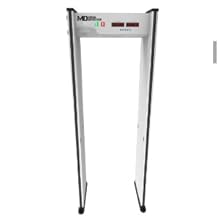
Figure 2: Illustration of the main components of the MegaDetector walk-through unit.
2.3 Consideraciones de colocación
- Place the detector on a stable, level surface.
- Ensure sufficient clearance around the archway for smooth pedestrian flow.
- Position away from large metal objects or other electronic devices that could cause interference. The anti-interference technology helps maintain stable detection near electronics.
- Suitable for both indoor and outdoor use, but protect from direct heavy rain if used outdoors for extended periods.
2.4 Conexión de alimentación
Connect the power adapter to the detector and then to a standard electrical outlet (AC 100-240V, 50/60Hz). The detector operates on DC 12V/5A.
3. Instrucciones de funcionamiento
Familiarize yourself with the control panel and detection zones for effective operation.
3.1 Panel de control terminadoview
The detector features a digital tube display for settings and status indicators. The control panel allows for sensitivity adjustments and alarm management.

Figure 3: Control panel and key detection features.
3.2 Encendido / Apagado
- To power on, connect the device to a power source. The system will perform a self-diagnostic check.
- Para apagar, desconecte la fuente de alimentación.
3.3 Ajuste de sensibilidad
The MD50018Z offers 2000 levels of sensitivity. Use the control panel buttons (e.g., "ENTER", "+", "-") to navigate and adjust the sensitivity settings. Higher sensitivity detects smaller metallic objects, while lower sensitivity reduces false alarms from minor items.
3.4 Understanding Detection Zones
The detector is divided into 18 independent detection zones, allowing for precise localization of metallic objects on a person. When an object is detected, the corresponding zone on the LED display will illuminate.

Figure 4: Diagram illustrating the 18 detection zones on the walk-through metal detector.
3.5 Alarm System and People Counter
- Alarmas audibles y visuales: Upon detection, the system triggers clear audible alarms and illuminates the side LED bars to indicate the zone and intensity of the detected metal.
- People Counter: The integrated counter tracks the total number of visitors and the total number of alarms, providing useful data for security management.
3.6 toneladasamper-Proof Settings
The detector includes a password protection feature to prevent unauthorized changes to settings. Refer to the control panel instructions for setting and changing the password.
4. Mantenimiento
Regular maintenance ensures the longevity and optimal performance of your metal detector.
4.1 Limpieza
- Limpie las superficies exteriores con un paño suave yamp paño.
- Evite utilizar limpiadores abrasivos o disolventes, ya que pueden dañar el acabado y los componentes electrónicos.
- Ensure the LED display and sensor areas are kept clean for accurate readings.
4.2 Seguridad y durabilidad
The MD50018Z is constructed with durable door panels and an aluminum alloy crossbeam and uprights, designed for long-term use. It is certified safe for humans and the environment, emitting no radiation, making it suitable for pregnant women and pacemaker users.

Figure 5: Information on the quality, safety, and compact packaging of the detector.
5. Solución de problemas
This section addresses common issues you might encounter with your metal detector.
5.1 Problemas comunes y soluciones
- Sin energía:
- Check if the power adapter is securely connected to both the detector and the power outlet.
- Verifique que la toma de corriente funcione.
- Alarmas falsas:
- Reducir el ajuste de sensibilidad.
- Ensure the detector is not placed too close to large metallic objects or strong electromagnetic fields.
- Check for any loose components or wiring.
- Sin detección:
- Aumente el ajuste de sensibilidad.
- Ensure the detector is powered on and functioning correctly (check display indicators).
- Verify that the object being tested is metallic and large enough to be detected at the current sensitivity.
5.2 Self-Diagnostic Program
The MD50018Z includes a self-diagnostic program. If an error occurs, the system may display an error code. Refer to the specific error code documentation (if provided separately) or contact customer support for assistance.
6. Especificaciones
Technical specifications for the MegaDetector MD50018Z Walk-Through Metal Detector.

Figura 6: Sobreview of technical parameters and typical application environments.
| Característica | Especificación |
|---|---|
| Marca | MegaDetector |
| Número de modelo | MD50018Z |
| Zonas de detección | 18 zonas |
| Sensibilidad | 2000 niveles (ajustables) |
| Fuente de poder | Electric (AC 100-240V, 50/60Hz input; DC 12V/5A output) |
| Frecuencia de trabajo | 4 kHz-8 kHz |
| Tipo de pantalla | Pantalla de tubo digital |
| Dimensiones del artículo (largo x ancho x alto) | 20"L x 32"W x 87"H (Overall External Size: 2225mm(H)x800mm(W)x580mm(D)) |
| Passageway Internal Size | 2025(L)x710(W)x500(D) MM |
| Peso del artículo | 110 pounds (Gross weight: 65KG) |
| Temperatura de funcionamiento | -20°C a +50°C |
| Humedad de trabajo | 0-95% (sin condensación) |
| Nivel de IP | IP54 (for Silver Grey MDF material models) |
| Material | High Density Fiberboard, Aluminum alloy |
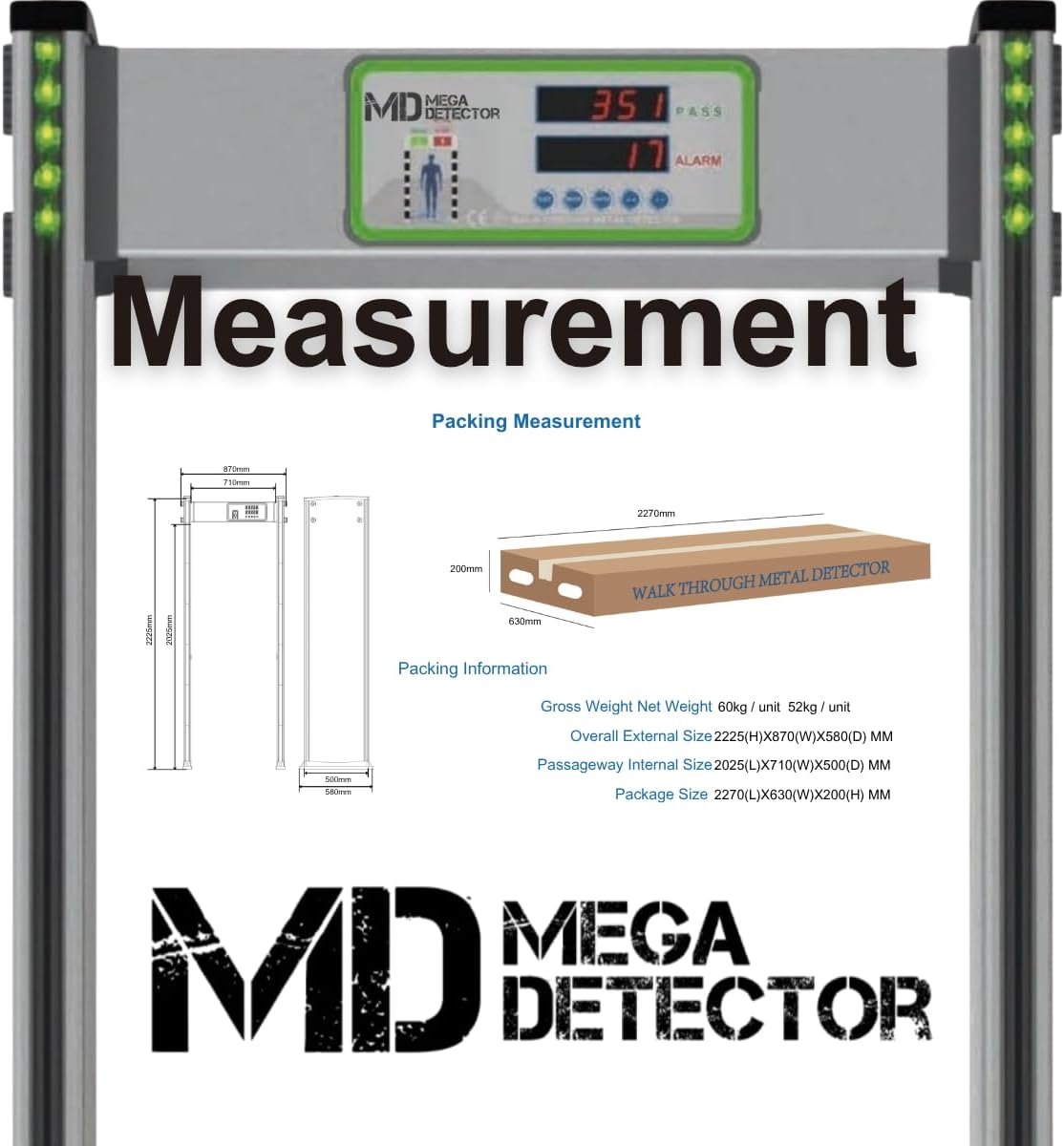
Figure 7: Packaging dimensions and overall unit measurements.
7. Garantía y soporte
For warranty information, please refer to the documentation provided at the time of purchase or contact your retailer. MegaDetector stands behind the quality of its products.
7.1 Atención al cliente
If you encounter any issues or have questions regarding the operation, maintenance, or troubleshooting of your MegaDetector MD50018Z, please contact the seller or MegaDetector customer support. Provide your model number (MD50018Z) and a detailed description of the issue for efficient assistance.
You can visit the MegaDetector store for more information: MegaDetector Store
no hay documentos relevantes
Ask a question about this manual
Ask about setup, troubleshooting, compatibility, parts, safety, or missing instructions. Manuals+ will review the question and use this page’s manual context to help answer it.