
1. Producto terminadoview
The THINKCAR THINKSCAN 641 is a wireless OBD2 diagnostic tool designed for comprehensive vehicle system analysis. It provides diagnostic functions for Engine, Transmission, ABS, and SRS Airbag systems, along with full OBD2 modes and 10 essential maintenance reset services. The device features a touchscreen interface and connects wirelessly via Bluetooth to the vehicle's OBD-II port.
1.1 Contenido del paquete
- THINKCAR THINKSCAN 641 OBD2 Scanner (x1)
- Bluetooth Connector (x1)
- Manual del producto (x1)
1.2 Componentes del dispositivo
Familiarize yourself with the main components of your THINKSCAN 641 device:

Image: THINKCAR THINKSCAN 641 device layout with labeled buttons and ports.
- Pantalla táctil de 4.8 pulgadas: Main display for navigation and data viewEn.
- Botón de encendido/bloqueo de pantalla: Mantenga presionado durante 3 segundos para encender o apagar.
- Botón de confirmación: Used to select options or confirm actions.
- Tecla de alternancia arriba, abajo, izquierda, derecha: Para navegar por los menús y opciones.
- Tecla de retorno: To go back to the previous screen or menu.
- Ranura para tarjetas TF: Para almacenamiento expandible.
- Puerto de carga: Para conectar el cable de carga.
- Interfaz OBD: Port for the Bluetooth connector.
2. Configuración
2.1 Conexión inicial
To begin using your THINKSCAN 641, follow these steps to establish a connection with your vehicle:
- Localice el puerto OBD-II de su vehículo, que normalmente se encuentra debajo del tablero, del lado del conductor.
- Plug the included Bluetooth 5.0 VCI Dongle into the vehicle's OBD-II port.
- Turn on the vehicle's ignition (engine off, key on).
- Power on the THINKSCAN 641 handheld unit by pressing and holding the Power/Screen Lock Button for 3 seconds.
- The device will automatically attempt to connect via Bluetooth. A stable connection should be established within 3 seconds.
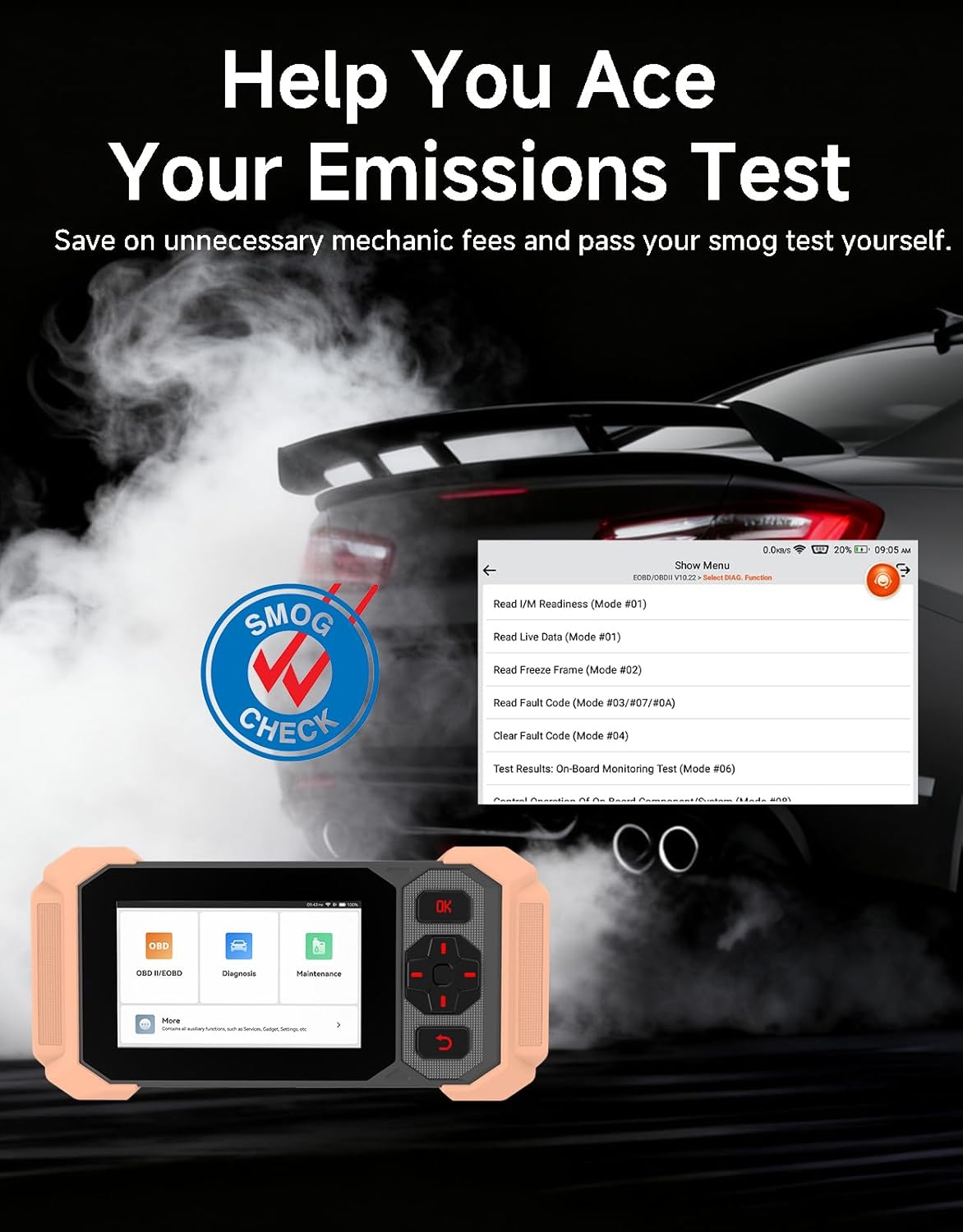
Image: Bluetooth VCI Dongle connected to the vehicle's OBD-II port.
2.2 Automatic Vehicle Identification (AutoVIN)
The THINKSCAN 641 supports AutoVIN functionality, which automatically identifies your vehicle's information upon connection. If AutoVIN fails for your specific vehicle model, you can manually enter the vehicle information to proceed with diagnostics.
2.3 Actualizaciones de software
The device supports lifetime free software updates via Wi-Fi. Ensure your device is connected to a stable Wi-Fi network to download and install the latest software versions, which include new vehicle models and improved functionalities.

Image: Lifetime Free Update icon.
2.4 Instructional Video: How to Use
Video: This video demonstrates the basic steps for connecting and using the THINKCAR THINKSCAN 641 diagnostic tool, including menu navigation and initiating a scan.
3. Instrucciones de funcionamiento
3.1 4-Diagnóstico del sistema
The THINKSCAN 641 provides in-depth diagnostics for four core vehicle systems:
- Sistema de motor: Lee y borra códigos de falla del motor, views live data, and performs various engine-related tests.
- Sistema de frenos antibloqueo (ABS): Diagnoses ABS issues, reads and clears ABS fault codes, and performs ABS bleeding.
- Sistema de sujeción suplementario (SRS/Airbag): Detects and clears airbag system fault codes, and performs SRS resets.
- Sistema de transmisión: Analyzes transmission performance, reads and clears transmission fault codes.

Imagen: Más alláview of 4-System Diagnostic capabilities.
3.2 Modos OBD2 completos
The device supports all 10 OBD2 test modes, offering comprehensive diagnostic capabilities:
- Leer códigos: Muestra códigos de diagnóstico de problemas (DTC).
- Códigos claros: Borra DTC y reinicia monitores.
- Datos en tiempo real: Muestra el flujo de datos en tiempo real de los sensores del vehículo.
- Congelar fotograma: Stores a snapshot of vehicle operating conditions when an emission-related fault occurs.
- Preparación I / M: Comprueba el estado de los monitores relacionados con las emisiones.
- Prueba del sensor O2: Recupera los resultados de la prueba del monitor del sensor de O2.
- Prueba del monitor a bordo: Recupera resultados para componentes y sistemas de propulsión relacionados con las emisiones.
- Prueba del sistema EVAP: Inicia una prueba del Sistema de Control de Emisiones Evaporativas.
- Información del vehículo: Recupera el número de identificación del vehículo (VIN), el ID de calibración y el número de verificación de calibración (CVN).
- Búsqueda de DTC: Provides detailed explanations for diagnostic trouble codes.

Image: Full OBD2 Modes functions display.
3.3 10 Maintenance Reset Functions
The THINKSCAN 641 includes 10 specialized maintenance and reset functions:
- Purga del ABS: Purga el aire del sistema de frenos.
- Reinicio del airbag (SRS): Resets the airbag system after repairs.
- Coincidencia de batería: Registra una batería nueva en la ECU del vehículo.
- Reinicio de las pastillas de freno: Restablece la vida útil de las pastillas de freno después del reemplazo.
- Regeneración del DPF: Inicia el proceso de regeneración del filtro de partículas diésel.
- Electronic Throttle Adaptation: Vuelve a aprender la posición del cuerpo del acelerador.
- Codificación del inyector: Codifica nuevos números de inyectores en la ECU.
- Reinicio del servicio de aceite: Restablece la luz de servicio de aceite después de un cambio de aceite.
- Restablecimiento del ángulo de dirección: Restablece el sensor del ángulo de dirección.
- Restablecimiento de TPMS: Restablece el sistema de monitoreo de presión de neumáticos.

Image: 10 Maintenance Reset Functions.
3.4 Gráficos de datos en vivo
The device allows for real-time graphing of multiple sensor readings simultaneously, aiding in the diagnosis of intermittent issues and performance analysis.

Image: Live Data Stream icon.
3.5 Compatibilidad del vehículo
The THINKSCAN 641 is compatible with all OBDII-compliant vehicles manufactured in 1996 or later, covering over 118 automotive brands. It also supports the CAN FD protocol and FCA AutoAuth certification. Note that access to FCA AutoAuth requires a separate purchase and is currently supported for Renault, Nissan, and Chrysler brands.

Image: Wide compatibility with various car brands and regions.
4. Mantenimiento
4.1 Routine Maintenance Resets
Utilize the 10 maintenance reset functions to perform routine service tasks and clear corresponding indicator lights after repairs. This includes tasks such as oil service resets, brake pad replacements, and battery registrations.
4.2 Actualizaciones de software
Regularly check for and install software updates via Wi-Fi to ensure your device has the latest vehicle coverage and diagnostic capabilities. Updates are provided free for life.
5. Solución de problemas
5.1 Borrado de códigos de falla
When a fault code is detected, it is crucial to diagnose and fix the underlying issue before clearing the code. Clearing codes without addressing the root cause will likely result in the fault code reappearing.
Image: Reminder to fix vehicle faults before clearing codes.
5.2 AutoVIN Failure
If the AutoVIN feature does not automatically identify your vehicle, proceed by manually entering the vehicle's information (make, model, year) to continue with the diagnostic process.
5.3 Navegación por la interfaz de usuario
While the device is designed for ease of use, some advanced functions may require familiarity with diagnostic procedures. Refer to the built-in DTC Lookup Library for code definitions and consult the online customer service for further assistance if needed.
6. Especificaciones
| Característica | Especificación |
|---|---|
| Marca | PIENSA EN COCHE |
| Número de modelo | THINKSCAN 641 |
| Fuente de poder | Funciona con pilas |
| Sistema operativo | Androide 8.1 |
| Tamaño de pantalla | 4.3 pulgadas |
| Idioma | Inglés (compatible con 23 idiomas) |
| Tipo de ajuste automotriz | Ajuste universal |
| Peso del artículo | 0.9 libras |
| Conectividad | Bluetooth 5.0 (inalámbrico) |
| Actualizaciones | Actualizaciones gratuitas de por vida a través de Wi-Fi |
| Protocolos soportados | OBDII, CAN FD, FCA AutoAuth (separate purchase for specific brands) |
7. Garantía y soporte
7.1 Garantía del fabricante
The THINKCAR THINKSCAN 641 comes with a 3-year manufacturer's warranty, ensuring coverage for potential defects or malfunctions.
7.2 Soporte técnico
Lifetime free technical support is provided for the THINKSCAN 641. For assistance, you can access the built-in online customer service feature directly from the device. This allows for direct communication with professional support staff to resolve any queries or issues.

Image: Timely Online Feedback and Support.