
Introducción
This manual provides comprehensive instructions for the safe and efficient use of your DOOGEE N50PRO smartphone. Please read this manual thoroughly before operating your device and retain it for future reference. The DOOGEE N50PRO is an Android 13 smartphone equipped with an Octa-Core processor, a 6.52-inch HD+ display, a 50MP main camera, a 4200mAh battery, and supports 4G Dual SIM, Face ID, and Fingerprint ID.
Contenido del paquete
Verifique que todos los siguientes elementos estén incluidos en el paquete de su producto:
- Teléfono inteligente DOOGEE N50PRO
- Caja de embalaje
- Cargador (9V / 2A)
- Cable USB tipo C
- PIN DE LA TARJETA SIM
- Pre-applied TP Protective Film
- Manual de usuario (este documento)
Configuración
1. Instalación de la tarjeta SIM y la tarjeta TF
The DOOGEE N50PRO supports dual Nano SIM cards or one Nano SIM card and one TF (MicroSD) card for expandable storage up to 1TB. Ensure the device is powered off before inserting or removing cards.
- Localice la bandeja de la tarjeta SIM en el costado del teléfono.
- Inserte el pin de la tarjeta SIM en el pequeño orificio al lado de la bandeja para expulsarla.
- Extraiga la bandeja con cuidado.
- Coloque su(s) tarjeta(s) Nano SIM o tarjeta TF en las ranuras designadas de la bandeja. Asegúrese de que los contactos dorados estén hacia abajo.
- Empuje suavemente la bandeja hacia el teléfono hasta que encaje en su lugar.
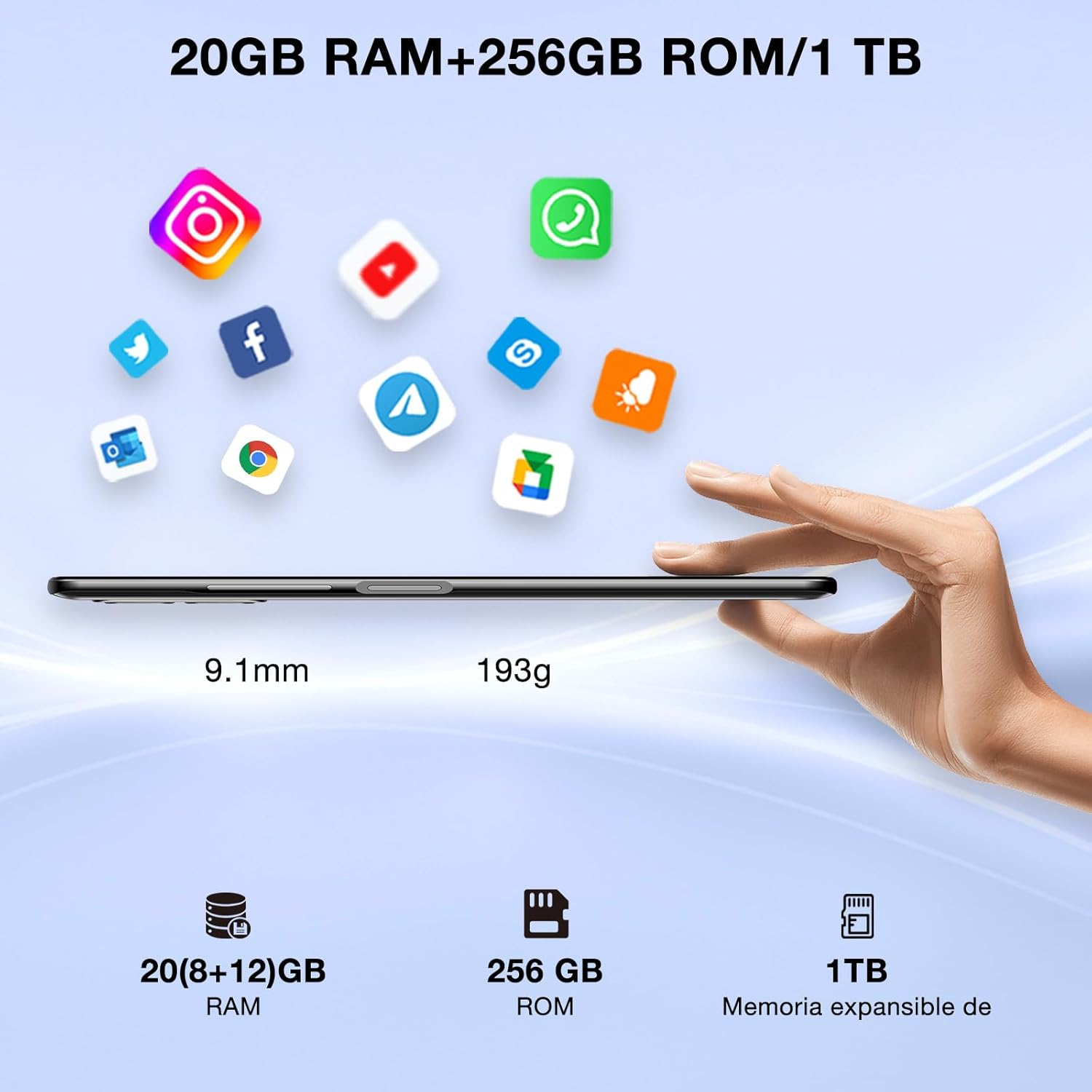
Image: DOOGEE N50PRO smartphone showing its slim profile (9.1mm), weight (193g), and memory configuration (20GB RAM, 256GB ROM, 1TB expandable memory).
2. Encendido inicial
Mantén pulsado el botón de encendido, ubicado en el lateral del dispositivo, hasta que aparezca el logotipo de DOOGEE. Sigue las instrucciones en pantalla para completar la configuración inicial, incluyendo la selección de idioma, la conexión Wi-Fi y la configuración de la cuenta de Google.
3. Carga de la batería
Before first use, it is recommended to fully charge the device. Connect the USB Type-C cable to the phone's charging port and the other end to the provided 9V/2A charger. Plug the charger into a power outlet. The charging indicator will appear on the screen.

Image: DOOGEE N50PRO connected to a charger, illustrating its 4200mAh battery capacity and 18W fast charging capability. The image also highlights OTG reverse charging.
Instrucciones de funcionamiento
1. Basic Navigation and Android 13 Features
Your DOOGEE N50PRO runs on Android 13, offering an intuitive user experience. Swipe down from the top of the screen to access the notification panel and quick settings. Customize your control center and direct access operations for efficient use of various functions.

Image: Visual representation of the DOOGEE N50PRO's internal components, highlighting the Spreadtrum T606 Octa-Core processor with 1.6GHz high frequency and 12nm advanced technology, running on Android 13.
2. Security Features: Face ID and Fingerprint ID
Enhance your device's security and convenience with advanced biometric authentication:
- Identificación facial: Register your face to unlock the phone by simply looking at the front camera.
- Identificación de huella dactilar: Register your fingerprint(s) to unlock the phone or authorize purchases with a touch. The fingerprint sensor is typically located on the side or back of the device.

Image: A user demonstrating Face ID unlock and a close-up of the Fingerprint ID sensor on the DOOGEE N50PRO, showcasing its multi-function security features.
3. Uso de la cámara
The DOOGEE N50PRO features a triple camera system:
- Cámara principal de 50 MP: Para fotografías de alta resolución.
- 8 MP Front Camera: Para selfies y videollamadas.
- Cámara macro de 2 MP: Para fotografías de primeros planos detalladas.
Access the Camera app from your home screen or app drawer. Explore various modes such as Panorama, Portrait, and Night mode to capture different scenes effectively.

Image: Diagram illustrating the DOOGEE N50PRO's dual AI camera setup, featuring a 50MP main camera, an 8MP front camera, and a 2MP macro camera. Sample photos taken with the 50MP main and 8MP front cameras are also shown.
4. Conectividad
- Wifi: Supports 2.4G/5G Wi-Fi for fast and stable internet connection. Go to Settings > Network & internet > Wi-Fi to connect to available networks.
- Bluetooth 5.0: For connecting wireless accessories like headphones or speakers. Go to Settings > Connected devices > Bluetooth.
- OTG (para llevar): Allows the phone to act as a host to connect USB devices like flash drives or external keyboards. It also supports reverse charging for other devices.
- Navegación: Integrated GPS, GLONASS, BeiDou, and Galileo for accurate location services.
- Radio FM: Use the built-in FM radio feature (requires headphones to act as an antenna).
- Toma de auriculares de 3.5 mm: Para accesorios de audio con cable.
5. Control parental
The device includes parental control features, allowing you to monitor and manage screen time and application usage for children. Access these settings through the device's system settings to balance usage effectively.
Mantenimiento
1. Cuidado de la batería
- Evite exponer la batería a temperaturas extremas (calor o frío).
- No descargue completamente la batería con frecuencia. Cárguela antes de que baje del 20 %.
- Utilice únicamente el cargador y el cable proporcionados para evitar daños.
2. Limpieza
Utilice un paño suave y sin pelusa para limpiar la pantalla y el cuerpo del teléfono. Evite el uso de productos químicos agresivos o materiales abrasivos. Para manchas difíciles, limpie ligeramente...ampEnjuague el paño con agua o con un limpiador de pantalla diseñado para dispositivos electrónicos.
3. Actualizaciones de software
Revisa e instala periódicamente las actualizaciones de software para asegurarte de que tu dispositivo cuente con las últimas funciones, parches de seguridad y mejoras de rendimiento. Ve a Ajustes > Sistema > Actualización del sistema.
Solución de problemas
- El dispositivo no enciende: Asegúrese de que la batería esté cargada. Conecte el cargador y espere unos minutos antes de intentar encenderla de nuevo.
- La pantalla no responde: Intente reiniciar el dispositivo manteniendo presionado el botón de encendido durante unos 10 a 15 segundos.
- Problemas de red: Check if your SIM card is properly inserted. Try toggling Airplane Mode on and off. If issues persist, contact your mobile service provider.
- Las aplicaciones se bloquean: Clear the cache of the problematic app (Settings > Apps > [App Name] > Storage & cache > Clear cache). If the issue continues, consider reinstalling the app.
- Rendimiento lento: Cierre las aplicaciones que no utilice, borre el caché o considere restablecer la configuración de fábrica como último recurso (primero haga una copia de seguridad de sus datos).
Presupuesto
| Característica | Especificación |
|---|---|
| Nombre del modelo | DOOGEE N50PRO |
| Sistema operativo | Androide 13.0 |
| Procesador | Octa-Core (Spreadtrum T606) |
| RAM | 20 GB (Extended Memory) |
| Almacenamiento interno (ROM) | 256 GB |
| Almacenamiento expandible | Hasta 1 TB (tarjeta TF) |
| Tamaño de la pantalla | 6.52 pulgadas |
| Resolución de pantalla | HD+ (720x1600) |
| Cámara principal | 50 MP |
| Cámara frontal | 8 MP |
| Cámara macro | 2 MP |
| Capacidad de la batería | 4200 mAh |
| Cargando | Carga rápida tipo C de 18 W |
| Tecnología celular | 4G |
| Tipo de tarjeta SIM | Nano SIM (compatible con doble SIM) |
| Conectividad | Wi-Fi (2.4G/5G), Bluetooth 5.0, OTG, FM Radio |
| Navegación | GPS, GLONASS, BeiDou, Galileo |
| Características de seguridad | Face ID, Fingerprint ID |
| Dimensiones | 165.8 x 76.2 x 9.1 mm |
| Peso | 187 gramos |
| Toma de auriculares | 3.5 milímetros |
| Tiempo de conversación | Hasta 16 horas |

Image: The DOOGEE N50PRO's 6.52-inch Waterdrop HD+ display, showing its 720x1600 resolution, 20:9 aspect ratio, and 86% screen-to-body ratio.
Garantía y soporte
1. Información de garantía
Your DOOGEE N50PRO smartphone comes with a garantía oficial de dos años from the date of purchase. Please retain your proof of purchase for warranty claims. This warranty covers manufacturing defects and malfunctions under normal use conditions.
2. Atención al cliente
Para asistencia técnica, reclamos de garantía o consultas adicionales, comuníquese con el servicio de atención al cliente de DOOGEE a través de su sitio web oficial. website or the contact information provided with your purchase. Ensure you have your device model number and proof of purchase ready when contacting support.