
1. Introducción
The Starlane CORSARO-II R is an advanced GPS lap timer and data recorder designed for performance enthusiasts. It features a Triple Constellation GPS+GLONASS+GALILEO system for precise positioning, a responsive touch screen, and a comprehensive integrated library of over 1000 tracks with intermediate points. The device boasts a transflective TFT color display with backlight for clear visibility in various conditions, GPS speed measurement, and convenient data download via Bluetooth and Wi-Fi. It supports a dual power supply, operating either from its integrated Lithium battery or a vehicle's 12-Volt supply. The CORSARO-II R can also be expanded with optional wireless WID (Wireless Input Device) modules to acquire additional signals from the vehicle harness or external sensors.
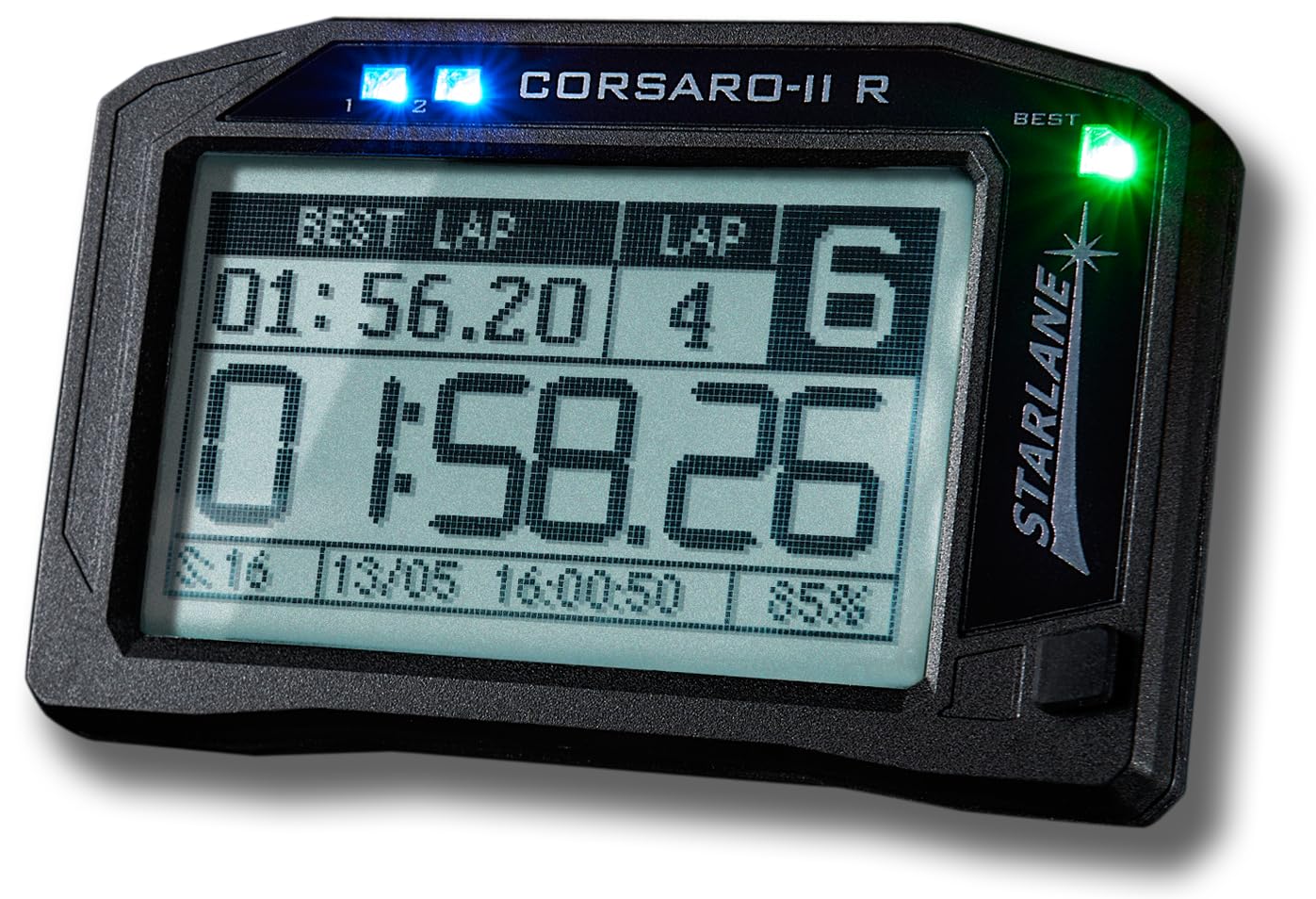
Figure 1: Starlane CORSARO-II R GPS Lap Timer and Data Recorder. This image shows the front view of the compact, black device with its color display.
2. ¿Qué hay en la caja?
Desempaque con cuidado el contenido y asegúrese de que todos los elementos estén presentes:
- 1 CORSARO-II R device
- 1 Elastic support kit
- 1 Dual Lock Adhesive strap fastening kit
- 1 Supply cable from 12V vehicle battery
- 1 Manual de usuario (este documento)

Figure 2: Mounting kit components for the CORSARO-II R. This image displays the device, an elastic support, and Dual Lock adhesive straps for secure attachment.
3. Configuración
3.1 Initial Charging and Power Connection
Before first use, ensure the CORSARO-II R device is adequately charged. Connect the device using the provided 12V vehicle battery supply cable. The device can also operate on its internal Lithium battery.
3.2 Montaje del dispositivo
Choose a secure and visible location on your vehicle. Use either the elastic support kit or the Dual Lock Adhesive strap fastening kit for mounting. Ensure the device is firmly attached to prevent movement during operation.
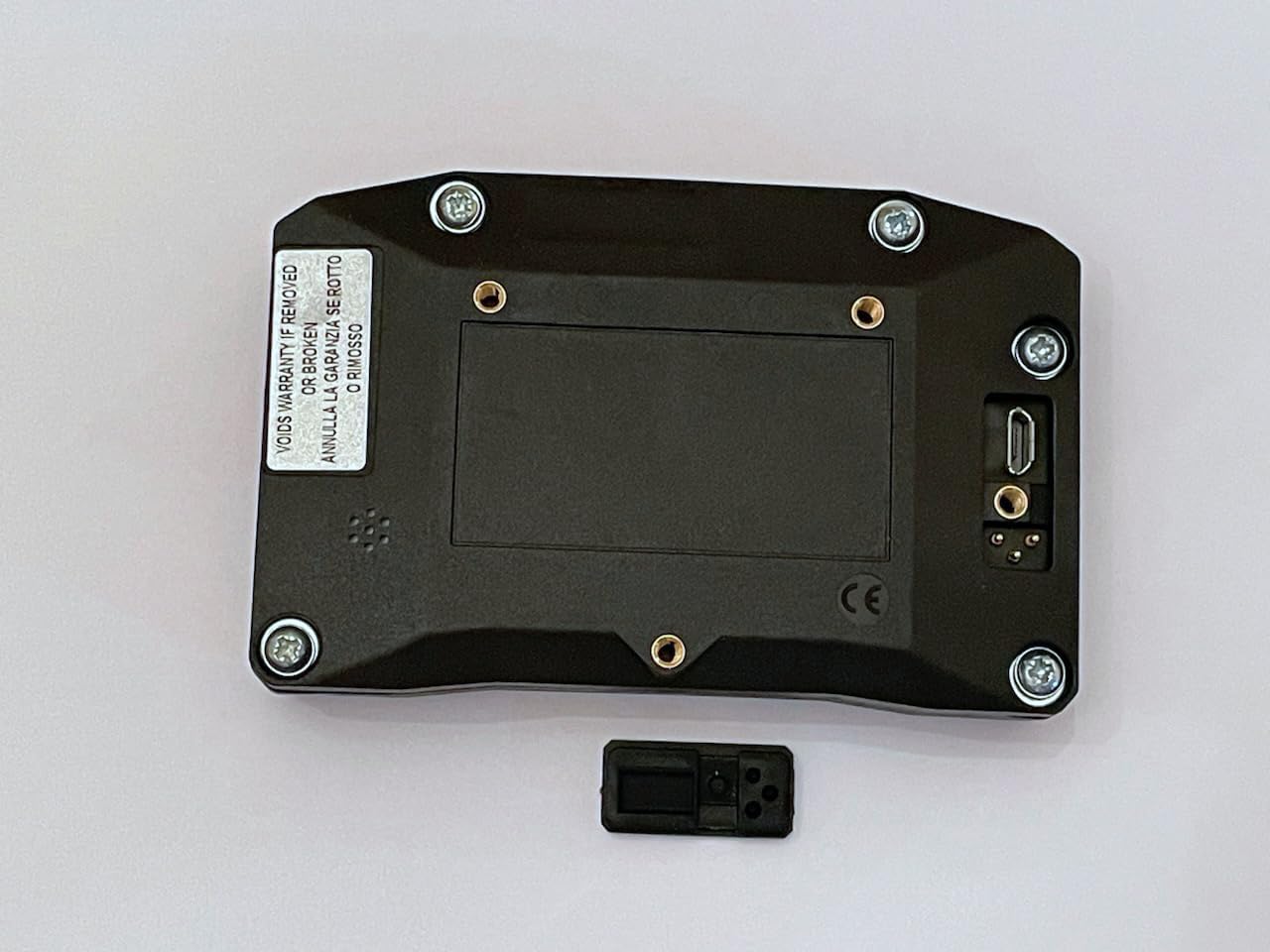
Figura 3: Posterior view of the CORSARO-II R device, showing mounting points and connectivity ports.
3.3 Encendido inicial y configuración
- Mantenga presionado el botón de encendido para encender el dispositivo.
- Siga las instrucciones en pantalla para seleccionar su idioma preferido.
- Allow the device to acquire a GPS signal. This may take a few moments, especially during the first use or in a new location. Ensure a clear view del cielo.
- The device will automatically recognize the track from its integrated library of over 1000 tracks. If your track is not in the library, the SAFD-2 function will automatically divide the track after the first two laps.
4. Instrucciones de funcionamiento
4.1 Navegación básica
The CORSARO-II R features a touch screen and physical buttons for navigation. Use the touch screen for menu selection and data review, and the buttons for quick access to primary functions.
4.2 Lap Timing Function
The device provides predictive lap timing. During each lap, the expected lap time and gain are displayed in advance. You can select a reference lap from the best of the session, best of the day, or a specific session stored in memory.
4.3 Track Recognition (SAFD-2)
The built-in library contains over 1000 tracks. The device automatically recognizes the current track. If a track is not in the library, the SAFD-2 function will automatically divide the track after the first two laps, allowing immediate lap time and split tracking.
4.4 Data Download
Data can be downloaded from the device via Bluetooth or Wi-Fi for analysis on a computer or compatible mobile device. Refer to the Starlane software manual for detailed instructions on data analysis.

Figura 4: Example of the Starlane data analysis software interface, showing track maps and performance graphs.
4.5 WID Module Pairing (Optional)
The CORSARO-II R supports wireless data transmission with optional WID modules. These modules allow the acquisition of additional signals from your vehicle's harness or other sensors without the need for extensive cabling. Refer to the WID module's specific instructions for pairing and configuration.
5. Mantenimiento
5.1 Limpieza
Limpie el dispositivo periódicamente con un paño suave y húmedo.amp paño. Evite utilizar productos químicos fuertes o materiales abrasivos que puedan dañar la pantalla oasing. Ensure all ports are free from dirt and debris.
5.2 Cuidado de la batería
To prolong the life of the integrated Lithium battery, avoid fully discharging it frequently. Store the device in a cool, dry place when not in use for extended periods. Charge the battery periodically if stored for a long time.
5.3 Actualizaciones de software
Periodically check the Starlane official website for firmware and software updates. Keeping your device updated ensures optimal performance and access to new features.
6. Solución de problemas
6.1 El dispositivo no se enciende
- Ensure the battery is charged or the device is connected to a 12V power source.
- Compruebe que el cable de alimentación no presente daños ni conexiones sueltas.
6.2 Sin señal de GPS
- Asegúrese de que el dispositivo tenga una vista clara y sin obstrucciones. view del cielo.
- Muévase a un área abierta, lejos de edificios altos o follaje denso.
- Allow sufficient time for initial GPS acquisition.
6.3 Problemas de transferencia de datos
- Verify that Bluetooth or Wi-Fi is enabled on both the CORSARO-II R and the receiving device.
- Ensure the devices are within range.
- Restart both devices and attempt the transfer again.
6.4 La pantalla no responde
- Realice un reinicio suave manteniendo presionado el botón de encendido hasta que el dispositivo se reinicie.
- Asegúrese de que la pantalla esté limpia y libre de humedad o residuos.
7. Especificaciones
| Marca | Star Lane |
| Número de modelo | CORS2R |
| Color | Negro |
| Dimensiones del producto (L x An x Al) | 3.7" x 1" x 2.5" |
| Tamaño de pantalla | 3 pulgadas |
| Tipo de pantalla | Transflective TFT Color Display with Backlight |
| Tecnología de conectividad | Bluetooth, wifi |
| Entrada de interfaz humana | Botones, pantalla táctil |
| Fuente de alimentación | Integrated Lithium battery or vehicle 12V supply |
| Tipo de GPS | Triple Constellation GPS+GLONASS+GALILEO |
8. Garantía y soporte
8.1 Información de garantía
The Starlane CORSARO-II R device comes with a Garantía del fabricante de 1 añosEsta garantía cubre defectos de materiales y mano de obra en condiciones normales de uso. Conserve su comprobante de compra para reclamaciones de garantía.
8.2 Soporte técnico
For technical assistance, troubleshooting beyond this manual, or warranty service, please contact Starlane customer support. Refer to the official Starlane webSitio para obtener la información de contacto y los recursos de soporte más actualizados.